1. Inleiding
The JBL LIVE 400BT are on-ear wireless headphones designed to deliver JBL Signature Sound. These headphones feature Bluetooth connectivity, a built-in microphone for hands-free calls, and integrated voice assistant support (Amazon Alexa). They also include Ambient Aware and TalkThru technologies for enhanced situational awareness and convenient conversations without removing the headphones. The headphones offer up to 24 hours of battery life and can be used with an audio cable when the battery is depleted.
2. Wat zit er in de doos?
Controleer bij het openen van het pakket of alle onderdelen aanwezig zijn:
- JBL LIVE 400BT Headphones
- Oplaadkabel
- Aux Cable (3.5 mm)
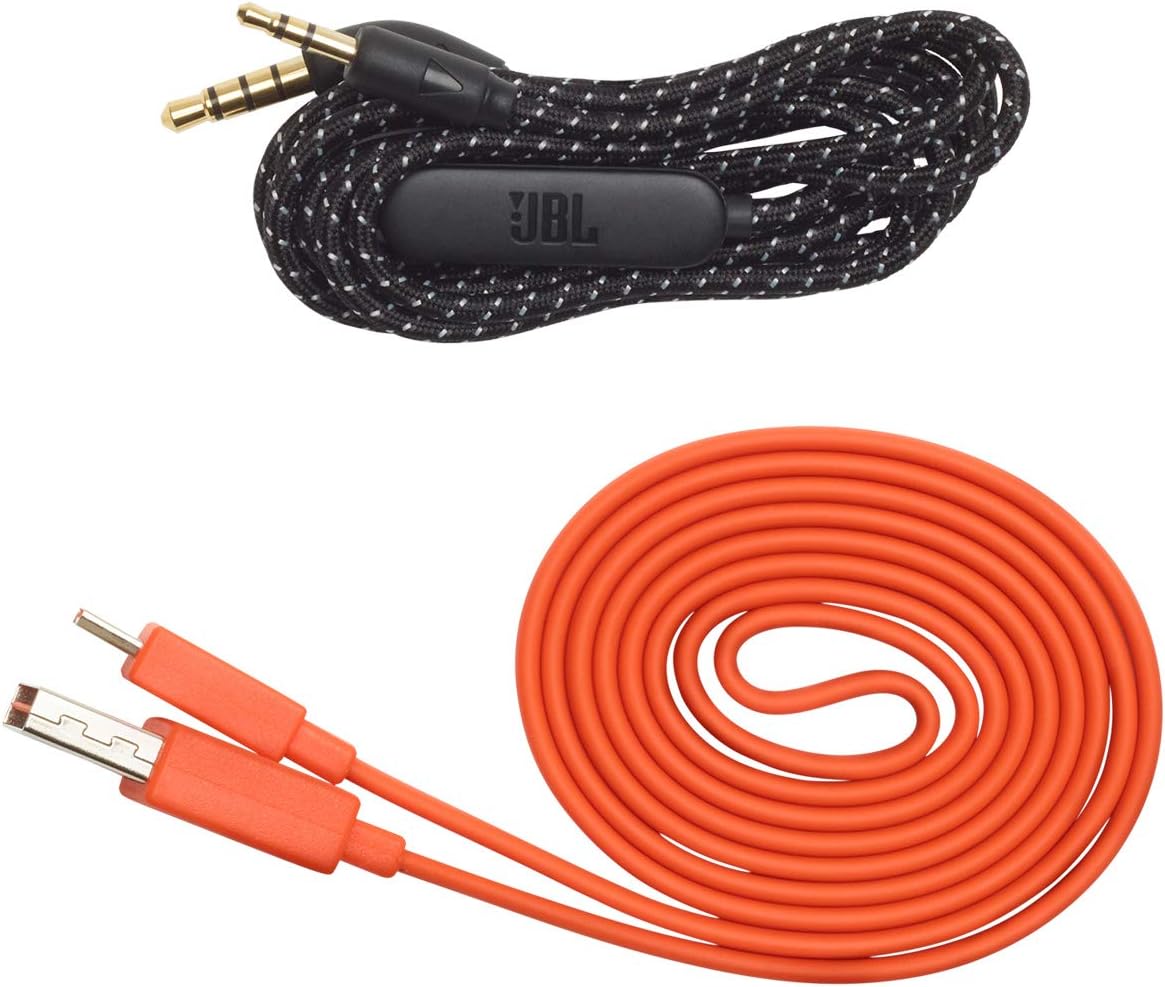
Image: JBL LIVE 400BT headphones shown with the included charging cable and 3.5mm aux cable.
3. Instellen
3.1. De hoofdtelefoon opladen
Before first use, fully charge your JBL LIVE 400BT headphones. A full charge provides up to 24 hours of playback. A quick 15-minute charge can provide an additional 2 hours of listening time.
- Sluit de meegeleverde oplaadkabel aan op de oplaadpoort van de hoofdtelefoon.
- Connect the other end of the charging cable to a USB power source (e.g., wall adapter, computer USB port).
- The LED indicator on the headphones will show charging status. It typically turns off or changes color when fully charged.
3.2. In-/uitschakelen
- To power on, slide the power switch located on the right earcup.
- To power off, slide the power switch back to the off position.
3.3. Bluetooth-koppeling
The JBL LIVE 400BT headphones use Bluetooth 4.0 for wireless connectivity with a range of up to 10 meters.
- Zorg ervoor dat de hoofdtelefoon is uitgeschakeld.
- Slide the power switch to the "on" position and hold it for approximately 3-5 seconds until the LED indicator flashes blue, indicating pairing mode.
- Schakel Bluetooth in op uw apparaat (smartphone, tablet, computer) en zoek naar beschikbare apparaten.
- Select "JBL LIVE 400BT" from the list of available devices.
- Eenmaal aangesloten, zal de LED-indicator ononderbroken blauw worden.

Image: The right earcup of the JBL LIVE 400BT headphones, highlighting the power switch and LED indicator for Bluetooth pairing.
4. De hoofdtelefoon bedienen
4.1. Basisbedieningen
The headphones feature intuitive controls on the earcups for managing audio and calls.
- Afspelen/Pauzeren: Druk eenmaal op de multifunctionele knop.
- Volgende nummer: Druk tweemaal op de multifunctionele knop.
- Vorig nummer: Druk drie keer op de multifunctionele knop.
- Volume omhoog/omlaag: Gebruik de speciale volumeknoppen.
- Oproep beantwoorden/beëindigen: Druk eenmaal op de multifunctionele knop tijdens een inkomende oproep of een actieve oproep.
- Oproep afwijzen: Houd tijdens een inkomende oproep de multifunctionele knop 2 seconden ingedrukt.
4.2. Voice Assistant (Amazon Alexa)
Access Amazon Alexa directly from your headphones. Use the JBL App to set up your voice assistant preference.
- Ensure your headphones are connected to your smartphone via Bluetooth.
- Download and open the JBL Headphones App.
- Follow the in-app instructions to select and configure Amazon Alexa as your voice assistant.
- Once configured, tap the left earcup to activate Alexa and issue commands (e.g., "Play my favorite playlist," "Check the weather").
4.3. Ambient Aware and TalkThru Technology
These features allow you to stay connected to your surroundings or have conversations without removing your headphones.
- Omgevingsbewust: A touch of the Ambient Aware button (located on the left earcup) increases ambient sound, allowing you to hear what's happening around you while music continues at a lower volume.
- TalkThru: Activate TalkThru mode by pressing the TalkThru button (located on the left earcup). This significantly drops the music volume, enabling clear conversations with others without removing the headphones.
Video: Official JBL demonstration of the LIVE 400BT headphones, highlighting features like JBL Signature Sound, Ambient Aware, TalkThru technology, and voice assistant integration.
4.4. Bedrade verbinding
If the battery runs out or you prefer a wired connection, use the provided 3.5mm audio cable.
- Steek één uiteinde van de 3.5 mm audiokabel in de audio-aansluiting van de hoofdtelefoon.
- Plug the other end into your audio source's 3.5mm output.
- The headphones will function passively, without requiring battery power.
5. Onderhoud
Proper care ensures the longevity of your JBL LIVE 400BT headphones.
- Schoonmaak: Gebruik een zachte, droge doek om de oorschelpen en hoofdband schoon te maken. Vermijd het gebruik van agressieve chemicaliën of schurende materialen.
- Opslag: When not in use, store the headphones in a cool, dry place. Avoid extreme temperatures. The headphones are foldable for compact storage.
- batterij zorg: Om de batterij te sparen, moet u voorkomen dat u de hoofdtelefoon regelmatig volledig ontlaadt. Laad hem regelmatig op, ook als u hem niet constant gebruikt.
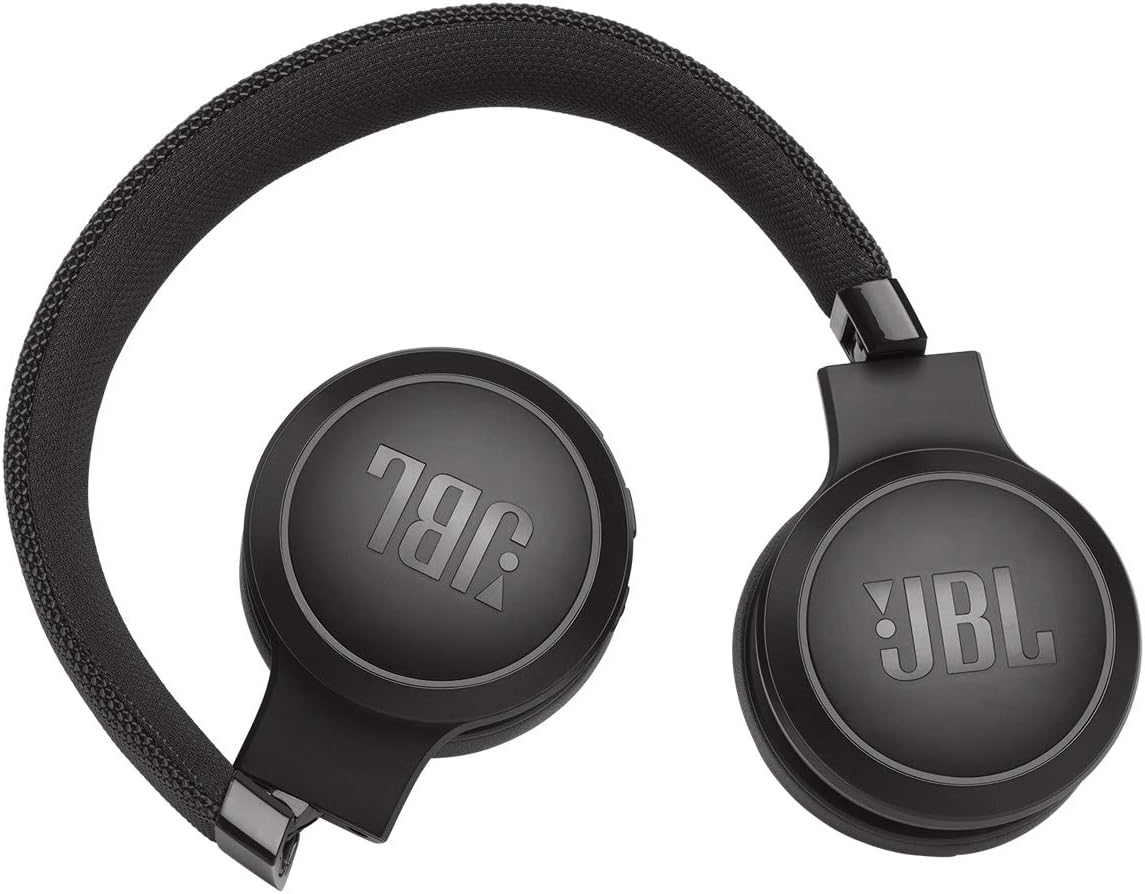
Image: JBL LIVE 400BT headphones shown in a folded position, demonstrating their portability and ease of storage.
6. Probleemoplossing
If you encounter issues with your JBL LIVE 400BT headphones, refer to the following common solutions.
6.1. No Power / Cannot Turn Off
- Batterij opladen: Ensure the headphones are fully charged. A low battery can cause unexpected behavior.
- Stroomcyclus: If the headphones are stuck on or cannot be turned off, try connecting them to a charger for a few minutes, then attempt to power off again.
- Fabrieksinstellingen: If the issue persists, a factory reset may resolve it. Consult the JBL support website or the full user manual for specific factory reset instructions for your model, as this often involves a combination of button presses.
6.2. Problemen met Bluetooth-connectiviteit
- Ensure Pairing Mode: Verify the headphones are in pairing mode (flashing blue LED).
- Nabijheid van het apparaat: Make sure the headphones are within 10 meters of your Bluetooth device.
- Vergeet apparaat: On your device, "forget" or "unpair" the JBL LIVE 400BT from your Bluetooth settings, then attempt to pair again.
- Apparaten opnieuw opstarten: Restart both your headphones and the Bluetooth device.
6.3. Geen geluid of laag volume
- Check Volume Levels: Ensure volume is turned up on both the headphones and your connected device.
- Correct Output: Verify that your device is sending audio to the JBL LIVE 400BT.
- Bekabelde verbinding: If using the aux cable, ensure it is fully inserted into both the headphones and the audio source.
7. Specificaties
| Functie | Specificatie |
|---|---|
| Modelnaam | JBL LIVE 400 - Black (JBLLIVE400BTBLKAM) |
| Merk | JBL |
| Connectiviteitstechnologie | Bluetooth |
| Draadloze communicatietechnologie | Bluetooth |
| Bluetooth-versie | 4.0 |
| Bluetooth-bereik | 10 meter |
| Audiodrivergrootte | 40 millimeter |
| Audiostuurprogrammatype | Dynamic Driver |
| Frequentierespons | 20 kHz |
| Gevoeligheid | 106dB |
| Impedantie | 32 Ohm |
| Levensduur van de batterij | 24 uur |
| Oplaadtijd | 2 uur |
| Koptelefoonaansluiting | 3.5 mm Jack |
| Controletype | Alexa, Touch, Voice Assistant |
| Controlemethode | Aanraken, stem |
| Geluidsbeheersing | Active Noise Cancellation (basic_noise_control) |
| Materiaal | Kunstleer |
| Artikelgewicht | 6.6 ounces (185.8 gram) |
| Productafmetingen | 8.07 x 2.17 x 8.78 inch |
| Datum eerste beschikbaarheid | 7 januari 2019 |
8. Garantie en ondersteuning
For warranty information, technical support, or further assistance, please visit the official JBL support webwebsite of neem contact op met hun klantenservice. Bewaar uw aankoopbewijs voor garantieclaims.
U kunt aanvullende informatie en contactgegevens vinden op de website. JBL-winkel op Amazon.


