
1. Product voorbijview
The CHACON 54661 Set provides a convenient solution for wirelessly controlling your electrical appliances and lighting. This set includes two remote-controlled sockets and one remote control, allowing you to switch devices on or off from a distance within your home.
- Draadloze bediening: Operate devices without direct access to the wall socket.
- Eenvoudige installatie: Simple plug-and-play setup.
- Brede compatibiliteit: Suitable for various household appliances.
- Bedrijfsfrequentie: Frequentie van 433.92 MHz.
- Maximaal vermogen: 2000 Watt.
- Transmissiebereik: Tot 25 meter in open veld.

Image: CHACON remote control and a socket in a typical home environment, demonstrating wireless control.
2. Veiligheidsinformatie
Lees en begrijp alle veiligheidsinstructies voordat u dit product gebruikt. Het niet opvolgen van deze instructies kan leiden tot een elektrische schok, brand of ernstig letsel.
- Alleen voor gebruik binnenshuis: This product is designed for indoor use in dry locations. Do not expose to rain or moisture.
- Maximale belasting: Do not exceed the maximum load of 2000 Watts. Overloading can cause overheating and fire.
- Ventilatie: Ensure adequate ventilation around the sockets. Do not cover them.
- Kinderen en huisdieren: Buiten bereik van kinderen en huisdieren houden.
- demontage: Probeer het apparaat niet te openen, aan te passen of te repareren. Laat alle onderhoudswerkzaamheden uitvoeren door gekwalificeerd personeel.
- Schoonmaak: Schakel de stekker uit het stopcontact voordat u gaat schoonmaken. Gebruik een droge, zachte doek. Gebruik geen vloeibare reinigingsmiddelen.
- Beschikbaarheid: Gooi batterijen en het product weg volgens de plaatselijke voorschriften.
3. Inhoud van het pakket
Controleer of alle artikelen in het pakket aanwezig zijn:
- 2 x CHACON Remote Controlled Sockets
- 1 x CHACON Remote Control
- 1 x Lithium-ion Battery (pre-installed in remote or supplied separately)
- 1 x Gebruikershandleiding (dit document)
4. Instellen
4.1. Installatie van de batterij van de afstandsbediening
The remote control requires one Lithium-ion battery. If not pre-installed, follow these steps:
- Zoek het batterijcompartiment aan de achterkant van de afstandsbediening.
- Open het batterijklepje.
- Insert the Lithium-ion battery, ensuring correct polarity (+ and -).
- Sluit het batterijklepje goed.

Afbeelding: Close-up view of the CHACON remote control, showing the ON/OFF buttons and channel selectors (1, 2, 3, 4).
4.2. Pairing Sockets with Remote Control
Each socket needs to be paired with the remote control to establish communication. The remote control has four channels (1, 2, 3, 4) which can be used to control individual sockets or groups of sockets.
- Plug one CHACON remote controlled socket into a standard wall outlet. The LED indicator on the socket may flash.
- Within 5 seconds of plugging in the socket, press and hold the small pairing button located on the side or front of the socket until the LED indicator starts flashing rapidly.
- While the socket's LED is flashing, press the desired "ON" button (e.g., "1 ON") on the remote control.
- The socket's LED indicator will stop flashing and remain solid for a moment, then turn off, indicating successful pairing.
- Repeat this process for the second socket, assigning it to a different channel (e.g., "2 ON") or the same channel if you wish to control both simultaneously.
- To unpair a socket, plug it in, then press and hold the pairing button until the LED flashes rapidly. Then, press the corresponding "OFF" button on the remote control.

Image: A CHACON remote controlled socket plugged into a wall outlet, ready for pairing.
5. Gebruiksaanwijzing
Once your sockets are paired, you can easily control your connected devices.
- Plug the appliance you wish to control into the CHACON remote controlled socket.
- Ensure the appliance's own power switch is in the "ON" position (if applicable).
- To turn the appliance ON, press the corresponding "ON" button (1, 2, 3, or 4) on your remote control.
- To turn the appliance OFF, press the corresponding "OFF" button (1, 2, 3, or 4) on your remote control.
You can control devices individually or, if multiple sockets are paired to the same channel, control them simultaneously.
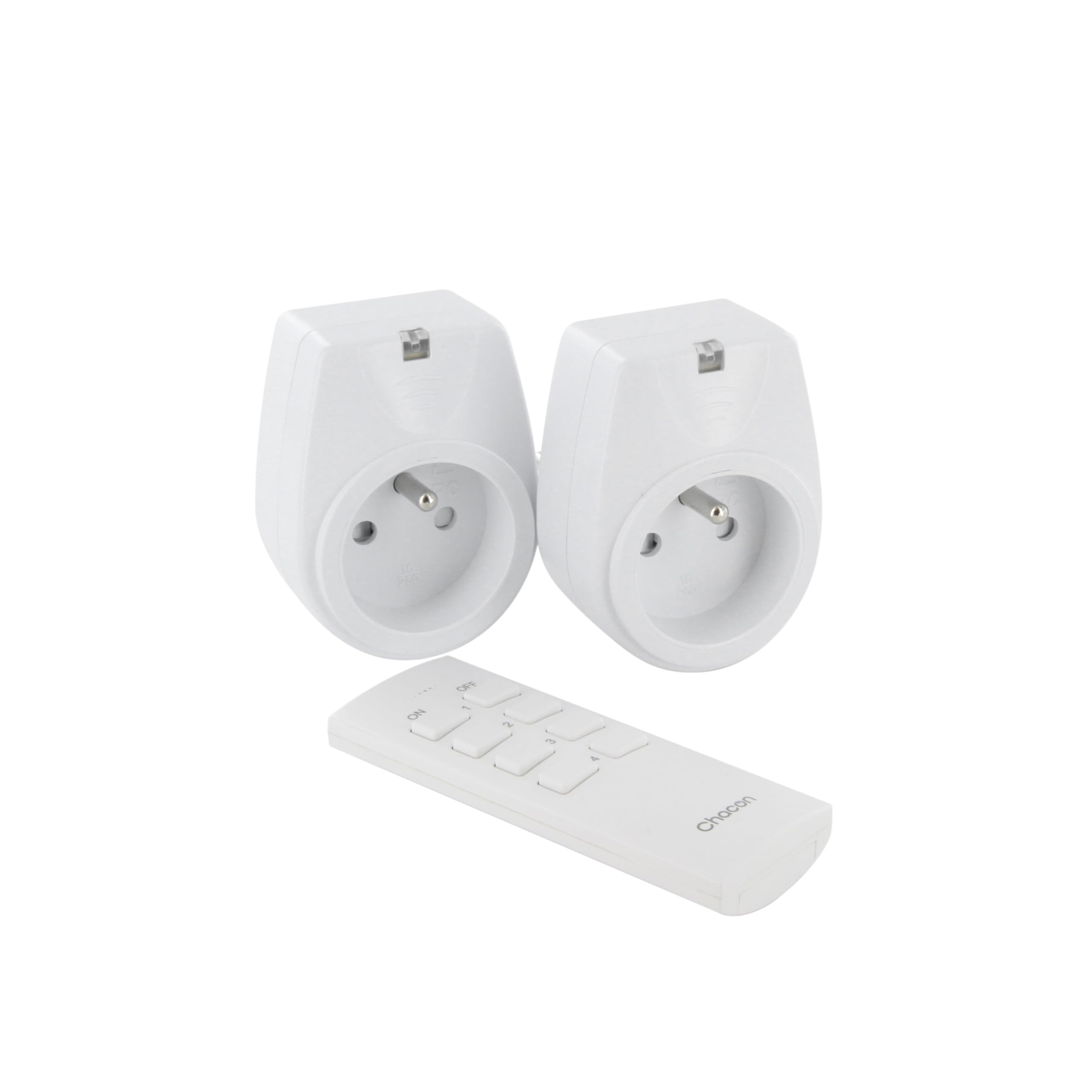
Image: A hand holding the CHACON remote control, demonstrating its use to switch on a lamp.
6. Onderhoud
6.1. Schoonmaken
To clean the sockets and remote control, ensure they are disconnected from power. Use a soft, dry cloth. Do not use abrasive cleaners, solvents, or immerse in water.
6.2. Batterij vervangen van de afstandsbediening
If the remote control's range decreases or it stops responding, the battery may need replacement. Follow the steps in Section 4.1 to replace the Lithium-ion battery with a new one of the same type.
7. Probleemoplossing
| Probleem | Mogelijke oorzaak | Oplossing |
|---|---|---|
| Socket does not respond to remote control. |
|
|
| Connected appliance does not turn on/off. |
|
|
| Reduced transmission range. |
|
|
8. Specificaties
| Merk | CHACON |
| Modelnummer | 54661 |
| Kleur | Wit |
| Speciale kenmerken | Draadloze |
| Compatibele apparaten | Air conditioner, Game console, Iron, Speaker, Lamp, DVD player, MP3 player, E-reader, Coffee machine, Modem, Laptop, Heater, Router, Refrigerator, Set-top box, Smartphone, Smartwatch, Audio system, Hair dryer, Tablet, Television |
| Batterijtype op afstand | Lithium-ion (1 inbegrepen) |
| Maximaal vermogen | 2000 Watt |
| Transmissie afstand | 25m (open veld) |
| Frequentie | 433.92 MHz |
| Deeltage | 230V |
| Aantal stopcontacten | 2 |
| Stekkertype | FR (Type E/F) |
| Materiaal | Polyvinylchloride (PVC) |
| Land van herkomst | China |
9. Garantie
This CHACON product is covered by a 2 jaar garantie from the date of purchase. This warranty covers manufacturing defects and material faults under normal use. It does not cover damage caused by misuse, accident, unauthorized modification, or improper installation.
Bewaar uw aankoopbewijs voor garantieclaims.
10. Ondersteuning
For technical assistance, troubleshooting not covered in this manual, or warranty inquiries, please contact CHACON customer support.
Bezoek de officiële CHACON-website. website voor de meest actuele ondersteuningsinformatie en contactgegevens.
Note: Specific contact information may vary by region.