1. परिचय
This manual provides essential information for the M5Stack Tab5 IoT Controller/Development Kit, an advanced device designed for Internet of Things (IoT) applications and embedded system development. The Tab5 integrates an ESP32-P4 dual-core microcontroller, a 5-inch IPS TFT display, and various connectivity options, making it suitable for a wide range of projects from smart home control to industrial automation. Please read this manual thoroughly before using the device to ensure proper operation and to maximize its capabilities.
2. उत्पादन समाप्तview
१.१ मुख्य विशेषताहरू
- प्रोसेसर: ESP32-P4NRW32 (RISC-V 32-bit dual-core 400 MHz + LP single-core 40 MHz)
- ताररहित कनेक्टिविटी: ESP32-C6-MINI-1U (Wi-Fi 6 @ 2.4 GHz / Thread / ZigBee)
- प्रदर्शन: 5-inch IPS TFT (1280 × 720 resolution) with GT911 multi-touch controller
- मेमोरी: 16 MB Flash, 32 MB PSRAM
- क्यामेरा: SC2356 @ 2 MP (1600 × 1200), via MIPI-CSI
- इन्टरफेसहरू: USB-A Host, USB-C OTG, RS-485, 3.5mm audio jack, 2x MIC, Speaker
- एन्टेना: Built-in 3D antenna & 2 × MMCX external-antenna ports
- शक्ति: Supports NP-F550 series battery (7.4V 2000mAh NP-F550 battery included)
२.१ कम्पोनेन्टहरू समावेश छन्
The M5Stack Tab5 IoT Controller/Development Kit includes the main Tab5 unit and a 7.4V 2000mAh NP-F550 battery. A 1.25-6P single-ended terminal cable is also provided for external connections.
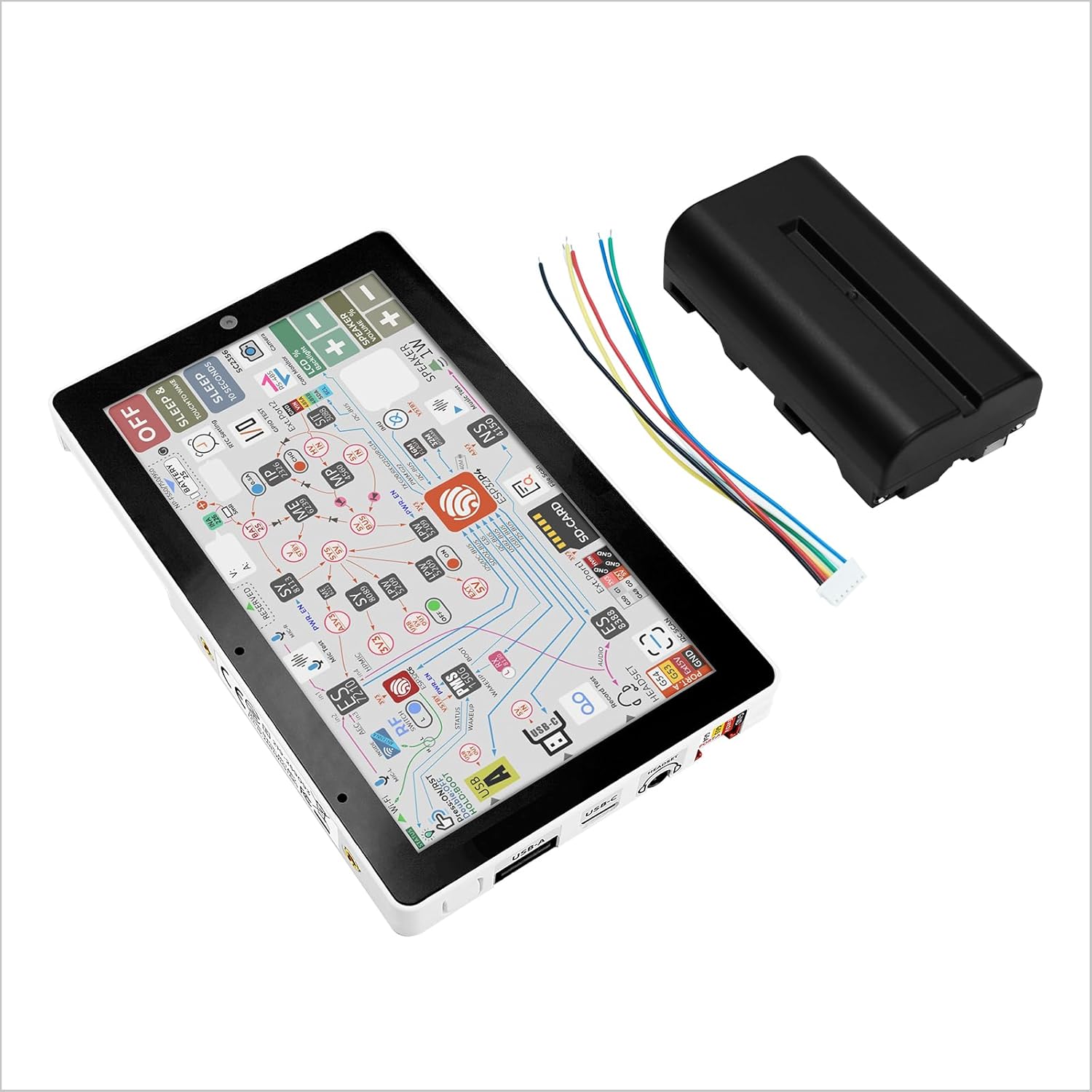
चित्र १: M5Stack Tab5 IoT Controller with included NP-F550 battery and connection wires. This image shows the main Tab5 unit, the external battery, and a cable for connecting the battery to the device.

चित्र १: विस्फोट भयो view of M5Stack Tab5 showing internal components, ports, and battery installation. This detailed diagram highlights the 5-inch TFT touch display, 1W speaker, USB-A, USB-C, 3.5mm headset jack, MMCX antenna ports, M-Bus connectors, PWR485, and the NP-F550 battery compartment. It also indicates the ESP32-P4 and ESP32-C6 chips.

चित्र १: M5Stack Tab5 dimensions. The device measures approximately 128mm (5.03 inches) in length, 80mm (3.14 inches) in width, and 12mm (0.47 inches) in thickness.
3. सेटअप
3.1 ब्याट्री स्थापना
- Locate the battery compartment on the rear of the Tab5 unit. Refer to Figure 2.2.2 for visual guidance.
- Insert the provided NP-F550 battery into the compartment, ensuring correct orientation. The battery should click securely into place.
- Connect the battery's power cable to the designated power input port on the Tab5, if not already pre-connected.
७.२ प्रारम्भिक पावर अन
After installing the battery, press and hold the power button (typically located on the side or top edge, refer to Figure 2.2.2 for exact location) for a few seconds until the display illuminates. The device will boot up, and the default operating system or pre-loaded application will appear.
४.२.१ जडान गर्ने परिधीयहरू
- USB यन्त्रहरू: Use the USB-A host port for connecting external USB devices such as keyboards, mice, or storage. The USB-C port supports OTG (On-The-Go) functionality for data transfer and power.
- अडियो: Connect headphones or external speakers to the 3.5mm audio jack.
- बाह्य एन्टेना: For enhanced wireless performance, connect external antennas to the MMCX ports.
- विस्तार मोड्युल: The Tab5 features M-Bus connectors for integrating M5Stack's modular expansion units.
4. सञ्चालन
६.२ प्रयोगकर्ता इन्टरफेस नेभिगेसन
The Tab5 features a 5-inch multi-touch display. Navigate the user interface by tapping, swiping, and pinching gestures, similar to a smartphone or tablet. Specific application controls will vary based on the loaded firmware or operating system.
4.2 विकास वातावरण
As a development kit, the Tab5 supports various programming environments and frameworks compatible with ESP32-P4 and ESP32-C6 microcontrollers. Users can typically connect the device to a computer via the USB-C port for programming and debugging. Refer to the M5Stack official documentation for detailed guides on setting up development environments such as Arduino IDE, ESP-IDF, or MicroPython.
4.3 शक्ति व्यवस्थापन
- पावर अन/अफ: थिच्नुहोस् र पावर बटन होल्ड गर्नुहोस् उपकरण खोल्न वा बन्द गर्न।
- निद्रा मोड: Short press the power button to enter or exit sleep mode, conserving battery life.
- चार्ज गर्दै: Connect a compatible USB-C power adapter to charge the internal battery.
5. निर्दिष्टीकरणहरू
| सुविधा | विवरण |
|---|---|
| Main Controller SoC | ESP32-P4NRW32 (RISC-V 32-bit dual-core 400 MHz + LP single-core 40 MHz) |
| Wireless Module SoC | ESP32-C6-MINI-1U (Wi-Fi 6 @ 2.4 GHz / Thread / ZigBee) |
| एन्टेना | Built-in 3D antenna & 2 × MMCX external-antenna ports |
| फ्ल्यास मेमोरी | १२८ एमबी |
| PSRAM | १२८ एमबी |
| प्रदर्शन | 5-inch IPS TFT (1280 × 720) |
| टच कन्ट्रोलर | GT911 multi-touch controller (I²C) |
| क्यामेरा | SC2356 @ 2 MP (1600 × 1200), via MIPI-CSI |
| जडान | USB-A Host, USB-C OTG, RS-485 |
| अडियो | 3.5mm audio jack, 2x MIC, 1W Speaker |
| ब्याट्री | 7.4V 2000mAh NP-F550 (included) |
| अपरेटिङ सिस्टम | Linux (default, customizable) |
| आयामहरू | 128mm x 80mm x 12mm (लगभग) |
| वजन | लगभग १०.२ औंस (२९० ग्राम) |
6. मर्मतसम्भार
- सरसफाई: Use a soft, dry cloth to clean the device. For the screen, a microfiber cloth is recommended. Avoid abrasive cleaners or solvents.
- भण्डारण: Store the Tab5 in a cool, dry place away from direct sunlight and extreme temperatures.
- ब्याट्री केयर: For optimal battery life, avoid fully discharging the battery frequently. If storing for extended periods, charge the battery to approximately 50-70%.
- फर्मवेयर अपडेट: नियमित रूपमा M5Stack आधिकारिक जाँच गर्नुहोस् webइष्टतम कार्यसम्पादन र नयाँ सुविधाहरूमा पहुँच सुनिश्चित गर्न फर्मवेयर अपडेटहरूको लागि साइट।
T. समस्या निवारण
- यन्त्र सक्रिय छैन:
- ब्याट्री सही रूपमा स्थापित र चार्ज भएको सुनिश्चित गर्नुहोस्।
- Verify that the power button is pressed and held for the required duration.
- If using external power, check the USB-C cable and power adapter.
- प्रदर्शन मुद्दाहरू:
- यदि स्क्रिन प्रतिक्रियाहीन छ भने, उपकरण पुन: सुरु गर्ने प्रयास गर्नुहोस्।
- Ensure the display cable connections are secure (if applicable for advanced users disassembling the unit).
- कनेक्टिभिटी समस्याहरू (वाइफाइ/ब्लुटुथ):
- नेटवर्क सेटिङहरू जाँच गर्नुहोस् र सही प्रमाणहरू प्रविष्ट गरिएको छ भनी सुनिश्चित गर्नुहोस्।
- Verify that external antennas (if used) are properly connected to the MMCX ports.
- Development Environment Issues:
- Ensure correct drivers are installed on your computer for USB communication.
- Refer to M5Stack's online documentation for specific development environment setup and common issues.
- Note for ESPHome Users: As of November 2025, the touchscreen driver has changed from GT911 to ST7123. Compatibility with ESPHome may require updated support for the ST7123 driver. Consult ESPHome documentation or community forums for the latest information.
३.१। समर्थन र स्रोतहरू
For further assistance, detailed tutorials, and community support, please visit the official M5Stack webसाइट।

चित्र १: Steps to access M5Stack tutorials and documentation online.
आधिकारिक Webसाइट: https://www.m5stack.com/
कागजात: Look for the "DOCUMENT" section on the website for product-specific guides, datasheets, and programming exampलेस।
9. वारेन्टी जानकारी
M5Stack products typically come with a standard manufacturer's warranty. For detailed information regarding warranty terms, conditions, and duration, please refer to the warranty card included with your product or visit the official M5Stack webसाइटको समर्थन खण्ड। वारेन्टी दावीहरूको लागि आफ्नो खरिदको प्रमाण राख्नुहोस्।


