1. परिचय
This manual provides detailed instructions for the safe and efficient operation of your G-Homa 24-Hour Indoor Plug-in Mechanical Timer. This device is designed to automate the on/off cycles of various indoor electrical appliances, helping to conserve energy and enhance convenience. Please read this manual thoroughly before use and retain it for future reference.

Image 1.1: Two G-Homa 24-Hour Indoor Plug-in Mechanical Timers. These timers feature a rotating dial for setting schedules and a single polarized outlet.
2. सुरक्षा जानकारी
सुरक्षित सञ्चालन सुनिश्चित गर्न र क्षति रोक्न, कृपया निम्न सावधानीहरू पालना गर्नुहोस्:
- For indoor use only. Do not expose to moisture, water, or extreme temperatures.
- Do not exceed the maximum electrical ratings: 125Vac~60 Hz, 15A general purpose, 15A resistive, 1250W tungsten, 1/4 HP.
- Ensure the timer is securely plugged into a properly grounded outlet.
- टाइमरलाई छुट्याउन वा मर्मत गर्ने प्रयास नगर्नुहोस्। सबै सेवाहरू योग्य कर्मचारीहरूलाई पठाउनुहोस्।
- बालबालिकाको पहुँचबाट टाढा राख्नुहोस्।
- सफा गर्नु अघि भित्ताको आउटलेटबाट टाइमर अनप्लग गर्नुहोस्।
- This timer is ETL listed, ensuring compliance with safety standards.
Product. उत्पाद सुविधाहरू
The G-Homa Mechanical Timer offers the following key features:
- 24-Hour Automation: Program daily on/off cycles.
- 30-Minute Intervals: Precise scheduling with 48 on/off options per day.
- म्यानुअल ओभरराइड स्विच: Easily switch between 'Timer ON', 'Outlet ON' (always on), or 'OFF' modes.
- Polarized Outlet: Designed for safety with a polarized two-prong plug.
- टिकाउ निर्माण: Features fireproof ABS material and nickel-plated phosphor bronze contacts for reliability.

Image 3.1: Visual representation of the timer's key features, including the convenient override switch, 30-minute interval settings, polarized outlet, and 24-hour programmable cycle.
१. उत्पाद आरेख
Familiarize yourself with the components of your G-Homa Mechanical Timer:

छवि १: अगाडि view showing the dial and outlet, and back view displaying the polarized plug and product label with model number EMT3200/US and dimensions (2.28"H x 2.28"W x 1"D).
- Timing Dial: The large rotating dial with numbers 1-12 (AM/PM) for setting the current time and programming.
- Program Pins (Segments): Small segments around the dial that are pushed down for 'ON' and pulled up for 'OFF'.
- Current Time Pointer: A fixed arrow on the timer body indicating the current time on the dial.
- म्यानुअल ओभरराइड स्विच: Located on top, allows selection between 'Outlet ON', 'Timer ON', or 'OFF'.
- Polarized Outlet: The receptacle on the side for plugging in your appliance.
- ध्रुवीकृत प्लग: The two-prong plug for connecting the timer to a wall outlet.
5. सेटअप
Follow these steps to prepare your timer for use:
- प्याक खोल्नुहोस्: यसको प्याकेजिङबाट टाइमर हटाउनुहोस्।
- प्रारम्भिक शुल्क (वैकल्पिक): For the internal clock mechanism to function accurately, plug the timer into a live wall outlet for approximately 30 minutes before setting the time and program. This charges the internal battery.
- हालको समय सेट गर्नुहोस्: Rotate the entire timing dial clockwise until the current time aligns with the 'TIME NOW' pointer (the arrow on the timer body). For example, if it's 3 PM, rotate the dial until '3 PM' is at the pointer.
6. सञ्चालन निर्देशनहरू
6.1. Programming On/Off Times
The timer operates on a 24-hour cycle with 30-minute intervals. Each segment around the dial represents 30 minutes.

Image 6.1: This image illustrates the process of setting the timer. Pins pushed down correspond to 'ON' periods, while pins pulled up correspond to 'OFF' periods. Each pin represents a 30-minute interval.
- Identify Program Segments: Locate the small black segments around the edge of the dial. There are 48 segments, each representing 30 minutes.
- Set 'ON' Times: Push down the segments corresponding to the periods you want your appliance to be ON.
- Set 'OFF' Times: Pull up the segments corresponding to the periods you want your appliance to be OFF.
- सेटिङ्हरू प्रमाणित गर्नुहोस्: Double-check that the pushed-down segments align with your desired 'ON' times and pulled-up segments with 'OFF' times.
6.2. Using the Manual Override Switch
The manual override switch, located on the top of the timer, allows you to control the power output independently of the set program.

छवि २: क्लोज-अप view of the manual override switch, which allows users to select between 'Outlet ON', 'Timer ON', or 'OFF' modes.
- Outlet ON: Slide the switch to this position to keep the appliance continuously ON, bypassing the timer program.
- टाइमर चालू: Slide the switch to this position for the timer to follow your programmed on/off schedule.
- बन्द: Slide the switch to this position to turn off power to the appliance completely.
6.3. Connecting an Appliance
- Ensure the timer is plugged into a wall outlet.
- Plug your desired appliance into the polarized outlet on the side of the timer.
- Set the manual override switch to 'Timer ON' for automatic operation, or 'Outlet ON' for continuous power.
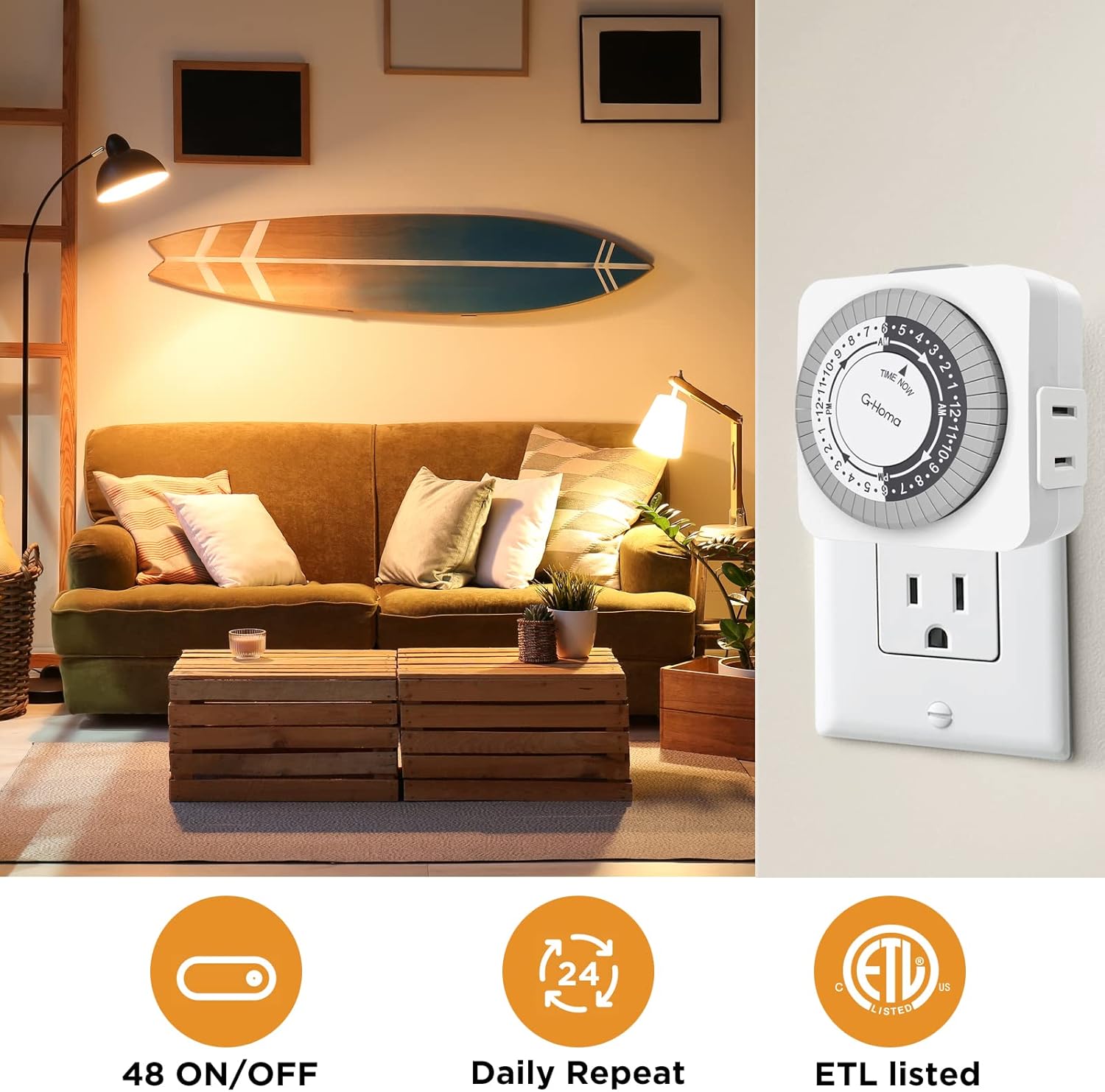
Image 6.3: The G-Homa timer is shown plugged into a wall outlet, with a lamp's power cord connected to the timer's side outlet, demonstrating a typical indoor application.

Image 6.4: This image displays a range of indoor appliances, including a coffee maker, humidifier, toaster, and blender, illustrating the versatility of the G-Homa timer for automating daily tasks.
7. मर्मतसम्भार
The G-Homa Mechanical Timer requires minimal maintenance:
- सरसफाई: सफा गर्नुअघि पावर आउटलेटबाट टाइमर विच्छेद गर्नुहोस्। नरम, सुख्खा कपडाले बाहिरी भाग पुछ्नुहोस्। तरल क्लिनर वा घर्षण गर्ने सामग्रीहरू प्रयोग नगर्नुहोस्।
- भण्डारण: लामो समयसम्म प्रयोगमा नभएको बेला, टाइमरलाई प्रत्यक्ष घामबाट टाढा चिसो, सुख्खा ठाउँमा भण्डार गर्नुहोस्।
T. समस्या निवारण
If you encounter issues with your G-Homa Mechanical Timer, refer to the following common problems and solutions:
| समस्या | सम्भावित कारण | समाधान |
|---|---|---|
| प्रोग्राम गरिएको समयमा उपकरण अन/अफ हुँदैन। |
|
|
| उपकरण निरन्तर सक्रिय वा बन्द रहन्छ। | Manual override switch is in 'Outlet ON' or 'OFF' position. | Slide the manual override switch to 'Timer ON'. |
| Timer makes a buzzing noise. | Normal operation for some mechanical timers, or potential internal issue. | If the buzzing is excessively loud or accompanied by other issues, discontinue use and contact customer support. |
| टाइमरले पावर प्राप्त गरिरहेको छैन। |
|
|
9. निर्दिष्टीकरणहरू
- मोडेल: EMT3200/US
- इनपुट भोल्यूमtage: २125० भ्याक, H० हर्ट्ज
- अधिकतम लोड: 15A General Purpose, 15A Resistive, 1250W Tungsten, 1/4 HP
- Minimum Setting Time: 30 मिनेट
- कार्यक्रम विकल्प: 48 On/Off settings per 24-hour cycle
- आयामहरू: 1"D x 2.28"W x 2.28"H
- सामग्री: आगो प्रतिरोधी ABS प्लास्टिक
- प्रमाणपत्रहरू: ETL सूचीबद्ध
- रंग: सेतो
10. वारेन्टी र समर्थन
G-Homa provides professional customer services for its products. For any questions, concerns, or technical assistance, please contact G-Homa customer support.
फिर्ता नीति: This product is typically eligible for a refund or replacement within 30 days of purchase, subject to the retailer's return policy.
For the most up-to-date support information, please visit the official G-Homa webसाइट वा आफ्नो खुद्रा विक्रेतालाई सम्पर्क गर्नुहोस्।


