
Introduction
Thank you for choosing the pTron Bassbuds Rogue Wireless Earbuds. This manual provides detailed instructions for setting up, operating, and maintaining your earbuds to ensure optimal performance and longevity. Please read this manual carefully before use.
What's in the Box
- pTron Bassbuds Rogue Wireless Earbuds
- Charging Case
- USB Charging Cable
- Eartips (various sizes)
- User Manual
Product Overview
The pTron Bassbuds Rogue feature an ergonomic design with RGB lighting on the charging case, 13mm dynamic drivers, and intuitive touch controls. They are designed for a comfortable and secure fit, suitable for various activities including gaming and exercise.

Image: The pTron Bassbuds Rogue earbuds shown with their charging case, highlighting the overall design.
Charging Case and Earbuds
The charging case features RGB lighting indicators for battery status and an ergonomic design. The earbuds are lightweight and designed for a snug fit.

Image: Close-up of the pTron Bassbuds Rogue earbuds and charging case, showcasing the gaming-inspired design and LED lights.
Touch Controls
Each earbud is equipped with touch-sensitive controls for managing music playback, calls, and activating voice assistant functions.

Image: Diagram illustrating the touch control functions on the pTron Bassbuds Rogue earbuds, including play/pause, game/movie mode, answer/reject calls, and voice assistant.
Setup
1. Charging the Case
- Connect the provided USB Type-C charging cable to the charging port on the case.
- Connect the other end of the cable to a USB power adapter (DC 5V-1A max.) or a computer's USB port.
- The RGB lights on the case will indicate charging status. A full charge typically takes approximately 1.5 hours.
2. Charging the Earbuds
- Place the earbuds into their respective slots in the charging case. Ensure they are correctly seated.
- The earbuds will automatically begin charging. The LED indicators on the earbuds will show their charging status.

Image: The pTron Bassbuds Rogue earbuds placed inside their charging case, illustrating the charging process and highlighting the 50 hours playtime capability.
3. Pairing with a Device
- Initial Pairing:
- Open the charging case. The earbuds will automatically power on and enter pairing mode.
- Enable Bluetooth on your device (smartphone, tablet, laptop).
- Search for "pTron Bassbuds Rogue" in the list of available Bluetooth devices.
- Select it to connect. Once connected, a voice prompt will confirm successful pairing.
- Automatic Reconnection:
- After initial pairing, the earbuds will automatically connect to the last paired device when taken out of the charging case, provided Bluetooth is enabled on the device.
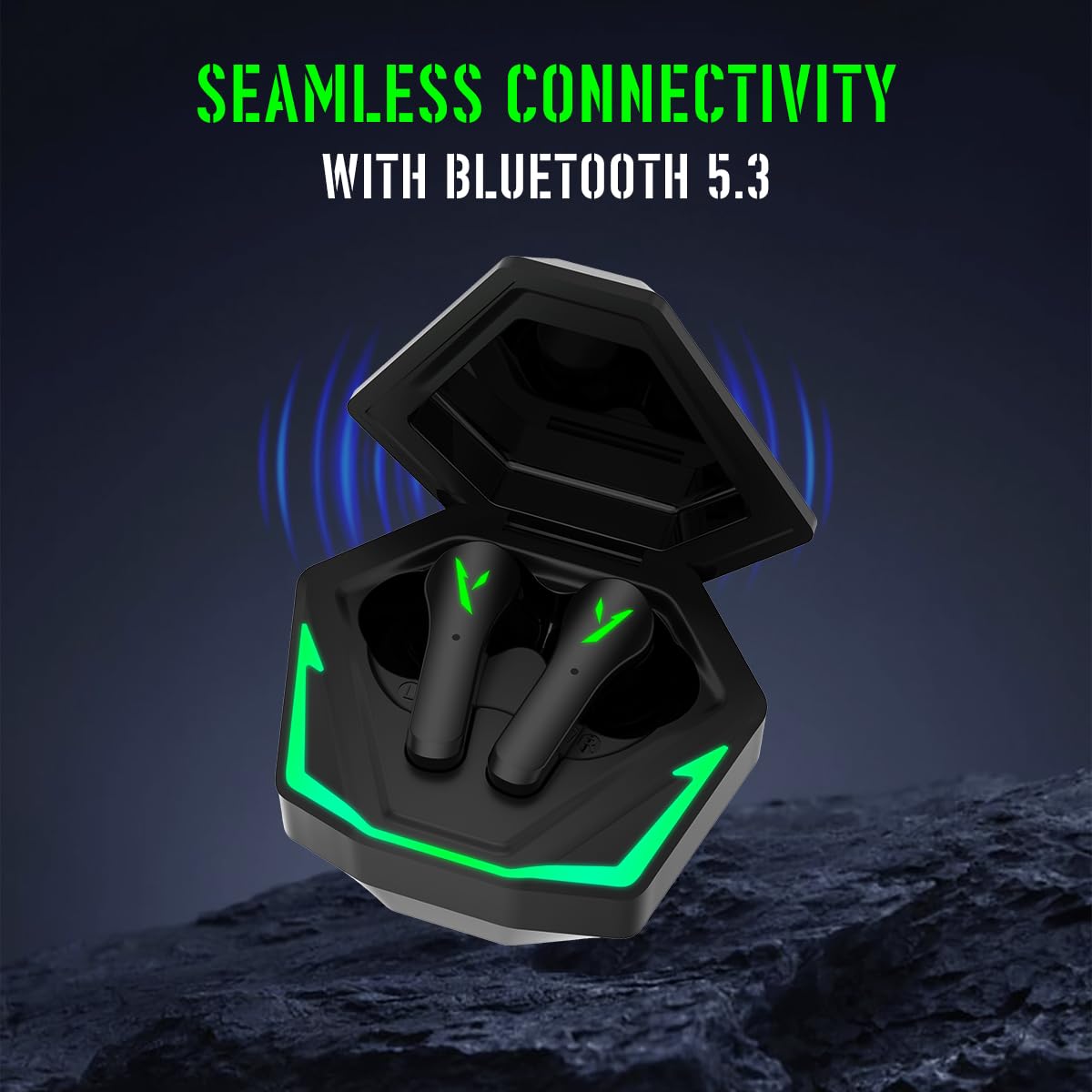
Image: The pTron Bassbuds Rogue charging case open with earbuds inside, illustrating seamless connectivity with Bluetooth 5.3.
Operating Instructions
Power On/Off
- Power On: Open the charging case, or long-press the touch panel on both earbuds for 3 seconds.
- Power Off: Place the earbuds back into the charging case and close the lid, or long-press the touch panel on both earbuds for 5 seconds.
Music Controls
- Play/Pause: Single tap on either earbud.
- Next Track: Triple tap on the right earbud.
- Previous Track: Triple tap on the left earbud.
Call Controls
- Answer/End Call: Double tap on either earbud.
- Reject Call: Long-press on either earbud for 2 seconds.
Voice Assistant
- Activate Voice Assistant: Long-press on the left earbud for 2 seconds.
Gaming Mode / Movie Mode (Dual EQ)
- Switch Modes: Long-press on the right earbud for 2 seconds to toggle between Gaming Mode (40ms low-latency) and Movie Mode.

Image: A smartphone displaying a racing game with the pTron Bassbuds Rogue earbuds, emphasizing the 40ms low-latency gaming experience.
Maintenance
- Cleaning: Regularly clean the earbuds and charging case with a soft, dry cloth. Avoid using liquids or abrasive cleaners.
- Storage: Store the earbuds in their charging case when not in use to protect them and keep them charged.
- Water Resistance: The earbuds are IPX5 water resistant, meaning they can withstand splashes and sweat. They are not designed for submersion in water. Ensure the charging port is dry before charging.

Image: The pTron Bassbuds Rogue earbuds and charging case with water splashing, demonstrating their IPX5 water resistance.
Troubleshooting
| Problem | Solution |
|---|---|
| Earbuds not pairing | Ensure earbuds are charged. Turn off and on Bluetooth on your device. Forget "pTron Bassbuds Rogue" from your device's Bluetooth list and re-pair. |
| Only one earbud working | Place both earbuds back into the charging case, close the lid, then open it again. Ensure both earbuds are charged. Re-pair the earbuds with your device. |
| Low volume | Adjust volume on both your device and the earbuds (if supported by touch controls). Ensure eartips provide a good seal. |
| Charging issues | Check the charging cable and adapter. Ensure the charging contacts on the earbuds and case are clean and free of debris. |
Specifications
| Feature | Detail |
|---|---|
| Brand | pTron |
| Model Number | Bassbuds |
| Ear Placement | In Ear |
| Impedance | 32 Ohms |
| Bluetooth Version | 5.3 |
| Bluetooth Range | 10 Metres |
| Audio Latency | 40 Milliseconds |
| Audio Driver Size | 13 Millimetres |
| Battery Average Life | 50 Hours (with charging case) |
| Battery Charge Time | 1.5 Hours |
| Water Resistance Level | IPX5 |
| Control Method | Touch |
| Microphone | Dual HD Microphone |
| Material | Acrylonitrile Butadiene Styrene (ABS), Silicone |
Warranty
The pTron Bassbuds Rogue comes with a 6 months manufacturer warranty from the date of purchase. This warranty covers manufacturing defects only. Please retain your purchase receipt for warranty claims.
Support
For any queries, technical assistance, or warranty claims, please contact pTron customer support:
- Phone: 040-67138888
- Email: support@ptron.in
- Manufacturer Address: Palred Electronics Pvt. Ltd., SY.NO. 56, 1ST FLOOR, GUNDLAPOCHAMPALLY VILLAGE, TECH PARK MTP, TSIIC-IALA NACHARAM, HYDERABAD - 500076, TELANGANA, INDIA
Product Video
Video: A short preview showcasing the pTron Bassbuds Rogue wireless earbuds, highlighting their design and features.