1. Introduction to Your LG B3 Series OLED Smart TV
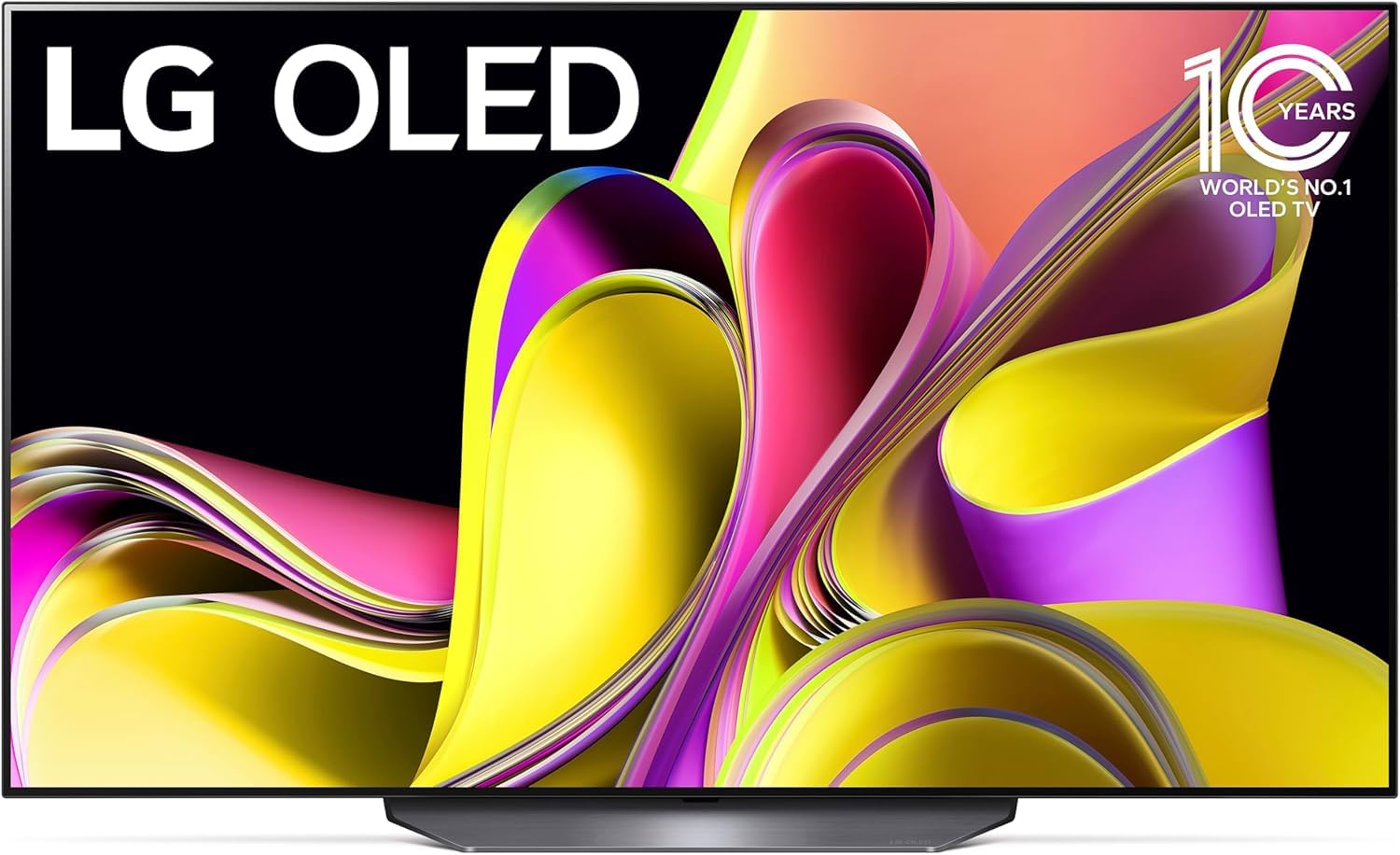
The LG B3 Series 55-Inch Class OLED Smart TV (Model OLED55B3PUA) offers a premium viewing experience with its self-lit OLED 4K display, delivering perfect blacks and vibrant colors. Powered by the α7 AI Processor Gen6, this TV intelligently optimizes picture and sound. It features webOS 23 for streamlined streaming and access to a wide range of content, including fitness, sports, and entertainment. Enhanced with Dolby Vision and Dolby Atmos, it provides an immersive home theater experience. For gamers, the TV boasts a 120Hz refresh rate, 0.1ms response time, NVIDIA G-Sync, AMD FreeSync Premium, VRR, and four HDMI 2.1 inputs, ensuring ultimate gameplay performance.

2. X'hemm fil-Kaxxa
Upon unboxing your LG B3 Series OLED Smart TV, please ensure all the following components are present:
- Remote Magic
- Batteriji tal-Kontroll mill-bogħod
- Stand
- Gwida Quick Start
- Kejbil tal-Enerġija
3. Setup
3.1. Żpakkjar u Tqegħid
- Carefully remove the TV from its packaging. It is recommended to have at least two people for this process due to the size and delicate nature of the screen.
- Choose a suitable location for your TV. Ensure it is on a stable, flat surface if using the stand, or securely mounted to a wall using a compatible VESA mount (sold separately).
- Maintain adequate ventilation around the TV to prevent overheating.
3.2. Twaħħil tal-Stand (jekk applikabbli)
If you are using the included stand:
- Place the TV screen-down on a soft, clean cloth to protect the screen.
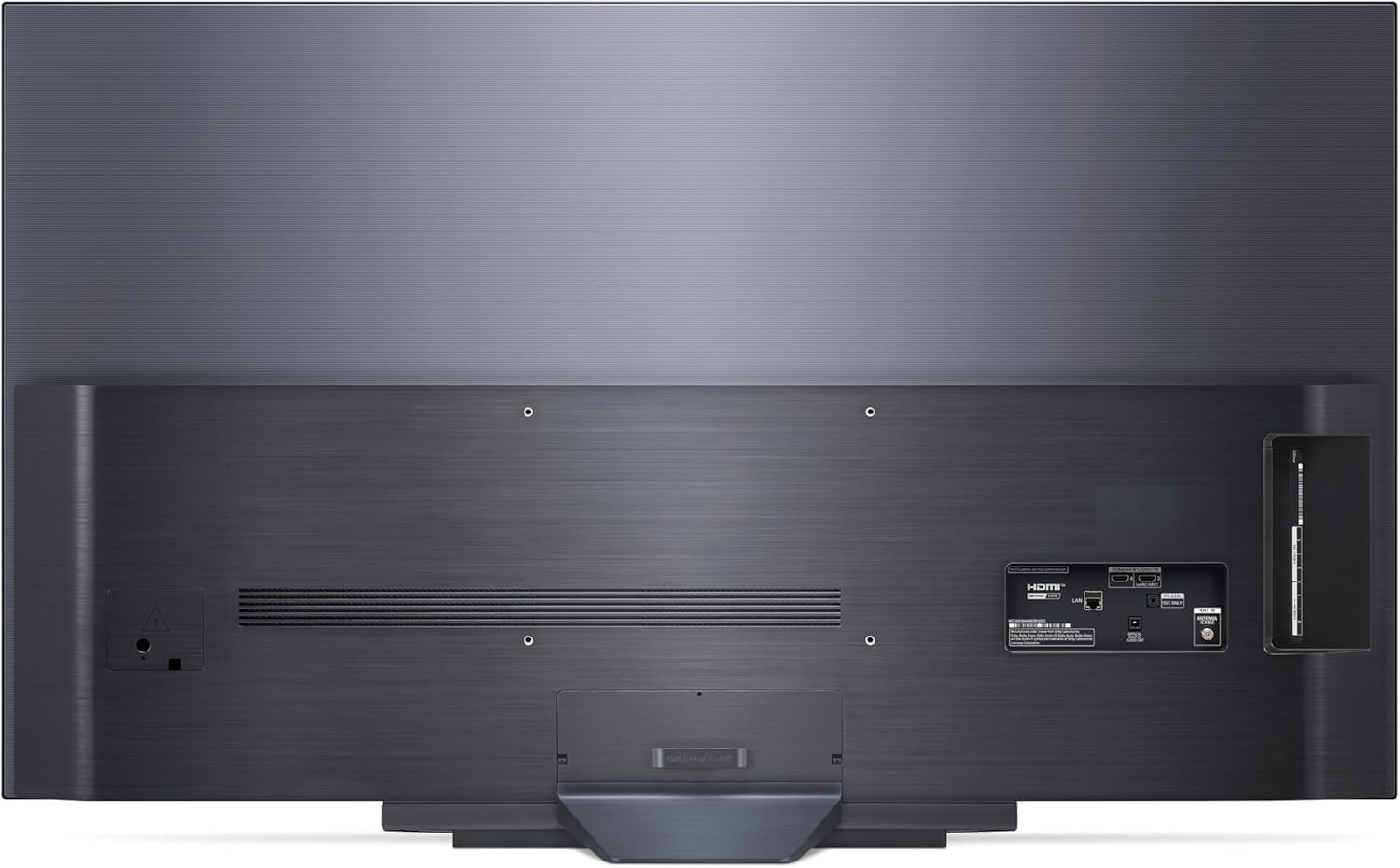
- Align the stand with the mounting holes on the back of the TV.
- Secure the stand using the provided screws. Refer to the Quick Start Guide for detailed illustrations.
3.3. Konnessjoni Periferali
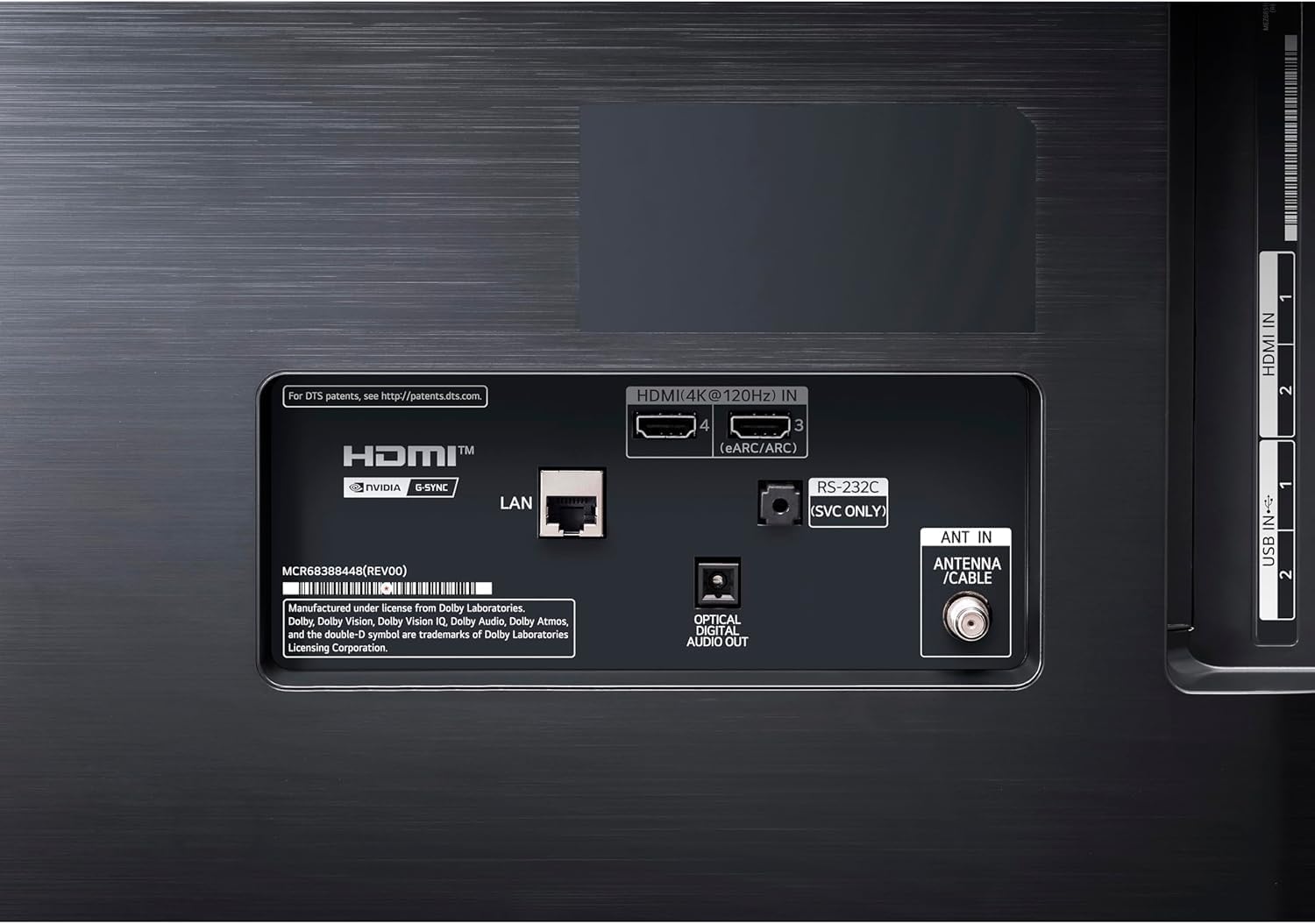
Connect your external devices (cable box, Blu-ray player, gaming console, etc.) to the appropriate ports on the TV. The LG B3 Series features four HDMI 2.1 inputs for high-speed connections, ideal for gaming and 4K content.
- Portijiet HDMI: Use for high-definition video and audio devices.
- Portijiet USB: Għall-konnessjoni ta' apparati tal-ħażna USB jew aċċessorji oħra kompatibbli.
- Ħruġ Awdjo Diġitali Ottiku: Għall-konnessjoni ma' soundbar jew sistema ta' home theater.
- Port tal-LAN: Għal konnessjoni tal-internet bil-fili.

3.4. Konnessjoni tal-Enerġija
Plug the power cable into the TV's power input, then into a wall outlet. The TV will automatically power on or enter standby mode.
4. Istruzzjonijiet Operattivi
4.1. Inizjali Setup Wizard
The first time you power on your TV, an on-screen setup wizard will guide you through essential settings such as language, network connection (Wi-Fi or Ethernet), and channel tuning. Follow the prompts to complete the initial setup.
4.2. L-użu tal-Magic Remote
The LG Magic Remote allows for intuitive control of your TV. Point and click, use voice commands, or navigate with the scroll wheel. The remote features dedicated buttons for popular streaming services and quick access to settings.

4.3. Karatteristiċi tat-TV Intelliġenti (webOS 23)
Your LG B3 Series TV runs on webOS 23, offering a user-friendly interface for accessing apps, streaming content, and managing settings. Use Quick Cards to group your favorite apps for easy navigation. Explore LG Channels for over 300 free channels.
4.4. Issettjar tal-Immaġni u l-Ħoss
Access the TV's settings menu to customize picture and sound. The α7 AI Processor Gen6 automatically enhances content, but you can fine-tune settings like brightness, contrast, color, and clarity to your preference. Dolby Vision and Dolby Atmos provide optimized audio-visual performance for compatible content. FILMMAKER MODE ensures movies are displayed as intended by the director.
4.5. Karatteristiċi tal-Logħob
For an optimal gaming experience, utilize the LG Game Dashboard and Game Optimizer. These features provide quick access to game-specific settings, including a 120Hz refresh rate, 0.1ms response time, NVIDIA G-Sync, AMD FreeSync Premium, and VRR support. The four HDMI 2.1 inputs ensure compatibility with the latest gaming consoles and PCs.
5. Manutenzjoni
5.1. Tindif tal-iskrin
Biex tnaddaf l-iskrin, imsaħ bil-mod b'ċarruta ratba u niexfa tal-mikrofibra. Għal tbajja' persistenti, imsaħ bil-modampen the cloth with distilled water or a specialized screen cleaner. Avoid using harsh chemicals, abrasive materials, or excessive pressure, as these can damage the OLED panel.
5.2. Kura Ġenerali
- Żomm it-TV 'il bogħod mix-xemx diretta u minn sorsi ta' sħana.
- Żgura ventilazzjoni xierqa biex tevita sħana żejda.
- Evita li tpoġġi oġġetti tqal fuq it-TV jew fuq l-istand tiegħu.
- Skonnettja t-TV waqt maltempati bis-sajjetti jew meta ma jkunx se jintuża għal perjodi twal.
5.3. Pixel Care (OLED Specific)
OLED TVs include features to protect against pixel degradation and image retention (burn-in). These typically include:
- Aġġornament tal-Pixel: Automatically runs after a certain number of hours of use to refresh pixels.
- Bidla tal-Iskrin: Slightly moves the screen periodically to prevent static images from affecting pixels.
- Aġġustament tal-Luminanza tal-Logo: Detects static logos and reduces their brightness to minimize potential image retention.
It is recommended to allow these features to operate as designed and avoid displaying static images for very long durations at high brightness levels.
6 Issolvi l-problemi
| Problema | Kawża Possibbli | Soluzzjoni |
|---|---|---|
| Ebda qawwa | Kejbil tal-enerġija skonnettjat; problema bil-bokka tal-enerġija. | Ensure power cable is securely plugged into TV and outlet. Test outlet with another device. |
| Ebda stampa/ħoss | Incorrect input selected; external device off/disconnected. | Press the "Input" button on the remote to select the correct source. Check power and connections of external devices. |
| Il-kontroll mill-bogħod ma jaħdimx | Batteriji eżawriti; ostruzzjoni; remot mhux imqabbad. | Replace batteries. Remove obstructions. Re-pair Magic Remote (refer to Quick Start Guide). |
| Kwalità fqira tal-istampa | Source quality; incorrect picture settings. | Check source resolution. Adjust picture settings (e.g., Picture Mode, Brightness, Contrast). |
| Ebda konnessjoni tal-internet | Wi-Fi signal weak; router issue; incorrect network settings. | Check Wi-Fi signal strength. Restart router. Reconfigure network settings on TV. |
7. Speċifikazzjonijiet
| Karatteristika | Dettall |
|---|---|
| Brand | LG |
| Numru tal-Mudell | OLED55B3PUA |
| Daqs tal-Iskrin | 55 Pulzier |
| Teknoloġija tal-Wiri | OLED |
| Riżoluzzjoni | 4K (3840 x 2160) |
| Riffriskar Rata | 120 Hz (Native) |
| Proċessur | α7 AI Processor Gen6 |
| Karatteristiċi Speċjali | AI Picture, AI Upscaling, FILMMAKER MODE, Dolby Vision, Dolby Atmos, Dynamic Tone Mapping, Dimming Technology, HDR (High Dynamic Range), NVIDIA G-Sync, AMD FreeSync Premium, VRR, Game Dashboard, Game Optimizer |
| Teknoloġija tal-Konnettività | Bluetooth, Wi-Fi, 4x HDMI 2.1, USB |
| Sistema Operattiva | webOS 23 |
| Piż tal-oġġett | 41 Liri |
| Dimensjonijiet tal-Prodott | 2"D x 48"W x 28"H (without stand) |
8. Garanzija u Appoġġ
Għal informazzjoni dettaljata dwar il-garanzija, jekk jogħġbok irreferi għall-karta tal-garanzija inkluża mal-prodott tiegħek jew żur is-sit uffiċjali tal-LG. website. For technical support, product registration, or service inquiries, please contact LG customer support through their official channels. Keep your purchase receipt and model number (OLED55B3PUA) handy for faster service.
Pjanijiet ta' protezzjoni addizzjonali jistgħu jkunu disponibbli għax-xiri mingħand il-bejjiegħ bl-imnut tiegħek.