1. Introduzzjoni
This manual provides essential information for the safe and efficient use of your Samsung Galaxy Tab Active 5 SM-X306B. The Galaxy Tab Active 5 is a rugged tablet designed for durability, featuring IP68 dust/water resistance and MIL-STD-810H compliance. It operates on Android 14 with One UI 6 and supports both Wi-Fi and 5G LTE cellular connectivity.
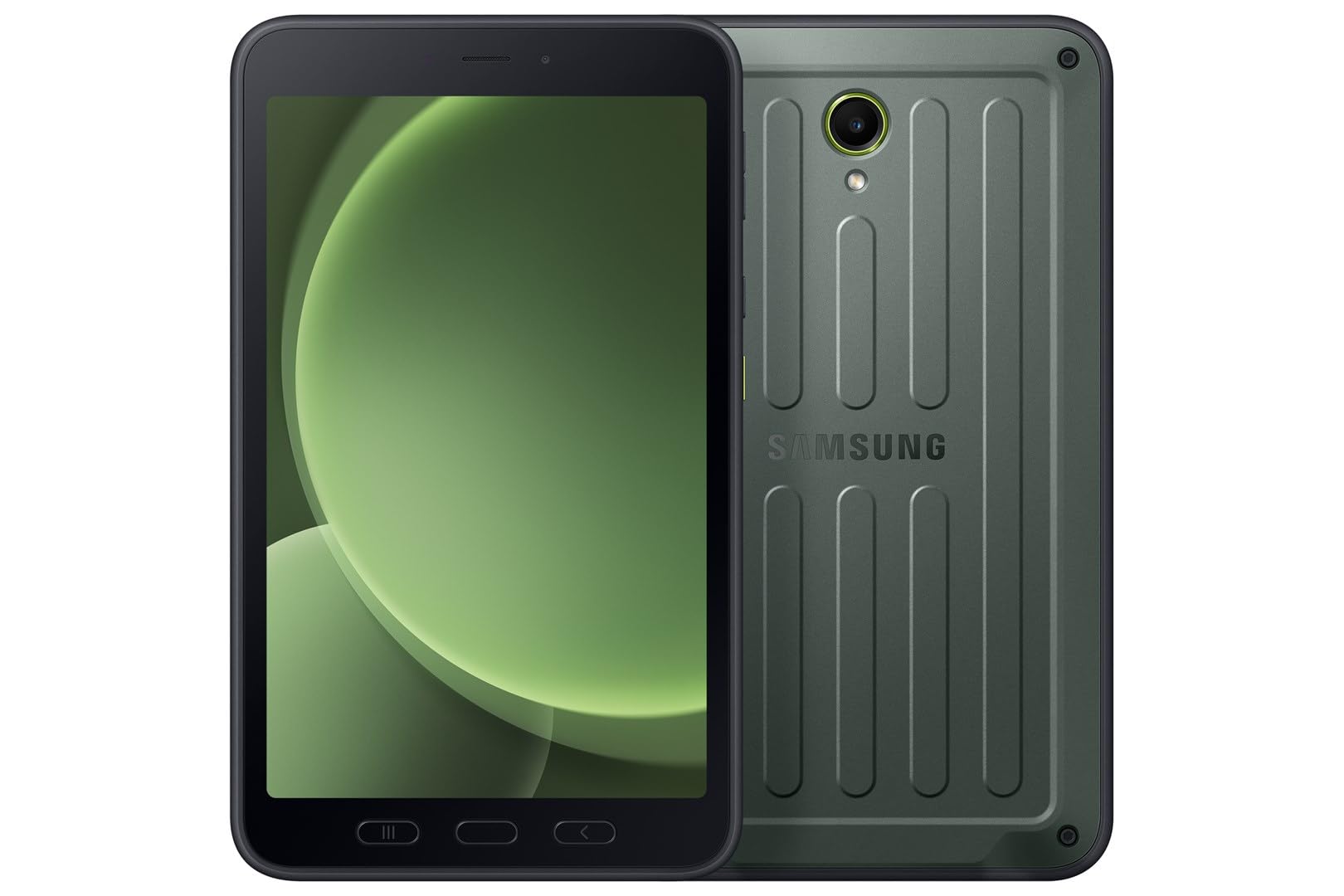
Immaġni: Quddiem view of the Samsung Galaxy Tab Active 5.
2. X'hemm fil-Kaxxa
Verify that the following items are included with your Samsung Galaxy Tab Active 5:
- Samsung Galaxy Tab Active 5 SM-X306B Tablet
- USB Type-C 2.0 Cable
- S Pen (integrated or included separately)
- Gwida ta' Bidu Mgħaġġel (tista' tvarja skont ir-reġjun)
3. Setup
3.1 Iċċarġjar inizjali
Before first use, fully charge your tablet. Connect the supplied USB Type-C cable to the tablet's charging port and then to a compatible power adapter (sold separately) or a computer's USB port. The charging indicator will show the charging status.
3.2 Installazzjoni tal-Karta SIM u l-eSIM
The Galaxy Tab Active 5 supports Nano-SIM cards and eSIM functionality for cellular connectivity.
- For Nano-SIM: Locate the SIM card tray on the side of the tablet. Use the provided ejection tool to open the tray. Insert the Nano-SIM card into the tray with the gold contacts facing down. Close the tray securely.
- For eSIM: Follow the on-screen instructions during initial setup or navigate to the tablet's settings to activate an eSIM profile provided by your cellular carrier.
Nota: This is an international version. Compatibility with GSM networks (e.g., AT&T, T-Mobile) is generally supported, but CDMA carriers (e.g., Verizon, Sprint) may require specific configuration or may not be fully compatible. Verify band support with your carrier before use. A new SIM card or additional configuration may be required, and coverage may vary by location.

Immaġni: Wara view of the Samsung Galaxy Tab Active 5, where the SIM tray is typically located on the side.
3.3 Tixgħel/Jitfi
- Biex Tixgħel: Agħfas u żomm il-buttuna tal-Qawwa (li tinsab fuq il-ġenb) sakemm jidher il-logo ta' Samsung.
- Biex Tifi: Press and hold the Power button, then tap 'Power off' on the screen. Alternatively, swipe down from the top of the screen to open the Quick Panel, then tap the Power icon and select 'Power off'.
3.4 Konfigurazzjoni Inizjali
Upon first power-on, follow the on-screen prompts to complete the initial setup. This includes selecting your language, connecting to a Wi-Fi network, signing in with your Google account, and setting up security features like a PIN, pattern, or fingerprint.
4. Tħaddim tat-Tagħmir Tiegħek
4.1 Navigazzjoni Bażika
The tablet features a touchscreen interface. Use gestures such as tapping, swiping, pinching, and spreading to navigate through menus, open applications, and interact with content. Physical buttons for power and volume are located on the side of the device.
4.2 Konnettività
- Wi-Fi: Biex tikkonnettja ma' netwerk Wi-Fi, mur fuq Settings > Konnessjonijiet > Wi-Fi. Select your desired network and enter the password if required. The tablet supports 802.11ax (Wi-Fi 6).
- 5G LTE: If a SIM or eSIM is active, cellular data will be enabled automatically. Manage cellular settings under Settings > Connections > Mobile networks.
4.3 Użu tal-Kamera
The tablet is equipped with a 13 MP rear camera and a 5 MP front camera.
- Iftaħ il- Kamera applikazzjoni mill-iskrin tad-dar jew mill-kexxun tal-app.
- Select between photo, video, or other modes.
- Tektek il-buttuna tax-shutter biex taqbad immaġni jew tibda/twaqqaf ir-reġistrazzjoni tal-vidjow.
4.4 Funzjonalità tal-Pinna S
The Galaxy Tab Active 5 includes an S Pen for enhanced interaction and productivity.
- Removing the S Pen: Gently pull the S Pen from its integrated slot on the tablet.
- Kmand tal-Ajru: When the S Pen is removed or hovered over the screen, the Air Command menu may appear, offering quick access to S Pen features like Create note, Smart select, and Screen write.
- Kitba u Tpinġija: Use the S Pen directly on the screen for precise input, note-taking, and drawing.

Image: Samsung Galaxy Tab Active 5 with S Pen.

Image: Close-up of the S Pen.
5. Manutenzjoni
5.1 Tindif tal-Apparat Tiegħek
To clean your rugged tablet, use a soft, lint-free cloth. For stubborn dirt, slightly dampen the cloth with water or a screen cleaner designed for electronics. Avoid harsh chemicals, abrasive materials, or excessive moisture, especially near ports.
5.2 Aġġornamenti tas-Software
Keep your tablet's software up to date to ensure optimal performance, security, and access to new features. Go to Settings > Aġġornament tas-softwer > Niżżel u installa biex tiċċekkja għal aġġornamenti disponibbli.
5.3 Kura tal-Batterija
Biex ittawwal il-ħajja tal-batterija:
- Evita temperaturi estremi.
- Tħallix it-tablet iċċarġjat kompletament jew skarikat kompletament għal perjodi twal.
- Uża biss chargers u kejbils approvati minn Samsung.
6 Issolvi l-problemi
6.1 Kwistjonijiet Komuni
- It-tablet mhux qed jixgħel: Kun żgur li l-batterija hija ċċarġjata. Qabbad il-ċarġer u stenna ftit minuti qabel ma tipprova tixgħelha mill-ġdid.
- L-iskrin ma jirrispondix: Try a forced restart by pressing and holding the Power button and Volume Down button simultaneously for about 7-10 seconds until the tablet restarts.
- Problemi ta' konnettività (Wi-Fi/Ċellulari): Toggle Wi-Fi or Mobile Data off and on. Restart the tablet. For Wi-Fi, forget the network and reconnect. For cellular, ensure your SIM/eSIM is properly installed and activated.
- L-apps jiġġarraf jew jiffriża: Agħlaq u erġa' iftaħ l-app. Neħħi l-cache tal-app (Settings > Apps > [Isem tal-App] > Ħażna > Neħħi l-cache). Jekk il-problema tippersisti, ikkunsidra li terġa' tinstalla l-app.
6.2 Irrisettja l-Fabbrika
Ir-risettjar tal-fabbrika se jħassar id-dejta kollha mit-tablet tiegħek u jirrestawraha għas-settings oriġinali tal-fabbrika. Agħmel backup tad-dejta importanti qabel ma tipproċedi.
- Mur fuq Settings > Ġestjoni ġenerali > Irrisettja > Irrisettja d-dejta tal-fabbrika.
- Review l-informazzjoni u tektek Irrisettja.
- Enter your screen lock credentials if prompted.
- Tektek Ħassar kollox biex tikkonferma.
7. Speċifikazzjonijiet
Detailed technical specifications for the Samsung Galaxy Tab Active 5 SM-X306B:
| Karatteristika | Speċifikazzjoni |
|---|---|
| Isem tal-Mudell | Samsung Galaxy Tab Active 5 |
| Numru tal-Mudell tal-Oġġett | SM-X306B |
| Sistema Operattiva | Android 14, One UI 6 |
| Daqs tal-Wiri | 8.0 pulzieri |
| Tip ta 'Wiri | TFT LCD, 120Hz |
| Riżoluzzjoni | 1920 x 1200 pixel (WUXGA) |
| Protezzjoni | Corning Gorilla Glass 5 |
| Proċessur | Octa-core (5 nm chipset) |
| Ħażna Interna | 128 GB |
| RAM | 6 GB |
| Ħażna espansibbli | microSDXC card slot |
| Kamera ta' wara | 13 MP, f/1.9, AF (4K@30fps video) |
| Kamera ta' Quddiem | 5 MP, f/2.2 (1080p@30fps video) |
| SIM | Nano-SIM, eSIM |
| Konnettività | Wi-Fi 802.11ax, 5G LTE, Bluetooth |
| Portijiet | USB Type-C 2.0 |
| Durabilità | IP68 dust/water resistant (up to 1.5m for 30 min), MIL-STD-810H compliant (drop-to-concrete resistance from up to 1.8 meter) |
| Dimensjonijiet (HxWxD) | 213.8 x 126.8 x 10.1 mm (8.42 x 4.99 x 0.40 pulzieri) |
| Piż | 433 g (15.27 oz) |
8. Garanzija u Appoġġ
8.1 Informazzjoni dwar Garanzija
Please note that this is an international version of the Samsung Galaxy Tab Active 5. As such, it ma jinkludix garanzija tal-Istati Uniti. Some manufacturers may not honor warranties for international items. For warranty details specific to your region, please consult the documentation provided with your device or contact your local Samsung support.
8.2 Appoġġ għall-Klijent
Għal aktar assistenza, appoġġ tekniku, jew mistoqsijiet dwar is-servizz, jekk jogħġbok żur is-sit uffiċjali tal-appoġġ ta' Samsung. webis-sit għar-reġjun tiegħek jew ikkuntattja lis-servizz tal-konsumatur tagħhom. Spiss tista' ssib FAQs, gwidi għas-soluzzjoni tal-problemi, u informazzjoni ta' kuntatt fuq is-sit tagħhom websit.


