Introduzzjoni
Welcome to the instruction manual for your new Lava Probuds 21 Wireless In-Ear Earbuds. This guide provides essential information on setting up, operating, maintaining, and troubleshooting your earbuds to ensure optimal performance and longevity. Please read this manual thoroughly before using the product.
Prodott Overview
The Lava Probuds 21 are advanced wireless in-ear earbuds designed for an immersive audio experience. Key features include:
- Ħin tal-logħob estiż: Up to 45 hours of total playtime with the charging case, and 9 hours on a single charge for the earbuds.
- Kontrolli touch intuwittivi: Manage music playback, calls, and activate voice assistants with simple touch gestures.
- Logħob b'Latenza Baxxa: Experience smooth online and offline gaming with ultra-low 75ms latency.
- Awdjo Immersiv: Equipped with 12mm dynamic drivers for rich sound quality across various music genres.
- Iżolazzjoni tal-Ħoss: Enjoy clear calls and music by minimizing external noise.
- Iċċarġjar veloċi: Type-C fast charging provides 100 minutes of playback from just 10 minutes of charging.
- Reżistenti għall-ilma u għall-għaraq: IPX4 rating ensures durability against splashes and sweat.
- Appoġġ għall-Assistent tal-Vuċi: Compatible with Siri and Google Assistant for hands-free control.
Kontenut tal-Pakkett
Meta tneħħi l-kaxxa, għandek issib l-oġġetti li ġejjin:
- Lava Probuds 21 Wireless In-Ear Earbuds (Left and Right)
- Kawża tal-Iċċarġjar
- Cable tal-Iċċarġjar tal-USB tat-Tip-Ċ
- Kuxxini tal-widnejn (daqsijiet varji)
- Manwal ta 'Istruzzjoni (dan id-dokument)

Figure 1: Lava Probuds 21 Earbuds in their charging case.
Setup u Użu Inizjali
1. Iċċarġjar tal-Earbuds u l-Kaxxa
- Place both earbuds into the charging case. Ensure they are correctly seated in their respective slots (L for left, R for right).
- Connect the provided USB Type-C charging cable to the charging port on the case and the other end to a compatible USB power source (e.g., wall adapter, computer USB port).
- The indicator light on the charging case will illuminate to show charging status. A full charge for the case and earbuds provides approximately 45 hours of total playtime. The earbuds themselves offer up to 9 hours of playback on a single charge.
- Benefit from fast charging: 10 minutes of charging can provide up to 100 minutes of playback.

Figure 2: The charging case connected via a Type-C cable for fast charging.

Figure 3: Diagram illustrating 45 hours total playtime with the case and 9 hours per earbud charge.
2. Tqabbil tal-Bluetooth
- Kun żgur li l-earbuds huma ċċarġjati.
- Iftaħ il-kaxxa tal-iċċarġjar. Il-earbuds jidħlu awtomatikament fil-modalità ta' tqabbil, indikat minn dawl LED li jteptep fuq il-earbuds.
- Fuq l-apparat tiegħek (smartphone, tablet, laptop), mur fis-settings tal-Bluetooth.
- Fittex għal available devices and select "Lava Probuds 21" from the list.
- Ladarba tkun konness, l-indikatur LED fuq il-earbuds jieqaf jteptep, u tisma' ton ta' konferma.
- Il-earbuds jerġgħu jikkonnettjaw awtomatikament mal-aħħar apparat imqabbad meta joħorġu mill-kaxxa, sakemm il-Bluetooth ikun attivat fuq l-apparat.
Istruzzjonijiet Operattivi
Touch Kontrolli
The Lava Probuds 21 feature intuitive touch controls on each earbud. The specific functions may vary slightly, but common controls include:
- Play/Pawsa: Tektek wieħed fuq kull earbud.
- Track li jmiss: Tektek darbtejn fuq il-earbud tal-lemin.
- Track preċedenti: Tektek darbtejn fuq il-earbud tax-xellug.
- Tweġiba/Tmiem Sejħa: Tektek wieħed fuq kull earbud.
- Irrifjuta Sejħa: Agħfas fit-tul fuq kwalunkwe earbud.
- Attiva l-Assistent tal-Vuċi: Triple tap on either earbud (Siri & Google Enabled).
Assistent tal-Vuċi
Your Lava Probuds 21 support voice assistants like Siri and Google Assistant. Triple tap an earbud to activate your device's voice assistant and issue commands hands-free.
Modalità tal-Logħob (Latency Baxxa)
For an enhanced gaming experience, the earbuds offer ultra-low 75ms latency. Refer to your device's settings or the earbuds' specific touch control gestures (if available) to activate gaming mode for reduced audio delay.
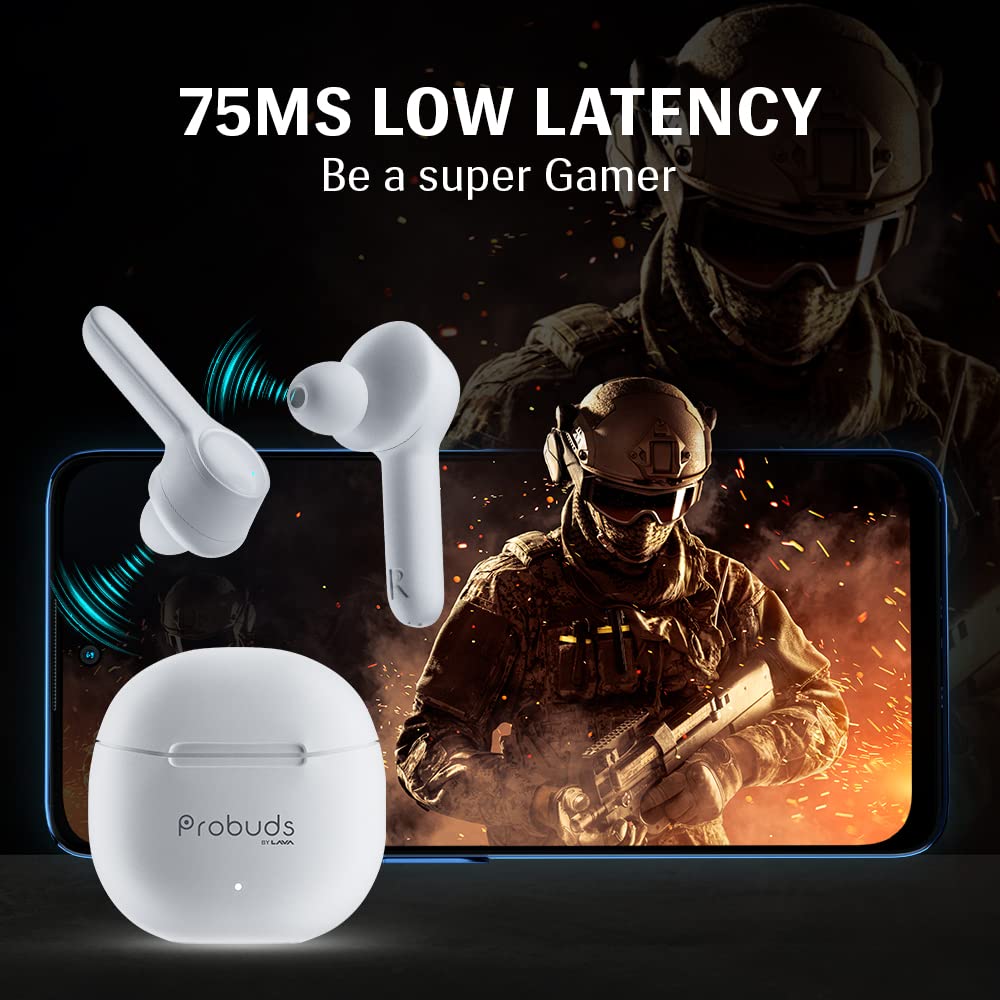
Figure 4: The earbuds provide ultra-low 75ms latency for an optimized gaming experience.
Manutenzjoni u Kura
- Tindif: Naddaf il-earbuds u l-kaxxa tal-iċċarġjar regolarment b'ċarruta ratba, niexfa u mingħajr suf. Evita li tuża materjali li joborxu jew kimiċi ħarxa.
- Tips tal-widnejn: Remove and clean the ear tips periodically to prevent wax buildup, which can affect sound quality. Ensure they are completely dry before reattaching.
- Reżistenza għall-Ilma: The earbuds are IPX4 water and sweat resistant, meaning they can withstand splashes and light sweat. Do not submerge them in water or expose them to heavy rain. Ensure the charging port is dry before charging.
- Ħażna: Meta ma tkunx qed tużahom, aħżen il-earbuds fil-kaxxa tal-iċċarġjar tagħhom biex tipproteġihom u żżommhom iċċarġjati. Aħżen f'post frisk u niexef 'il bogħod minn temperaturi estremi.

Figure 5: The earbuds are IPX4 rated for water and sweat resistance.
Issolvi l-problemi
If you encounter issues with your Lava Probuds 21, try the following solutions:
| Problema | Soluzzjoni |
|---|---|
| Il-earbuds mhux qed jingħaqdu/jikkonnettjaw. |
|
| L-ebda ħoss jew volum baxx. |
|
| Il-kaxxa tal-iċċarġjar mhux qed tiċċarġja. |
|
| Il-earbuds mhux qed jiċċarġjaw fil-każ. |
|
Jekk il-kwistjoni tippersisti, jekk jogħġbok ikkuntattja lill-appoġġ tal-klijent għal aktar għajnuna.
Speċifikazzjonijiet
| Karatteristika | Dettall |
|---|---|
| Isem tal-Mudell | Probuds 21 by Lava |
| Numru tal-Mudell tal-Oġġett | T001A |
| Teknoloġija tal-Konnettività | Wireless |
| Teknoloġija tal-Komunikazzjoni mingħajr Fili | Bluetooth |
| Verżjoni Bluetooth | 5.1 |
| Tip ta' Sewwieq Awdjo | Sewwieq Dinamiku (12mm) |
| Ħajja tal-Batterija (Earbuds) | 9 Sigħat (ċarġ wieħed) |
| Ħin Totali tal-Logħob (bil-kaxxa) | 45 Sigħat |
| Iċċarġjar Mgħaġġel | 10 mins charge = 100 mins playback |
| Livell ta 'Reżistenza għall-Ilma | IPX4 (Reżistenti għall-Ilma) |
| Metodu ta' Kontroll | Mess |
| Assistent tal-Vuċi | Siri & Google Enabled |
| Piż tal-oġġett | 50.5 Gramm |
| Dimensjonijiet tal-Prodott | 5.6 x 5 x 1.5 ċm |
| Manifattur | Lava International Ltd. |
| Pajjiż ta' Oriġini | Indja |
Garanzija u Appoġġ
Your Lava Probuds 21 come with a standard brand warranty. For specific warranty terms, conditions, and duration, please refer to the warranty card included in your package or visit the official Lava websit.
Appoġġ għall-Klijent
For any product-related queries, technical assistance, or service requests, please contact Lava customer support:
- Email: lavacare@lavainternational.in
- Netwerk tas-Servizzi: Lava maintains a network of over 700 service centers for your convenience.
Informazzjoni dwar is-Sigurtà
Please observe the following safety guidelines to prevent damage to your earbuds or personal injury:
- Do not disassemble, repair, or modify the earbuds or charging case.
- Avoid exposing the product to extreme temperatures, direct sunlight, or fire.
- Keep the product away from water and liquids, except for the specified IPX4 resistance.
- Tużax il-prodott b'volum għoli għal perjodi twal biex tevita ħsara fis-smigħ.
- Żomm fejn ma jintlaħaqx mit-tfal u l-annimali domestiċi.
- Armi l-prodott u l-batterija tiegħu b'mod responsabbli skont ir-regolamenti lokali.
Product Features Demonstration
Watch this video for a visual demonstration of the Lava Probuds 21's key features and color variants.
Vidjo 1: Overview of Lava Probuds 21 features, including low latency, dynamic drivers, noise isolation, extended playtime, touch controls, and voice assistant compatibility. It also showcases available color options.


