Introduzzjoni
This manual provides detailed instructions for the Roxicosly Loud Alarm Clock with Bed Shaker. Designed for heavy sleepers, individuals with hard of hearing, and those who prefer a strong wake-up method, this alarm clock features a 7.5-inch large LED display, dual alarms, a USB charging port, and multiple wake-up modes including a powerful bed shaker. Please read this manual thoroughly to ensure proper use and optimal performance of your device.

Image: The Roxicosly Loud Alarm Clock with its bed shaker and a smartphone connected for charging.
Karatteristiċi Ewlenin
1. Multiple Wake-up Modes
The alarm clock offers three distinct wake-up modes to suit individual preferences: a loud buzzer, a powerful bed shaker, or a combination of both. This ensures effective waking for heavy sleepers or those with hearing impairments.

Image: Illustration of the three wake-up modes available on the alarm clock.
The bed shaker features a 71-inch long cord, allowing flexible placement under a pillow or mattress for discreet and effective vibration without disturbing others.
2. Large LED Display with Adjustable Brightness
Equipped with a 7.5-inch large LED display, the time is clearly visible from a distance. The screen brightness can be adjusted across 5 levels, from dim to bright, to prevent disturbance during sleep or ensure visibility during the day.

Image: The large LED display with its dimensions and visual representation of 5 brightness levels.
3. Dual Alarms and Snooze Function
Set two independent alarms, ideal for couples or different daily schedules. The large snooze button on top provides an extra 9 minutes of sleep before the alarm reactivates.

Image: The alarm clock displaying dual alarm settings and volume adjustment options.

Image: A user activating the large snooze button for additional sleep.
4. USB Charging Port and Battery Backup
A built-in 5V/1A USB charging port allows convenient and safe charging of your smartphone or other devices overnight. The clock operates primarily via AC power, but two AAA batteries (not included) provide backup for time and alarm settings during power outages, ensuring your alarm still triggers.

Image: The back of the alarm clock, highlighting the battery backup compartment and power connection.
5. 12/24H Format and DST Function
Easily switch between 12-hour and 24-hour time formats. The Daylight Saving Time (DST) function is also available for quick adjustments.
6. Easy Operation and Versatile Placement
The alarm clock features intuitive buttons for straightforward setup and operation, making it suitable for users of all ages. Its sleek design allows it to blend seamlessly into various room styles, including bedrooms, living rooms, and offices.
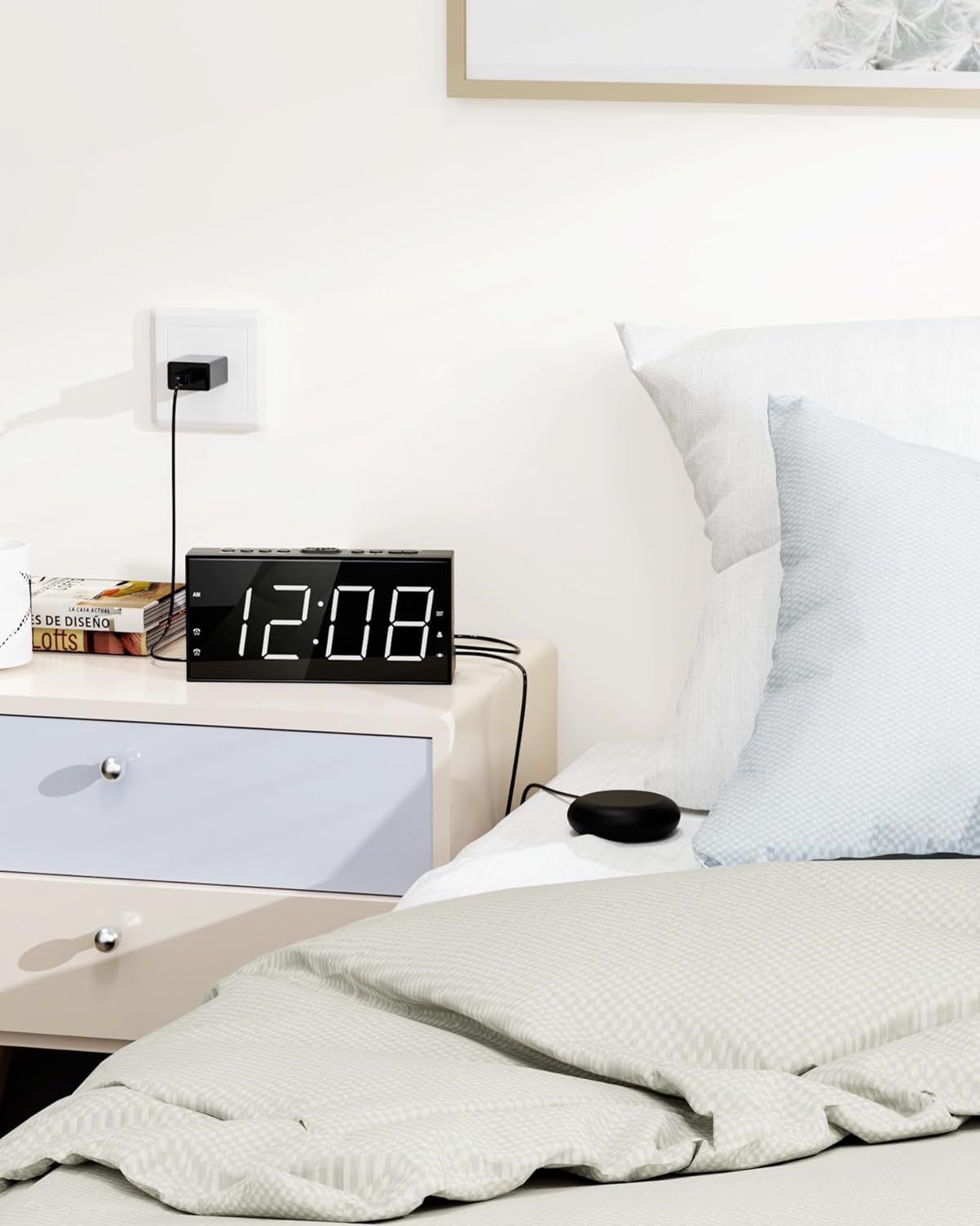
Image: The alarm clock positioned on a bedside table, demonstrating its compact size and aesthetic appeal.
Gwida ta' Setup
- Konnessjoni tal-Enerġija: Plug the alarm clock into an AC power outlet using the provided adapter. The display will light up.
- Installazzjoni tal-Backup tal-Batterija: Open the battery compartment on the back of the clock. Insert two AAA 1.5V batteries (not included), ensuring correct polarity. These batteries will preserve time and alarm settings during a power interruption.
- Connect Bed Shaker: Plug the bed shaker's cable into the designated port on the back of the alarm clock. Place the shaker under your pillow or mattress.
- Issettja Ħin: Press the "SET TIME" button. Use the "HOUR" and "MIN" buttons to adjust the current time. Press "SET TIME" again to confirm.
- Set 12/24H Format: Press the "12/24H" button to toggle between 12-hour and 24-hour display formats.
- Ħin tas-Sajf (DST): Press and hold the "DST" button to activate or deactivate the DST function.
Istruzzjonijiet Operattivi
Issettjar ta' Allarmi (Allarmi Doppji)
- Issettja Allarm 1: Press the "ALARM1" button. Use the "HOUR" and "MIN" buttons to set the desired alarm time. Press "ALARM1" again to confirm.
- Issettja Allarm 2: Press the "ALARM2" button. Use the "HOUR" and "MIN" buttons to set the desired alarm time. Press "ALARM2" again to confirm.
- Attiva / Iddiżattiva l-Allarm: After setting, the alarm will be active. To deactivate, press the corresponding "ALARM1" or "ALARM2" button until the alarm icon disappears from the display.
Selecting Wake-up Mode
Press the "BUZZ/VIB" button repeatedly to cycle through the three wake-up modes:
- Buzzer Only: Only the loud buzzer will sound.
- Bed Shaker Only: Only the bed shaker will vibrate.
- Buzzer & Shaker: Both the buzzer and bed shaker will activate simultaneously.
Note: Ensure the bed shaker is plugged in for vibration modes to function.
Video: Demonstrates the different wake-up modes and features of the Roxicosly Loud Alarm Clock.
Aġġusta tal-Volum
The buzzer volume is 4-level adjustable. Press the "VOL" button to increase or decrease the volume to your preferred level. The sound will gradually increase to avoid sudden startling.
Funzjoni Snooze
When the alarm sounds, lightly press the large "SNOOZE/OK" button on top to activate the snooze function for an additional 9 minutes of sleep. The alarm will sound again after 9 minutes.
L-aġġustament tal-luminożità tal-wiri
Press the "DIMMER" button repeatedly to cycle through the 5 levels of screen brightness, from the lowest (dimmest) to the highest (brightest).
Iċċarġjar USB
Connect your smartphone or other USB-powered device to the "CHARGE OUT" USB port on the back of the clock to charge it safely.
Manutenzjoni
- Tindif: Use a soft, dry cloth to wipe the surface of the alarm clock. Avoid using abrasive cleaners or solvents, as they may damage the finish.
- Ħażna: If storing the clock for an extended period, remove the AAA backup batteries to prevent leakage. Store in a cool, dry place.
- Immaniġġjar: Handle the bed shaker and its cable with care to prevent damage. Avoid sharp bends or excessive pulling on the cable.
Issolvi l-problemi
| Problema | Kawża Possibbli | Soluzzjoni |
|---|---|---|
| L-arloġġ jidher vojt. | No AC power or power outage. | Ensure the power adapter is securely plugged into both the clock and a working outlet. If there's a power outage, the display will go blank, but the alarm will still trigger if backup batteries are installed. |
| Alarm does not sound/vibrate. | Alarm not activated, incorrect mode selected, or bed shaker not connected. | Ensure the alarm icon is visible on the display. Check the wake-up mode setting ("BUZZ/VIB" button) to ensure the desired mode (buzzer, shaker, or both) is selected. Verify the bed shaker is securely plugged into the clock. |
| Is-settings tal-Ħin/Allarm jintilfu wara li tintefa' l-elettrikutage. | Backup batteries are not installed or are depleted. | Install two fresh AAA batteries in the battery compartment. Replace old batteries if necessary. |
| L-iċċarġjar tal-USB mhux qed jaħdem. | Device not properly connected or clock not powered. | Ensure the USB cable is securely connected to both the clock's USB port and your device. Confirm the alarm clock is powered via AC adapter. |
Speċifikazzjonijiet
| Karatteristika | Dettall |
|---|---|
| Brand | Roxicosly |
| Numru tal-Mudell | CR1001EM |
| Tip ta 'Wiri | LED diġitali |
| Daqs tal-Wiri | 7.5 inches (6.82"W x 3.39"H) |
| Livelli ta 'luminożità | 5-level adjustable dimmer |
| Wake-up Modes | Loud buzzer, Strong vibrator, Both |
| Vibrator Cable Length | 71 pulzieri |
| Volum ta' Allarm | 4-livelli aġġustabbli |
| Tul ta' Snooze | minuti 9 |
| Format tal-Ħin | 12H/24H magħżula |
| Sors tal-Enerġija | Elettriku bil-wajer (adapter tal-AC inkluż) |
| Backup tal-batterija | 2 x AAA batteries (not included) for time/alarm memory |
| Port tal-Iċċarġjar tal-USB | Ħruġ ta '5V / 1A |
| Materjal | Plastik (Akrilonitril Butadien Stirene) |
| Piż tal-oġġett | 7.04 uqija |
Garanzija u Appoġġ
For detailed warranty information and customer support, please refer to the official user manual provided with your product or visit the Roxicosly official website. You can also find the user manual PDF hawn.
Manufacturer: Wuhan Wismco E-commerce Co., Ltd.


