1. Introduzzjoni
This manual provides detailed instructions for the setup, operation, and maintenance of your Targus M610 AKM610AP Wireless Mouse and Keyboard Combo. This combo offers a reliable 2.4GHz wireless connection, a full-sized keyboard, and a high-definition 1600 DPI optical mouse for efficient and comfortable use.

Figure 1: Targus M610 AKM610AP Wireless Mouse and Keyboard Combo. This image shows the full-sized black wireless keyboard and the matching black wireless mouse.
2. Kontenut tal-Pakkett
Ivverifika li l-oġġetti kollha huma preżenti fil-pakkett tiegħek:
- Targus Wireless Keyboard
- Targus Wireless Mouse
- Riċevitur USB
- 1 AA Battery (for mouse, included)

Figure 2: The wireless mouse shown alongside its compact USB receiver. The receiver enables wireless connectivity for both the mouse and keyboard.
3. Istruzzjonijiet ta' Setup
Follow these steps to set up your Targus Wireless Mouse and Keyboard Combo:
- Installa Batteriji:
- For the mouse: Open the battery compartment cover on the underside of the mouse. Insert the provided AA battery, ensuring correct polarity (+/-). Close the cover.
- For the keyboard: Open the battery compartment cover on the underside of the keyboard. Insert the required batteries (typically AAA, not included for keyboard based on JSON). Ensure correct polarity (+/-). Close the cover.
- Qabbad ir-Riċevitur USB:
Locate an available USB port on your computer. Insert the USB receiver firmly into the USB port. Your computer should automatically detect and install the necessary drivers. This is a plug-and-play device, requiring no additional software installation.

Figura 3: Close-up view of the compact USB receiver, which facilitates the wireless connection for both the keyboard and mouse.
- Qawwa Mixgħul:
Ensure the power switch on both the mouse and keyboard (if present) is in the "ON" position. The devices should now be ready for use.
4. Istruzzjonijiet Operattivi
4.1. Użu tat-Tastiera
The Targus M610 keyboard features a full-sized layout for comfortable typing.
- Ittajpjar Standard: Uża t-tasti alfanumeriċi għad-dħul tat-test.
- Ċwievet tal-Funzjoni (F1-F12): These keys may have secondary multimedia functions (e.g., volume control, media playback) accessible by pressing the Fn ċavetta fl-istess ħin.
- Tastiera numerika: The dedicated numeric keypad on the right provides quick entry for numbers and calculations.
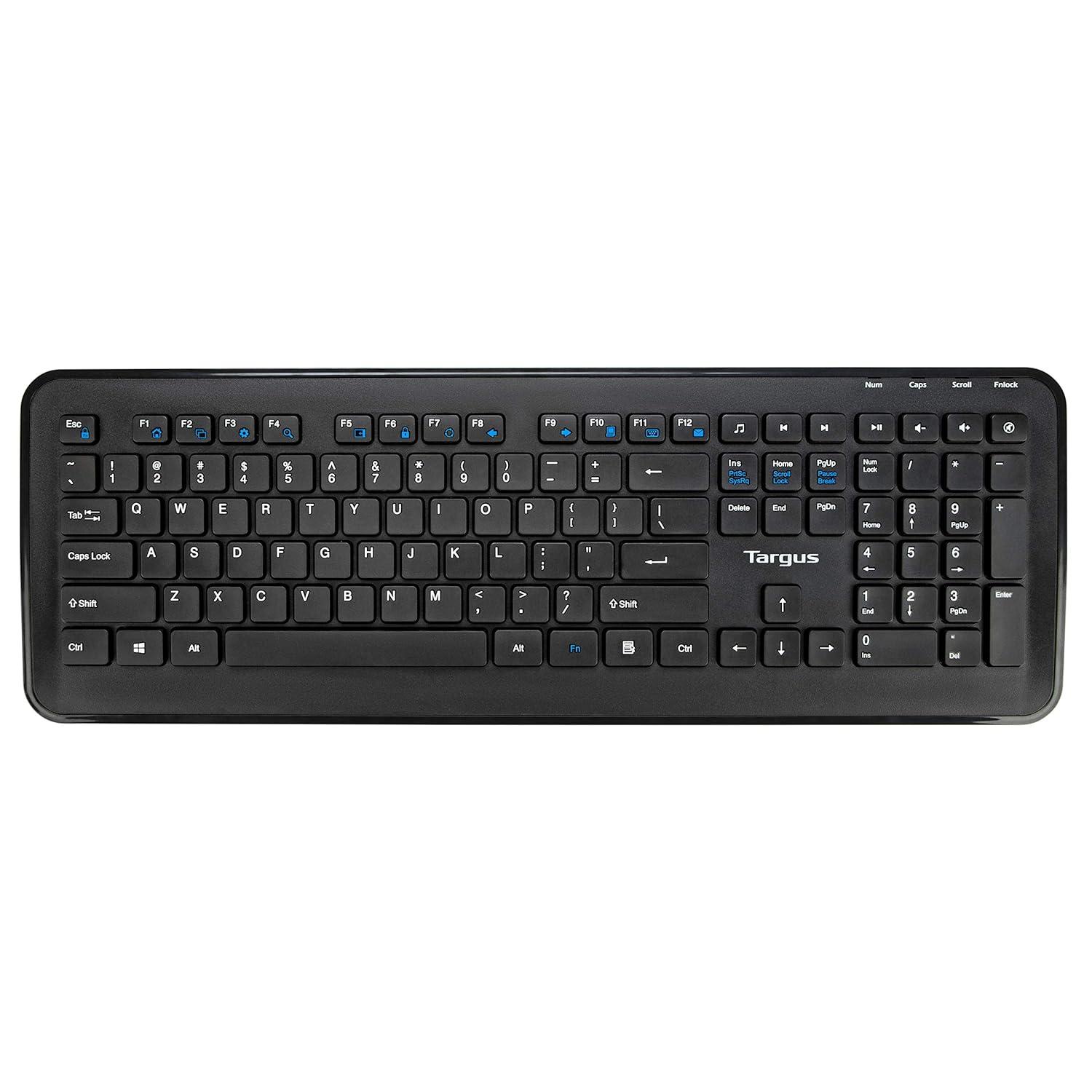
Figura 4: Minn fuq għal isfel view of the full-sized Targus wireless keyboard, highlighting its layout and function keys.
4.2. Użu tal-Maws
The Targus M610 mouse is equipped with a high-definition 1600 DPI optical sensor for precise tracking.
- Buttuna tal-Ikklikkjar fuq ix-Xellug: Għażla u attivazzjoni primarja.
- Buttuna tal-Ikklikkjar bil-Lemin: Aċċessa l-menus kuntestwali.
- Scroll Wheel: Jinnaviga vertikalment fid-dokumenti u web pages. Can also function as a middle-click button.
- DPI Sensor: The 1600 DPI optical sensor provides accurate and responsive cursor movement.

Figura 5: Fuq view of the Targus wireless mouse, showing the left and right click buttons and the scroll wheel.
5. Manutenzjoni u Kura
To ensure the longevity and optimal performance of your Targus Wireless Combo, follow these maintenance guidelines:
- Tindif: Uża drapp artab u niexef biex tnaddaf l-uċuħ tat-tastiera u l-maws. Għal ħmieġ iebes, nixxef ftit.ampLaħlaħ id-drapp bl-ilma jew b'soluzzjoni ħafifa tat-tindif. Evita kimiċi ħarxa jew materjali li joborxu.
- Sostituzzjoni tal-batterija: Replace batteries when performance degrades or the low battery indicator (if present) illuminates. Always use fresh, high-quality batteries of the specified type (AA for mouse, typically AAA for keyboard).
- Ħażna: When not in use for extended periods, store the combo in a cool, dry place. Consider removing batteries to prevent leakage.
- Evita Likwidi: Keep the keyboard and mouse away from liquids to prevent damage to internal components.
6 Issolvi l-problemi
If you encounter issues with your Targus Wireless Combo, refer to the following common solutions:
| Problema | Soluzzjoni |
|---|---|
| It-tastiera jew il-maws ma jirrispondux. |
|
| Intermittent connection or lag. |
|
| Il-cursor tal-maws huwa erratiku jew mhux qed jiċċaqlaq bla xkiel. |
|
7. Speċifikazzjonijiet
Detailed technical specifications for the Targus M610 AKM610AP Wireless Mouse and Keyboard Combo:
| Karatteristika | Dettall |
|---|---|
| Brand | Targus |
| Numru tal-Mudell | AKM610AP |
| Teknoloġija tal-Konnettività | 2.4GHz Wireless, USB Receiver |
| Kulur | Iswed |
| Sensor tal-ġurdien | 1600 DPI Sensor Ottiku |
| Tip ta' Tastiera | Full-sized with Multimedia Keys |
| Apparati Kompatibbli | Personal Computer, Laptop, Television, Projector |
| Sors tal-Enerġija | Mħaddma bil-batterija |
| Batteriji Meħtieġa | 1 AA battery (for mouse, included) |
| Dimensjonijiet tal-Prodott (Tastiera) | Approximately 45.5 cm (Width) x 15.7 cm (Height) |
| Dimensjonijiet tal-Prodott (Maws) | Approximately 6.6 cm (Length) x 3.8 cm (Width) x 1.1 cm (Height) |
| Piż tal-oġġett | 611 g (total combo weight) |

Figure 6: Diagram illustrating the approximate dimensions of the Targus wireless keyboard, including its width and height, and highlighting the 12 multimedia keys.

Figure 7: Diagram illustrating the approximate dimensions of the Targus wireless mouse (length, width, height) and indicating the high-precision nano receiver.
8. Garanzija u Appoġġ
The Targus M610 AKM610AP Wireless Mouse and Keyboard Combo comes with a 3-Sena Garanzija.
For warranty claims, technical support, or further assistance, please contact Targus customer service through their official webis-sit jew il-bejjiegħ bl-imnut minn fejn inxtara l-prodott. Żomm il-prova tax-xiri tiegħek għall-validazzjoni tal-garanzija.
For more information, visit the official Targus websit: www.targus.com


