Introduzzjoni
This manual provides instructions for the setup, operation, and maintenance of your Targus U660 USB Optical Mouse. The Targus U660 is designed for smooth and precise cursor control, featuring a 1000 DPI optical sensor and a comfortable ambidextrous design.
Kontenut tal-Pakkett
- Targus U660 USB Optical Mouse
- Manwal għall-Utent (dan id-dokument)
Prodott Overview
The Targus U660 USB Optical Mouse features a standard three-button layout with a scroll wheel, designed for ease of use and compatibility with various operating systems.

Figura 1: Minn fuq għal isfel view of the Targus U660 USB Optical Mouse, showing the left and right click buttons, and the scroll wheel in the center. The Targus logo is visible on the palm rest.

Figura 2: Quddiem view of the Targus U660 USB Optical Mouse, highlighting the USB cable connection point and the scroll wheel.
Setup
- Qabbad il-Maws: Locate an available USB port on your computer (desktop, laptop, or compatible device). Insert the USB connector of the Targus U660 mouse into the USB port.
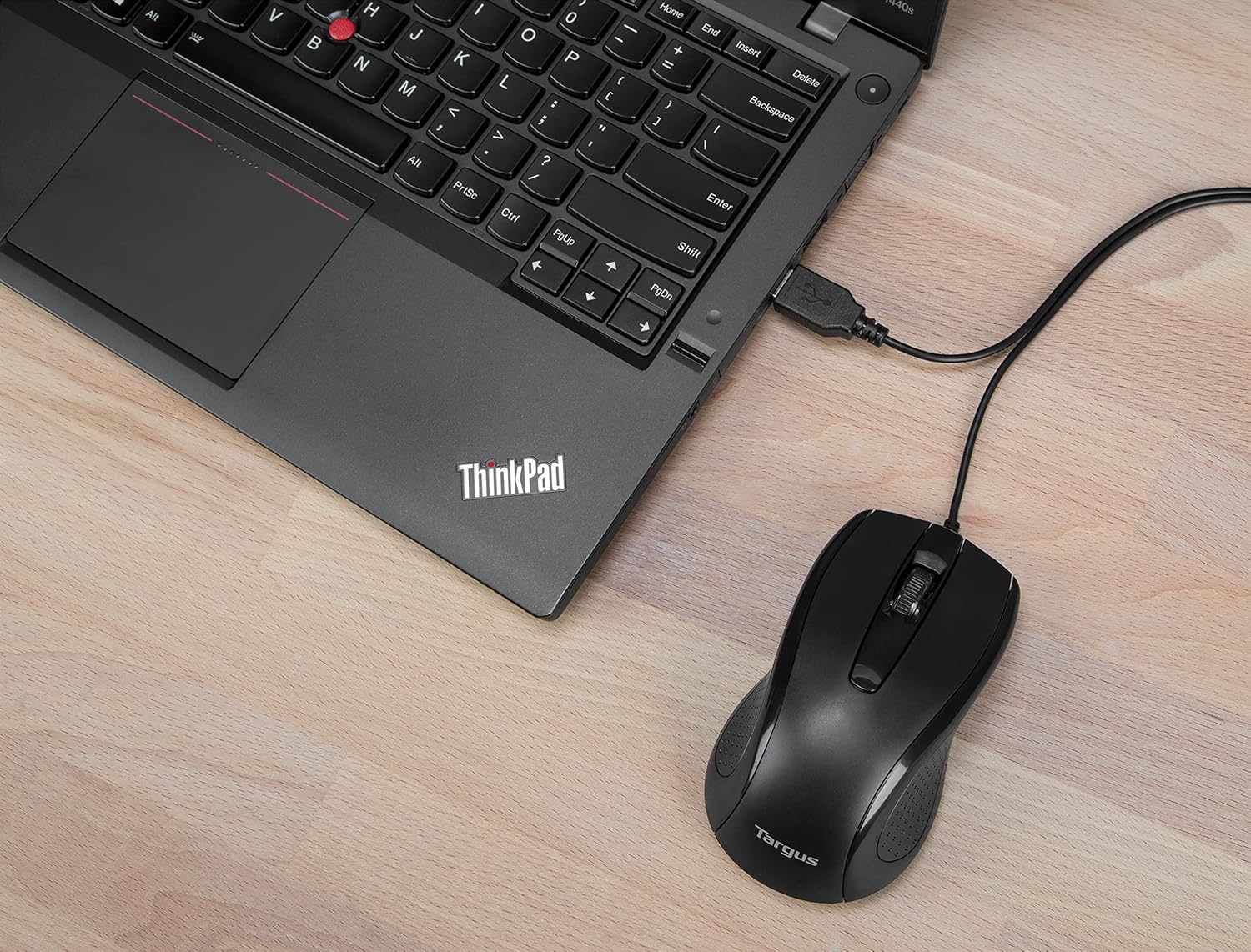
Figura 3: The Targus U660 USB Optical Mouse connected to a laptop via its USB cable.
- Installazzjoni tas-sewwieq: The Targus U660 is a plug-and-play device. Your operating system (Windows or macOS) will automatically detect and install the necessary drivers. No manual driver installation is typically required.
- Lest għall-Użu: Ladarba d-drajvers ikunu installati, il-maws ikun lest għall-użu immedjat.
Istruzzjonijiet Operattivi
The Targus U660 USB Optical Mouse operates like a standard computer mouse.
- Ikklikkja Xellug: Agħfas il-buttuna tax-xellug biex tagħżel oġġetti, tiftaħ applikazzjonijiet, jew tattiva funzjonijiet.
- Ikklikkja bil-lemin: Agħfas il-buttuna tal-lemin biex tiftaħ menus tal-kuntest jew taċċessa għażliet addizzjonali.
- Scroll Wheel: Dawwar ir-rota tal-iscroll 'il fuq jew 'l isfel biex tinnaviga fid-dokumenti u web pages. The scroll wheel can also be pressed as a middle button for specific functions depending on the application.
- Moviment: Mexxi l-maws fuq wiċċ ċatt biex tikkontrolla l-cursor fuq l-iskrin tiegħek. Is-senser ottiku ta' 1000 DPI jipprovdi traċċar preċiż.
Manutenzjoni
Proper maintenance ensures the longevity and optimal performance of your mouse.
- Tindif: Use a soft, dry cloth to clean the exterior of the mouse. For stubborn dirt, a slightly damp cloth can be used, ensuring no moisture enters the device. Avoid harsh chemicals or abrasive cleaners.
- Sensor Ottiku: Żomm is-senser ottiku fuq in-naħa ta' taħt tal-maws nadif u ħieles mit-trab jew mill-fdalijiet biex tiżgura traċċar preċiż.

Figura 4: The underside of the Targus U660 USB Optical Mouse, displaying the optical sensor window and product information.
- Ħażna: Meta ma tkunx qed tuża l-maws, aħżen il-maws f'ambjent nadif u niexef 'il bogħod minn temperaturi estremi.
Issolvi l-problemi
| Problema | Kawża Possibbli | Soluzzjoni |
|---|---|---|
| Il-ġurdien ma jirrispondix |
|
|
| Moviment erratiku tal-cursor |
|
|
| Il-buttuni jew ir-rota tal-iscroll ma jaħdmux |
|
|
Speċifikazzjonijiet
- Isem tal-Mudell: U660
- Numru tal-Parti: AMU660AP
- Konnettività: USB (fili)
- Teknoloġija tas-Sensor: Ottiċi
- DPI: 1000 DPI
- Numru ta' Buttuni: 3 (Xellug, Lemin, Ikklikkja bir-Rota tal-Iscrolljar)
- Orjentazzjoni tal-Idejn: Ambidestru
- Tul tal-Cable: 4.9 pied (1.5 m)
- Piż: Madwar 84 g
- Sistemi Operattivi Kompatibbli: Windows, macOS
- Apparati Kompatibbli: Laptop, Kompjuter Personali
Garanzija u Appoġġ
For warranty information and technical support, please refer to the official Targus website or contact Targus customer service. Keep your purchase receipt for warranty claims.
Targus Official Websit: www.targus.com


