1. Introduzzjoni
Thank you for choosing the Rii RK200 Wireless Keyboard and Mouse Combo. This product is designed to provide a convenient and efficient input solution for various devices. It features a 2.4GHz wireless connection, offering reliable performance and broad compatibility.
This manual will guide you through the setup, operation, and maintenance of your new wireless keyboard and mouse combo. Please read it carefully to ensure proper usage and to maximize the lifespan of your devices.
2. Kontenut tal-Pakkett
Jekk jogħġbok iċċekkja l-pakkett għall-oġġetti li ġejjin:
- 1 x Rii Wireless Keyboard
- 1 x Rii Wireless Mouse
- 1 x USB Receiver (Dongle)
- 1 x Manwal għall-Utent
Nota: AAA batteries for the keyboard and AA batteries for the mouse are mhux inklużi u għandhom jinxtraw separatament.
3. Istruzzjonijiet ta' Setup
3.1 Installazzjoni tal-batterija
- Għall-Ġurdien: Open the battery compartment cover on the underside of the mouse. Insert one (1) AA battery, ensuring correct polarity (+/-). Close the cover.
- Għat-Tastiera: Open the battery compartment cover on the underside of the keyboard. Insert one (1) AAA battery, ensuring correct polarity (+/-). Close the cover.
Importanti: The USB receiver is stored in a compartment on the underside of the mouse. Remove it before use.

Figure 3.1: Location of the USB receiver and battery compartments. The mouse requires 1 AA battery, and the keyboard requires 1 AAA battery (batteries not included).
3.2 Konnessjoni tar-Riċevitur USB
- Sib ir-riċevitur USB maħżun fil-kompartiment tal-batterija tal-maws.
- Plug the USB receiver into an available USB port on your computer, laptop, Smart TV, Android Box, or other compatible device.
- The system will automatically detect and install the necessary drivers. This is a Plug & Play device, requiring no manual driver installation.
- Ixgħel il-maws billi tuża s-swiċċ On/Off li jinsab fuq in-naħa ta’ taħt tiegħu.
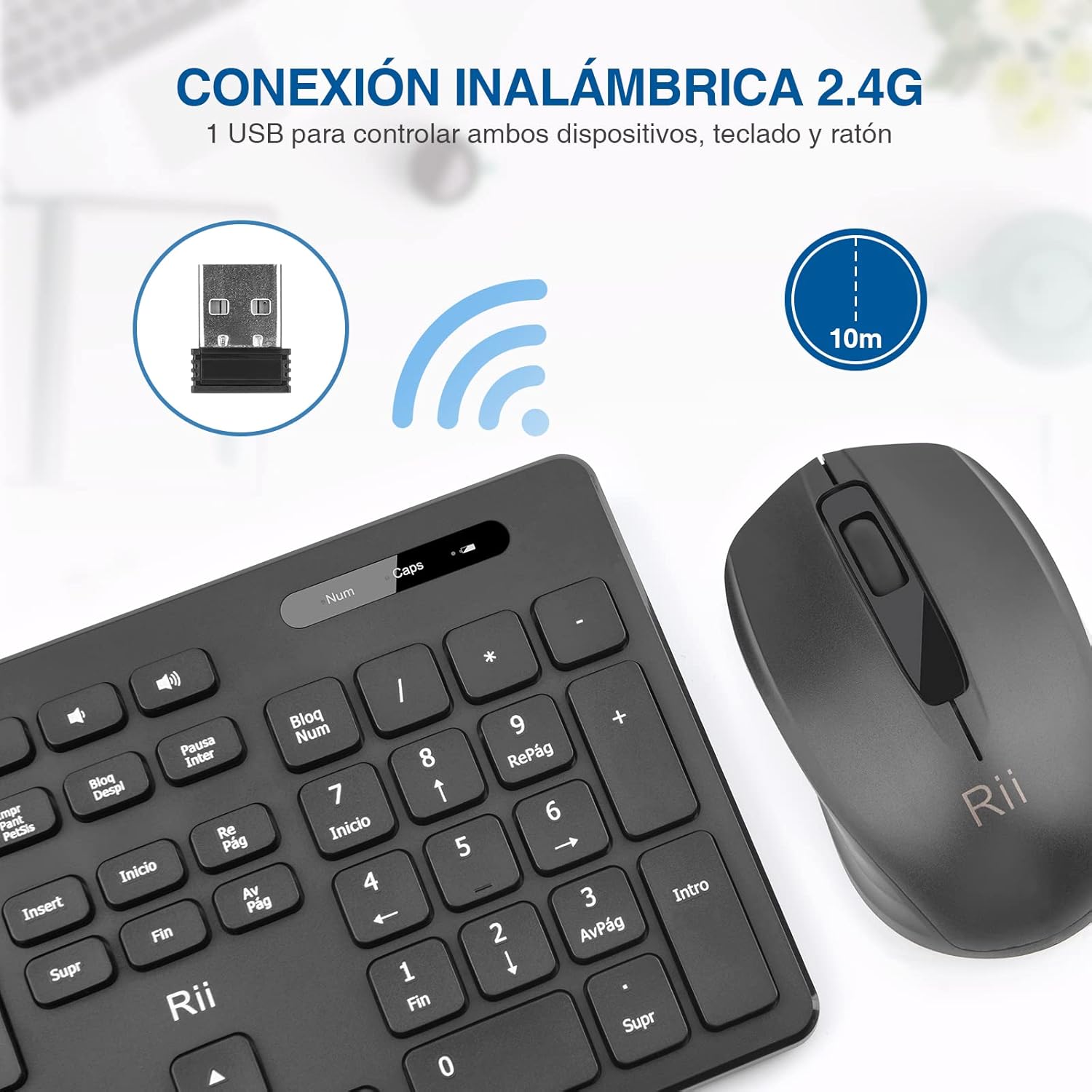
Figure 3.2: The 2.4G wireless USB receiver enables connection for both keyboard and mouse, with an effective range of up to 10 meters.
4. Istruzzjonijiet Operattivi
4.1 Operazzjoni Bażika
- The keyboard features a standard QWERTY layout with silent keys for comfortable typing.
- The mouse is designed for ergonomic comfort and precise navigation.
- Both devices operate simultaneously through the single USB receiver.
4.2 Aġġustament tad-DPI (Maws)
The mouse sensitivity (DPI) can be adjusted to suit your preference. The available DPI settings are 1000 and 1600 DPI. Refer to the mouse's specific button (if present) or software settings on your device to switch between these sensitivities.

Figure 4.1: The Rii RK200 combo is durable and portable, with the mouse offering adjustable DPI settings of 800/1200/1600 (Note: Product description states 1000/1600 DPI).
4.3 Indicator Lights (Keyboard)
The keyboard includes indicator lights for:
- Indikatur tal-batterija: Illuminates to indicate low battery status.
- Indikatur Caps Lock: Jixgħel meta l-Caps Lock ikun attiv.
- Indikatur Num Lock: Illuminates when Num Lock is active.

Figure 4.2: The keyboard features dedicated indicators for battery status, Caps Lock, and Num Lock.
5. Manutenzjoni
5.1 Tindif
To clean your keyboard and mouse, use a soft, dry cloth. For stubborn dirt, slightly dampNaddaf id-drapp bl-ilma jew b'soluzzjoni ħafifa tat-tindif. Evita li tuża kimiċi ħarxa jew materjali li joborxu, għax dawn jistgħu jagħmlu ħsara lill-wiċċ.
5.2 Sostituzzjoni tal-batterija
When the battery indicator on the keyboard lights up, or if the mouse becomes unresponsive, it's time to replace the batteries. Follow the battery installation steps in Section 3.1.
6 Issolvi l-problemi
- L-ebda Rispons mit-Tastiera/Maws:
- Kun żgur li r-riċevitur tal-USB huwa mdaħħal sew f'port tal-USB li jaħdem.
- Check if the mouse is turned on using the On/Off switch.
- Replace the batteries in both the keyboard (1x AAA) and mouse (1x AA) with fresh ones.
- Ipprova qabbad ir-riċevitur USB ma' port USB differenti fuq l-apparat tiegħek.
- Kun żgur li m'hemm l-ebda sorsi qawwija ta' interferenza mingħajr fili fil-qrib.
- Konnessjoni Dewmien jew Intermittenti:
- Ensure the devices are within the effective operating range (8-10 meters) of the USB receiver.
- Move the USB receiver closer to the keyboard and mouse, or use a USB extension cable if necessary.
- Check for potential interference from other 2.4GHz wireless devices.
- Keyboard Typing Incorrect Characters:
- Verify that the correct keyboard layout is selected in your operating system settings. This keyboard features a QWERTY Spanish layout.
7. Speċifikazzjonijiet
| Karatteristika | Speċifikazzjoni |
|---|---|
| Brand | ara |
| Mudell | RK200 |
| Kulur | Iswed |
| Teknoloġija tal-Konnettività | 2.4GHz Wireless (Riċevitur USB) |
| Layout tat-Tastiera | QWERTY (Spanish) |
| Keyboard Lifespan | Over 10 million clicks |
| Mouse Sensitivity (DPI) | 1000/1600 DPI |
| Ħajja tal-Ġurdien | Sa 30 miljun klikks |
| Vol Operattivtage | 2.2V sa 3V DC |
| Distanza Effettiva | 8-10 metri |
| Sistemi Operattivi Kompatibbli | Windows 7/8/10, Mac, Linux, Android |
| Apparati Kompatibbli | PC, Laptop, Smart TV, Android Box, Raspberry Pi 3 B+ |
| Batterija tat-Tastiera | 1 x AAA (mhux inklużi) |
| Batterija tal-ġurdien | 1 x AA (mhux inklużi) |

Figure 7.1: Dimensions of the Rii RK200 keyboard (43.9cm x 12.5cm) and mouse (11.5cm x 6.6cm).
8. Garanzija u Appoġġ
8.1 Informazzjoni dwar Garanzija
This product comes with a standard manufacturer's warranty. Please refer to the warranty card included in your package or contact your retailer for specific warranty terms and conditions. Keep your purchase receipt as proof of purchase.
8.2 Appoġġ għall-Klijent
If you encounter any issues or have questions not covered in this manual, please contact Rii customer support or your product retailer for assistance. Contact information can typically be found on the product packaging or the official Rii websit.


