1. Prodott Aktarview
The Rii Wired RGB LED Backlight Gaming Keyboard and Mouse Combo (Model: 8541666920) provides an ergonomic and responsive input solution for various computing environments. This combo features multi-color LED backlighting for the keyboard and mouse, dedicated multimedia keys, and adjustable mouse DPI settings. It is designed for plug-and-play compatibility with a wide range of operating systems.
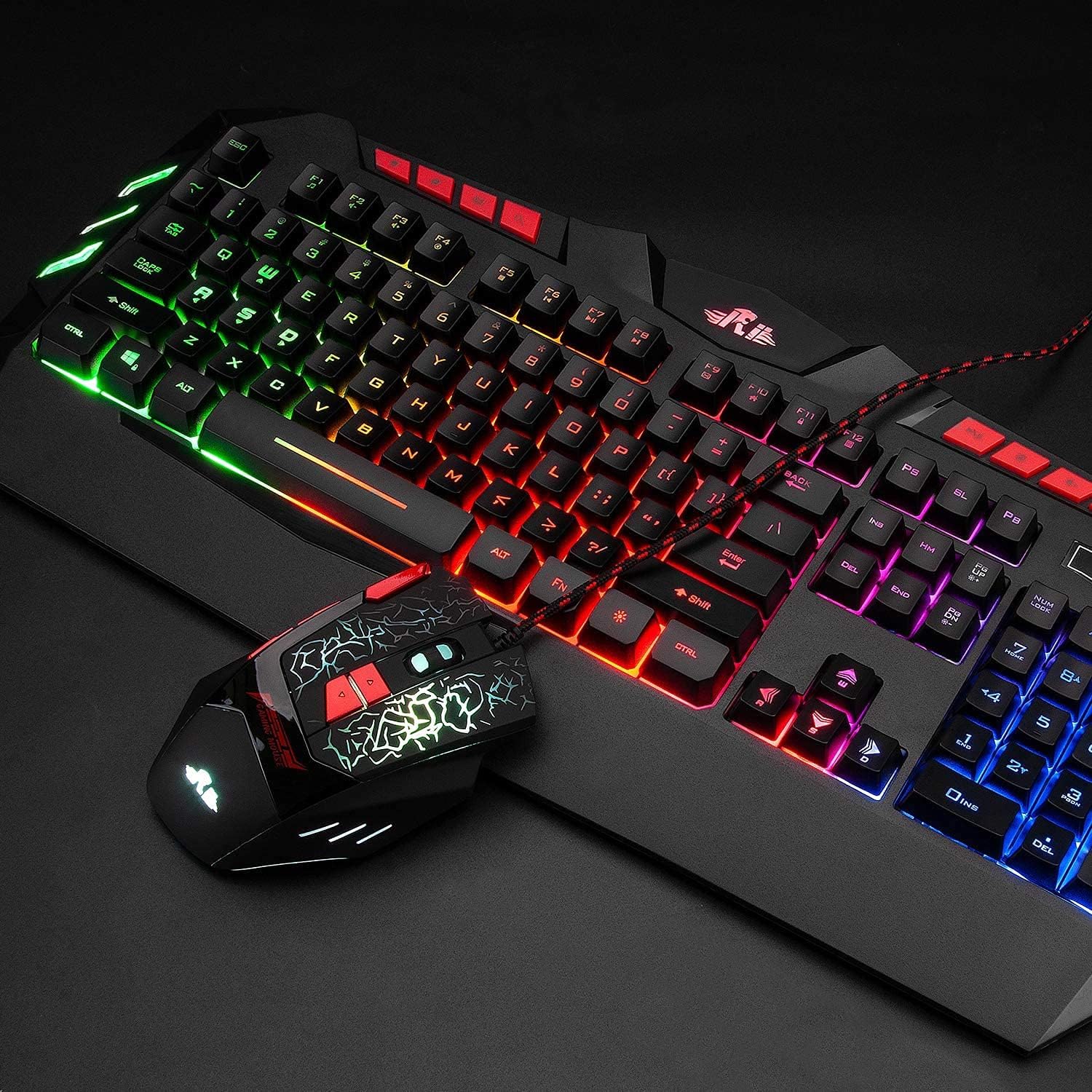
Image: The Rii Wired RGB LED Backlight Gaming Keyboard and Mouse Combo, showcasing both devices connected via USB.
2. Kontenut tal-Pakkett
- Rii Wired RGB LED Backlight Gaming Keyboard
- Rii Wired RGB LED Backlight Gaming Mouse
- Manwal għall-Utent (dan id-dokument)
3. Istruzzjonijiet ta' Setup
The Rii Wired RGB LED Backlight Gaming Keyboard and Mouse Combo is designed for simple plug-and-play operation. No additional drivers are typically required for basic functionality.
- Qabbad it-Tastiera: Locate an available USB port on your computer (PC, Laptop, Gaming Console, Smart TV, etc.). Insert the USB connector of the keyboard firmly into the USB port.
- Qabbad il-Maws: Locate another available USB port on your computer. Insert the USB connector of the mouse firmly into the USB port.
- Rikonoxximent tas-Sistema: Your operating system should automatically detect and install the necessary drivers for the keyboard and mouse. This process may take a few moments.
- Ivverifika l-Funzjonalità: Once detected, the keyboard and mouse should be ready for use. Test by typing and moving the mouse to ensure proper operation.
Nota: While the keyboard and mouse are compatible with various operating systems including Windows, Mac OS, Chrome OS, and Android, the RGB backlight functionality on the keyboard may not be fully supported on Mac OS systems.
4. Istruzzjonijiet Operattivi
4.1 Kontroll tad-Dawl ta' Wara tat-Tastiera
The keyboard features multi-color RGB LED backlighting. Use the following key combinations to control the backlight:
- Aġġustament tal-luminożità: Agħfas FN + Page Up to increase backlight brightness. Press FN + Page Down biex tnaqqas il-luminożità tad-dawl ta' wara.
- Backlight Mode Switch: Agħfas FN + Light Icon Key (usually located near the right Shift key) to cycle through different backlight modes.
- Backlight Mixgħul/Mitfi: Agħfas il- Light Icon Key (without FN) to turn the backlight on or off.

Image: Illustration of multimedia keys and backlight control functions on the keyboard, including brightness adjustment and mode switching.
4.2 Mouse DPI Adjustment
The mouse features 4 adjustable DPI (Dots Per Inch) settings, allowing you to change cursor sensitivity on the fly. The available DPI values are 1000, 1600, 2000, and 2400.
- Change DPI: Agħfas il- buttuna DPI (typically located behind the scroll wheel) to cycle through the available DPI settings. The mouse's LED lighting may change to indicate the current DPI level.

Image: Close-up of the ergonomic mouse, highlighting the DPI adjustment button and precise optical sensor.
4.3 Ċwievet Multimedjali
The keyboard includes dedicated multimedia keys for quick access to common functions:
- Control volume (increase, decrease, mute)
- Manage music playback (play/pause, previous, next)
- Quick access to email and web browser
4.4 WASD and Arrow Key Swap
For certain gaming preferences, you can swap the functionality of the WASD keys with the Arrow keys.
- Swap Keys: Agħfas FN + W to toggle between WASD and Arrow key functionality.

Image: Diagram illustrating how to switch between WASD and arrow key functions using the FN + W key combination.
4.5 Modalità Sleep Awtomatiku
To conserve energy, the keyboard automatically enters a sleeping mode after 10 minutes of inactivity, and its backlights will turn off. To awaken the keyboard and reactivate the backlights, simply press any key.
5. Manutenzjoni
Proper maintenance ensures the longevity and optimal performance of your Rii keyboard and mouse combo.
- Tindif: Uża drapp artab u niexef biex timsaħ l-uċuħ tat-tastiera u l-maws. Għal ħmieġ persistenti, neħħi ftit drapp.amp Jista' jintuża drapp b'sapun ħafif, biex tiżgura li l-ebda likwidu ma jidħol fl-apparati.
- Evita Likwidi: Do not expose the keyboard or mouse to excessive moisture or liquids, as this can cause damage to internal components.
- Ħażna: When not in use for extended periods, store the devices in a cool, dry place away from direct sunlight.
- Kura tal-Cable: Avoid bending or twisting the USB cables excessively to prevent internal wire damage.
6 Issolvi l-problemi
If you encounter issues with your Rii keyboard and mouse combo, refer to the following common solutions:
- It-Tastiera/Maws Mhux Jirrispondi:
- Ensure the USB connectors are securely plugged into the computer's USB ports.
- Ipprova qabbad l-apparati f'portijiet USB differenti fuq il-kompjuter tiegħek.
- Ibda mill-ġdid il-kompjuter tiegħek.
- Ittestja l-apparati fuq kompjuter ieħor biex tiddetermina jekk il-problema hijiex fl-apparati jew fis-sistema tiegħek.
- Backlight Mhux Taħdim:
- Ensure the backlight is turned on using the Light Icon Key.
- Aġġusta l-luminożità billi tuża FN + Paġna 'l fuq/' l isfel.
- If using Mac OS, note that backlight functionality may be limited or unsupported.
- Mouse Cursor Movement is Erratic or Slow:
- Aġġusta s-setting tad-DPI billi tuża l- buttuna DPI on the mouse.
- Kun żgur li s-senser tal-maws huwa nadif u ħieles minn ostakli.
- Uża l-maws fuq wiċċ adattat (eż., mouse pad).
- Multimedia Keys Not Functioning:
- Ensure your operating system and media player are properly configured to respond to standard multimedia key commands.
- Some systems may require specific software or settings to fully utilize multimedia keys.
7. Speċifikazzjonijiet

Image: Detailed dimensions of the Rii keyboard and mouse.
| Karatteristika | Dettall |
|---|---|
| Brand | ara |
| Numru tal-Mudell | 8541666920 |
| Teknoloġija tal-Konnettività | USB bil-fili |
| Dahar tat-Tastiera | RGB LED (Multiple mixed colors) |
| Settings tal-maws DPI | 1000-1600-2000-2400 (Adjustable) |
| Tip ta' Tastiera | Membrane (Mechanical feel) |
| Ergonomija | Ergonomic design for both keyboard and mouse |
| Sistemi Operattivi Kompatibbli | Windows 8/7/Vista/XP/Me/NT, PC, Laptop, Google Android TV Box, HTPC, IPTV, Smart TV, Mac IOS, Chrome OS, Raspberry Pi |
| Keyboard Dimensions (approx.) | 480mm (L) x 215mm (W) x 32mm (H) |
| Mouse Dimensions (approx.) | 128mm (L) x 81mm (W) x 40mm (H) |
| Piż tal-oġġett | Approximately 2.2 pounds (combined) |
| Karatteristiċi Speċjali | Multimedia keys, Non-slip stand, Automatic sleep mode |
8. Informazzjoni dwar Garanzija
Rii products are manufactured to high-quality standards. This product is covered by a manufacturer's warranty against defects in materials and workmanship. The specific terms and duration of the warranty may vary by region and retailer. Please retain your proof of purchase for warranty claims.
For detailed warranty information, please refer to the warranty card included with your product or contact Rii customer support.
9. Appoġġ
If you require further assistance or have questions not covered in this manual, please contact Rii customer support through the following channels:
- Appoġġ onlajn: Visit the official Rii website for FAQs, driver downloads, and support contact forms.
- Appoġġ bl-Email: Refer to your product packaging or the Rii websit għall-indirizz elettroniku ta' appoġġ xieraq.
- Appoġġ għall-Bejjiegħa bl-Imnut: For purchase-related issues, contact the retailer from whom you purchased the product.


