1. Pengenalan
The Mercusys Halo H3600BE (2-Pack) is a Whole Home Mesh Wi-Fi 7 System designed to provide extensive and high-speed wireless coverage throughout your home. This system combines advanced Wi-Fi 7 technology with a mesh network architecture to eliminate dead zones and deliver seamless connectivity for multiple devices. This manual provides instructions for setting up, operating, and maintaining your Halo H3600BE system.
2. Kandungan Pakej
Sahkan bahawa semua item terdapat dalam pakej anda:
- 2 × Halo H3600BE Units
- 1 × RJ45 Ethernet Cable
- 2 × Power Adapters
- Panduan Pemasangan Pantas
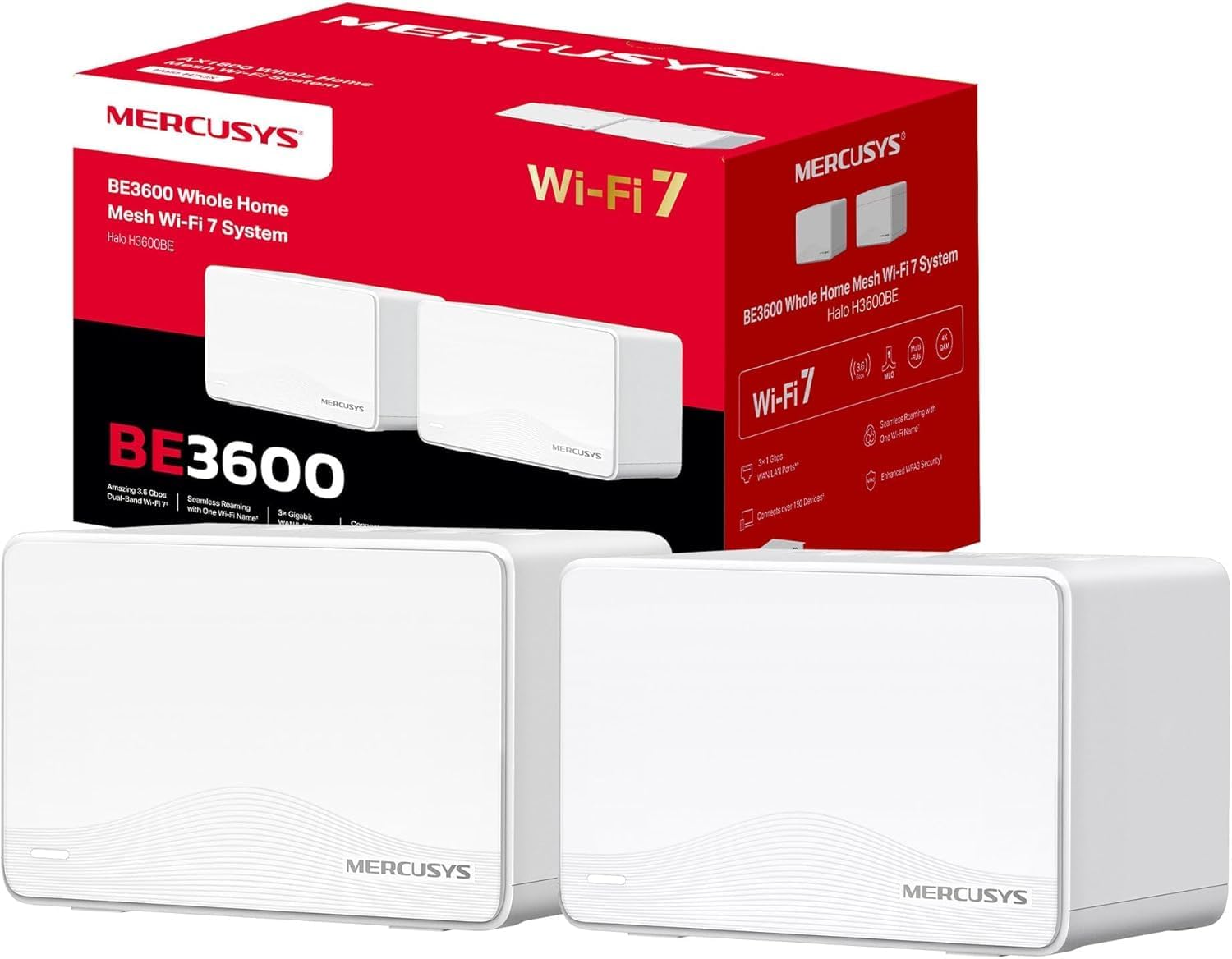
Image: The Mercusys Halo H3600BE (2-Pack) Mesh WiFi 7 System, showing two units and their retail packaging.
3. Panduan Persediaan
Follow these steps to set up your Mercusys Halo H3600BE Mesh WiFi System:
- Step 1: Unpack the Devices. Keluarkan semua komponen dari pembungkusan.
- Step 2: Connect the Main Halo Unit.
- Connect one Halo unit to your modem or existing router using the provided Ethernet cable. Plug one end into any of the Gigabit ports on the Halo unit (these ports are auto-sensing WAN/LAN) and the other end into your modem/router's LAN port.
- Connect the power adapter to the main Halo unit and plug it into an electrical outlet. Wait for the LED indicator on the Halo unit to turn solid white, indicating it is ready for setup.
- Step 3: Download and Configure via Mercusys App.
- Download the Mercusys app from the App Store (iOS) or Google Play Store (Android).
- Open the app and follow the on-screen instructions to create a Mercusys ID and set up your main Halo unit. The app will guide you through creating your Wi-Fi network name (SSID) and password.
- Step 4: Add Additional Halo Units.
- Place the second Halo unit in a central location within your home, ideally between the main Halo unit and the area needing improved coverage.
- Connect the power adapter to the additional Halo unit and plug it into an electrical outlet.
- The additional unit will automatically detect and join the existing mesh network. The LED indicator will turn solid white once successfully connected.
- Step 5: Verify Connection. Once all units are set up, check the Mercusys app to ensure all Halo units are online and functioning correctly.

Image: A visual representation of the Mercusys Halo H3600BE setup process, including connecting power, Ethernet, and using the mobile application for configuration.
4. Arahan Operasi
4.1. Network Management via Mercusys App
The Mercusys app provides comprehensive control over your mesh network. Key features include:
- Kawalan Ibu Bapa: Manage internet access times and content for specific devices.
- Rangkaian Tetamu: Cipta rangkaian Wi-Fi berasingan untuk tetamu, pastikan rangkaian utama anda selamat.
- Status Peranti: View connected devices, their signal strength, and manage their access.
- Kualiti Perkhidmatan (QoS): Prioritize bandwidth for specific applications or devices.
- Monthly Reports: Receive summaries of network usage and security events.
4.2. Seamless Roaming
The Halo H3600BE system supports seamless roaming, meaning your devices will automatically switch to the strongest Wi-Fi signal as you move around your home, without experiencing drops or interruptions.
4.3. Wi-Fi 7 Technology
This system utilizes Wi-Fi 7 (802.11be) technology, offering:
- Operasi Dwi-Jalur: Combines 5GHz (up to 2880Mbps) and 2.4GHz (up to 688Mbps) bands for high-speed data transfer.
- Kapasiti Tinggi: Menyokong lebih 150 peranti secara serentak.
- Latensi Rendah: Optimized for demanding applications like 4K/8K streaming and VR/AR gaming.
- Keselamatan WPA3: Enhanced security protocols for your wireless network.

Imej: Selesaiview of Mercusys Halo H3600BE features, including Wi-Fi 7 dual-band speeds, device capacity, and Gigabit ports.
5. Penyelenggaraan
- Kemas kini Firmware: Regularly check the Mercusys app for available firmware updates to ensure optimal performance and security.
- penempatan: Ensure Halo units are placed in open areas, away from obstructions and sources of interference (e.g., microwaves, cordless phones).
- Pembersihan: Gently wipe the units with a soft, dry cloth. Do not use liquid cleaners or aerosols.
- Mulakan semula: If you experience network issues, try restarting your Halo units and modem.
6. Penyelesaian masalah
- Tiada Akses Internet:
- Semak sama ada modem anda berfungsi dengan betul.
- Ensure the Ethernet cable between the main Halo unit and the modem is securely connected.
- Restart your modem and all Halo units.
- Isyarat Wi-Fi Lemah atau Zon Mati:
- Relocate the additional Halo units closer to the main unit or to a more central location.
- Ensure there are no major physical obstructions (thick walls, large metal objects) between the units.
- Tidak Dapat Menyambung ke Wi-Fi:
- Verify you are using the correct Wi-Fi network name (SSID) and password.
- Cuba mulakan semula peranti yang anda cuba sambungkan.
- Check the Mercusys app to ensure the network is broadcasting.
- Kelajuan Perlahan:
- Pastikan penyedia perkhidmatan internet (ISP) anda memberikan kelajuan yang dijangkakan.
- Minimize interference by moving other wireless devices away from the Halo units.
- Semak kemas kini perisian tegar.
7. Spesifikasi
| Ciri | Perincian |
|---|---|
| Jenama | KELEBIHAN |
| Nama Model | Halo H3600BE |
| Jenis Sambungan Wayarles | 802.11.be (Wi-Fi 7) |
| Kelas Band Kekerapan | Dual Band |
| Ciri Khas | Parental Control, Guest Networks, Mesh, WPA3 |
| Peranti Serasi | Smartphone, Laptop, Smart TV, IoT Devices |
| Penggunaan yang Disyorkan | Rumah |
| Bilangan Unit | 2-Pek |
| Coverage (2-Pack) | Up to 460m² / 5,000 ft² |
| Peranti Bersambung Maks | Lebih 150 |
| Ethernet Ports per Unit | 3 Gigabit (Auto-sensing WAN/LAN) |
| Dimensi (seunit) | Kira-kira 21.9 x 16.4 x 15.9 cm |
| Berat (seunit) | Kira-kira 660 g |
| Sistem Operasi | Sistem Operasi TP-Link |

Imej: Belakang view of a Mercusys Halo H3600BE unit, displaying the power input, reset button, and three Gigabit WAN/LAN ports.
8. Waranti dan Sokongan
For warranty information and technical support, please refer to the official Mercusys website or contact Mercusys customer service. The Quick Installation Guide included in your package may also contain specific warranty details for your region.
Anda boleh mendapatkan lebih banyak maklumat dan sumber sokongan di Mercusys Brand Store.


