1. Produk Lebihview
The JOCCA Portable Rechargeable Dental Water Flosser is designed to provide thorough dental cleaning, effectively removing food debris and plaque from between teeth and along the gumline. Its compact, cordless design makes it ideal for home use, office, or travel, ensuring comprehensive oral hygiene wherever you are. This device features three cleaning modes, four interchangeable nozzles, a 180ml water tank, and an IPX7 waterproof rating for convenient and safe use.
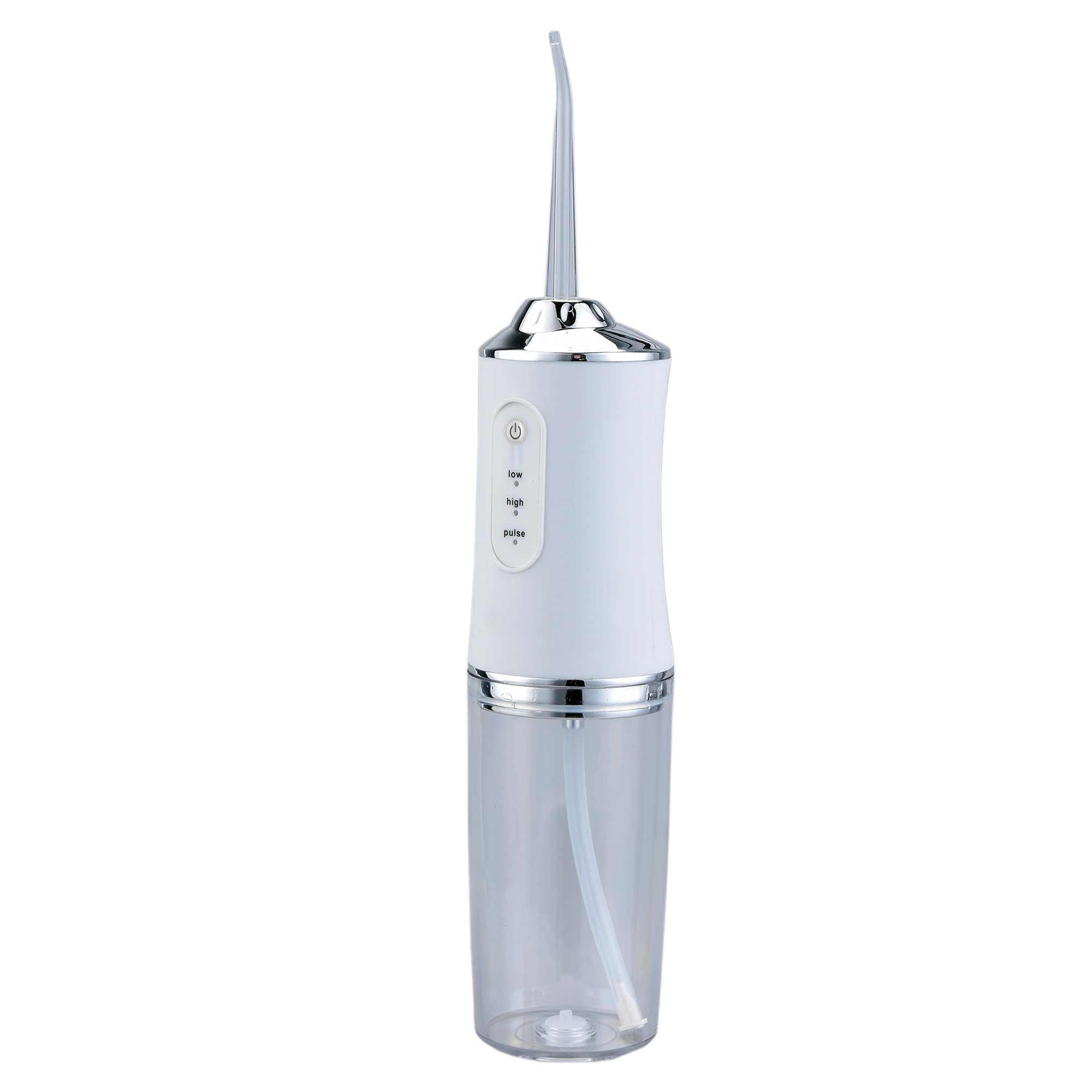
Image 1.1: The JOCCA Portable Rechargeable Dental Water Flosser in white, showcasing its sleek and ergonomic design.
2. Maklumat Keselamatan
- Baca semua arahan sebelum menggunakan perkakas ini.
- Do not immerse the charging base or adapter in water or other liquids.
- Keep the device away from children. This is not a toy.
- Jangan gunakan jika kord kuasa atau palam rosak.
- Only use water or dentist-recommended solutions in the water tank.
- Avoid directing the water jet directly into the eyes, nose, or other sensitive areas.
- Cabut plag peranti sebelum membersihkan.
- This appliance contains a rechargeable battery. Do not expose to extreme temperatures.
3. Kandungan Pakej
Sila pastikan semua item ada dalam pakej:
- 1 x JOCCA Portable Rechargeable Dental Water Flosser unit
- 2 x Standard Nozzles
- 1 x Tongue Cleaning Nozzle
- 1 x Orthodontic Nozzle
- 1 x Kabel Pengecas USB
- 1 x Manual Pengguna (dokumen ini)
4. Ciri-ciri Produk
- 3 Adjustable Cleaning Modes: Choose between Soft, Normal, and Pulse modes to suit your needs. Ideal for sensitive gums, daily cleaning, or gum massage and stimulation.
- 4 Muncung Boleh Tukar: Includes 2 standard nozzles for daily use, 1 tongue cleaning nozzle, and 1 special orthodontic nozzle for comprehensive care.
- Tangki Air 180ml: Sufficient capacity for a complete cleaning session without frequent refills.
- Reka bentuk kalis air IPX7: Fully waterproof, allowing for safe use even in the shower.
- Bateri Boleh Dicas Semula Tahan Lama: Provides up to 45 minutes of continuous use on a single charge. Recharges fully in approximately 4 hours via the included USB cable.
- Mudah Alih dan Tanpa Kord: Compact design for easy handling and travel.
5. Persediaan
5.1 Pengecasan Awal
- Before first use, fully charge the device. Connect the USB charging cable to the charging port on the device and to a compatible USB power source (e.g., wall adapter, power bank, computer USB port).
- The charging indicator light will illuminate during charging and typically change color or turn off when fully charged.
- Pengecasan penuh mengambil masa kira-kira 4 jam.
5.2 Memasang Muncung
- Select the appropriate nozzle for your needs (standard, tongue cleaning, or orthodontic).
- Insert the nozzle into the opening at the top of the device until it clicks securely into place.
- To remove, press the nozzle release button (if present) and pull the nozzle out.
5.3 Mengisi Tangki Air
- Open the water tank cover located on the back or side of the device.
- Fill the 180ml tank with lukewarm water. You may also use a dentist-recommended mouthwash solution.
- Close the water tank cover firmly to prevent leakage.
6. Arahan Operasi
- Hidupkan kuasa: Tekan butang kuasa untuk menghidupkan peranti.
- Pilih Mod: Press the mode button (if separate) or cycle through modes using the power button (depending on model) to choose between Soft, Normal, or Pulse. The indicator light will show the selected mode.
- Kedudukan: Lean over a sink and place the nozzle tip into your mouth, aiming it at your gumline at a 90-degree angle. Close your lips slightly to prevent splashing, but allow water to flow into the sink.
- flos: Guide the water jet along your gumline and between your teeth. Pause briefly between teeth to allow the water to clean the interdental spaces. Work from your back teeth towards the front, covering all surfaces.
- Tongue Cleaning (if applicable): If using the tongue cleaning nozzle, gently glide it across the surface of your tongue from back to front.
- Matikan: Press the power button again to turn off the device when finished.
7. Pembersihan dan Penyelenggaraan
7.1 Selepas Setiap Penggunaan
- Kosongkan baki air dari tangki.
- Bilas tangki air dengan teliti dengan air bersih.
- Remove the nozzle and rinse it under running water.
- Lap bahagian luar peranti dengan lembut, damp kain.
- Benarkan semua bahagian kering sepenuhnya sebelum disimpan.
7.2 Pembersihan Dalam (Mingguan/Dwi-mingguan)
- To prevent mineral buildup, fill the water tank with a mixture of 1 part white vinegar and 2 parts water.
- Run the device until half of the solution is used, then turn it off and let it sit for 20-30 minutes.
- Run the remaining solution through the device.
- Rinse the tank and run a full tank of clean water through the device to flush out any vinegar residue.
7.3 Penyimpanan
Store the device in a cool, dry place, away from direct sunlight and out of reach of children. Ensure the water tank is empty and dry before storage.
8. Penyelesaian masalah
| Masalah | Kemungkinan Punca | Penyelesaian |
|---|---|---|
| Peranti tidak dihidupkan. | Bateri lemah. | Cas peranti sepenuhnya. |
| Butang kuasa tidak ditekan dengan betul. | Pastikan butang kuasa ditekan dengan kuat. | |
| Tekanan air yang lemah. | Tangki air kosong atau rendah. | Isi semula tangki air. |
| Muncung tersumbat. | Remove and clean the nozzle. Perform deep cleaning if necessary. | |
| Selected mode is 'Soft'. | Switch to 'Normal' or 'Pulse' mode for stronger pressure. | |
| Kebocoran air. | Water tank cover not closed properly. | Ensure the water tank cover is securely closed. |
| Nozel tidak dipasang dengan betul. | Re-attach the nozzle until it clicks into place. | |
| Bateri tidak dicas. | Kabel USB atau isu sumber kuasa. | Cuba kabel USB atau penyesuai kuasa yang lain. Pastikan sambungannya selamat. |
9. Spesifikasi
- Nombor Model: 2181
- Jenama: JOCCA
- Isipadu Tangki Air: 180 mililiter
- Sumber Kuasa: Dikuasakan Bateri (Boleh dicas semula melalui USB)
- Ciri Khas: Lightweight, IPX7 Waterproof
- Penggunaan yang Disyorkan: Plaque removal, Orthodontic cleaning, Deep cleaning
- Bilangan Unit: 1 Jumlah
- warna: putih
10. Waranti dan Sokongan
For warranty information and customer support, please refer to the documentation provided with your purchase or contact JOCCA customer service directly. Keep your proof of purchase for any warranty claims.