1. Pengenalan
Welcome to the user manual for your new TCL 55C6K 55-inch 4K QLED Mini LED Smart Google TV. This television combines advanced display technologies like 4K resolution, QLED, and Mini LED with a high 144Hz refresh rate for exceptional visual clarity and smoothness. Enjoy immersive audio with the integrated Onkyo 2.1 Hi-Fi sound system and Dolby Atmos. Powered by Google TV, it offers a smart and intuitive user experience with access to a wide range of applications and voice control capabilities. This manual provides essential information for setup, operation, maintenance, and troubleshooting to ensure you get the most out of your television.
2. Maklumat Keselamatan
Before operating your television, please read all instructions carefully. Keep this manual for future reference. Adhere to all warnings and instructions marked on the product.
- Sumber Kuasa: Only use the power cord supplied with the TV. Ensure the voltage sepadan dengan bekalan kuasa tempatan anda.
- Pengudaraan: Jangan sekat bukaan pengudaraan. Benarkan ruang yang mencukupi di sekeliling TV untuk aliran udara yang betul untuk mengelakkan terlalu panas.
- Air dan Kelembapan: Jangan dedahkan TV kepada hujan atau lembapan. Jangan letakkan objek yang diisi dengan cecair, seperti pasu, di TV.
- Pembersihan: Cabut plag TV sebelum membersihkan. Gunakan kain lembut dan kering. Jangan gunakan pembersih cecair atau pembersih aerosol.
- penempatan: Letakkan TV pada permukaan yang stabil dan rata. Elakkan meletakkannya di bawah cahaya matahari langsung atau berhampiran sumber haba.
- Kanak-kanak: Awasi kanak-kanak untuk mengelakkan mereka daripada memanjat TV atau berdiri.
- Servis: Jangan cuba servis produk ini sendiri. Rujuk semua perkhidmatan kepada pegawai perkhidmatan yang berkelayakan.
3. Kandungan Pakej
Sahkan bahawa semua item terdapat dalam pakej:
- TCL 55C6K 55-inch 4K QLED Mini LED Smart Google TV
- Alat Kawalan Jauh
- Kabel Kuasa
- Manual Pengguna (dokumen ini)
- Kad Waranti
- Komponen Kaki TV (jika berkenaan)
4. Persediaan
4.1 Membongkar
Keluarkan TV dari pembungkusannya dengan berhati-hati. Adalah disyorkan untuk mempunyai dua orang untuk proses ini disebabkan oleh saiz dan berat unit tersebut. Simpan bahan pembungkusan untuk pengangkutan atau servis pada masa hadapan.
4.2 Pemasangan Pendirian / Pemasangan Dinding
Pemasangan Stand:
- Letakkan skrin TV di bawah pada permukaan yang lembut dan rata (cth, selimut atau buih) untuk mengelakkan kerosakan.
- Pasangkan komponen penyangga pada slot yang ditetapkan di bahagian bawah TV menggunakan skru yang disediakan. Pastikan ia dipasang dengan kukuh.
Pemasangan Dinding:
If you plan to wall mount your TV, please refer to the separate wall mount instruction manual provided with your wall mount kit. Ensure you use a VESA-compatible mount and follow all safety guidelines. Professional installation is recommended.

Figure 4.2.1: TCL 55C6K TV Dimensions
4.3 Menyambung Peranti
Your TCL 55C6K TV offers various connectivity options. Refer to the image below for port locations.

Rajah 4.3.1: Sisi View dengan Pelabuhan
- Port HDMI (x4): Connect Blu-ray players, gaming consoles, soundbars, and other HDMI-enabled devices. Supports ARC/eARC on one port and VRR 2.1 for enhanced gaming.
- Port USB (x1): Connect USB storage devices for media playback. Supports VRR 3.0.
- RF Dalam (x1): Connect an antenna or cable for digital broadcast reception (DVB-T/T2/S/S2).
- LAN Port (x1): Sambungkan kabel Ethernet untuk sambungan internet berwayar.
- Audio Keluar Digital (Optik) (x1): Connect to an external audio receiver or sound system for high-quality digital audio.
- Wi-Fi: Built-in 5G Wi-Fi for wireless internet connectivity.
- Bluetooth: Version 5.4 for connecting wireless headphones, speakers, or other Bluetooth devices.
4.4 Kuasa Awal Hidup
- Sambungkan kabel kuasa ke TV dan kemudian ke salur keluar kuasa.
- Tekan butang kuasa pada alat kawalan jauh atau pada TV itu sendiri.
- Follow the on-screen instructions to complete the initial setup, including language selection, network connection, and Google TV account setup.
5. Arahan Operasi
5.1 Alat Kawalan Jauh Lebihview
The remote control allows you to navigate the TV's features. Familiarize yourself with the buttons for power, volume, channel, input selection, and smart TV functions.
5.2 Google TV Interface and Smart Features
Your TCL 55C6K runs on Google TV, providing a personalized and intuitive smart TV experience.
- Navigasi: Use the directional pad and OK button on your remote to browse content and settings.
- Apl: Access pre-installed apps like Netflix, YouTube, and Amazon Prime Video. Download more apps from the Google Play Store.
- Kawalan Suara: Use the built-in Google Assistant for voice commands. The TV supports Far Field Voice Control, allowing you to use voice commands without the remote.
- Chromecast Built-in & AirPlay 2: Hantar kandungan terus dari telefon pintar atau tablet anda ke TV.
- Other Smart Features: Time Shift, EPG (Electronic Program Guide), Recording, Sleep Timer, OSD Multi-language, Favorite Channel List, Channel Editor, PVR (Personal Video Recorder), Parental Control.
5.3 Tetapan Gambar
Optimumkan anda viewing experience with various picture settings.
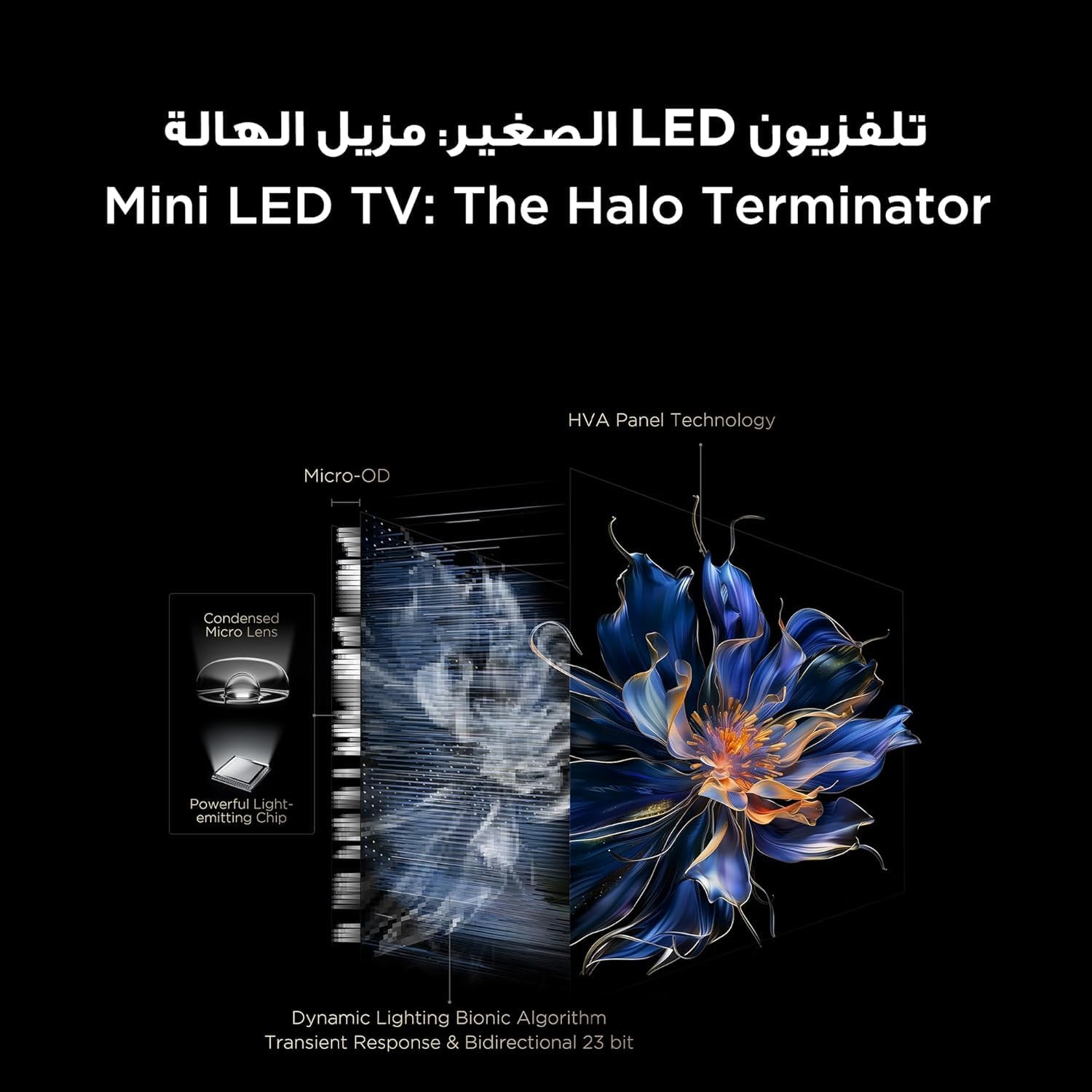
Figure 5.3.1: TV Feature Overview
- Mod Gambar: Standard, Sports, Filmmaker Mode, Film, Game, Smart Game.
- Teknologi HDR: Supports Dolby Vision IQ, HDR 10+, and HLG for enhanced contrast and color.
- Paparan QLED: Enjoy over a billion hues of vivid color with 93% DCI-P3 color space.
- Mini LED Backlight: Precise dimming zones for deep blacks and high brightness.
- MEMC: Motion Estimation, Motion Compensation for smoother fast-moving scenes.
- iMax Contrast Enhancer: Improves contrast for a more dynamic picture.
- Suhu Warna: Adjust between Normal, Cool, and Warm settings.

Figure 5.3.2: QLED Color Technology

Figure 5.3.3: Mini LED Technology
5.4 Tetapan Bunyi
Experience rich and immersive audio with your TV's advanced sound system.
- Teknologi Audio: Features Dolby Atmos and DTS Virtual X for multi-dimensional sound.
- Onkyo 2.1 Hi-Fi Audio: Integrated Onkyo sound system with 10W x 2 speakers and a 20W subwoofer for powerful and clear audio.
- Mod Bunyi: Dynamic, Standard, Film, Music, Voice, Game, Sports.

Figure 5.4.1: Onkyo 2.1 Sound System
5.5 Ciri-ciri Permainan
The TCL 55C6K is designed for an enhanced gaming experience.
- Kadar Penyegaran Asli 144Hz: Enjoy ultra-smooth motion for fast-paced games.
- VRR (Kadar Segar Semula Boleh Ubah): Synchronizes the display's refresh rate with the game's frame rate to eliminate screen tearing and stuttering.
- FreeSync Premium Pro: Provides fluid, tear-free gameplay at peak performance.
- ALLM (Mod Kependaman Rendah Auto): Menukar TV secara automatik kepada mod kependaman rendah apabila konsol permainan dikesan, mengurangkan ketinggalan input.
- Master Permainan: A dedicated suite of gaming features for optimal performance.

Figure 5.5.1: 144Hz Native Refresh Rate
6. Penyelenggaraan
6.1 Membersihkan TV Anda
- Skrin: Lap skrin perlahan-lahan dengan kain lembut yang tidak berbulu. Untuk tanda degil, sedikit dampLap kain dengan air atau pembersih skrin khusus (pastikan ia selamat untuk skrin TV) dan lap perlahan-lahan. Jangan sekali-kali sembur cecair terus ke skrin.
- Bingkai: Gunakan kain lembut dan kering untuk mengelap bingkai TV dan berdiri.
- Sentiasa cabut plag TV dari salur keluar kuasa sebelum membersihkan.
6.2 Kemas Kini Perisian
Your TV may receive software updates to improve performance and add new features. It is recommended to keep your TV connected to the internet to receive these updates automatically. You can also manually check for updates in the TV's settings menu.
7. Penyelesaian masalah
Jika anda menghadapi masalah dengan TV anda, rujuk masalah dan penyelesaian biasa berikut:
| Masalah | Penyelesaian yang Mungkin |
|---|---|
| Tiada kuasa | Check if the power cable is securely connected to the TV and the power outlet. Ensure the power outlet is working. Try a different outlet. |
| Tiada gambar, tetapi bunyi hadir | Semak sumber input. Pastikan peranti yang disambungkan dihidupkan dan berfungsi dengan betul. Cuba kabel HDMI yang berbeza. |
| Tiada bunyi, tetapi ada gambar | Check the volume level and mute status. Ensure external audio devices are connected correctly and powered on. Check audio output settings on the TV. |
| Alat kawalan jauh tidak berfungsi | Gantikan bateri. Pastikan tiada halangan antara alat kawalan jauh dan penderia IR TV. |
| Isu sambungan rangkaian | Mulakan semula penghala dan modem anda. Semak kata laluan Wi-Fi. Cuba sambungan Ethernet berwayar jika tersedia. |
| Isu kualiti gambar (cth, kabur, herot) | Check the source resolution. Adjust picture settings (brightness, contrast, sharpness). Ensure the TV's software is up to date. |
If the problem persists after trying these solutions, please contact TCL customer support or your retailer for further assistance.
8. Spesifikasi
Detailed technical specifications for the TCL 55C6K TV:
| Ciri | Spesifikasi |
|---|---|
| Saiz Paparan | 55 inci |
| Resolusi | 3840 x 2160 (4K Ultra HD) |
| Teknologi Paparan | QLED Mini LED |
| Nisbah Aspek | 16:9 |
| Viewsudut | 178 darjah |
| Kadar Segar Semula | 144Hz (Natif) |
| VRR Support | 144Hz, FreeSync Premium Pro |
| Sokongan HDR | Dolby Vision IQ, HDR 10+, HLG |
| Memori Dalaman | 32 GB |
| Sistem Operasi | Google TV |
| Sistem Audio | Onkyo 2.1 Hi-Fi Audio |
| Kuasa Output Audio | 2 x 10W (speakers) + 20W (subwoofer) |
| Teknologi Audio | Dolby Atmos, DTS Virtual X |
| Port HDMI | 4 (ARC/eARC, VRR 2.1 compatible) |
| Port USB | 1 (VRR 3.0 compatible) |
| Ketersambungan | Wi-Fi 5G, Bluetooth 5.4, LAN, RF In, Digital Audio Out (Optical) |
| Bekalan Kuasa | 220-240V / 50-60Hz |
| Penggunaan Kuasa (Operasi) | 220W |
| Penggunaan Kuasa (Bersedia) | 0.5W |
| Dimensions (without stand, WxHxD) | 1229 x 713 x 55.9 mm |
| Dimensions (with stand, WxHxD) | 1229 x 776 x 297 mm |
| Berat Bersih | 12.4 kg |
| Berat Kasar | 16.3 kg |
| Negara Asal | Mesir |
9. Waranti dan Sokongan
9.1 Maklumat Waranti
Your TCL 55C6K television comes with a 2-year full free warranty from the date of purchase. Please refer to the warranty card included in your package for detailed terms and conditions. Keep your proof of purchase for warranty claims.
9.2 Sokongan Pelanggan
For technical assistance, troubleshooting beyond this manual, or warranty service, please contact TCL customer support. You can find contact information on the warranty card or the official TCL website for your region. When contacting support, please have your TV model number (55C6K) and serial number ready.


