1. Maklumat Keselamatan Penting
Sila baca semua amaran dan arahan keselamatan sebelum menggunakan produk ini. Kegagalan mematuhi amaran dan arahan boleh mengakibatkan renjatan elektrik, kebakaran dan/atau kecederaan serius.
- Do not use if the jacket or battery pack is wet.
- Do not use if heating elements are damaged.
- Jangan gunakan dengan bayi, kanak-kanak, orang kurang upaya atau sesiapa yang tidak sensitif terhadap haba.
- Do not use if you have a medical condition that makes you sensitive to heat. Consult a physician before use.
- Always disconnect the battery pack before washing or storing the jacket.
- Do not puncture, strike, or drop the battery pack.
- Simpan pek bateri di tempat yang sejuk dan kering jauh dari cahaya matahari langsung.
- Keep the battery pack away from flammable materials.
- Use only the provided 12V battery pack.
2. Kandungan Pakej
- HEATIX Heated Jacket
- 12V Battery Pack (54Wh, CE/FCC certified)
- Kabel Pengecasan (USB Jenis-C)
- Manual Pengguna (dokumen ini)
3. Produk Lebihview
Ciri-ciri Utama:
- 5-Zone Heating System: Carbon fiber heating elements in the chest, back, and arms, plus heated front pockets.
- 3 Tahap Haba: Adjustable warmth (High: 140°F, Medium: 125°F, Low: 110°F).
- 12V Battery Pack: 54Wh capacity, providing 3.5-4 hours on high or 9-10 hours on low.
- Fast-Charging USB Type-C Port: For charging the battery pack and external devices.
- Pembinaan Tahan Lama: Water-resistant, breathable soft-shell fabric, scratch and wind resistant.
- Foldable Hood: For versatile wear.
- Multi-Pocket Storage: 7 utility pockets for essentials.
Komponen:
Familiarize yourself with the main components of your HEATIX Heated Jacket.

Imej 3.1: Depan dan belakang view of the HEATIX Heated Jacket, illustrating the five heating zones across the chest, back, and arms, along with heated front pockets. The image also shows the included 12V battery pack and charging cable.
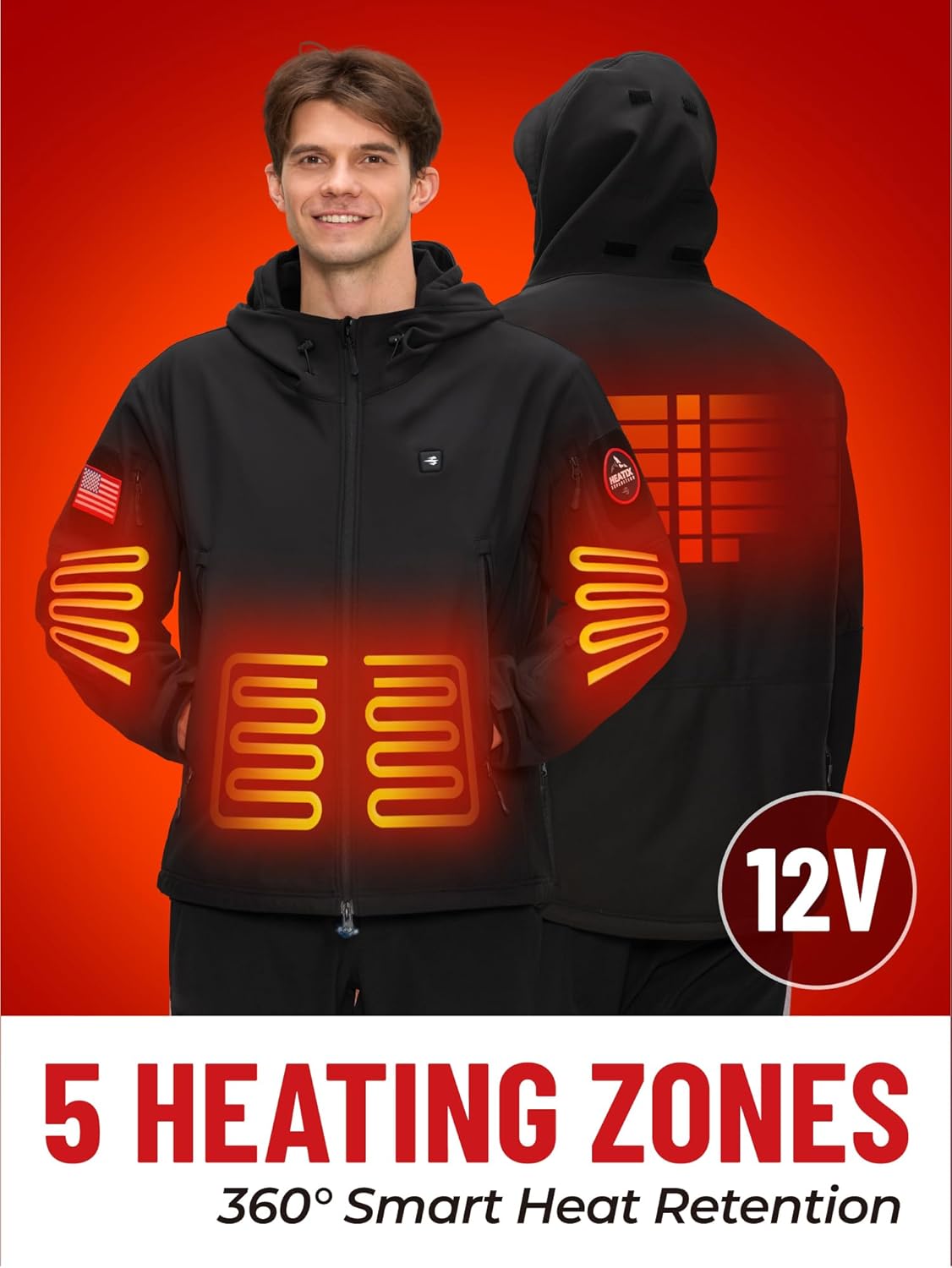
Imej 3.2: A closer look at the HEATIX Heated Jacket, emphasizing the five oversized heating zones and the 12V power system for efficient heat retention.

Imej 3.3: A hand pressing the power button on the jacket, which controls the three heating levels. This button is typically located on the chest.
4. Persediaan
4.1 Mengecas Pek Bateri
- Locate the 12V battery pack and the USB Type-C charging cable.
- Connect the charging cable to the USB Type-C port on the battery pack.
- Plug the other end of the charging cable into a compatible USB power adapter (not included) or a computer.
- The battery indicator lights will show the charging progress. Charge until all indicator lights are solid, indicating a full charge.
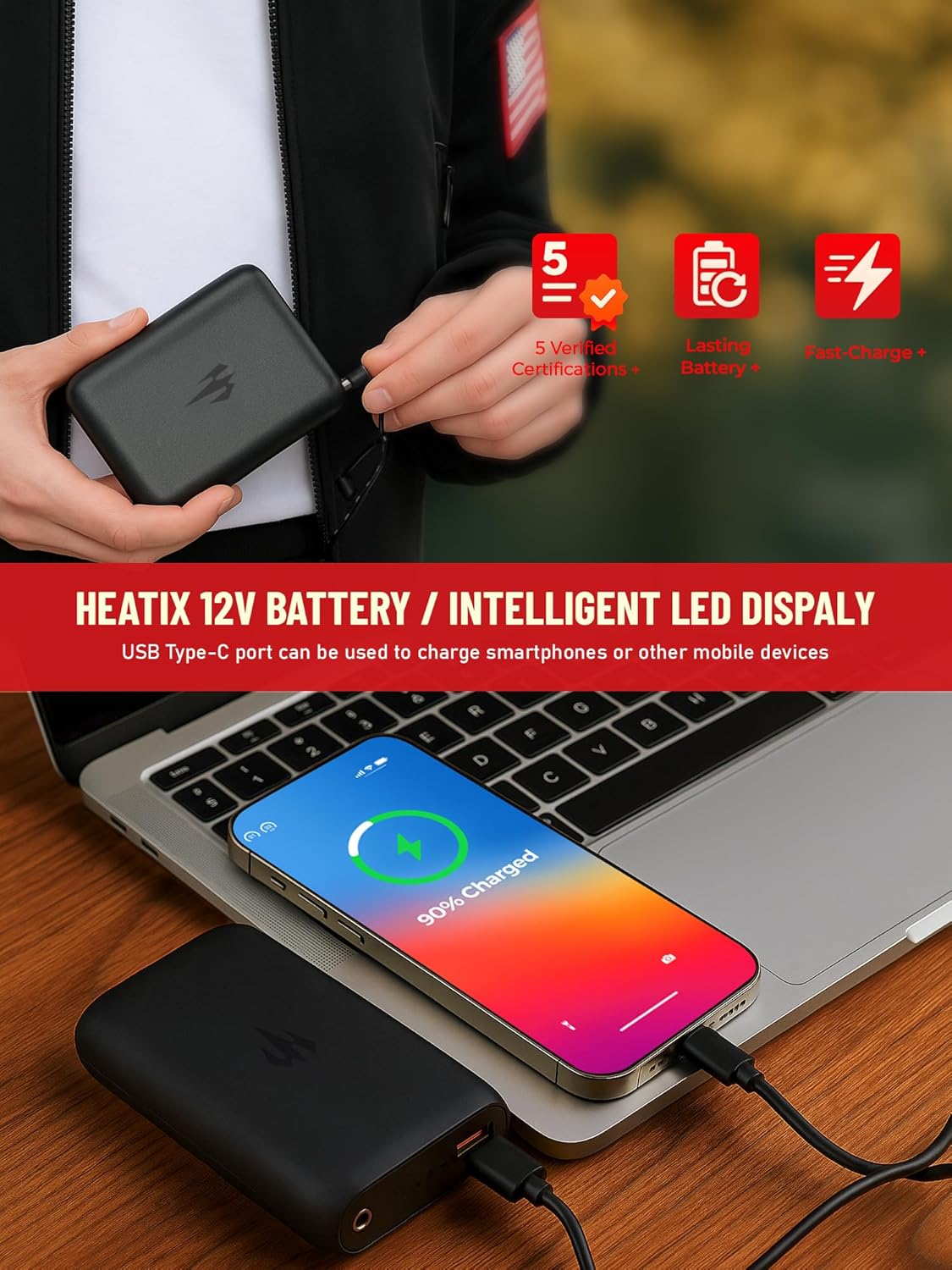
Imej 4.1: The HEATIX 12V battery pack connected via USB-C to charge a smartphone, demonstrating its dual functionality as a power bank.
4.2 Connecting the Battery to the Jacket
- Locate the battery pocket inside the jacket, typically on the lower left side.
- Inside the pocket, you will find a power cable with a connector.
- Connect the jacket's power cable to the corresponding port on the fully charged 12V battery pack.
- Place the connected battery pack securely into the battery pocket and zip it closed.
Video 4.2: This video demonstrates how to connect the 12V battery pack to the HEATIX Heated Jacket and operate the heating controls. It shows the internal pocket for the battery and the process of activating the heating zones.
5. Arahan Operasi
5.1 Turning On/Off and Adjusting Heat Levels
- Untuk Menghidupkan: Press and hold the power button on the chest of the jacket for approximately 3 seconds. The button will light up, indicating the jacket is on. It will typically start on the High heat setting (Red light).
- To Adjust Heat Level: Short press the power button to cycle through the heat settings:
- High (Red Light): Approximately 140°F, lasts 3.5-4 hours.
- Medium (Blue Light): Approximately 125°F, lasts 6-7 hours.
- Low (Green Light): Approximately 110°F, lasts 9-10 hours.
- Untuk Mematikan: Tekan dan tahan butang kuasa selama lebih kurang 3 saat sehingga lampu padam.

Imej 5.1: A terperinci view of the heat control button on the HEATIX jacket, showing the three distinct heat levels (High, Medium, Low) indicated by red, blue, and green lights respectively, along with their corresponding temperatures and approximate durations.
5.2 Using the Foldable Hood and Pockets
- The hood can be folded and stored within the collar when not needed. Simply unfold it and adjust the drawstrings for a snug fit.
- Utilize the 7 utility pockets for storing personal items. The front pockets are also heated for hand warmth.

Imej 5.2: This image highlights various features of the HEATIX jacket, including its water-resistant and scratch-resistant properties, machine washability, adjustable cuffs, and the convenient foldable hood design.
6. Penyelenggaraan
6.1 Arahan Mencuci
The HEATIX Heated Jacket is designed for easy care. Follow these steps to ensure longevity:
- Putuskan Sambungan Bateri: ALWAYS remove the 12V battery pack from the jacket before washing.
- Tutup Zip: Ensure all zippers are closed to protect them during washing.
- Basuh Mesin: Place the jacket in a laundry bag (if available) to protect the heating elements. Use cold water on a gentle cycle.
- Cuci Tangan: Alternatively, hand wash the jacket in cold water with mild detergent.
- Do Not Bleach or Iron: Avoid using bleach or ironing the jacket.
- Tumble Dry Low: Tumble dry on a low heat setting or hang dry. Ensure the jacket is completely dry before reconnecting the battery or storing.

Imej 6.1: A person placing the HEATIX Heated Jacket into a washing machine, demonstrating its machine-washable feature for easy cleaning.
7. Penyelesaian masalah
| Masalah | Kemungkinan Punca | Penyelesaian |
|---|---|---|
| Jacket not heating. | Bateri tidak disambungkan atau dinyahcas. | Ensure battery is fully charged and securely connected to the jacket's power cable. |
| Heat indicator light is off. | Jacket is off or battery is depleted. | Press and hold the power button for 3 seconds to turn on. Recharge the battery if necessary. |
| Jacket heats unevenly or only in some zones. | Damaged heating element or loose connection. | Periksa sambungan bateri. Jika masalah berterusan, hubungi khidmat pelanggan. |
| Pek bateri tidak dicas. | Kabel pengecasan yang rosak atau penyesuai kuasa. | Try a different USB Type-C cable and power adapter. Ensure the power source is working. |
8. Spesifikasi
- Jenama: HEATIX
- model: Jaket Dipanaskan
- Zon Pemanasan: 5 (Chest, Back, Arms, Front Pockets)
- Tahap Panas: High (140°F), Medium (125°F), Low (110°F)
- Bateri: 12V, 54Wh (included)
- Hayat Bateri: 3.5-4 hours (High), 6-7 hours (Medium), 9-10 hours (Low)
- Port Pengecasan: USB Type-C (for battery and external devices)
- Fabrik: Outer: Polyester, Spandex (Water-resistant, Breathable Soft Shell)
- Arahan Penjagaan: Hand Wash, Machine Wash (remove battery)
9. Waranti dan Sokongan
For warranty information, product support, or any inquiries, please refer to the official HEATIX webtapak atau hubungi perkhidmatan pelanggan mereka secara langsung. Simpan resit pembelian anda untuk tuntutan waranti.
You can visit the HEATIX Store for more information: HEATIX Official Store


