1. Maklumat Keselamatan
Read all instructions carefully before using the appliance to prevent accidents and ensure proper operation. Keep this manual for future reference.
Langkah Keselamatan Am
- Pastikan mesin basuh dibumikan dengan betul.
- Jangan benarkan kanak-kanak bermain di atas atau di dalam perkakas.
- Jauhkan bahan mudah terbakar dari perkakas.
- Jangan kendalikan mesin dengan kord kuasa atau palam yang rosak.
- Sentiasa cabut plag perkakas sebelum membersihkan atau melakukan penyelenggaraan.
- Jangan basuh barang yang telah dibersihkan, dibasuh, direndam, atau bertompok dengan bahan mudah terbakar atau meletup.
2. Persediaan dan Pemasangan
Proper installation is crucial for the performance and longevity of your washing machine. Follow these steps carefully.
2.1 Membongkar
Remove all packaging materials, including the base packaging, foam, and tape. Ensure no packing materials remain inside the drum. Keep packaging materials out of reach of children.
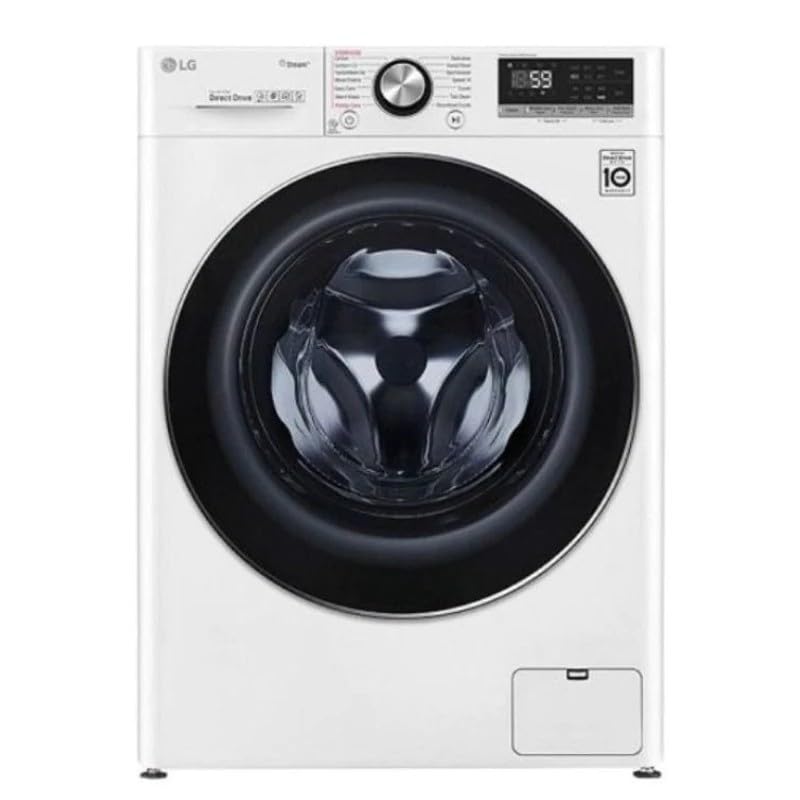
Imej: Depan view of the LG WFR1114WH washing machine. This image illustrates the general appearance of the appliance after unpacking.
2.2 Keperluan Lokasi
- Place the washing machine on a solid, level floor.
- Elakkan cahaya matahari langsung atau suhu yang melampau.
- Pastikan ruang yang mencukupi di sekeliling mesin untuk pengudaraan dan penyelenggaraan.
- Dimensi perkakas adalah lebih kurang 66 cm (Dalam) x 66 cm (Lebar) x 66 cm (Tinggi).
2.3 Meratakan Perkakas
Use a spirit level to check if the machine is perfectly level. Adjust the leveling feet at the bottom of the machine by turning them clockwise or counter-clockwise until the machine is stable and level. An unlevel machine can cause excessive vibration and noise during operation.
2.4 Sambungan Bekalan Air
- Connect the inlet hoses to the hot and cold water taps. Ensure the rubber seals are correctly fitted to prevent leaks.
- Tighten the hose connections securely by hand, then use a wrench for an additional quarter turn. Do not overtighten.
- Open the water taps fully and check for any leaks.
2.5 Pemasangan Hos Longkang
- Position the drain hose correctly to prevent water backflow or siphoning.
- The drain hose can be placed over the edge of a sink or connected to a standpipe. Ensure the end of the hose is at a height between 60 cm and 100 cm from the floor.
- Secure the drain hose to prevent it from dislodging during the wash cycle.
2.6 Sambungan Elektrik
Connect the power cord (included) to a properly grounded electrical outlet. The washing machine operates at 35 Watts. Do not use extension cords or adapters. Ensure the voltage dan kekerapan sepadan dengan spesifikasi perkakas.
3. Arahan Operasi
This section guides you through the basic operation of your LG WFR1114WH washing machine.
3.1 Panel Kawalan Selesaiview
The washing machine features a touch control unit. The control panel typically includes a power button, program selector, start/pause button, and various option buttons for temperature, spin speed, and additional functions.
Note: Refer to the detailed diagram in the printed manual for specific button locations and functions.
3.2 Memuatkan Dobi
- Open the front-load door.
- Muatkan pakaian secara longgar ke dalam dram, pastikan tidak membebankan. Kapasiti maksimum ialah 11 kg.
- Tutup pintu dengan kuat sehingga ia berbunyi tertutup.
3.3 Menambah Detergen dan Bahan Tambahan
Pull out the detergent dispenser drawer. Add the appropriate amount of detergent to the main wash compartment. If using fabric softener or pre-wash detergent, add them to their respective compartments. Close the dispenser drawer gently.
3.4 Memilih Kitaran Basuh
Turn the program selector or use the touch controls to choose a wash cycle. The machine offers standard cycles such as:
- Biasa: Untuk kapas harian dan fabrik campuran.
- Tugas Berat: For heavily soiled items and durable fabrics.
- halus: Untuk barang rapuh yang memerlukan penjagaan lembut.
Ciri model ini 6 Motion Technology, which uses various drum movements to optimize washing for different fabric types, providing enhanced cleaning and fabric care.
3.5 Using Smart ThinQ (Smart Connectivity)
Your washing machine is equipped with Smart ThinQ technology, allowing for smart connectivity. This feature enables remote control, cycle downloads, and smart diagnosis via a compatible smartphone application. Refer to the Smart ThinQ app instructions for detailed setup and usage.
3.6 Memulakan Kitaran Basuh
After selecting the desired cycle and options, press the Start/Pause button to begin the wash cycle. The machine will automatically fill with water and start the washing process.
3.7 Menjeda atau Membatalkan Kitaran
To pause a cycle, press the Start/Pause button. To cancel a cycle, press and hold the Power button for a few seconds until the machine turns off. You may then select a new cycle.
4. Penyelenggaraan dan Pembersihan
Penyelenggaraan tetap memastikan prestasi optimum dan memanjangkan jangka hayat mesin basuh anda.
4.1 Membersihkan Bahagian Luar
Lap permukaan luar dengan lembut, damp cloth. Do not use abrasive cleaners, harsh chemicals, or solvents, as these can damage the finish. The machine features a stainless steel finish.
4.2 Membersihkan Dram
Periodically run a "Tub Clean" or "Drum Clean" cycle (if available on your model) using a washing machine cleaner or a small amount of bleach. This helps remove detergent residue and odors.
4.3 Membersihkan Dispenser Detergen
Remove the detergent dispenser drawer and rinse it under warm running water to remove any accumulated detergent or softener residue. Use a small brush if necessary. Dry thoroughly before reinserting.
4.4 Membersihkan Penapis Longkang
Locate the drain pump filter, usually at the bottom front of the machine. Place a shallow pan underneath to catch any water. Unscrew the filter cover and carefully remove any lint, coins, or foreign objects. Clean the filter under running water and reinsert it securely.
4.5 Water Inlet Filter Cleaning
If water supply issues occur, check the water inlet filters located at the connection point of the inlet hoses to the machine. Turn off the water supply, disconnect the hoses, and use pliers to pull out the mesh filters. Rinse them clean and reinsert.
5. Panduan Penyelesaian Masalah
Sebelum menghubungi perkhidmatan, semulaview bahagian ini untuk penyelesaian kepada isu-isu lazim.
| Masalah | Kemungkinan Punca | Penyelesaian |
|---|---|---|
| Mesin tidak bermula | Kord kuasa dicabut; pintu tidak ditutup dengan betul; kuasa terputustage. | Periksa sambungan kuasa; pastikan pintu berkunci; periksa pemutus litar rumah. |
| Tiada isi air | Water taps closed; inlet hoses kinked; water pressure too low; inlet filters clogged. | Open water taps; straighten hoses; check water supply; clean inlet filters. |
| Getaran / bunyi yang berlebihan | Machine not level; shipping bolts not removed; unbalanced load. | Adjust leveling feet; ensure shipping bolts are removed (during installation); redistribute laundry evenly. |
| Air bocor | Hose connections loose; drain hose improperly installed; excessive detergent. | Tighten hose connections; check drain hose position; use correct amount of detergent. |
| Kod ralat dipaparkan | Specific malfunction detected by the machine's AI. | Refer to the full user manual for a list of error codes and their solutions, or use the Smart ThinQ app for smart diagnosis. |
Jika masalah berterusan selepas mencuba penyelesaian ini, sila hubungi sokongan pelanggan.
6. Spesifikasi Produk
Detailed technical specifications for the LG WFR1114WH Front Load Washing Machine.
| Jenama | LG |
| Maklumat Model | WFR1114WH |
| Dimensi Produk (D x W x H) | 66 cm x 66 cm x 66 cm |
| Kapasiti | 11 Kilogram |
| Jenis Pemasangan | Freestanding |
| Nombor Bahagian | WFR1114WH |
| Ciri Khas | Artificial Intelligence (AI), 6 Motion Technology, Smart ThinQ |
| warna | putih |
| Control Unit Type | Sentuh |
| Kitaran Standard | 3 (Normal, Heavy Duty, Delicate) |
| Akses Lokasi | Beban Depan |
| Kuasa Elektrik | 35 Watt |
| Jenis Bahan | Stainless Steel, Solid |
| Komponen yang Disertakan | Kord Kuasa |
| Bateri Diperlukan | Tidak |
| Berat Barang | 66 Gram |
| Tarikh Tersedia Pertama | 5 November 2024 |
7. Waranti dan Sokongan Pelanggan
Untuk maklumat jaminan dan sokongan pelanggan, sila rujuk kad jaminan yang disertakan dengan produk anda atau lawati LG rasmi webtapak untuk wilayah anda.
Maklumat Waranti
Your LG WFR1114WH washing machine is covered by a manufacturer's warranty. The terms and conditions of the warranty, including coverage period and what is covered, are detailed in the warranty documentation provided at the time of purchase. Please retain your proof of purchase for warranty claims.
Sokongan Pelanggan
If you encounter any issues that cannot be resolved using the troubleshooting guide, or if you require technical assistance, please contact LG customer support. Contact details can typically be found on the LG webtapak atau dalam dokumentasi produk anda.
- Sokongan dalam talian: Lawati LG rasmi website for FAQs, manuals, and online service requests.
- Sokongan Telefon: Contact the LG customer service hotline for your region.
- Pusat Perkhidmatan: Cari pusat servis LG yang dibenarkan untuk pembaikan.