pengenalan
This manual provides comprehensive instructions for the Marvo K604 RGB Gaming Keyboard. It covers essential information for setup, operation, maintenance, and troubleshooting to ensure optimal performance and longevity of your device. Please read this manual thoroughly before using the keyboard.

Image: The Marvo K604 RGB Gaming Keyboard integrated into a typical gaming desk setup, showcasing its full layout and RGB lighting.
Arahan Persediaan
- Buka pek Papan Kekunci: Carefully remove the Marvo K604 keyboard from its packaging. Ensure all components, including the USB cable, are present.
- Sambung ke Komputer: Locate an available USB-A port on your computer. Insert the USB connector of the keyboard cable into the USB port.
- Pemasangan Pemandu: The Marvo K604 is a plug-and-play device. Your operating system (Windows, macOS, Linux) should automatically detect and install the necessary drivers. No additional software installation is typically required.
- penempatan: Place the keyboard on a stable, flat surface. Adjust the keyboard feet on the underside if you prefer an angled typing position.
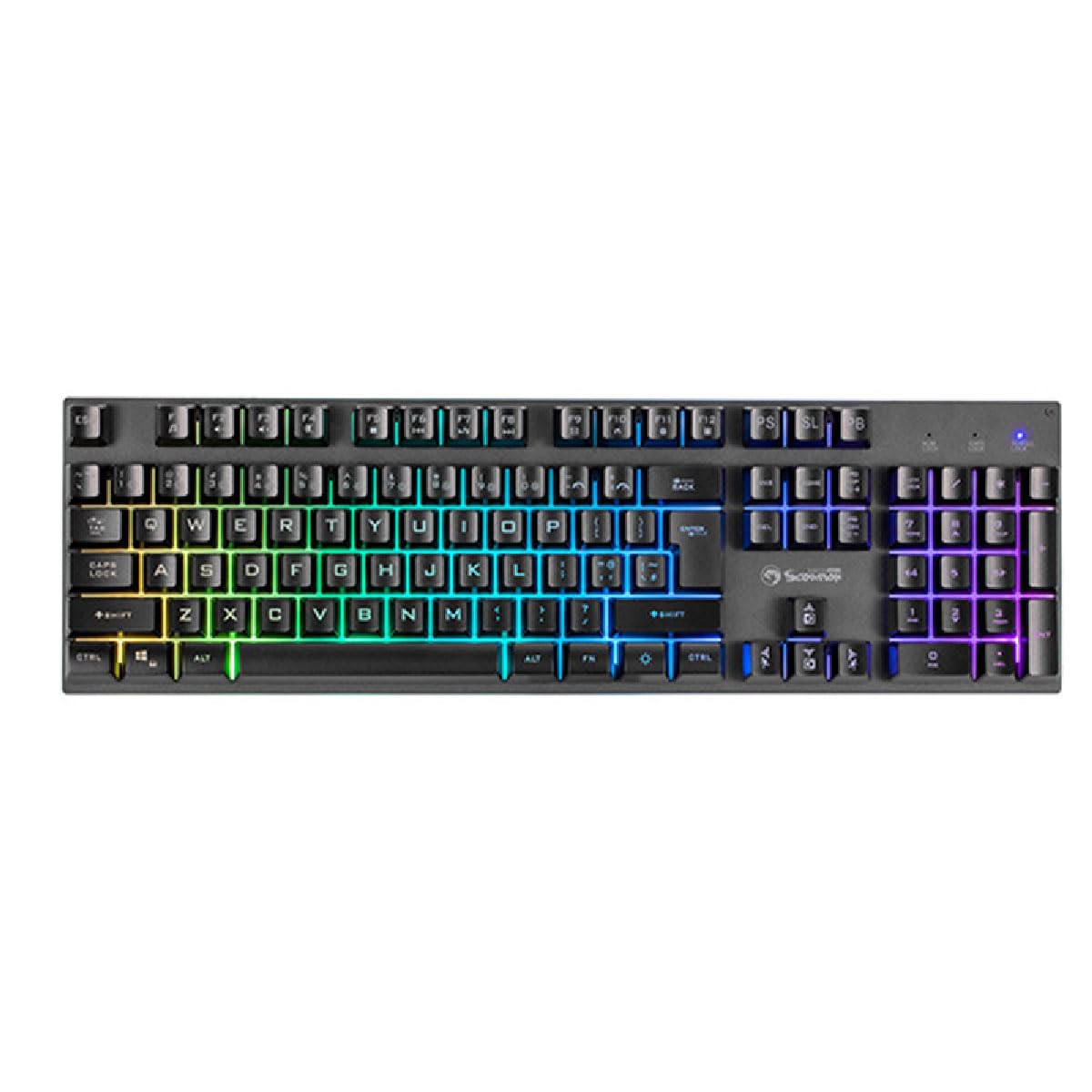
Imej: Bahagian dekat view of the Marvo K604 keyboard keys, highlighting the ergonomic design and the visible RGB backlighting beneath the keycaps.
Arahan Operasi
Fungsi Papan Kekunci Asas
The Marvo K604 is a standard 104-key layout keyboard. All keys function as labeled. For specific operating system shortcuts, refer to your computer's documentation.
Kawalan Lampu Belakang RGB
The keyboard features customizable RGB backlighting. Use the following key combinations to adjust the lighting effects:
- Fn + Scroll Lock (SL): Cycles through various RGB lighting modes.
- Fn + Print Screen (PS): Adjusts the brightness of the backlighting.
- Fn + Pause Break (PB): Changes the speed of dynamic lighting effects.
- Fn + Arrow Keys (Up/Down): Adjusts brightness (alternative).
- Fn + Arrow Keys (Left/Right): Adjusts effect direction or color cycle speed.

Imej: Atas ke bawah yang jelas view of the Marvo K604 keyboard, displaying its full 104-key layout and the vibrant, multi-color RGB backlighting across all keys.
Penyelenggaraan
Proper maintenance ensures the longevity and performance of your Marvo K604 keyboard.
- Pembersihan:
- Putuskan sambungan papan kekunci daripada komputer anda sebelum membersihkan.
- Gunakan kain lembut dan kering untuk mengelap permukaan papan kekunci.
- Untuk habuk dan serpihan di antara kunci, gunakan udara termampat.
- Untuk kotoran degil, ringankan dampen a cloth with water or a mild, non-abrasive cleaner. Avoid excessive moisture.
- Storan: Simpan papan kekunci di persekitaran yang bersih dan kering, jauh daripada suhu ekstrem dan cahaya matahari langsung.
- Elakkan Tumpahan: Do not expose the keyboard to liquids. In case of a spill, immediately disconnect the keyboard and allow it to dry completely before reconnecting.
Menyelesaikan masalah
If you encounter issues with your Marvo K604 keyboard, try the following solutions:
- Papan Kekunci Tidak Membalas:
- Pastikan kabel USB disambungkan dengan selamat ke kedua-dua papan kekunci dan komputer.
- Cuba sambungkan papan kekunci ke port USB lain pada komputer anda.
- Mulakan semula komputer anda.
- Test the keyboard on another computer to determine if the issue is with the keyboard or the computer's setup.
- Pencahayaan RGB Tidak Berfungsi:
- Pastikan papan kekunci disambungkan dan dihidupkan dengan betul.
- Try cycling through the RGB modes using Fn + Scroll Lock (SL).
- Laraskan kecerahan menggunakan Fn + Print Screen (PS) or Fn + Arrow Keys (Up/Down).
- Kunci Tidak Mendaftar:
- Periksa sebarang halangan fizikal di bawah penutup kekunci.
- Bersihkan papan kekunci seperti yang diterangkan dalam bahagian Penyelenggaraan.
- If only specific keys are affected, and cleaning does not resolve the issue, contact customer support.
Spesifikasi
| Jenama | MARVO |
| Model | K604 |
| taip | 104-key Gaming Keyboard |
| Ketersambungan | USB-A |
| Panjang Kabel | 150 sm |
| warna | Hitam |
| Backlighting papan kekunci | RGB |
| Peranti Serasi | PC |
| Berat Barang | 1.61 paun |
| Dimensi Pakej | 17.99 x 6.18 x 1.81 inci |
| Ciri Khas | Ergonomic, Lightweight, Portable |
| Komponen yang Disertakan | Kabel USB |
Maklumat Waranti
Marvo products are manufactured to the highest quality standards. This product is covered by a limited warranty against manufacturing defects from the date of purchase. Please retain your proof of purchase for warranty claims. The warranty does not cover damage caused by misuse, accident, modification, or unauthorized repair.
For detailed warranty terms and conditions, please refer to the official Marvo webtapak atau hubungi sokongan pelanggan.
Sokongan Pelanggan
If you require further assistance or have questions not covered in this manual, please contact Marvo customer support:
- Webtapak: www.marvo-tech.com (Nota: Ini ialah pemegang tempat URL, please refer to your product packaging or official Marvo sources for the correct support webtapak.)
- e-mel: support@marvo-tech.com (Note: This is a placeholder email, please refer to your product packaging or official Marvo sources for the correct support email.)
When contacting support, please have your product model (K604) and proof of purchase readily available.


