1. Pengenalan
This manual provides detailed instructions for the installation, operation, and maintenance of your Elsys DS4100V Digital Overlay Lock. Please read this manual carefully before using the product to ensure proper functionality and safety. The Elsys DS4100V offers advanced security features, multiple access methods, and smart home integration for enhanced convenience and protection.
2. Ciri-ciri Produk
- Kaedah Akses Berbilang: Open with numeric passwords, biometric fingerprints (up to 100), key tags (up to 300), or adhesive tags.
- Integrasi Rumah Pintar: Compatible with Wi-Fi and Alexa for voice control and remote management.
- Dual Locking Mechanism: Enhanced security with a robust dual lock system.
- Penguncian automatik: Ensures your door is always secured after closing.
- Luminous Touch Keypad: Backlit keypad for easy operation in low light conditions, featuring an Elsys key.
- Audible Doorbell Function: Integrated doorbell for visitor notification.
- Kuasa Kecemasan: Operates on 4 AA alkaline batteries and includes a USB-C port for emergency power supply if batteries are depleted.
- Amaran Bateri Rendah: Alerts you when battery replacement is needed.
- Guest Function: Create temporary, single-use passwords for visitors.
- Secure Password Function: Allows entry of random numbers before or after the actual password to prevent unauthorized observation.
- Violation Lock: The lock blocks access for 1 minute after 5 consecutive incorrect attempts or detected tampering.
- Reka bentuk tahan lasak: Glass finish with mark-reducing protection and an internal aluminum button.
- Keserasian Luas: Suitable for various door types (swing, pivot, wood, metal, PVC) with thicknesses between 30mm and 150mm, for both right and left-opening doors.
- Rintangan Kesan: Designed to withstand impacts up to 160 kg.
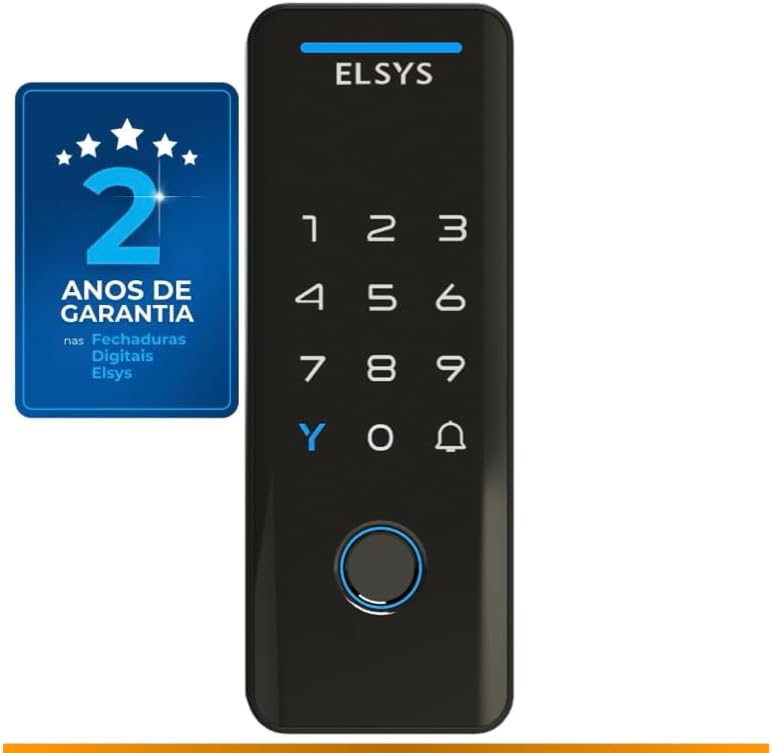
Depan view of the Elsys DS4100V digital lock, highlighting its sleek design and 2-year warranty.

The Elsys DS4100V digital lock seamlessly integrates with Alexa for convenient voice control and smart home automation.
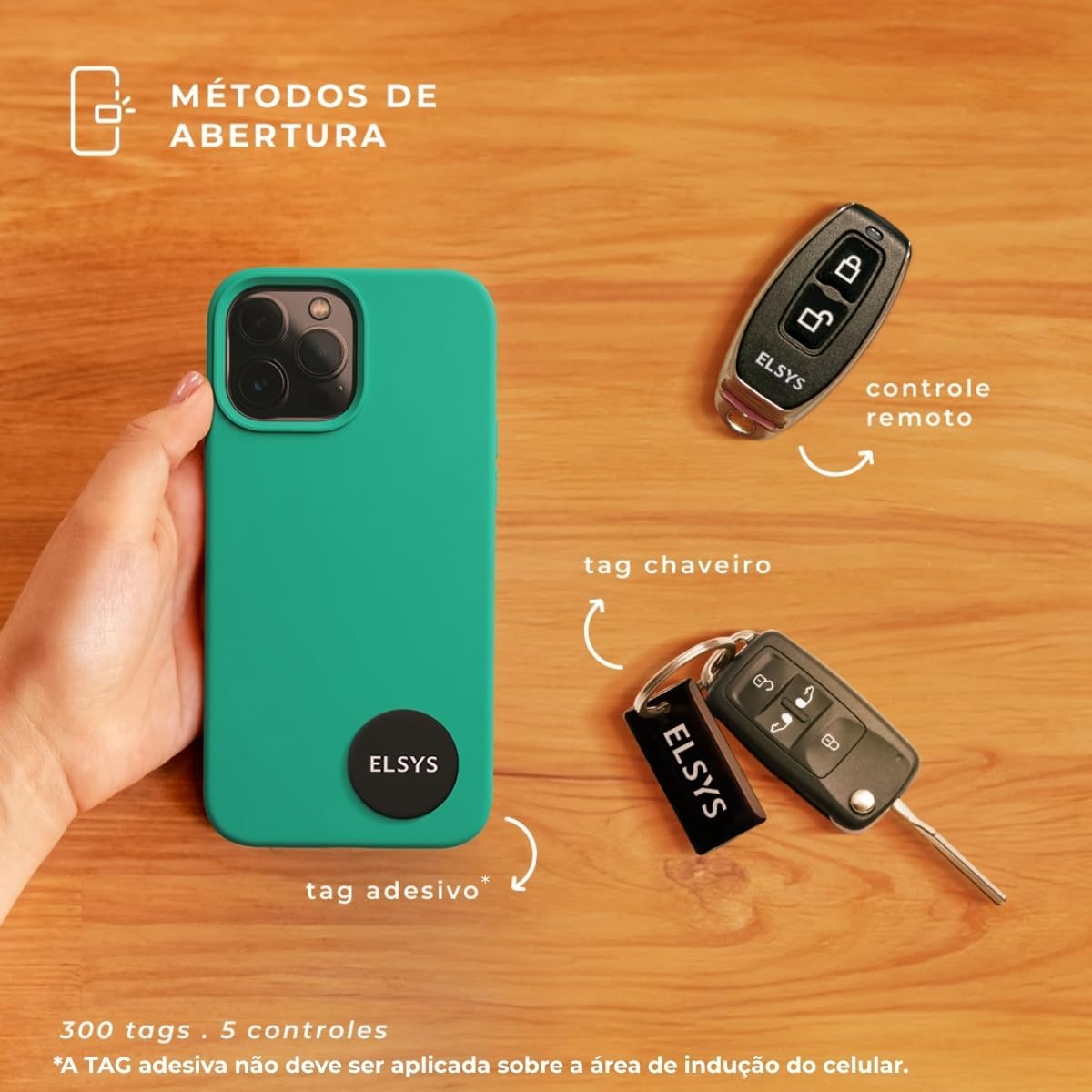
Multiple opening methods including numeric passwords (up to 200) and biometric fingerprints (up to 100).

Additional access options include remote control (up to 5) and various tags (up to 300), such as key tags and adhesive tags.
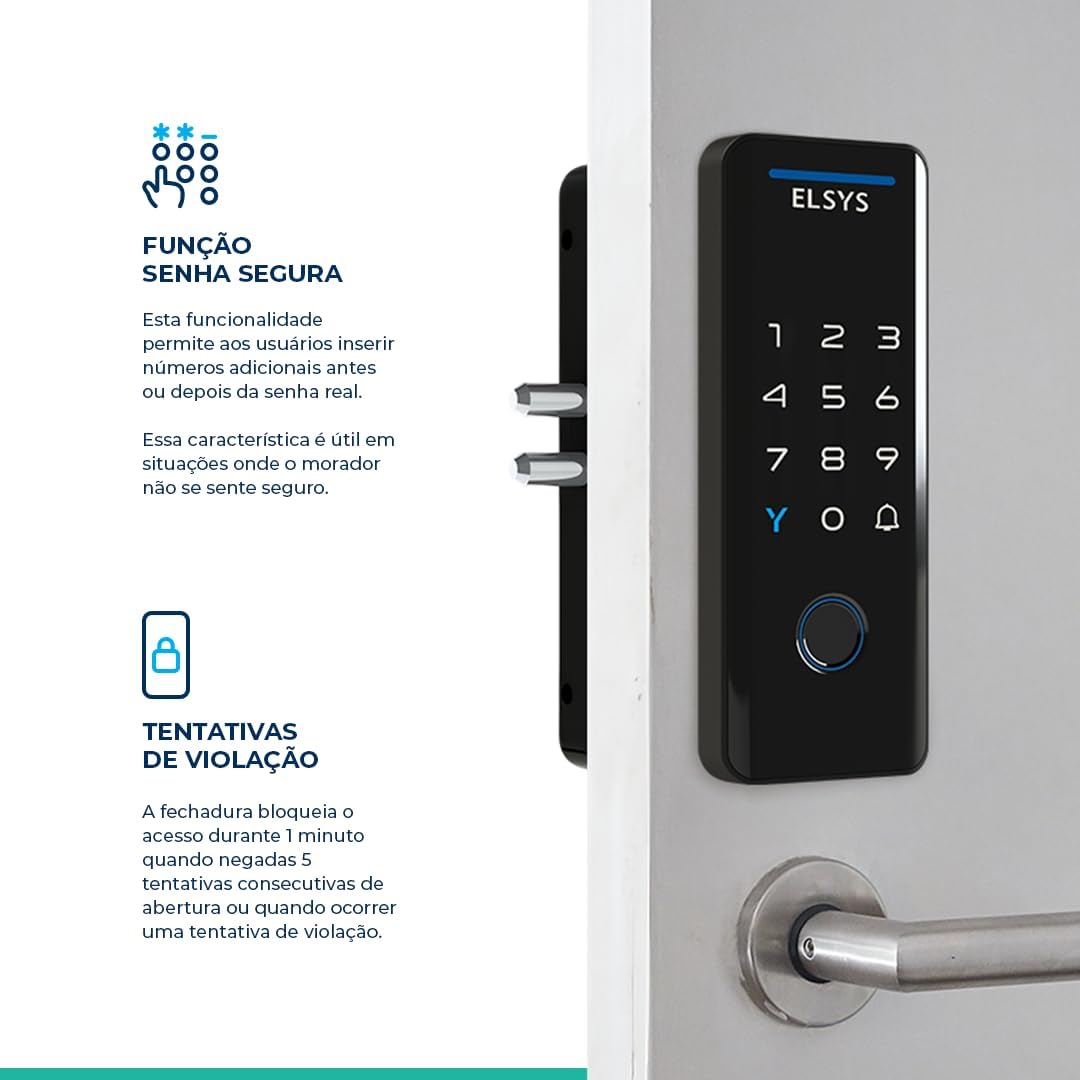
The lock features a dual locking mechanism for enhanced security and an integrated digital doorbell function.

The secure password function allows you to enter random numbers before or after your actual password for added privacy. The lock also features a violation attempt blocking mechanism.

The Elsys DS4100V offers automatic locking, impact resistance up to 160kg, a USB-C port for emergency charging, and a low battery alert.
3. Kandungan Pakej
The Elsys DS4100V Digital Overlay Lock package includes the following items:
- 1x Elsys DS4100V Digital Lock Unit
- 1x Kit Pemasangan
- Bateri Alkali AA 4x
- 1x Installation Template
- Panduan Permulaan Pantas 1x
- 3x Kunci Tags
- 3x Pelekat Tags
4. Spesifikasi
| Ciri | Perincian |
|---|---|
| Pengeluar | Elsys |
| Nombor Model | ESF-DS4100V |
| Nombor Bahagian | ESF-4100V |
| warna | Hitam |
| Gaya | TECNO |
| bahan | logam |
| Jenis Kunci | Kunci Gabungan |
| Sumber Kuasa | 4x Bateri Alkali AA (termasuk) |
| Kuasa Kecemasan | Port USB-C |
| Berat badan | 900 Gram |
| Dimensi Produk (L x W x H) | 33 x 18 x 12 cm |
| Dimensi Pakej | 20.9 x 14.2 x 9.2 cm |
| Keserasian Ketebalan Pintu | 30mm hingga 150mm |

Detailed dimensions of the Elsys DS4100V digital lock: 170mm height, 63mm width, 33mm depth.

The lock is compatible with a wide range of door types and thicknesses, from 30mm to 150mm.
5. Persediaan & Pemasangan
Proper installation is crucial for the optimal performance and security of your Elsys DS4100V Digital Overlay Lock. It is recommended to follow the detailed instructions provided in the included Quick Start Guide and use the installation template.
Langkah Pemasanganview:
- Sediakan Pintu: Use the provided template to mark and drill necessary holes on your door. Ensure the door thickness is between 30mm and 150mm.
- Install the Outer Unit: Mount the external part of the lock, ensuring cables are routed correctly.
- Install the Inner Unit: Connect the internal part of the lock, securing it to the outer unit and the door.
- Masukkan Bateri: Open the battery compartment and insert the 4 AA alkaline batteries, observing polarity.
- Kefungsian Ujian: After installation, test all locking and unlocking functions, including manual override.
For professional installation services, you can scan the QR code below or visit the provided link:

A technician installing the Elsys DS4100V digital lock. Scan the QR code or visit Elsys Installation Service untuk bantuan profesional.
6. Arahan Operasi
6.1. Initial Setup and User Registration
Refer to the Quick Start Guide for initial programming steps, including setting the master password and registering your first users, fingerprints, and tags.
6.2. Opening Methods
- Numeric Password: Enter your registered password on the luminous keypad, followed by the '#' key.
- Biometric Fingerprint: Letakkan jari berdaftar anda pada penderia cap jari.
- kunci Tag/Adhesive Tag: Present your registered tag to the designated reading area on the lock.
- Kawalan Jauh: Use a paired remote control to unlock the door.
- Elsys Casa+ App: Use the mobile application for remote unlocking and management.

Manage your lock remotely and view access logs using the Elsys Casa+ application.
6.3. Secure Password Function
To enhance security, you can enter random numbers before or after your actual password. For example, if your password is '123456', you can enter '987123456098' and the lock will still recognize the '123456' sequence. This prevents others from easily guessing your password by observing your input.
6.4. Guest Function (Temporary Passwords)
The guest function allows you to create temporary, single-use passwords. This is ideal for visitors, service personnel, or deliveries. These passwords can be set to expire after a single use or a specific time period.

Utilize the guest function for temporary access and the convenience of adhesive tags for quick entry.
6.5. Fungsi Loceng Pintu
Press the doorbell icon on the keypad to activate the integrated audible doorbell.
7. Penyelenggaraan
7.1. Penggantian Bateri
The lock is powered by 4 AA alkaline batteries. When the battery level is low, the lock will provide an audible and/or visual warning. Replace all four batteries promptly to ensure continuous operation. Always use new, high-quality alkaline batteries.
7.2. Kuasa Kecemasan
If the batteries completely drain before replacement, you can provide emergency power using a USB-C cable connected to a power bank or adapter. Connect the USB-C cable to the port located on the bottom of the outer unit to temporarily power the lock and gain access.
7.3. Pembersihan
Clean the lock's surface with a soft, dry cloth. Avoid using abrasive cleaners, solvents, or harsh chemicals, as these can damage the glass finish and electronic components.
8. Penyelesaian masalah
- Kunci Tidak Membalas: Check battery levels. If low, replace batteries or use emergency USB-C power.
- Incorrect Password/Tag/Fingerprint: Ensure you are using a registered access method. Clean the fingerprint sensor if using biometrics.
- Violation Lock Activated: If 5 incorrect attempts are made, the lock will temporarily disable access for 1 minute. Wait for the lockout period to end before trying again.
- Automatic Locking Failure: Check for any obstructions preventing the door from closing completely or the lock mechanism from engaging.
- Connectivity Issues (Wi-Fi/Alexa): Ensure your home Wi-Fi network is stable and the lock is within range. Re-pair with the Elsys Casa+ app if necessary.
9. Waranti & Sokongan
9.1. Maklumat Waranti
The Elsys DS4100V Digital Overlay Lock comes with a Waranti 2 tahun from the date of purchase. This warranty covers manufacturing defects and ensures the proper functioning of the product under normal use. Please retain your proof of purchase for warranty claims.

Elsys provides a 2-year warranty for its digital locks, backed by quality certifications.
9.2. Sokongan Teknikal
For technical assistance, troubleshooting, or any questions regarding your Elsys DS4100V Digital Overlay Lock, please refer to the contact information provided in your Quick Start Guide or visit the official Elsys support webtapak.


