pengenalan
This manual provides detailed instructions for the safe and efficient use of your TCL 58V6B 58-inch 4K Ultra HD Smart TV. Please read this manual thoroughly before operating the device and retain it for future reference. This television integrates 4K HDR technology, Google TV, Dolby Audio, and Chromecast built-in, offering an enhanced viewpengalaman dalam.
Persediaan
1. Membongkar
Keluarkan televisyen dan semua aksesori dari bungkusan dengan berhati-hati. Pastikan semua komponen yang disenaraikan dalam senarai pembungkusan ada. Kekalkan pembungkusan untuk pengangkutan atau perkhidmatan yang berpotensi pada masa hadapan.
2. Pemasangan Stand
If using the included stand, place the TV screen-down on a soft, flat surface to prevent scratches. Attach the stand components to the designated slots on the bottom of the TV using the provided screws. Ensure the stand is securely fastened before placing the TV upright.
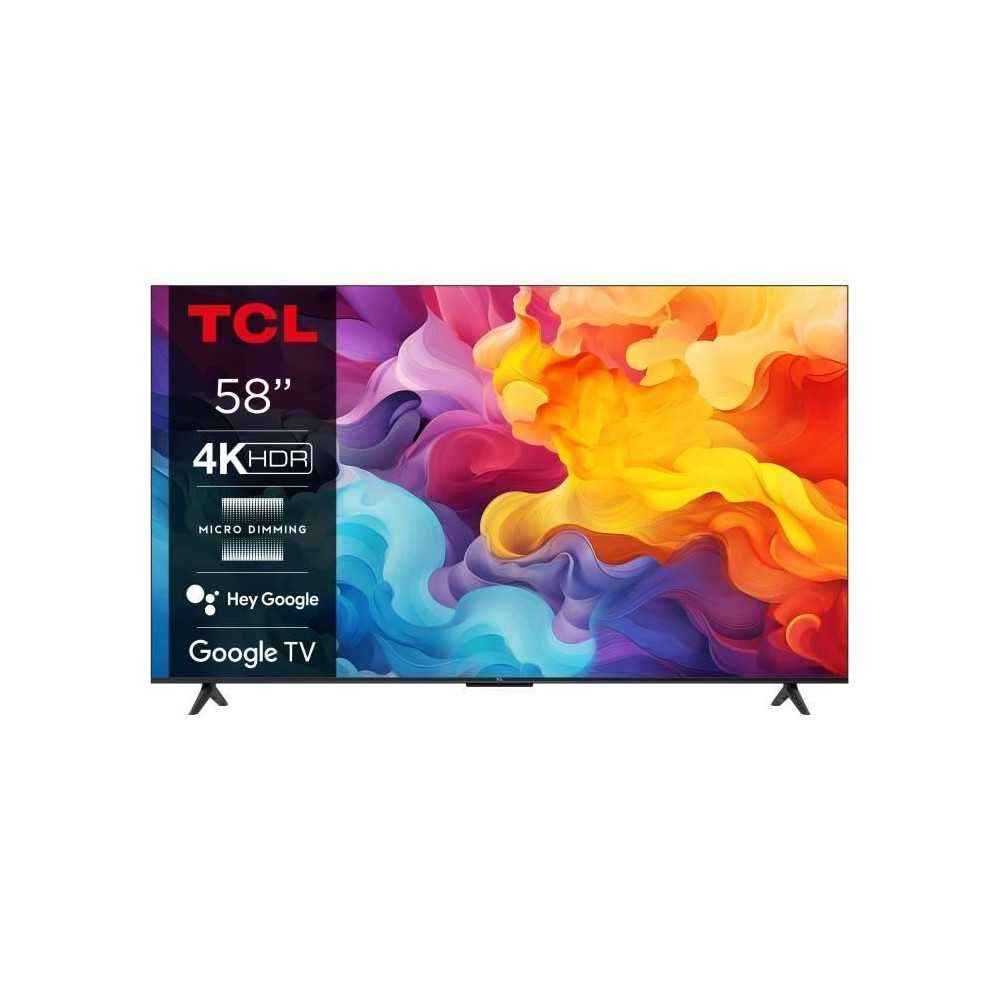
Image: The TCL 58V6B 58-inch Smart TV shown with its stand, ready for placement.
3. Pemasangan Dinding (Pilihan)
For wall mounting, consult a professional installer and use a VESA-compatible wall mount kit (not included). Refer to the wall mount kit's instructions for proper installation. Ensure adequate ventilation around the TV when wall-mounted.
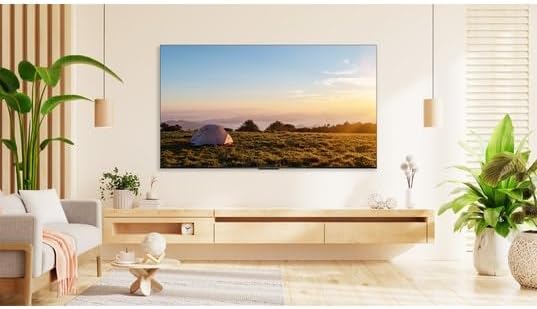
Image: The TCL 58V6B TV displayed mounted on a wall in a modern living room environment.
4. Menyambung Peranti
Connect your external devices such as set-top boxes, gaming consoles, or sound systems to the TV's ports. The TV features multiple HDMI inputs, a USB port, LAN, and optical audio output.
- HDMI: Untuk video dan audio definisi tinggi.
- USB: Untuk main balik media daripada peranti storan USB.
- LAN: Untuk sambungan internet berwayar.
- Optik: Untuk output audio digital ke bar bunyi atau sistem teater rumah.
- Input AV: Untuk peranti lama yang menggunakan video komposit dan audio stereo.
- Fon kepala: Untuk mendengar secara peribadi.

Image: A detailed diagram illustrating the placement and types of connectivity ports available on the TCL 58V6B television.
5. Kuasa Awal Hidup dan Persediaan Kali Pertama
After connecting the power cable, press the power button on the remote control or the TV. Follow the on-screen instructions to complete the initial setup, which includes language selection, network connection (Wi-Fi or LAN), and Google TV account login. This process will guide you through setting up Google Assistant and Chromecast.
Beroperasi
1. Kawalan Jauh Lebihview
The remote control allows access to all TV functions. Familiarize yourself with the buttons for power, volume, channel, input selection, navigation, and dedicated app buttons.
2. Google TV Interface Navigation
The Google TV interface organizes content from various streaming services and live TV into a personalized home screen. Use the directional pad on your remote to navigate through menus, select apps, and browse content. The "For You" tab provides personalized recommendations.

Image: The TCL 58V6B TV screen showing the Google TV home interface with popular streaming applications and content recommendations.
3. Ciri Pintar
- Aplikasi Penstriman: Access pre-installed apps like Netflix, Prime Video, Disney+, and YouTube. More apps can be downloaded from the Google Play Store.
- Chromecast Terbina dalam: Hantar kandungan daripada telefon pintar, tablet atau komputer anda yang serasi terus ke skrin TV.
- Voice Control (Google Assistant): Press the Google Assistant button on your remote and speak commands to search for content, control smart home devices, or get information.

Image: Visual representation of the TCL 58V6B's core features, including 4K HDR, Google TV, and various connectivity options.
4. Tetapan Gambar dan Bunyi
Access the TV settings menu to adjust picture modes (e.g., Standard, Dynamic, Movie), brightness, contrast, color, and sharpness. For audio, select sound modes (e.g., Standard, Music, Movie) and adjust equalizer settings. The TV supports Dolby Audio for an enhanced sound experience.
Penyelenggaraan
1. Cleaning the Screen and TV Body
Before cleaning, unplug the power cord. Use a soft, dry, lint-free cloth to gently wipe the screen and TV body. For stubborn marks, lightly dampen the cloth with water or a specialized screen cleaner. Avoid using harsh chemicals, abrasives, or alcohol-based cleaners, as these can damage the screen or finish.
2. Kemas Kini Perisian
The TV may receive automatic software updates to improve performance and add new features. Ensure your TV is connected to the internet to receive these updates. You can also manually check for updates in the TV's settings menu.
Menyelesaikan masalah
Jika anda menghadapi masalah dengan TV anda, rujuk masalah dan penyelesaian biasa berikut:
| Masalah | Penyelesaian |
|---|---|
| Tiada Kuasa | Check if the power cord is securely plugged into both the TV and the wall outlet. Ensure the outlet is functional. Try pressing the power button on the TV itself, not just the remote. |
| Tiada Gambar / Skrin Hitam | Verify the correct input source is selected. Check all cable connections (HDMI, AV). Try restarting the TV and any connected devices. |
| Tiada Bunyi | Increase the volume. Check if the TV is muted. Ensure external audio devices (soundbar, receiver) are properly connected and powered on. Check audio output settings in the TV menu. |
| Alat Kawalan Jauh Tidak Berfungsi | Replace the batteries. Ensure there are no obstructions between the remote and the TV's IR sensor. Re-pair the remote if it's a Bluetooth remote. |
| Isu Sambungan Rangkaian | Restart your router and modem. Check Wi-Fi password. If using a wired connection, ensure the LAN cable is properly connected. Try connecting to a different Wi-Fi network if available. |
Spesifikasi
Key technical specifications for the TCL 58V6B 58-inch 4K Ultra HD Smart TV:
- Jenama: TCL
- Nombor Model: 58V6B
- Saiz Skrin: 58 Inci (147 cm)
- Teknologi Paparan: LED
- Resolusi: 4K Ultra HD (3840 x 2160 piksel)
- Kadar Segar Semula: 60 Hz
- Sistem pengendalian: Google TV
- Ciri Khas: 4K HDR, HDR10, Dynamic Color Enhancement, Micro Dimming, Dolby Audio, Chromecast built-in, Google Assistant, Voice Control, Motion Clarity, Wi-Fi, Bluetooth
- Ketersambungan: 3x HDMI, 1x USB, LAN, Optical Audio Out, AV Input, Headphone Jack, CI Slot
- Dimensi (dengan pendirian): 30.1D x 128.5W x 80.1H sentimeter
- warna: Brushed Titanium Metal Front
- Komponen yang Disertakan: Remote control, batteries, manual, power cable

Image: The energy efficiency label for the TCL 58V6B television, detailing power consumption and display resolution.
Maklumat Waranti
TCL provides a limited warranty for this product. Please refer to the warranty card included in your product packaging or visit the official TCL weblaman web untuk terma dan syarat jaminan terperinci khusus untuk rantau anda. Simpan resit pembelian anda sebagai bukti pembelian untuk tuntutan jaminan.
Sokongan
For technical assistance, product registration, or further inquiries, please contact TCL Customer Support. You can find contact information on the official TCL webtapak atau dalam dokumentasi yang disediakan bersama TV anda.
- Sokongan dalam talian: melawat www.tcl.com for FAQs, support articles, and software downloads.
- Talian Perkhidmatan Pelanggan: Refer to your regional TCL webtapak untuk nombor hubungan tempatan.


