1. Pengenalan
Welcome to the user manual for your Jooeniok L81 Smart Watch. This guide provides detailed instructions on how to set up, operate, and maintain your device, ensuring you get the most out of its features. The Jooeniok L81 is designed to enhance your daily life with its communication, fitness tracking, and health monitoring capabilities.
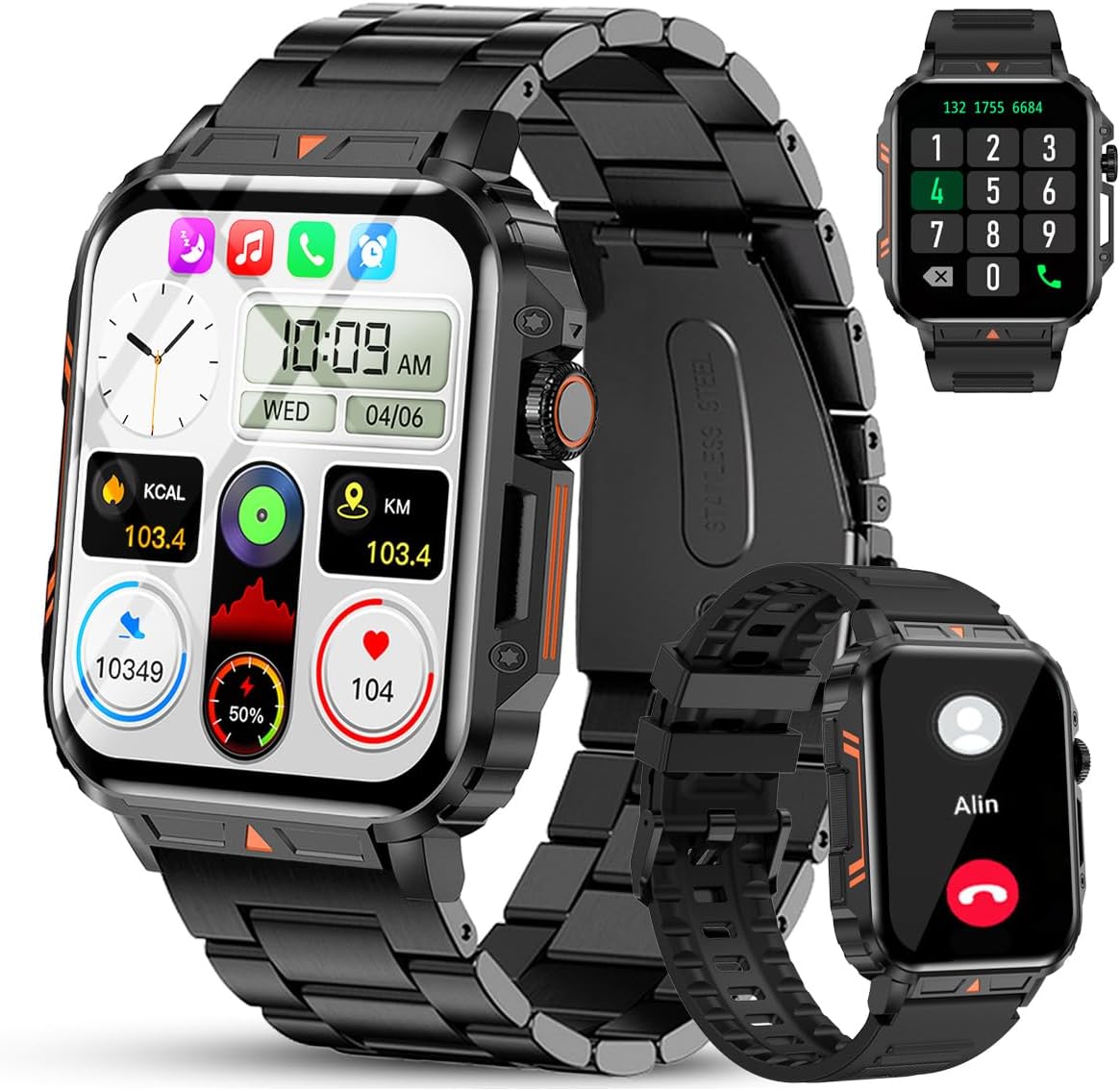
Image 1.1: The Jooeniok L81 Smart Watch, showcasing its main display and interchangeable straps.
2. Ciri-ciri Utama
- Bluetooth Calling & Message Alerts: Make and receive calls, read messages, and receive notifications from various apps directly on your watch.
- 1.95'' HD Touch Screen & DIY Dial: Enjoy a clear display and personalize your watch face.
- 112+ Mod Sukan: Track a wide range of activities including running, cycling, badminton, and hiking.
- IP68 Kalis Air: Suitable for daily use, hand washing, and outdoor activities in rain. (Note: Not recommended for diving, showering, or sauna.)
- Pemantauan Kesihatan: Monitor heart rate, blood oxygen (SpO2), blood pressure, and sleep patterns.
- Bateri Tahan Lama: Dilengkapi dengan bateri 340mAh untuk penggunaan yang berpanjangan.
- Pelbagai fungsi: Includes features like timer, alarm, stopwatch, weather, calendar, water reminder, sedentary reminder, and remote photo control.
3. Panduan Persediaan
3.1. Mengecas Jam Tangan Pintar
Before initial use, fully charge your Jooeniok L81 Smart Watch. Connect the magnetic charging cable to the charging contacts on the back of the watch and plug the USB end into a standard USB power adapter (not included) or a computer's USB port. The watch display will indicate charging status.

Image 3.1: Illustration of the watch dimensions and the location of the charging contacts.
3.2. Pemasangan Apl dan Berpasangan
- Muat turun Apl: Scan the QR code provided in the watch's quick start guide or search for the official companion app (e.g., "FitCloudPro" or similar, check packaging for exact name) in the Apple App Store (for iOS) or Google Play Store (for Android).
- Dayakan Bluetooth: Pastikan Bluetooth didayakan pada telefon pintar anda.
- Buka Apl: Lancarkan aplikasi yang dipasang dan ikuti arahan pada skrin untuk membuat akaun atau log masuk.
- Tambah Peranti: Within the app, navigate to the "Device" or "Add Device" section. The app will search for available Bluetooth devices. Select "L81" or the corresponding device name when it appears.
- Sahkan Gandingan: Permintaan pasangan mungkin muncul pada jam tangan dan telefon anda. Sahkan pasangan pada kedua-dua peranti.
- Berikan Kebenaran: Benarkan kebenaran yang diperlukan (cth., pemberitahuan, lokasi, kenalan) agar aplikasi berfungsi dengan betul.
The watch is compatible with Android 5.1 and above, and iOS 10.0 and above.
3.3. Initial Settings and Language
After successful pairing, the watch should automatically synchronize time and language settings with your phone. If the watch displays an incorrect language, navigate to the watch's settings menu (usually by swiping down from the main screen or pressing the side button to access the app list, then finding the 'Settings' icon). Look for 'Language' or 'System' settings to change it to English or your preferred language.
4. Arahan Operasi
4.1. Navigasi Asas
- Skrin Sentuh: Leret ke kiri/kanan, atas/bawah untuk menavigasi menu dan ciri. Ketik untuk memilih.
- Butang Sisi: Press to return to the main screen or access the app list. Long press for power options.
- Crown Button (if present): Rotate to scroll through lists or adjust settings, press to select.
4.2. Panggilan dan Pemberitahuan Bluetooth
Once paired, your watch can handle calls and display notifications. Ensure Bluetooth is connected and the companion app has the necessary permissions.
- Membuat Panggilan: Access the dial pad or contact list on your watch to initiate calls.
- Menerima Panggilan: Apabila panggilan masuk, anda boleh menjawab atau menolaknya terus daripada jam tangan.
- Pemberitahuan: Swipe down from the main screen or access the notification center to view incoming messages from SMS, WhatsApp, Facebook, and other apps.
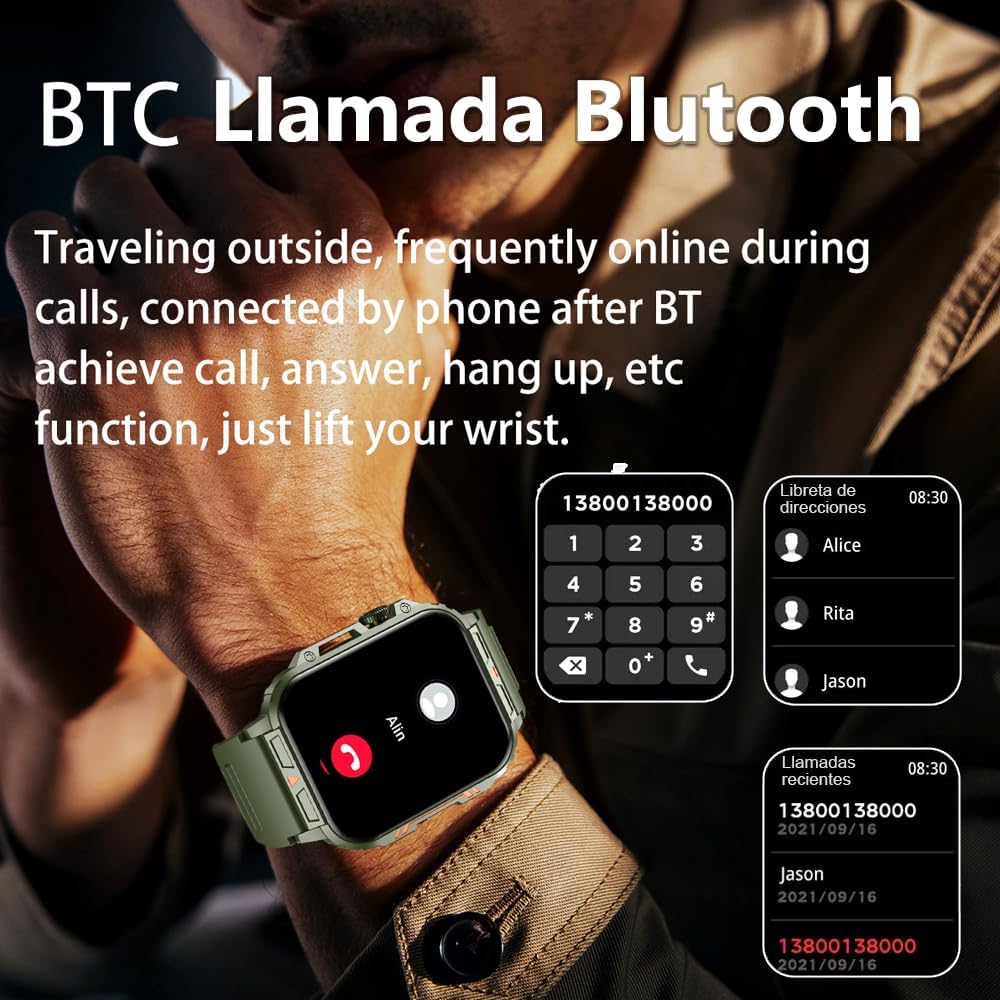
Image 4.1: The watch screen showing an incoming call and the dial pad for making calls.

Image 4.2: The watch displaying notifications from various social media and messaging applications.
4.3. Mod Sukan
The watch supports over 112 sports modes. To access them, navigate to the 'Sports' or 'Workout' section on your watch. Select your desired activity to start tracking. The watch will record steps, distance, and calories.

Image 4.3: Icons representing various sports modes available on the watch.
4.4. Pemantauan Kesihatan
The Jooeniok L81 provides continuous monitoring of several health metrics. Access these features through the watch's menu or the companion app.
- Kadar Jantung: The watch uses an optical sensor to monitor your heart rate. View data masa nyata pada jam tangan atau arah aliran terperinci dalam apl.
- Blood Oxygen (SpO2) & Blood Pressure: Initiate a measurement from the watch. Results are displayed on the screen and recorded in the app for historical analysis.
- Pemantauan Tidur: Wear the watch to bed for automatic sleep tracking. It analyzes deep sleep, light sleep, and awake times, providing a comprehensive sleep quality report in the app.
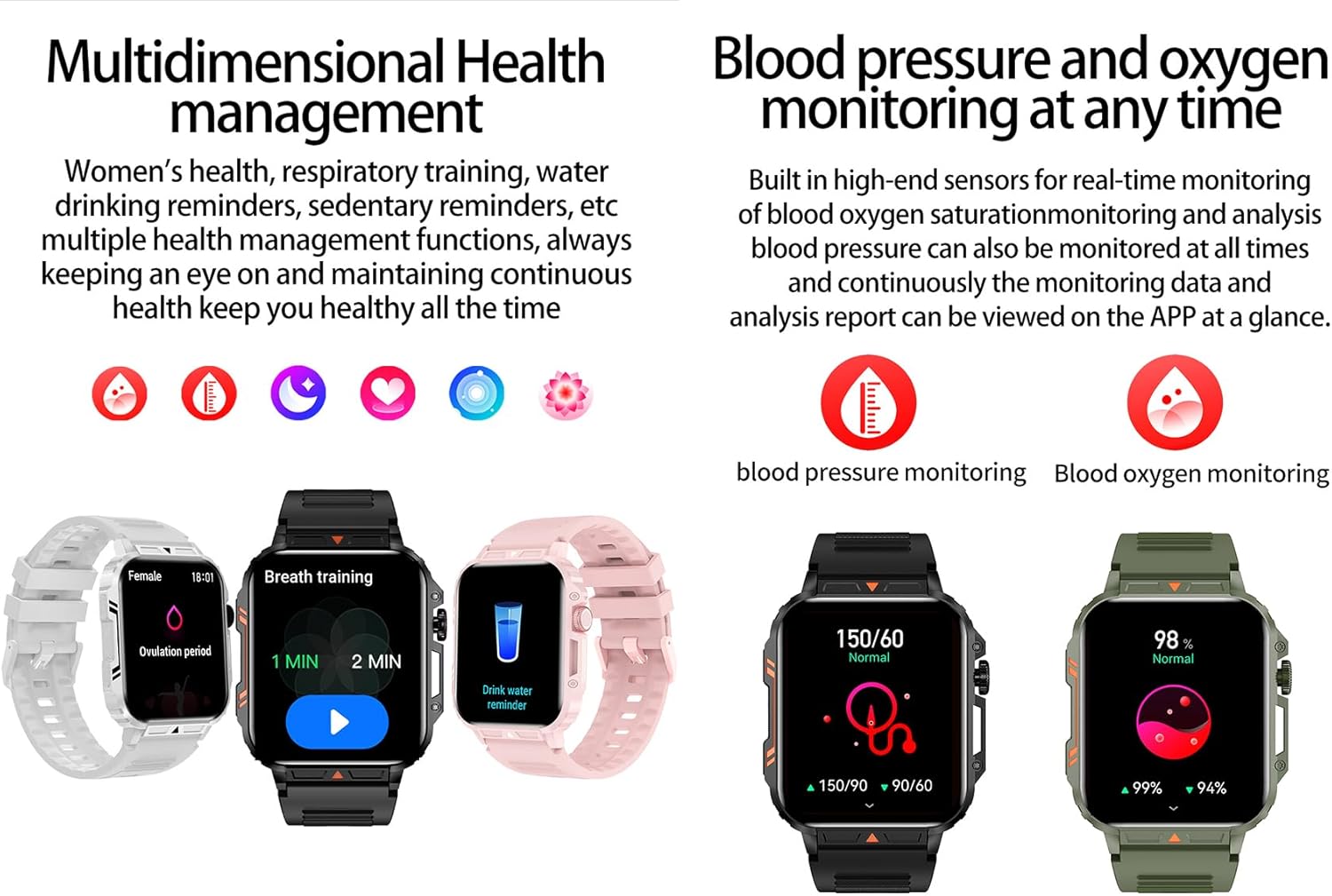
Image 4.4: Watch screens showing blood pressure and blood oxygen monitoring results.

Image 4.5: Watch screens showing real-time heart rate and a summary of sleep data.
4.5. AI Intelligent Voice Function
After connecting the watch to your phone via Bluetooth, activate the voice function on the watch. This allows you to use voice commands to open applications, check weather, make calls, or navigate, offering a hands-free experience.
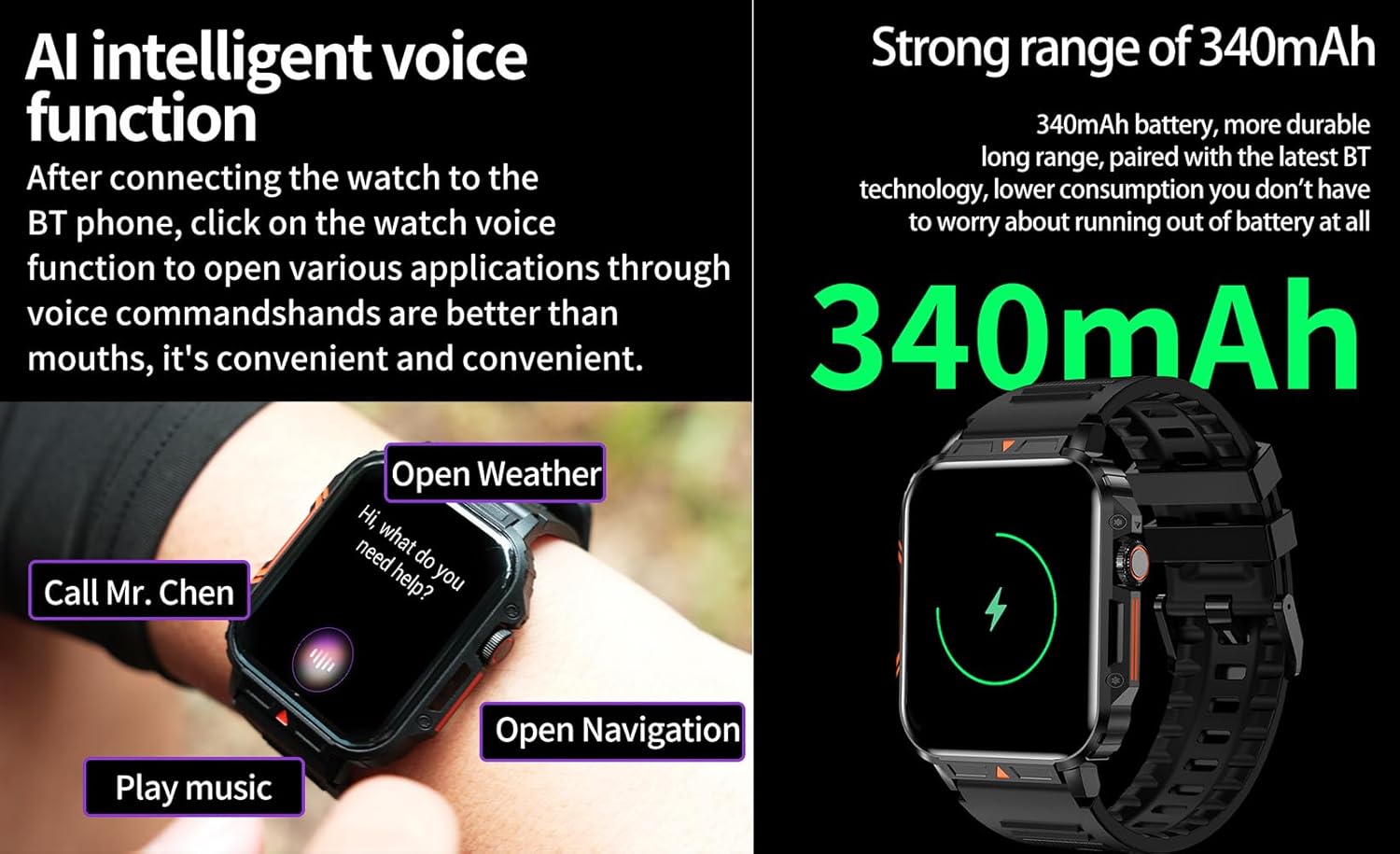
Image 4.6: The watch screen illustrating the AI voice assistant interface with example arahan.
4.6. DIY Dial
Personalize your watch face by using the DIY dial feature within the companion app. You can often upload custom images or choose from a variety of pre-designed watch faces.
5. Penyelenggaraan
5.1. Tahan Air
The Jooeniok L81 Smart Watch is IP68 waterproof and dustproof. This means it is resistant to dust and can withstand immersion in water up to 1.5 meters for up to 30 minutes. It is suitable for daily use, hand washing, and light rain.
Penting: Jam tangan adalah bukan recommended for diving, hot showers, or saunas, as steam and high water pressure can compromise the seals and cause damage.

Image 5.1: The watch shown with water splashes, indicating its water resistance.
5.2. Pembersihan
Regularly clean your watch and strap to prevent skin irritation and maintain functionality. Use a soft, damp cloth to wipe the screen and body. For the strap, follow the manufacturer's recommendations for the specific material (e.g., silicone, metal).
- Elakkan menggunakan bahan kimia yang keras atau bahan yang melelas.
- Pastikan jam tangan benar-benar kering sebelum mengecas atau penggunaan untuk jangka masa yang lama.
5.3. Penjagaan Bateri
Untuk memanjangkan hayat bateri:
- Elakkan suhu yang melampau.
- Jangan biarkan bateri kerap habis sepenuhnya.
- Cas jam tangan menggunakan kabel yang disediakan.
Image 5.2: The watch screen highlighting its 340mAh battery capacity.
6. Penyelesaian masalah
| Masalah | Penyelesaian yang Mungkin |
|---|---|
| Jam tangan tidak menyala. | Pastikan jam tangan dicas sepenuhnya. Sambungkannya ke pengecas selama sekurang-kurangnya 30 minit. |
| Tidak boleh berpasangan dengan telefon pintar. |
|
| Incorrect language displayed. | Navigate to the watch's settings menu, find 'Language' or 'System' settings, and select your preferred language. If paired, the app might also have a language setting. |
| Touch screen unresponsive or intermittent. |
|
| Notifikasi tidak diterima. |
|
| Health monitoring data seems inaccurate. |
|
7. Spesifikasi
| Ciri | Perincian |
|---|---|
| Nama Model | L81 |
| Jenama | Jooeniok |
| Saiz Skrin | 1.95 Inci |
| Teknologi Ketersambungan | Bluetooth |
| Standard Komunikasi Tanpa Wayar | Bluetooth |
| Sistem Operasi | Android (serasi dengan Android 5.1+ dan iOS 10.0+) |
| Kapasiti Penyimpanan Memori | 128 MB |
| Bateri | 1 Lithium Polymer battery (340mAh, included) |
| Tahan Air | IP68 |
| Ciri Khas | Activity Tracker, Notifications, Phone Call, Time Display, Heart Rate Monitor, Blood Oxygen Monitor, Sleep Monitor, 112+ Sports Modes, AI Voice Function |
| Dimensi (lebih kurang) | Watch face: 44mm (width) x 52mm (height); Thickness: 12mm; Strap length: 260mm |
8. Waranti & Sokongan
The Jooeniok L81 Smart Watch is backed by a Waranti 365 hari dari tarikh pembelian. Waranti ini meliputi kecacatan pembuatan dan kerosakan dalam penggunaan biasa.
For technical support, warranty claims, or any questions regarding your product, please contact Jooeniok customer service through the retailer's platform or the contact information provided on the product packaging or official webtapak.
Sila simpan bukti pembelian anda untuk pengesahan waranti.


