1. Produk Lebihview
CZEview 3K 5MP Indoor Security Camera is a versatile device designed for home surveillance, pet monitoring, and baby monitoring. It offers crystal-clear 3K 5MP resolution, dual-band 2.4/5GHz Wi-Fi connectivity, and advanced features such as remote pan, tilt, and zoom capabilities. The camera includes night vision for low-light conditions, motion detection with auto-tracking, and two-way audio communication. It is also compatible with Alexa for convenient voice control.


2. Apa yang ada di dalam Kotak
Sila semak kandungan pakej untuk memastikan semua item ada:
- 2x CZEview Kamera Sorot/Condongkan
- Penyesuai Kuasa
- Panduan Mula Pantas
- Skru Pemasangan
- Plat Pemasangan
3. Panduan Persediaan
3.1 Persediaan Awal
- Sambungan Kuasa: Connect the camera to the power adapter using the provided micro-USB cable and plug it into a power outlet. The camera will power on and initiate its startup sequence.
- Muat turun Apl: Download the designated mobile application (e.g., 'Elemage Cam' or as specified in the Quick Start Guide) from your device's app store (compatible with Android and iOS).
- Pendaftaran Akaun: Buka apl dan ikut arahan pada skrin untuk mendaftar akaun baharu atau log masuk jika anda sudah memilikinya.
- Tambah Peranti: Within the app, select the option to add a new device. Follow the prompts to scan the QR code on the camera or manually select your camera model.
3.2 Sambungan Wi-Fi
CZEview camera supports both 2.4GHz and 5GHz Wi-Fi networks, offering flexibility and improved performance.

- Pemilihan Rangkaian: Ensure your smartphone is connected to the Wi-Fi network you intend to connect the camera to.
- Entri Kata Laluan: Enter your Wi-Fi password accurately into the app when prompted. Double-check for typos.
- Proses Sambungan: The app will guide you through the connection process, which may involve displaying a QR code on your phone screen for the camera to scan, or emitting an audible tone.
- Pengesahan: Once connected, the camera will typically indicate a successful connection (e.g., a voice prompt or LED indicator change), and the app will confirm the device is online.
3.3 Memasang Kamera
The camera is designed for indoor use and can be ceiling-mounted for optimal coverage.
- lokasi: Pilih lokasi yang menyediakan yang dikehendaki viewing angle and is within range of your Wi-Fi network.
- Pemasangan: Use the provided mounting plate and screws to secure the camera to a ceiling or wall. If mounting into wood, pre-drilling pilot holes is recommended.
4. Arahan Operasi
4.1 Sorot, Condongkan dan Zum (PTZ)
The camera offers a 355° horizontal rotation and 100° vertical rotation, allowing for comprehensive coverage of your indoor space. It also features 4x digital zoom.
- Kawalan: Gunakan kawalan arah dalam aplikasi mudah alih untuk melaraskan kamera dari jauh viewsudut ing.
- Zum: Pinch-to-zoom on the live feed within the app to digitally zoom in on specific areas.

4.2 Penglihatan Malam
Equipped with infrared LEDs, the camera provides clear video footage even in low-light or complete darkness.
- Pengaktifan Automatik: Penglihatan malam diaktifkan secara automatik apabila tahap cahaya ambien rendah.
- Kejelasan: The 3K 5MP resolution ensures details are visible in night vision mode.
4.3 Pengesanan Gerakan & Penjejakan Automatik
The camera can detect motion and sound, sending instant notifications to your phone. It also features auto-tracking to follow detected movement.
- Pemberitahuan: Enable motion and sound alerts in the app settings to receive real-time notifications.
- Penjejakan Auto: When enabled, the camera will automatically pan and tilt to keep a moving subject within its field of view.

4.4 Ceramah Dua Hala
Communicate with family members or pets through the camera using the two-way talk feature.
- Pengaktifan: Ketik ikon mikrofon dalam siaran langsung view interface of the app to speak through the camera's speaker.
- Mendengar: The camera's built-in microphone allows you to hear audio from the camera's location.

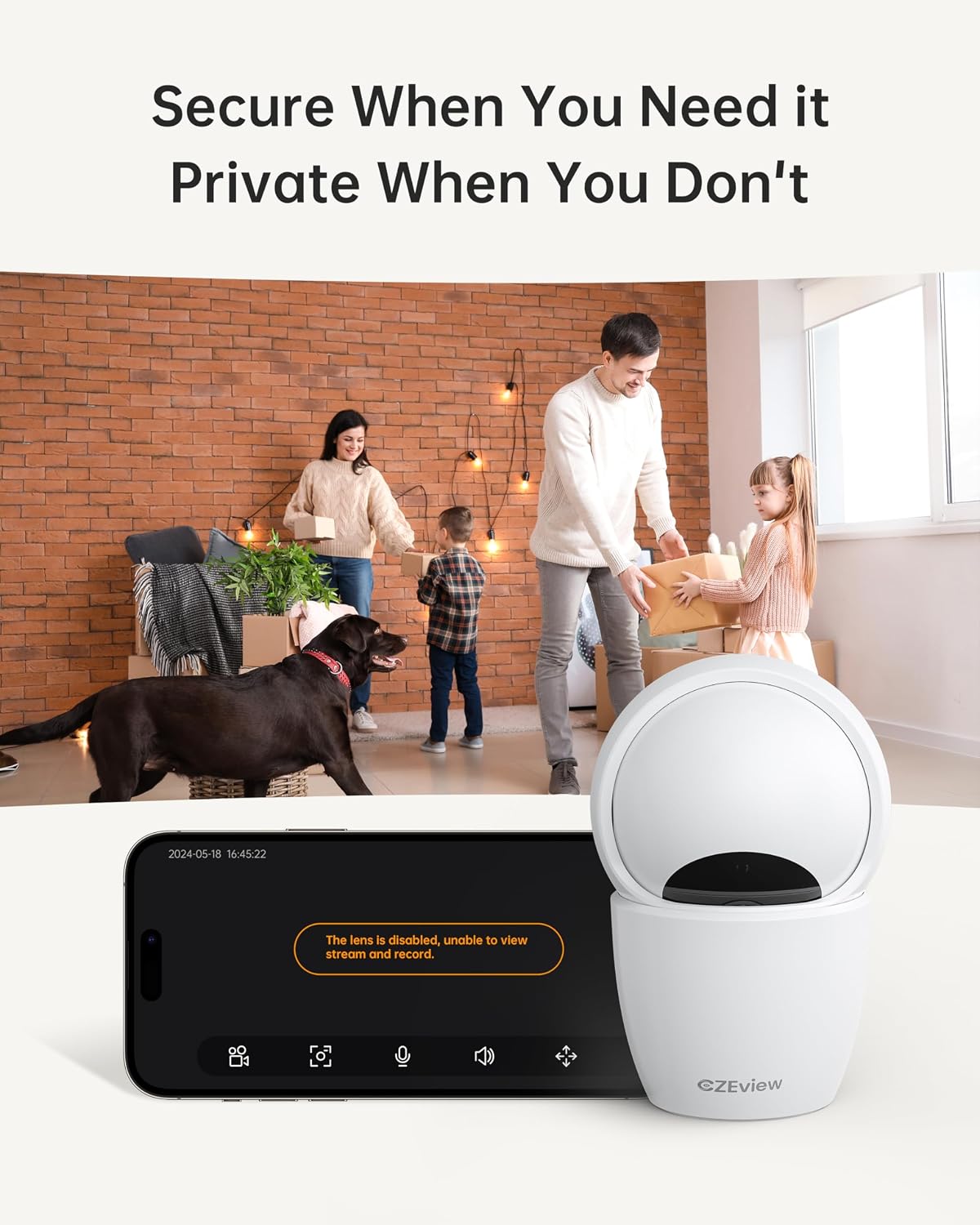
4.5 Mod Privasi
To ensure privacy, the camera can be deactivated with a single click in the app, physically turning the lens away.
- Pengaktifan: Locate the privacy mode option in the app settings or live view screen. Activating it will disable video streaming and recording.
- Penjadualan: Some app versions may allow scheduling privacy mode for specific times.

4.6 Rakaman & Penyimpanan
The camera supports local storage via a Micro SD card (up to 128GB, not included) and offers optional cloud storage plans for continuous 24/7 recording.
- Kad SD mikro: Insert the Micro SD card into the slot. To locate the slot and reset button, gently tilt the camera's 'eyeball' (lens housing) upward.
- Storan Awan: Refer to the app for details on available cloud storage plans and subscription options.
4.7 Integrasi Alexa
The camera works with Alexa, allowing for voice-activated control and viewing.
- Memautkan Akaun: Follow the instructions in the Alexa app to enable the CZEview skill and link your camera account.
- Perintah Suara: Gunakan arahan seperti "Alexa, tunjukkan saya [nama kamera]" untuk view the live feed on compatible Alexa devices with screens.
5. Penyelenggaraan
- Pembersihan: Gunakan kain lembut dan kering untuk membersihkan lensa kamera dan badan. Elakkan pembersih atau pelarut yang melelas.
- Kemas Kini Perisian: Regularly check the mobile app for firmware updates to ensure optimal performance and security. Follow the in-app instructions for updating.
- penempatan: Ensure the camera is placed in a stable, dry indoor environment, away from direct sunlight, extreme temperatures, and sources of vibration.
6. Penyelesaian masalah
| Masalah | Kemungkinan Punca | Penyelesaian |
|---|---|---|
| Kamera tidak akan bersambung ke Wi-Fi | Incorrect Wi-Fi password; Camera too far from router; Router band incompatibility; Network congestion. | Double-check Wi-Fi password. Move camera closer to router. Ensure router supports 2.4GHz or 5GHz (whichever you are connecting to). Try restarting your router and camera. |
| Kualiti imej yang lemah | Kanta kotor; Pencahayaan tidak mencukupi; Isu lebar jalur rangkaian. | Clean the camera lens with a soft cloth. Ensure adequate lighting or verify night vision is active in low light. Check your internet speed. |
| Tiada amaran pengesanan gerakan | Motion detection disabled in app; Sensitivity too low; App notifications blocked. | Enable motion detection in the app settings. Adjust sensitivity level. Check your phone's notification settings for the app. |
| Two-way talk audio issues | Microphone/speaker muted in app; Network delay; Obstruction. | Ensure microphone and speaker are enabled in the app. Check network connection stability. Ensure no physical obstructions are blocking the microphone or speaker. |
| Camera is unresponsive / needs reset | Software glitch; Configuration error. | Unplug the camera, wait 10 seconds, then plug it back in. If issues persist, locate the reset button (by tilting the lens upward) and press it for 5-10 seconds until the camera resets. You may need to re-add the camera to the app after a factory reset. |
7. Spesifikasi
| Ciri | Perincian |
|---|---|
| Nama Model | ZY-D4 |
| Penggunaan Dalaman/Luar | Dalaman |
| Resolusi Pegun Berkesan | 5 MP (3K) |
| Resolusi Tangkapan Video | 1920p |
| Protokol Ketersambungan | Wi-Fi (2.4/5Ghz Dual Band) |
| Sumber Kuasa | Elektrik Bertali |
| Jenis Pengawal | Aplikasi Kamera Elemage |
| Jenis Pemasangan | Pemasangan Siling |
| Julat Pan/Sendeng | 355° Mendatar, 100° Menegak |
| Zum Digital | 4x |
| Pilihan Storan | Kad Mikro SD (sehingga 128GB, tidak disertakan), Storan Awan (pilihan) |
| Ciri Khas | Night Vision, Motion Sensor, Dual Band Wi-Fi, Auto Tracking, Two-Way Talk, Privacy Mode, Alexa Compatible |
| Dimensi Produk | 3 x 3 x 5 inci |
| Berat Barang | 1.37 paun |
8. Waranti dan Sokongan
For warranty information and technical support, please refer to the Quick Start Guide included in your product packaging or visit the official CZEview webtapak. Butiran hubungan untuk perkhidmatan pelanggan biasanya disediakan pada pengilang webtapak.


