1. Pengenalan
Thank you for choosing the VirtuFit VF11007 Vibration Plate Fitness machine. This manual provides essential information for the safe and effective use of your new fitness equipment. Please read it thoroughly before operation and retain it for future reference.

Rajah 1: The VirtuFit VF11007 Vibration Plate, including the remote control and resistance bands.
2. Maklumat Keselamatan
Before using the vibration plate, please observe the following safety precautions:
- Rujuk doktor sebelum memulakan sebarang program senaman baharu, terutamanya jika anda mempunyai keadaan perubatan yang sedia ada.
- Pastikan plat getaran diletakkan di atas permukaan yang stabil dan rata.
- Jangan gunakan mesin jika anda hamil, mempunyai perentak jantung, atau mengalami osteoporosis yang teruk, epilepsi, atau trombosis akut.
- Jauhkan kanak-kanak dan haiwan peliharaan dari mesin semasa operasi.
- Sentiasa memakai kasut sukan yang sesuai.
- Stop exercising immediately if you feel dizzy, nauseous, or experience any pain.
- Cabut plag mesin apabila tidak digunakan dan sebelum membersihkan.
3. Persediaan
The VirtuFit VF11007 Vibration Plate requires minimal setup. Follow these steps:
- Membongkar: Carefully remove all components from the packaging. Verify that all parts are present: the vibration plate, remote control, power cable, and resistance bands.
- penempatan: Position the vibration plate on a flat, stable, and non-slip surface. Ensure there is enough clear space around the unit for safe operation.
- Sambungan Kuasa: Plug the power cable into the vibration plate's power input, then into a suitable electrical outlet.
- Jalur Rintangan (Pilihan): If desired, attach the resistance bands to the designated attachment points on the sides of the vibration plate.
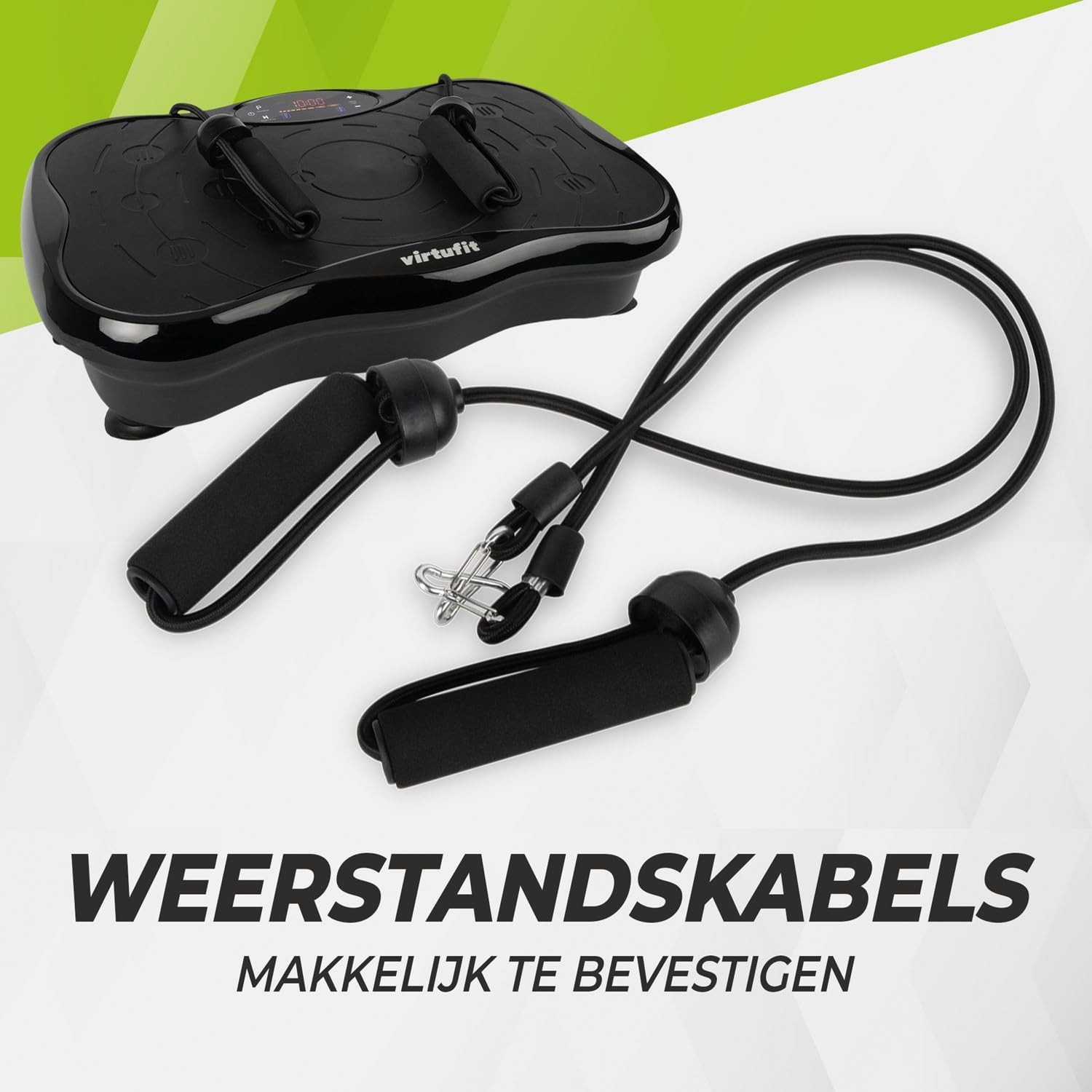
Rajah 2: Resistance bands ready for attachment to the vibration plate.
4. Arahan Operasi
The VirtuFit VF11007 features an intuitive display and a convenient remote control for easy operation.
4.1. Panel Kawalan dan Paparan
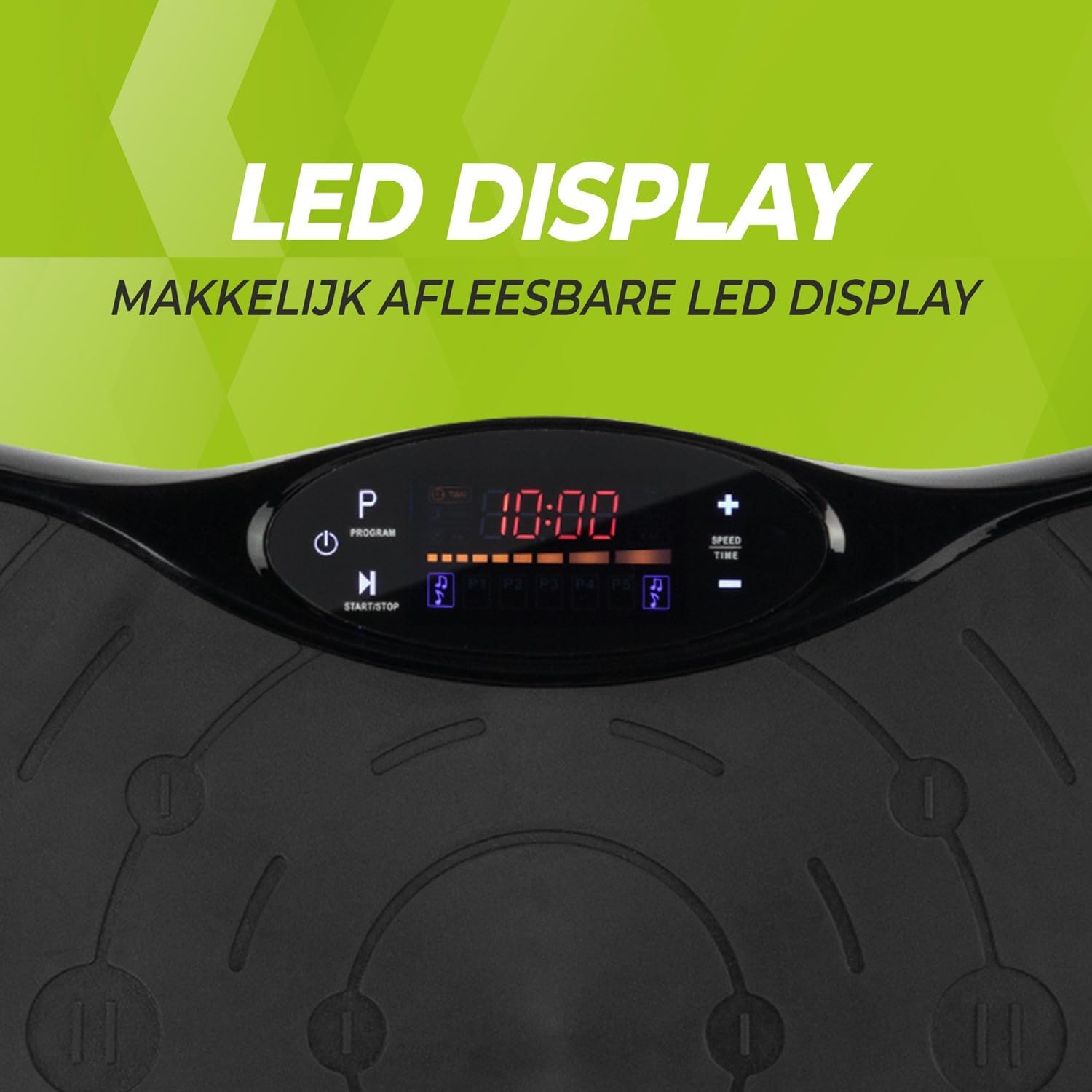
Rajah 3: Terperinci view of the LED display, showing time, program, and speed settings.
The integrated computer features an LED display showing time, speed, and program information. Buttons on the panel allow for basic control.
- Butang Kuasa: Menghidupkan / mematikan unit.
- Butang Mula / Berhenti: Initiates or pauses manual operation.
- Butang Program (P): Cycles through the pre-set programs.
- Kelajuan +/- Butang: Adjusts the vibration speed in manual mode.
- Masa +/- Butang: Adjusts the exercise duration in manual mode.
4.2. Alat Kawalan Jauh
The remote control provides full functionality, allowing you to adjust settings without interrupting your workout.

Rajah 4: The remote control for convenient adjustment of settings.
- Butang Kuasa: Menghidupkan / mematikan unit.
- Butang Mula / Berhenti: Initiates or pauses manual operation.
- Butang Program (P): Selects one of the 5 automatic programs or the manual program.
- Kelajuan +/- Butang: Increases or decreases the vibration speed (99 levels).
- Masa +/- Butang: Adjusts the exercise duration.
- Kawalan Muzik: Play/Pause, Next/Previous track, Volume +/- for Bluetooth audio.
4.3. Exercise Programs
The vibration plate offers 10 training programs, including 5 automatic programs (P1-P5) and a manual program.
- Automatic Programs (P1-P5): These programs automatically vary the speed over a 10-minute duration. Select the desired program using the 'P' button on the control panel or remote.
- Program Manual: Allows you to set your preferred speed (1-99) and duration. Use the Speed +/- and Time +/- buttons to customize your workout.
Program Speed Examples (for a 10-minute duration):
| Program | Speed Progression (Example) |
|---|---|
| P1 | 10 - 30 - 40 - 50 |
| P2 | 15 - 25 - 20 - 30 |
| P3 | 20 - 40 - 60 - 80 |
| P4 | 25 - 45 - 50 - 85 |
| P5 | 30 - 50 - 70 - 90 |
Note: These are example speed progressions. Actual speeds may vary slightly.
4.4. Bluetooth Speaker and USB Port
The vibration plate includes an integrated Bluetooth speaker and a USB charging port.

Rajah 5: Location of the integrated Bluetooth speaker.
- Sambungan Bluetooth: Turn on the vibration plate. Activate Bluetooth on your smartphone or tablet and search for "VirtuFit" or a similar device name. Pair your device.
- Main Balik Muzik: Once connected, you can play music through the integrated speakers. Use your device or the remote control to manage playback and volume.
- Pengecasan USB: Connect your phone or tablet to the USB port to charge it during your workout.
5. Penyelenggaraan
Regular maintenance ensures the longevity and optimal performance of your VirtuFit Vibration Plate.
- Pembersihan: Lap permukaan plat getaran dengan lembut, damp kain selepas setiap penggunaan. Jangan gunakan pembersih atau pelarut yang melelas.
- Storan: Simpan mesin di tempat yang sejuk dan kering jauh dari cahaya matahari langsung dan kelembapan.
- Pemeriksaan: Periksa kord kuasa secara berkala untuk sebarang kerosakan. Pastikan semua sambungan selamat.
- Permukaan Anti-Slip: The anti-slip rubber surface is designed for durability. Keep it clean to maintain its grip.

Rajah 6: The durable anti-slip rubber surface for secure footing.
6. Penyelesaian masalah
If you encounter any issues with your VirtuFit Vibration Plate, refer to the following common problems and solutions:
| Masalah | Kemungkinan Punca | Penyelesaian |
|---|---|---|
| Mesin tidak dihidupkan. | Kord kuasa tidak disambung dengan betul; Soket kuasa tidak berfungsi. | Ensure the power cord is securely plugged into both the machine and the wall outlet. Test the outlet with another device. |
| Tiada getaran. | Machine is paused; Speed setting is too low; Program not started. | Press the Start button. Increase the speed setting. Ensure a program is selected and running. |
| Alat kawalan jauh tidak berfungsi. | Batteries are dead or incorrectly inserted; Obstruction between remote and sensor. | Replace batteries with new ones, ensuring correct polarity. Remove any obstructions. Point the remote directly at the display sensor. |
| Bluetooth tidak bersambung. | Bluetooth on device is off; Incorrect pairing. | Ensure Bluetooth is enabled on your device. Forget the device on your phone/tablet and re-pair. Ensure the vibration plate is powered on. |
Jika masalah berterusan, sila hubungi sokongan pelanggan.
7. Spesifikasi
Key technical specifications for the VirtuFit VF11007 Vibration Plate:
- Nombor Model: VF11007
- Jenama: VirtuFit
- Dimensi (L x W x H): 54 x 12.5 x 32 cm
- Berat: 7.5 kg
- Bahan: ABS rubber
- Jenis Kawalan: Alat kawalan jauh
- Jenis Paparan: Graphic display (LED)
- Maximum Speed Levels: 99
- Bilangan Program: 10
- Mod Pengendalian: Automatik / Manual
- Sumber Kuasa: Kabel elektrik
- Ciri Bersepadu: Bluetooth speaker, USB charging port
8. Maklumat Waranti
VirtuFit products are manufactured to high-quality standards. This product is covered by the standard legal warranty applicable in your region. Please retain your proof of purchase for any warranty claims.
For specific warranty terms and conditions, please refer to the VirtuFit official webtapak atau hubungi peruncit anda.
9. Sokongan Pelanggan
Should you require assistance, have questions, or need to report an issue, please contact VirtuFit customer support or your authorized retailer.
For more information, visit the official VirtuFit webtapak: VirtuFit Brand Store


