1. Produk Lebihview
The DJI Mic 2 is a wireless microphone system designed for high-quality audio recording. This system includes one transmitter (TX) and one receiver (RX), along with a compact DJI Lavalier Mic. It features intelligent noise cancelling, 32-bit float internal recording, and a 250-meter (820 ft.) transmission range, making it suitable for various recording scenarios including interviews, vlogs, and live streaming. The system is compatible with a wide range of devices including iPhones, Android phones, PCs, and cameras.
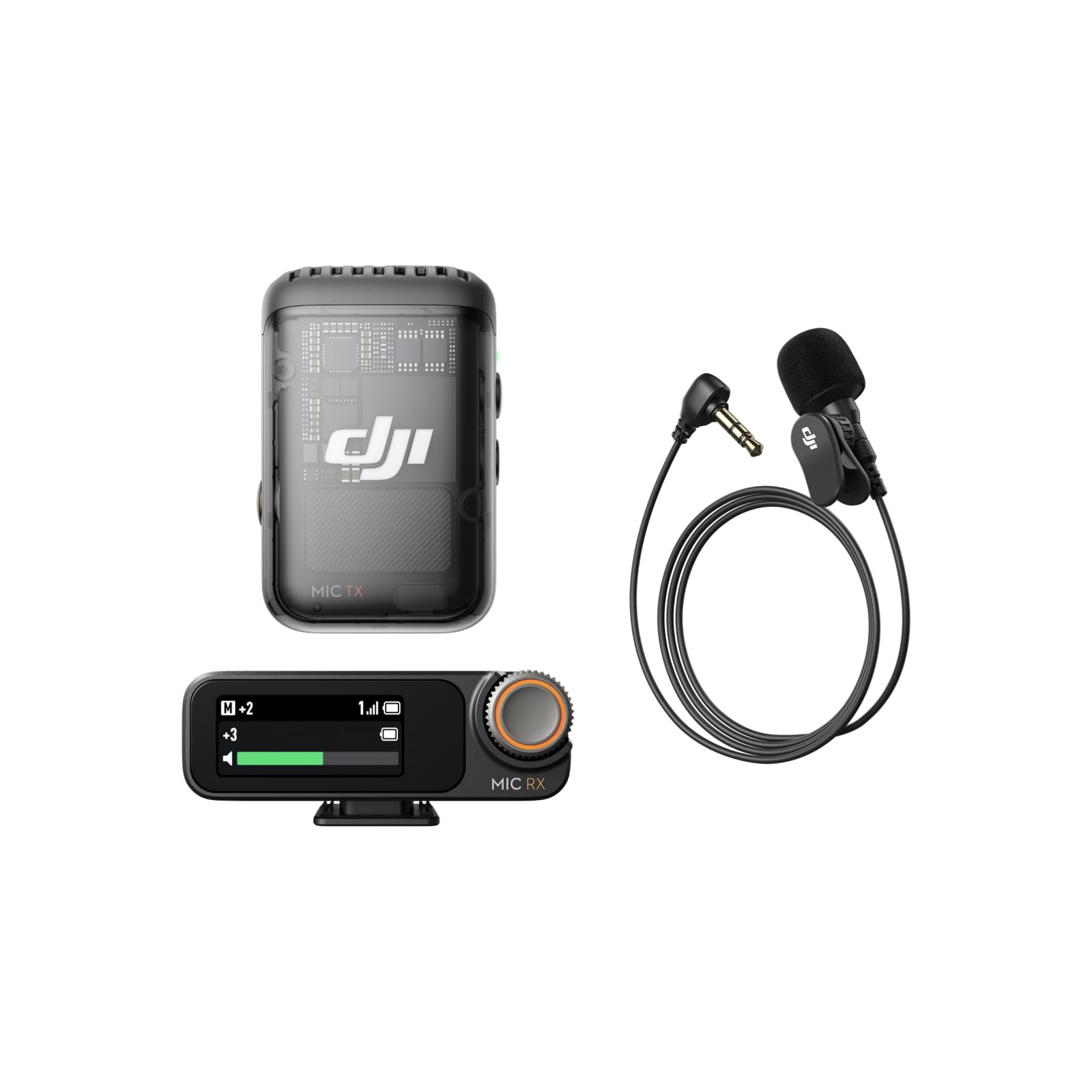
Image: The DJI Mic 2 wireless microphone system, showcasing reka bentuknya yang padat.
2. Apa yang ada di dalam Kotak
The DJI Mic 2 (1 TX + 1 RX) + Lavalier Mic combo includes the following components:
- Penerima DJI Mic 2
- DJI Mic 2 Transmitter (Shadow Black)
- DJI Lavalier Mic
- DJI Mic 2 Carrying Pouch
- DJI Mic Splitter Charging Cable
- DJI Mic 2 Windscreen
- DJI Mic 2 Clip Magnet
- DJI Mic 2 Camera Audio Cable (3.5mm TRS)
- DJI Mic 2 Mobile Phone Adapter (Lightning)
- DJI Mic 2 Mobile Phone Adapter (Type-C)

Imej: Terperinci view of all components included in the DJI Mic 2 package.
3. Persediaan
- mengecas: Ensure both the transmitter and receiver are fully charged using the provided charging cable. The charging case (if included in your specific kit) also charges the units.
- Hidupkan kuasa: Press and hold the power button on both the transmitter and receiver to turn them on.
- Berpasangan: The transmitter and receiver should automatically pair upon powering on. If not, refer to the device's screen for pairing instructions or initiate pairing manually.
- Sambung ke Peranti:
- Untuk telefon pintar: Attach the appropriate USB-C or Lightning adapter to the receiver and plug it into your phone's charging port.
- Untuk Kamera: Use the 3.5mm TRS camera audio cable to connect the receiver's output port to your camera's microphone input jack.
- Untuk PC: Connect the receiver to your PC via a USB-C cable.
- Peletakan Mikrofon: Attach the transmitter to your clothing using the clip or magnetic attachment. For optimal sound, place it approximately 15-20 cm (6-8 inches) from the sound source. If using the lavalier mic, plug it into the transmitter's 3.5mm input jack and secure the lavalier mic to clothing.

Image: Proper placement of the DJI Mic 2 transmitter on clothing for clear audio capture.

Image: The DJI Mic 2 receiver connected to a smartphone and a camera using the included adapters, demonstrating wide compatibility.
4. Arahan Operasi
4.1. Operasi Asas
- Rakaman: Press the record button on the transmitter to start/stop internal recording. The 32-bit float internal recording provides up to 14 hours of backup audio.
- Pemantauan: Connect headphones to the receiver's 3.5mm monitoring port for real-time audio monitoring.
- Pelarasan Keuntungan: Use the precision parameter dial on the receiver to adjust the gain (audio input level) for optimal sound.
- Skrin sentuh: The 1.1-inch OLED touchscreen on the receiver displays information such as volume, battery level, and charging status. Swipe up or down to access settings.

Image: Close-up of the DJI Mic 2 receiver's 1.1-inch OLED touchscreen and precision parameter dial for easy control.
4.2. Ciri Lanjutan
- Pembatalan Bunyi Pintar: Activate this feature for clearer vocals, especially in environments with background noise.
- Trek Keselamatan: The system can record a second audio track at -6dB alongside the main track, providing a backup against unexpected audio level spikes.
- DJI OsmoAudio™ Direct Connection: The transmitter supports direct connection to various DJI products (e.g., Osmo Nano, Osmo 360, Osmo Action 5 Pro, Osmo Pocket 3) without needing the receiver, delivering premium audio.

Image: Visual representation of intelligent noise cancelling, showing audio waveforms before and after processing.

Image: Diagram illustrating the safety track feature, showing a normal audio track and a -6dB safety track.
5. Penyelenggaraan
- Pembersihan: Use a soft, dry cloth to clean the transmitter, receiver, and charging case. Avoid using liquids or abrasive cleaners.
- Storan: Store the DJI Mic 2 system in its carrying pouch or charging case when not in use to protect it from dust and damage.
- Penjagaan Bateri: For long-term storage, ensure the batteries are charged to approximately 50-60% to prolong their lifespan. Recharge periodically if stored for extended periods.
- cermin depan: Regularly clean or replace the windscreen to maintain optimal audio quality and prevent debris from entering the microphone.
6. Penyelesaian masalah
- Tiada Audio:
- Check if both transmitter and receiver are powered on and paired.
- Verify the receiver is correctly connected to your recording device (phone, camera, PC).
- Ensure the recording device's audio input is set to the external microphone.
- Adjust the gain on the receiver.
- Kualiti/Kebisingan Audio yang Buruk:
- Ensure the transmitter is placed correctly and not rubbing against clothing.
- Activate the intelligent noise cancelling feature.
- Use the windscreen in windy environments.
- Semak gangguan daripada peranti wayarles lain.
- Isu Ketersambungan:
- Ensure the transmitter and receiver are within the 250m (820 ft.) operating range.
- Restart both the transmitter and receiver.
- Re-pair the devices if necessary.
- Bateri Tidak Dicas:
- Verify the charging cable is securely connected to a power source and the device.
- Cuba kabel pengecasan atau penyesuai kuasa yang berbeza.
- Clean the charging contacts on the devices and case.
7. Spesifikasi
| Ciri | Spesifikasi |
|---|---|
| Nisbah Isyarat-ke-Bunyi | 60 dB |
| Platform Perkakasan | Kamera, PC, Telefon Pintar |
| Bilangan Saluran | 2 |
| Teknologi Ketersambungan | USB |
| Jenis Penyambung | Bicu 3.5 mm, USB |
| Ciri Khas | Klip |
| Peranti Serasi | Telefon pintar |
| warna | Hitam |
| Corak Kutub | Omnidirectional |
| Faktor Bentuk Mikrofon | Lavalier |
| Sumber Kuasa | Elektrik Bertali |
8. Product Comparison (DJI Mic 1 vs. DJI Mic 2)
This video provides a comparison between the DJI Mic 1 and DJI Mic 2, highlighting key differences in features and design to help users understand the advancements in the newer model.
Video: A comparison of the DJI Mic 1 and DJI Mic 2, detailing their differences in features and included accessories.

Image: A table comparing the features of DJI Mic 2 and DJI Mic 1, including noise cancelling, internal recording, operating time, and connectivity.
9. Waranti dan Sokongan
Untuk maklumat jaminan dan sokongan teknikal, sila rujuk kepada DJI rasmi webtapak atau hubungi perkhidmatan pelanggan DJI. Simpan bukti pembelian anda untuk tuntutan waranti.


