1. Pengenalan
This manual provides essential information for the safe and efficient operation of your LG 98UH5F-H 98-inch UHD LCD Monitor. Please read this manual thoroughly before using the product and retain it for future reference. The LG 98UH5F-H is a high-performance 98-inch Ultra High Definition (UHD) LCD display designed for various professional applications, featuring a 3840x2160 resolution, multiple input options including HDMI, DisplayPort, and DVI-D, built-in speakers, and Wi-Fi connectivity.
2. Maklumat Keselamatan
Patuhi langkah berjaga-jaga keselamatan berikut untuk mengelakkan kejutan elektrik, kebakaran atau kerosakan pada produk.
- Sumber Kuasa: Use only the power cord and adapter supplied with the unit. Connect to a grounded power outlet.
- Pengudaraan: Pastikan pengudaraan yang mencukupi di sekeliling paparan. Jangan sekat bukaan pengudaraan.
- Cecair dan Kelembapan: Do not expose the display to rain or moisture. Do not place objects filled with liquids on the display.
- Pembersihan: Putuskan sambungan kord kuasa sebelum membersihkan. Gunakan kain lembut dan kering. Elakkan pembersih cecair atau semburan aerosol.
- Pemasangan: Due to its size and weight (approximately 343 pounds), this display requires professional installation. Ensure the mounting surface or stand can safely support the weight.
- Servis: Jangan cuba servis produk ini sendiri. Rujuk semua perkhidmatan kepada pegawai perkhidmatan yang berkelayakan.
3. Apa yang ada di dalam Kotak
Buka bungkusan kotak dengan berhati-hati dan pastikan semua barang ada dan tidak rosak.
- LG 98UH5F-H 98-inch UHD LCD Monitor
- Pendirian (jika disertakan dengan pakej khusus anda)
- Kord Kuasa
- Alat Kawalan Jauh (dengan bateri)
- Manual Pengguna (dokumen ini)
- Kad Waranti
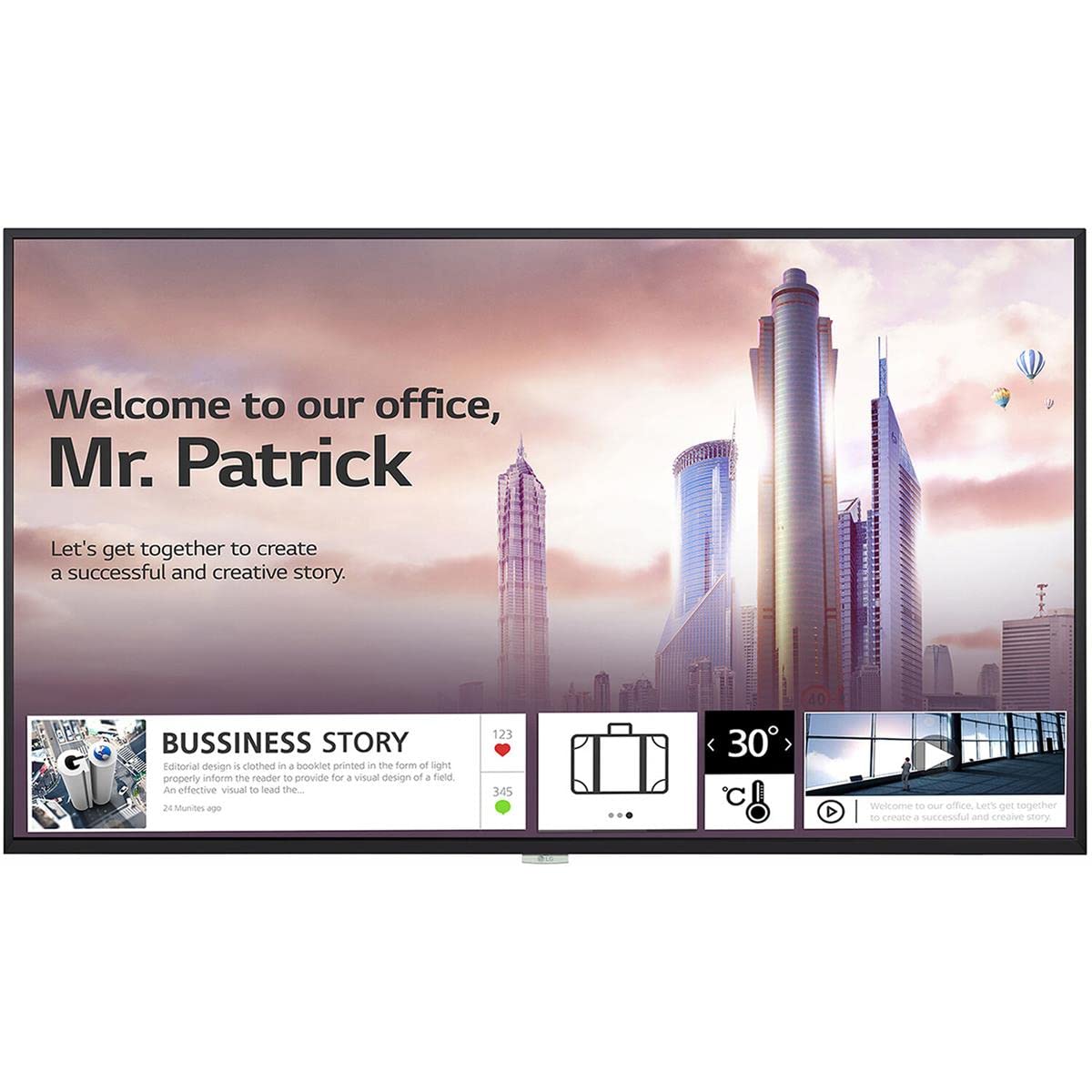
Imej 1: Depan view of the LG 98UH5F-H 98-inch UHD LCD Monitor. The display is black with a thin bezel.
4. Persediaan
4.1. Pemasangan Fizikal
Due to the large size and weight of the 98UH5F-H monitor, professional installation is highly recommended. Ensure the chosen location and mounting hardware (if wall-mounted) can support the display's weight of approximately 343 pounds (155 kg). Maintain adequate space around the display for ventilation.
4.2. Menyambung Kabel
Before connecting any cables, ensure the monitor and all connected devices are powered off.
- Input Video: Connect your video source (PC, media player, etc.) to one of the available input ports: HDMI (3 ports), DisplayPort (DP), or DVI-D.
- Input/Output Audio: If using external audio devices, connect them to the appropriate audio ports. The monitor also has built-in speakers.
- Peranti USB: Connect USB storage devices or peripherals to the USB 2.0 ports (2 ports).
- Sambungan Rangkaian: For network features and updates, connect an Ethernet cable to the LAN port or use the built-in Wi-Fi.
- Sambungan Kuasa: After all other connections are made, connect the power cord to the monitor and then to a grounded electrical outlet.

Imej 2: Sisi view of the LG 98UH5F-H monitor, illustrating the location of various input ports including HDMI, DisplayPort, DVI-D, and USB.
5. Arahan Operasi
5.1. Hidupkan/Mati Kuasa
Press the power button on the remote control or on the monitor's control panel to turn the display on or off. A power indicator light will illuminate when the monitor is on.
5.2. Pemilihan Sumber Input
Use the 'Input' or 'Source' button on the remote control to cycle through available input sources (HDMI1, HDMI2, HDMI3, DP, DVI-D). Select the input corresponding to your connected device.
5.3. Menu Paparan Pada Skrin (OSD).
The OSD menu allows you to adjust various display settings. Press the 'Menu' button on the remote control to access the OSD. Use the arrow buttons to navigate and 'OK' or 'Enter' to select options.
- Tetapan Gambar: Laraskan kecerahan, kontras, ketajaman, suhu warna dan nisbah aspek.
- Tetapan Audio: Control volume, balance, and select audio output modes (Off/Fixed/Variable).
- Tetapan Umum: Configure language, time, power-saving options, and network settings (Wi-Fi).
- Main balik USB: Access content from connected USB storage devices. The monitor has 8GB internal memory (3.6GB available for user content).
5.4. Landscape and Portrait Mode
The LG 98UH5F-H supports both landscape and portrait orientations. Ensure the content source is configured to match the display's physical orientation for optimal viewing.
6. Penyelenggaraan
6.1. Membersihkan Paparan
Always unplug the power cord before cleaning. Use a soft, lint-free cloth to gently wipe the screen and exterior surfaces. For stubborn marks, lightly dampen the cloth with water or a mild, non-abrasive screen cleaner. Never spray liquid directly onto the screen or into any openings.
6.2. Penyimpanan
Jika menyimpan monitor untuk tempoh yang lama, cabut semua kabel dan simpan di tempat yang sejuk dan kering, sebaik-baiknya dalam pembungkusan asalnya untuk melindunginya daripada habuk dan kerosakan fizikal.
7. Penyelesaian masalah
If you encounter issues with your LG 98UH5F-H monitor, refer to the following common problems and solutions.
| Masalah | Kemungkinan Punca | Penyelesaian |
|---|---|---|
| Tiada Kuasa | Power cord disconnected; Power outlet faulty. | Pastikan kord kuasa disambungkan dengan selamat. Uji saluran keluar dengan peranti lain. |
| Tiada Isyarat | Incorrect input source selected; Video cable loose or faulty; Source device off. | Pilih sumber input yang betul. Periksa sambungan kabel video. Pastikan peranti sumber dihidupkan. |
| Kualiti Gambar Lemah | Incorrect resolution; Picture settings misconfigured; Faulty cable. | Set source device to 3840x2160 resolution. Adjust picture settings in OSD. Try a different video cable. |
| Tiada Bunyi | Volume too low or muted; Incorrect audio output selected; External speakers off. | Increase volume. Check audio settings in OSD. Ensure external speakers are powered on and connected. |
| Isu Sambungan Wi-Fi | Kata laluan salah; Isu penghala; Gangguan isyarat. | Verify Wi-Fi password. Restart your router. Move monitor closer to router or reduce interference. |
8. Spesifikasi
Key technical specifications for the LG 98UH5F-H monitor.
| Ciri | Spesifikasi |
|---|---|
| Nombor Model | 98UH5F-H |
| Saiz Skrin | 98 inci |
| Resolusi | 3840 x 2160 (UHD) |
| Kadar Segar Semula | 60Hz |
| Jenis Panel | LCD |
| Jerebu | 28% |
| Input Video | 3x HDMI, 1x DisplayPort, 1x DVI-D |
| Audio | Audio In/Out, Built-in Speaker |
| Port USB | 2x USB 2.0 |
| Memori Dalaman | 8GB (System 4GB + Available 3.6GB) |
| Ketersambungan | Wi-Fi terbina dalam |
| Waktu Operasi | 24/7 (50,000 hours) |
| Orientasi | Landskap dan Potret |
| Viewsudut | 178 x 178 darjah |
| Berat Barang | 343 paun (lebih kurang 155 kg) |
| Dimensi Produk (LxWxH) | 92.2 x 54.6 x 15.8 inci |
9. Waranti dan Sokongan
Untuk maklumat waranti, sila rujuk kad waranti yang disertakan dengan produk anda atau lawati LG rasmi website. For technical support, service inquiries, or to download the latest drivers and software, please visit the LG support portal or contact LG customer service directly. Contact details can typically be found on the LG official weblaman web atau dalam dokumentasi produk anda.
LG Official Webtapak: www.lg.com