1. Pengenalan
The Homematic IP HmIP-SK16 Heating Set is designed to provide intelligent and energy-efficient control over your room temperature. This system allows for automated heating regulation, contributing to increased living comfort and potential energy savings. The set includes an Access Point and two Radiator Thermostats, which can be managed conveniently via a smartphone application.
2. Kandungan Pakej
Sila sahkan bahawa semua item yang disenaraikan di bawah disertakan dalam pakej anda:
- Homematic IP Access Point (including power supply and network cable)
- Homematic IP Radiator Thermostat - Basic (2 units)
- Bateri
- Bahan Pemasangan
- Manual Arahan (dokumen ini)

Imej 2.1: Selesaiview of the Homematic IP HmIP-SK16 Heating Set components.
3. Maklumat Keselamatan
Please read these safety instructions carefully before operating the device and keep them for future reference. Failure to follow these instructions may result in fire, electric shock, injury, or damage to the product or property.
- Keselamatan Umum: Do not open the device. Contains no user-serviceable parts.
- Bateri: Use only the specified battery type. Do not mix old and new batteries, or different types of batteries. Dispose of batteries according to local regulations.
- Pemasangan: Installation should be performed by a qualified person if you are unsure about any steps. Ensure the power supply is disconnected before any installation work on electrical components.
- Persekitaran: Do not expose the device to extreme temperatures, direct sunlight, moisture, or corrosive environments.
- Kanak-kanak: Jauhkan bahan pembungkusan dan bahagian kecil daripada kanak-kanak.
4. Persediaan
The setup process involves installing the Access Point, mounting the Radiator Thermostats, and configuring the system via the Homematic IP smartphone app.
4.1. Homematic IP Access Point Installation
- penempatan: Choose a central location in your home for the Access Point to ensure optimal wireless coverage for all devices.
- Sambungan Kuasa: Connect the provided power supply to the Access Point and plug it into a wall outlet.
- Sambungan Rangkaian: Connect the Access Point to your internet router using the provided network cable.
- Permulaan: Wait for the Access Point to fully boot up. The status LED will indicate readiness (refer to the Access Point's specific LED indicators for details).

Image 4.1: The Homematic IP Access Point.
4.2. Radiator Thermostat Mounting
- Sisipan Bateri: Open the battery compartment of each Radiator Thermostat and insert the provided batteries, ensuring correct polarity.
- Penyediaan: Remove your existing conventional radiator thermostat head. You may need a wrench for this.
- Pemasangan: Attach the Homematic IP Radiator Thermostat to the radiator valve. Use the provided mounting material (adapters) if necessary to ensure a secure fit. Hand-tighten the thermostat.
- Berpasangan: Follow the instructions in the Homematic IP app to pair each thermostat with your Access Point. This typically involves pressing a button on the thermostat and confirming in the app.
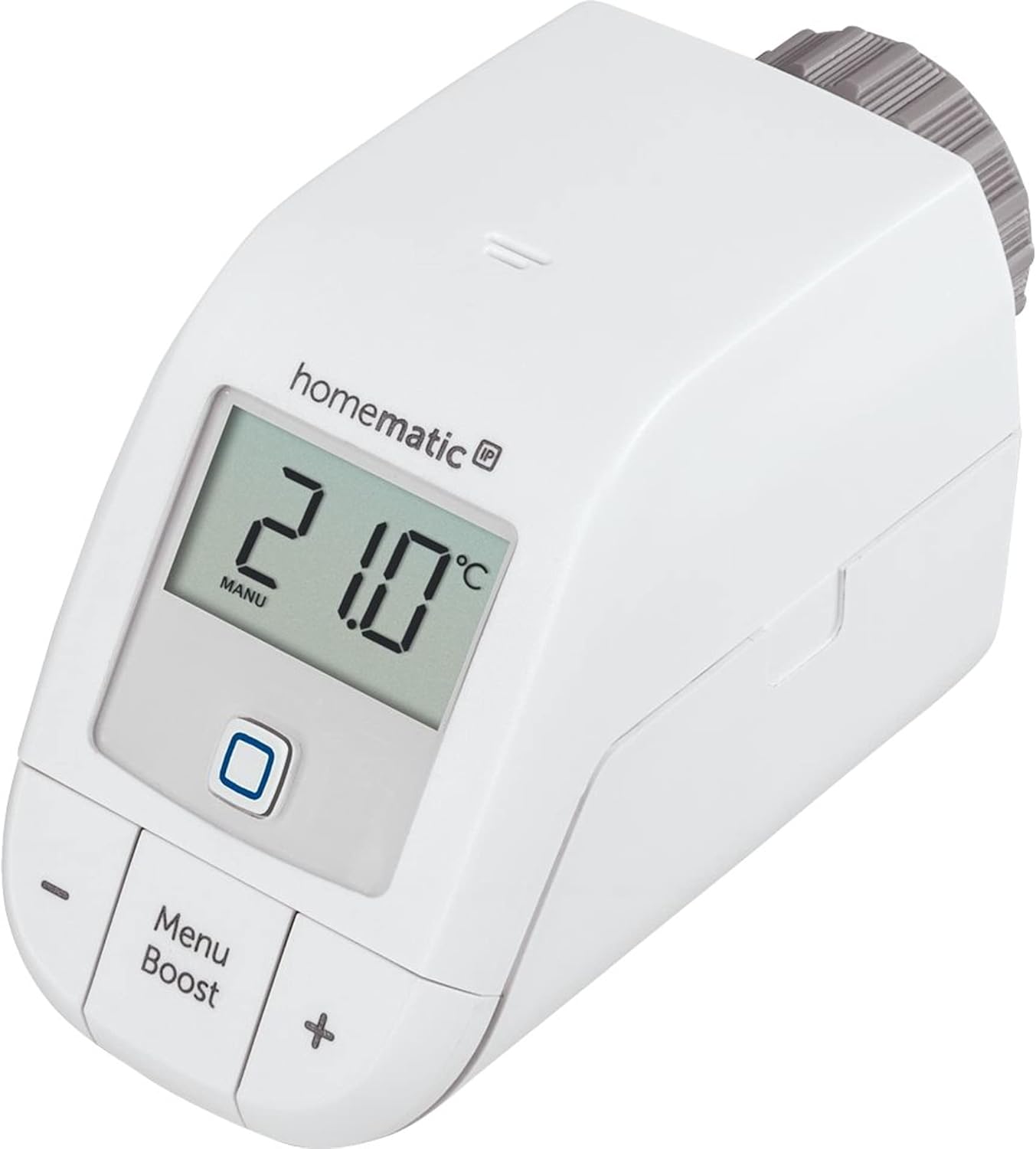
Image 4.2: A Homematic IP Radiator Thermostat.
4.3. Konfigurasi Apl
- Muat turun Aplikasi: Download the Homematic IP app from your smartphone's app store (iOS or Android).
- Penciptaan Akaun: Create a Homematic IP user account or log in if you already have one.
- Tambah Peranti: Follow the in-app instructions to add your Access Point and then each Radiator Thermostat. The app will guide you through the pairing process.
- Tugasan Bilik: Assign each thermostat to its respective room within the app for organized control.
5. Beroperasi
The Homematic IP Heating Set offers flexible control options, both via the smartphone app and directly on the thermostat.
5.1. Kawalan Apl
The Homematic IP app provides comprehensive control over your heating system:
- Pelarasan Suhu: Easily set your desired room temperature for each assigned room.
- Pemanasan Profiles: Create and manage weekly heating schedules to automatically adjust temperatures based on your daily routine.
- Fungsi Boost: Activate the Boost function for a quick, temporary increase in heating.
- Pengesanan Terbuka Tetingkap: If integrated with window/door contacts (sold separately), the system can automatically lower heating when a window is open.

Imej 5.1: Cthample of a heating schedule in the Homematic IP app.
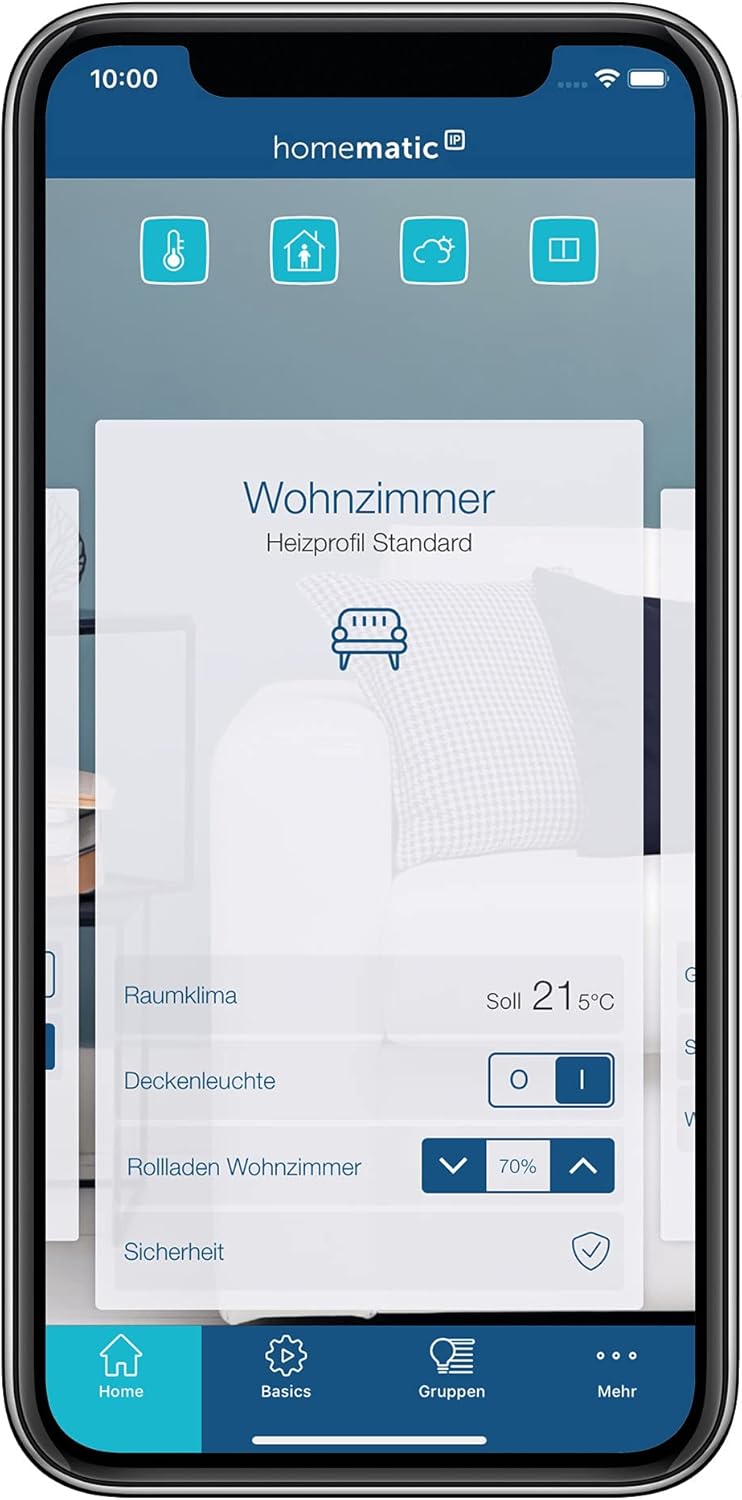
Image 5.2: Room climate control interface in the Homematic IP app.

Image 5.3: The Boost function in the Homematic IP app.
5.2. Manual Control on Thermostat
You can also adjust the temperature directly on the Radiator Thermostat:
- Pelarasan Suhu: Gunakan + dan - buttons to manually increase or decrease the desired temperature. The new setting will be displayed on the LCD.
- Fungsi Boost: Tekan ke Menu/Boost button to activate the Boost function for a short period of maximum heating.
- Akses Menu: Tekan dan tahan butang Menu/Boost button to access additional settings on the thermostat's display.
6. Penyelenggaraan
Regular maintenance ensures the longevity and optimal performance of your Homematic IP Heating Set.
- Penggantian Bateri: The Radiator Thermostats are battery-powered. When the battery level is low, an indicator will appear on the display and in the app. Replace all batteries in a thermostat simultaneously with new ones of the same type (Alkaline).
- Pembersihan: Clean the devices with a soft, dry, lint-free cloth. Do not use abrasive cleaners, solvents, or wet cloths, as these can damage the housing or electronics.
- Kemas kini Firmware: Ensure your devices and the Homematic IP app are always updated to the latest firmware version for optimal functionality and security. Updates are typically managed via the app.
7. Penyelesaian masalah
If you encounter issues with your Homematic IP Heating Set, refer to the following common problems and solutions:
| Masalah | Kemungkinan Punca | Penyelesaian |
|---|---|---|
| Thermostat not responding to app commands. | Loss of connection to Access Point, low battery, or app issue. |
|
| Radiator not heating/cooling as expected. | Incorrect temperature setting, valve stuck, or air in the radiator. |
|
| Access Point offline. | Kuasa outage, network cable disconnected, or router issue. |
|
If problems persist, please refer to the Homematic IP support webtapak atau hubungi perkhidmatan pelanggan.
8. Spesifikasi
| Ciri | Perincian |
|---|---|
| Nombor Model | HmIP-SK16 |
| Jenama | IP homematik |
| Pengeluar | eQ-3 AG |
| Product Dimensions (Thermostat) | 10.2 x 5.7 x 6.8 cm |
| Berat (Set) | 998 Gram |
| warna | putih |
| bahan | plastik |
| Jenis Sumber Kuasa | Battery Powered (Thermostats) |
| Jenis Sel Bateri | Beralkali |
| Teknologi Ketersambungan | Homematic IP Wireless |
| Ciri Khas | Remote access and control, smart home integration, energy saving |
| Jenis Pengawal | Amazon Alexa (via Homematic IP Access Point) |

Image 8.1: Dimensions of the Homematic IP Radiator Thermostat.
9. Waranti dan Sokongan
For warranty information and technical support, please refer to the official Homematic IP webtapak atau hubungi peruncit anda. Simpan bukti pembelian anda untuk tuntutan waranti.
- Pengeluar: eQ-3 AG
- Sokongan dalam talian: Visit the Homematic IP official webtapak untuk Soalan Lazim, dokumentasi dan pilihan hubungan.


