1. Pengenalan
This manual provides detailed instructions for the installation, operation, and maintenance of your Denver SHC-150 WiFi/IP Indoor Security Camera. Please read this manual thoroughly before using the product to ensure proper functionality and safety. Keep this manual for future reference.

Imej 1.1: Depan view of the Denver SHC-150 Indoor Security Camera.
2. Produk Lebihview
2.1 Ciri-ciri Utama
- Indoor IP dome camera with infrared LEDs for night use.
- 1 Megapixel HD video camera at 12 frames per second.
- WiFi (WEP/WPA/WPA2) and LAN function.
- Compatible with Tuya IoT platform and Denver Smart Home app (iOS/Android).
- Motorized pan (355°) and tilt (90°).
- Integrated speaker and microphone for two-way audio.
- Infrared range up to 10 meters.
- Motion detection with manual access.
- Micro SD card slot for up to 128GB storage (memory card not included).
2.2 Komponen Kamera

Imej 2.1: Diagram illustrating the main components of the SHC-150 camera.
The camera features a photoresistance sensor, IR LEDs, HD lens, microphone (MIC), and motorized pan/tilt mechanism on the front. The rear includes a reset hole, TF (Micro SD) card slot, speaker, antenna, and DC power port.
3. Persediaan
3.1 Apa yang ada di dalam Kotak
- Denver SHC-150 Security Camera
- Penyesuai Kuasa
- Mounting Accessories (for wall mounting)
- Manual Pengguna
3.2 Pemasangan Fizikal
The Denver SHC-150 camera is designed for indoor use and can be placed on a flat surface or mounted on a wall. Ensure the camera is positioned within range of your WiFi network and has a clear view kawasan yang anda ingin pantau.
- Pilih lokasi yang sesuai untuk kamera.
- If wall-mounting, use the provided mounting accessories to securely attach the camera.
- Connect the power adapter to the DC port on the camera and plug it into a power outlet. The camera will power on and initiate its startup sequence.
3.3 Pemasangan Apl dan Berpasangan
The SHC-150 camera operates with the Tuya IoT platform, compatible with the Denver Smart Home app.
- Muat turun Rumah Pintar Denver aplikasi daripada App Store (iOS) atau Google Play Store (Android).
- Daftar untuk akaun baharu atau log masuk jika anda sudah mempunyai akaun.
- Dalam apl, ketik ikon "+" untuk menambah peranti baharu.
- Select "Security Camera" or search for "SHC-150".
- Follow the on-screen instructions to connect the camera to your WiFi network. This typically involves scanning a QR code displayed on your phone with the camera lens or entering your WiFi credentials.
- Once connected, the camera will appear in your device list within the app.
4. Arahan Operasi
4.1 Langsung View dan Kawalan Pan/Tilt
Access the live video feed from your camera through the Denver Smart Home app. You can remotely control the camera's viewsudut ing.

Imej 4.1: Remote control of camera pan and tilt via smartphone app.
- Dari siaran langsung view screen in the app, use the directional controls to pan the camera horizontally up to 355 degrees and tilt it vertically up to 90 degrees.
4.2 Audio Dua Hala
Kamera ini mempunyai mikrofon dan pembesar suara terbina dalam, yang membolehkan komunikasi dua hala.
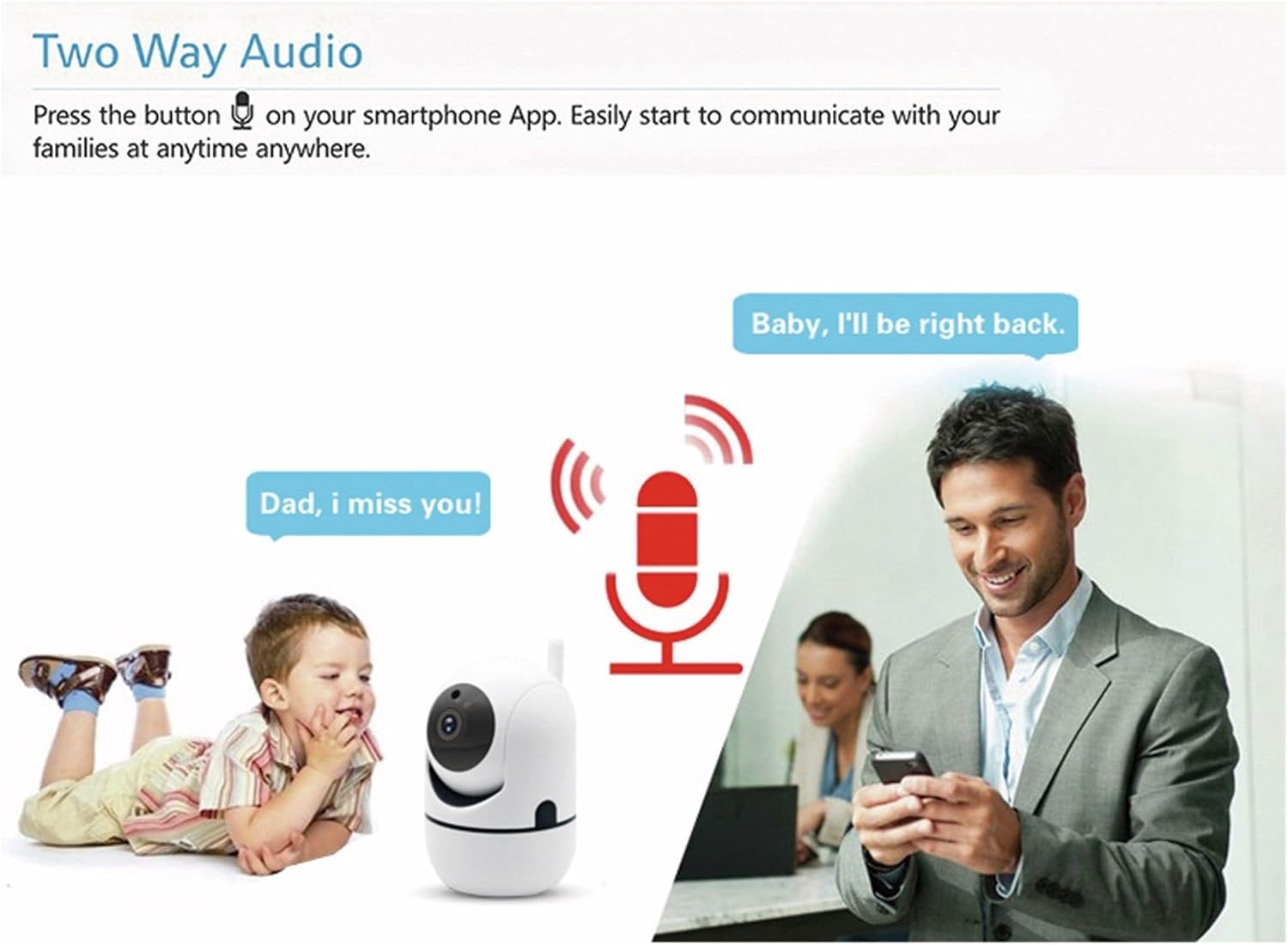
Imej 4.2: Two-way audio allows communication through the camera.
- Ketik ikon mikrofon dalam siaran langsung aplikasi view untuk bercakap melalui pembesar suara kamera.
- The camera's microphone will pick up audio from its surroundings, which you can hear through your smartphone.
4.3 Pengesanan Pergerakan
The camera can detect motion and send alerts to your smartphone.
- Enable motion detection in the Denver Smart Home app settings for your camera.
- Configure alert sensitivity and notification preferences as needed.
- The camera also supports automatic motion tracking, allowing it to follow detected movement within its 355° pan and 120° tilt range.
4.4 Penglihatan Malam
The integrated infrared LEDs provide clear video monitoring in low-light or no-light conditions.

Imej 4.3: Infrared night vision automatically activates in low light, with a range of up to 10 meters.
- Night vision activates automatically when ambient light levels are low.
- The infrared range extends up to 10 meters.
4.5 Rakaman dan Penyimpanan
The camera supports local storage via a Micro SD card.
- Insert a Micro SD card (up to 128GB, not included) into the TF card slot on the camera.
- Configure recording settings (e.g., continuous recording, event-triggered recording) within the Denver Smart Home app.
- Dirakam footage can be accessed and reviewed melalui aplikasi.
5. Penyelenggaraan
- Pembersihan: Gunakan kain lembut dan kering untuk membersihkan lensa kamera dan badan. Elakkan menggunakan bahan kimia yang keras atau pembersih yang kasar.
- Kemas Kini Perisian: Regularly check the Denver Smart Home app for firmware updates to ensure optimal performance and security.
- Kitaran Kuasa: If the camera experiences issues, try unplugging it from the power source for a few seconds and then plugging it back in.
6. Penyelesaian masalah
6.1 Camera Not Connecting to WiFi
- Pastikan rangkaian WiFi anda ialah 2.4GHz. Kamera tidak menyokong WiFi 5GHz.
- Verify that the WiFi password entered in the app is correct.
- Place the camera closer to your WiFi router during the initial setup process.
- Reset the camera by pressing the reset button (refer to Image 2.1 for location) and attempt pairing again.
6.2 Kualiti Video yang Buruk
- Periksa kelajuan sambungan internet anda. Sambungan yang stabil dan pantas diperlukan untuk penstriman HD.
- Pastikan lensa kamera bersih dan bebas daripada habuk atau kotoran.
- Adjust the video quality settings within the Denver Smart Home app if available.
6.3 Pengesanan Pergerakan Tidak Berfungsi
- Sahkan bahawa pengesanan gerakan diaktifkan dalam tetapan aplikasi.
- Laraskan kepekaan pengesanan gerakan.
- Pastikan tiada halangan yang menghalang kamera view.
6.4 Micro SD Card Not Recording
- Ensure the Micro SD card is inserted correctly and fully.
- Check if the Micro SD card is formatted correctly (usually FAT32). Format it via the app if necessary.
- Verify that recording settings are configured in the app.
- The card might be full; consider enabling loop recording or replacing the card.
7. Spesifikasi

Imej 7.1: Product label on the back of the SHC-150 camera.
| Ciri | Spesifikasi |
|---|---|
| Nama Model | SHC-150 |
| Nombor Model Produk | 118101020060 |
| Resolusi Video | 720p HD (1 Megapixel) |
| Kadar Bingkai | 12 fps |
| Ketersambungan | Wi-Fi (2.4GHz, WEP/WPA/WPA2), Wired LAN |
| Sudut Pan | 355 Darjah |
| Sudut Kecondongan | 90 Darjah |
| Julat Penglihatan Malam | Sehingga 10 meter |
| Audio | Two-way audio (built-in speaker and microphone) |
| Penyimpanan | Micro SD card slot, up to 128GB |
| Input Kuasa | DC 5V/1A (via power adapter) |
| Dimensi (L x W x H) | 8.5 x 7 x 10.5 cm |
| Berat badan | 340 gram |
| bahan | logam |
| warna | putih |
| Persekitaran Operasi | Penggunaan dalaman sahaja |
8. Waranti dan Sokongan
Denver products are manufactured to high quality standards. This product is covered by a warranty period as per local consumer protection laws. For warranty claims, technical support, or service inquiries, please contact your retailer or visit the official Denver support webtapak.
Sila simpan resit pembelian anda sebagai bukti pembelian untuk sebarang tuntutan waranti.


