1. Pengenalan
The Osmo Genius Starter Kit for iPad & iPhone transforms your device into a hands-on learning tool, combining physical play with digital interaction. Designed for children aged 6-10, this kit offers five educational games that cover subjects like math, spelling, creativity, and problem-solving. Children interact with physical game pieces, and the Osmo Base and Reflector allow the device to 'see' and react to their real-life movements, bringing their creations and actions to life on screen.
Official Osmo overview video demonstrating the interactive learning experience.
2. Apa yang ada di dalam Kotak
Your Osmo Genius Starter Kit includes the following components:
- Osmo Base & Reflector for iPad
- Tangram pieces
- Numbers tiles
- Words tiles
- Stackable storage for each game
- Access to 5 Game Apps: Numbers, Tangram, Words, Newton, and Masterpiece
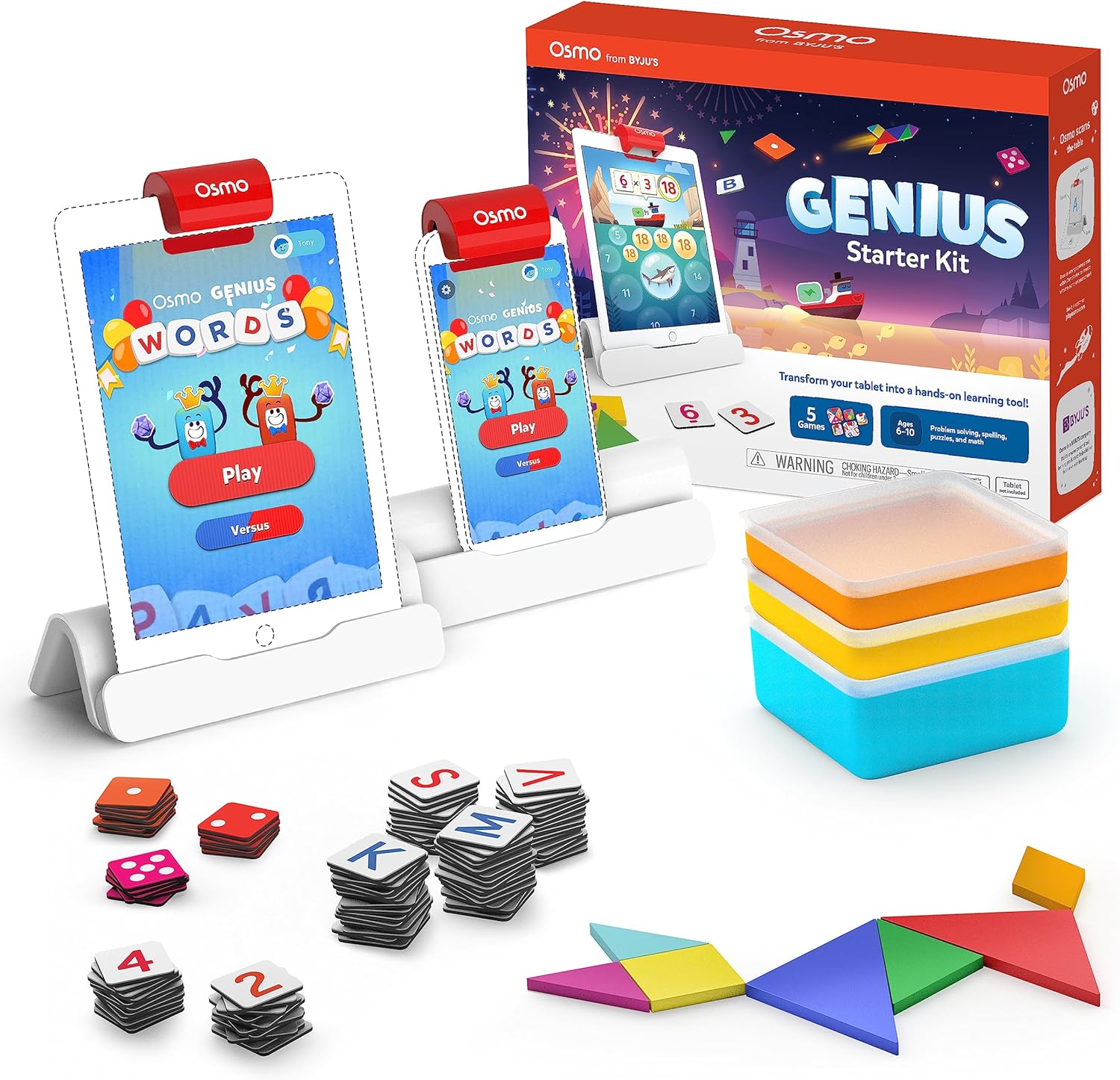
Image showing the Osmo Genius Starter Kit packaging, base, and included game pieces.
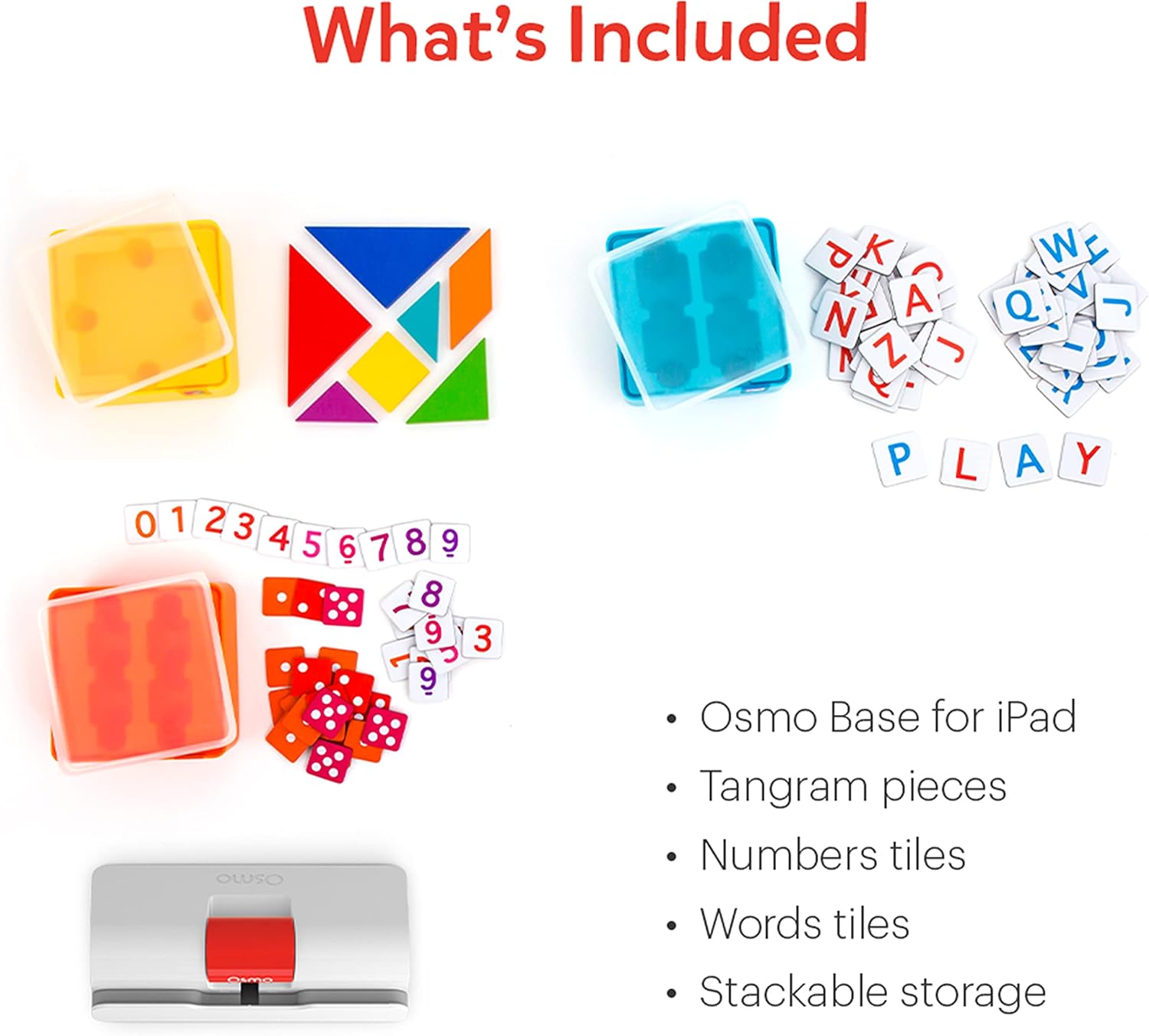
Terperinci view of the physical game pieces and their convenient stackable storage containers.
3. Keserasian
The Osmo Genius Starter Kit is compatible with most iPad and iPhone models. Please verify your device's compatibility before use.
- iPad Compatibility: All iPads except Generation 1-4, Air Gen 1, & iPad Mini Gen 1-3. The new iPad 10th Gen, iPad Pro 11” (4th Gen), & iPad Pro 12.9” (6th Gen) are not currently compatible; compatibility coming later in 2023. iPad Reflector 2021 required for: iPad Mini 6, iPad Air 4-5, iPad Pro 11-inch & iPad Pro 12.9-inch. The minimum iOS version needed is iOS 15.
- Keserasian iPhone: iPhone 12, 12 Pro, 12 Pro Max, 13, 13 Pro, 13 Pro Max, 14, 14 Plus. No other iPhones are compatible. Requires the Osmo iPad base & 2021 reflector hardware. The minimum iOS needed is iOS 14.0.

Visual guide to compatible iPhone and iPad models for the Osmo system.
4. Arahan Persediaan
Follow these steps to set up your Osmo Genius Starter Kit:
- Place your device in the Osmo Base: Ensure your iPad or iPhone is securely seated in the white Osmo Base. The device should be positioned vertically.
- Pasangkan Reflektor: Gently place the red Osmo Reflector over the top edge of your device, ensuring it covers the front-facing camera. The reflector is crucial for the Osmo system to 'see' the physical game pieces on your table.
- Download Osmo Apps: Cari untuk
Dokumen Berkaitan - 901-00011

Nombor Osmo dan Manual Pengguna Osmo Newton
Panduan komprehensif untuk menggunakan Osmo Numbers dan Osmo Newton, memperincikan mekanik permainan, petua dan amalan terbaik untuk pengalaman pendidikan yang menarik.
Bermula dengan Osmo Words
Panduan komprehensif untuk Osmo Words, meliputi persediaan permainan, permainan, mod, mencipta album tersuai dan amalan terbaik untuk prestasi optimum. Ketahui cara menggunakan jubin huruf untuk mengeja perkataan berdasarkan imej, teroka mod permainan yang berbeza seperti Adventure, Versus dan Zen serta temui cara mencipta dan berkongsi album perkataan anda sendiri.
Panduan Persediaan Osmo untuk Tablet Kebakaran
Panduan ini menyediakan arahan langkah demi langkah untuk menyediakan mainan pendidikan Osmo dengan Tablet Amazon Fire, merangkumi keserasian peranti, persediaan asas, penciptaan akaun, muat turun permainan dan...file pengurusan.
Panduan Persediaan Osmo untuk iPad dan Tablet Fire
Panduan persediaan komprehensif untuk produk Osmo, termasuk Set Kreatif Osmo dan Osmo Newton, yang memperincikan keserasian, langkah persediaan, arahan permainan dan penyelesaian masalah.
Bermula dengan Nombor Osmo
Panduan untuk Osmo Numbers, permainan pendidikan untuk pelajar awal yang memberi tumpuan kepada konsep matematik seperti mengira, menambah, menolak dan mendarab. Ketahui cara bermain, kuasai mod permainan dan temui petua untuk memaksimumkan skor dan membuka kandungan baharu.
Bermula dengan Osmo Tangram
Panduan untuk Osmo Tangram, memperincikan ciri permainan, tahap, pencapaian dan amalan terbaik untuk pengalaman yang optimum. Ketahui cara bermain, menavigasi menu dan menyimpan kepingan Tangram anda.