pengenalan
The Beats Studio3 Wireless Noise Cancelling Over-Ear Headphones are designed to provide a premium listening experience with advanced features. This manual will guide you through the setup, operation, and maintenance of your headphones.
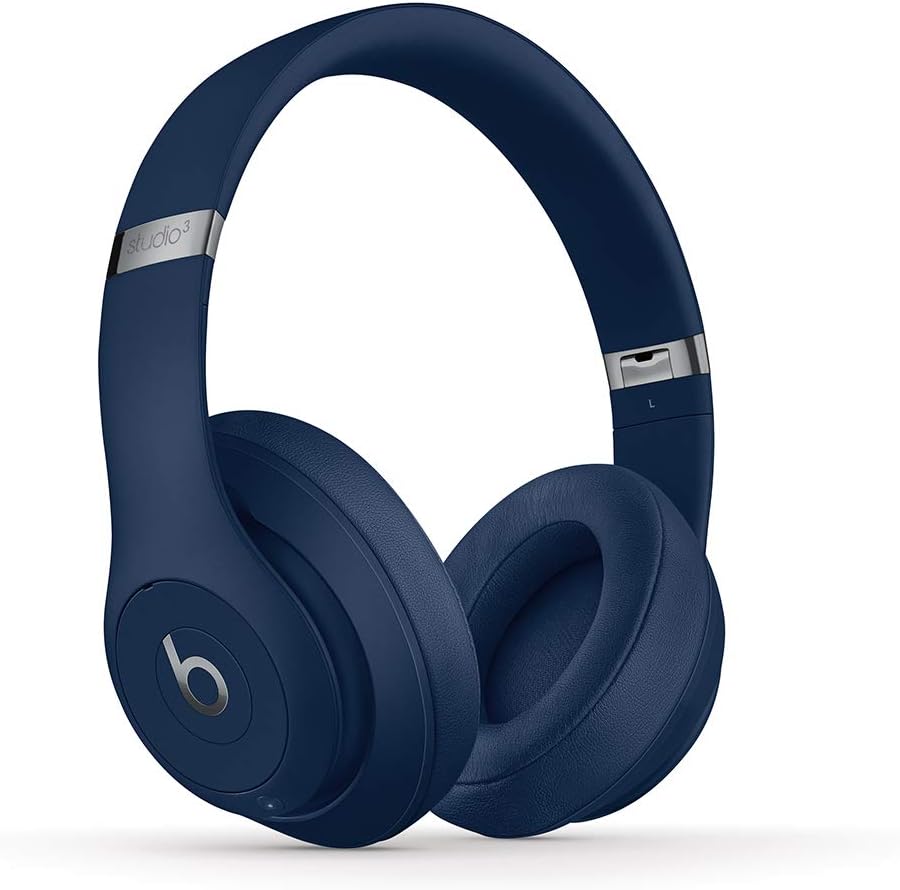
Image: Beats Studio3 Wireless Noise Cancelling Over-Ear Headphones in Blue.
Apa yang ada dalam Kotak
- Beats Studio3 Wireless Noise Canceling Over-Ear Headphones - Blue
- Kabel Pengecas USB Mikro
- 3.5mm RemoteTalk Cable
- Membawa Sarung
- Panduan Mula Pantas
- Kad Waranti

Image: Contents of the Beats Studio3 Wireless Headphones box, including headphones, cables, and carrying case.
Persediaan
1. Mengecas Fon Kepala Anda
Before first use, fully charge your Beats Studio3 Wireless headphones. Use the provided Micro USB cable to connect the headphones to a power source. The Fuel Gauge LEDs on the right ear cup will indicate the battery level.
- Bahan Api Cepat: A 10-minute charge provides 3 hours of playback.
- Full charge provides up to 22 hours of battery life with Pure ANC on, or up to 40 hours with Pure ANC off.
2. Berpasangan dengan Peranti Anda
Your Beats Studio3 Wireless headphones utilize the Apple W1 chip for seamless pairing with Apple devices and Class 1 Bluetooth for other devices.
For Apple Devices (iOS):
- Ensure your iOS device is unlocked and Bluetooth is enabled.
- Hold your Beats Studio3 headphones near your unlocked iOS device.
- Follow the on-screen instructions to connect.
For Other Devices (Android, etc.):
- Press and hold the power button on your headphones for 5 seconds until the Fuel Gauge flashes.
- Pada peranti anda, pergi ke tetapan Bluetooth dan pilih "Beats Studio3" daripada senarai peranti yang tersedia.
Mengendalikan Fon Kepala Anda
Hidupkan/Mati Kuasa
Press and hold the power button on the right ear cup for 1 second to turn the headphones on or off.
Pembatalan Bunyi Adaptif Tulen (ANC Tulen)
Pure ANC actively blocks external noise and uses real-time audio calibration to preserve a premium listening experience. Pure ANC is enabled by default when you power on the headphones.
- To toggle Pure ANC on/off, double-press the power button.
Kawalan Pada Telinga
The 'b' button on the left ear cup and the volume rockers provide control over your audio and calls.
- Main/Jeda: Tekan butang 'b' sekali.
- Langkau Laluan: Press the 'b' button twice for next, three times for previous.
- Kawalan Kelantangan: Use the volume up/down buttons above and below the 'b' button.
- Jawab/Tamatkan Panggilan: Tekan butang 'b' sekali.
- Aktifkan Pembantu Suara: Press and hold the 'b' button.

Imej: Terperinci view of the on-ear controls for music and calls.
Penyelenggaraan
Pembersihan
Regularly clean your headphones with a soft, dry, lint-free cloth. Avoid using harsh chemicals or abrasive materials. Keep the charging port free of debris.
Ear Cup Replacement
Over time, ear cup cushions may show signs of wear, especially with frequent use or exposure to sweat. Replacement ear cups are available and can be easily installed. Refer to official Beats support for replacement instructions and parts.
Video Description: This video demonstrates the process of replacing ear cup covers on Beats headphones, highlighting the adhesive nature of the covers and the ease of replacement.
Spesifikasi
| Ciri | Perincian |
|---|---|
| Nama Model | Beats Studio3 Wireless Noise Canceling Over-Ear Headphones - Blue |
| Teknologi Ketersambungan | Bluetooth (Apple W1 chip, Class 1 Wireless Bluetooth) |
| Kawalan Bunyi | Pembatalan Bunyi Aktif (ANC Tulen) |
| Hayat Bateri | Up to 22 hours (with ANC), Up to 40 hours (without ANC) |
| Bahan Api Cepat | 10-minute charge provides 3 hours of playback |
| On-Ear Control | Audio playback, volume, phone call controls |
| Mikrofon | Internal and external microphones |
| Faktor Bentuk | Atas Telinga |
| Jack Fon Kepala | 3.5 mm Jack (for wired use) |
| Port Pengecasan | USB mikro |
| Berat Barang | 9.17 oz / 260 g (Product), 2.2 pounds (Shipping) |
| Dimensi Produk | 6.3 x 4.7 x 8.9 inci |
| Pengeluar | epal |
Menyelesaikan masalah
Isu dan Penyelesaian Biasa
- Tiada Kuasa: Ensure headphones are charged. Connect to a power source using the Micro USB cable.
- Isu Berpasangan: Ensure Bluetooth is enabled on your device and headphones are in pairing mode (flashing Fuel Gauge). Try restarting both devices.
- Isu Kualiti Bunyi: Check the audio source. Ensure ear cups are properly seated. If using wired connection, ensure the 3.5mm cable is fully inserted.
- Pembatalan Bunyi Tidak Berfungsi: Double-press the power button to toggle Pure ANC. Ensure ear cups form a good seal around your ears.
Waranti dan Sokongan
Your Beats Studio3 Wireless headphones are manufactured by Apple and come with a standard limited warranty. For detailed warranty information, product registration, or technical support, please visit the official Beats or Apple support webtapak.
Simpan bukti pembelian anda untuk tuntutan waranti.


