pengenalan
This manual provides essential information for the safe and efficient operation, installation, and maintenance of your LG LSA6NP3F Non Inverter Split Air Conditioner. Please read this manual thoroughly before using your air conditioner and retain it for future reference.
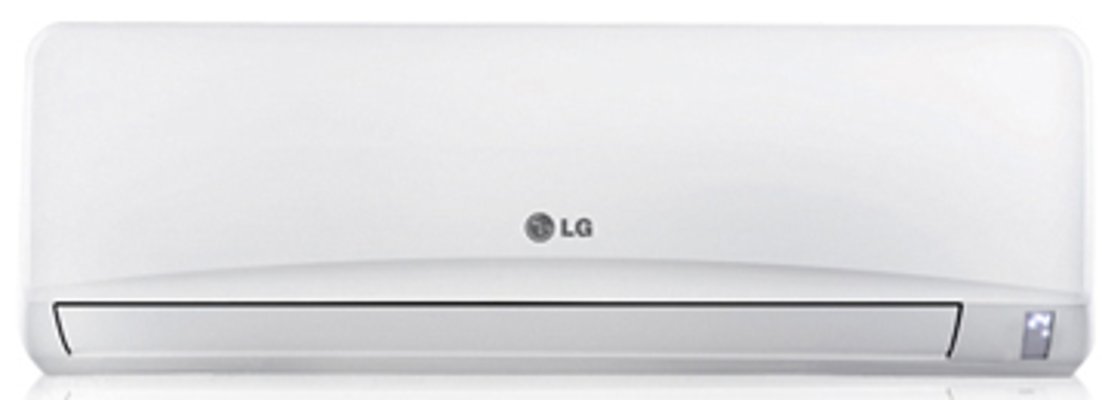
Image: The LG LSA6NP3F Non Inverter Split AC, showing both the indoor and outdoor units. This image illustrates the complete air conditioning system.
1. Persediaan dan Pemasangan
Proper installation is crucial for the optimal performance and longevity of your LG LSA6NP3F AC. It is recommended that installation be performed by a qualified service technician.
1.1 Pemeriksaan Pra-Pemasangan
- Ensure the installation location can support the weight of both indoor and outdoor units.
- Verify that the power supply (230 Volt / Single Phase / 50 Hz) matches the unit's requirements.
- Confirm adequate space for air circulation around both units.
1.2 Penempatan Unit Dalaman
The indoor unit should be mounted on a wall, ensuring it is level and has unobstructed airflow. Avoid placing it near heat sources or direct sunlight.
1.3 Penempatan Unit Luar
The outdoor unit should be placed in a well-ventilated area, away from direct sunlight and obstructions. Ensure it is on a stable, level surface to minimize vibration and noise.
1.4 Sambungan Elektrik
Connect the AC to a dedicated power circuit as specified in the electrical requirements. Ensure all wiring is secure and properly grounded to prevent electrical hazards.
2. Arahan Operasi
Familiarize yourself with the remote control and the various operating modes of your LG LSA6NP3F AC.
2.1 Alat Kawalan Jauh
The remote control allows you to adjust settings and activate features. It includes Night Glow buttons for easy operation in low light conditions.
Image: Illustrative image of an LG AC remote control. The remote features buttons that glow in the dark for convenient use at night.
2.2 Operating Modes and Features
- Himalaya Cool: This technology provides rapid cooling by optimizing airflow and utilizing a faster vertical air swing. Activate it with a one-touch key on the remote control for quick comfort.
Image: A representation of the Himalaya Cool feature, showing strong, directed airflow from the AC unit for rapid cooling.
- Monsoon Comfort: Designed for high humidity and monsoon seasons, this mode prevents overcooling by balancing room temperature, body temperature, and airflow. It can be activated via a single key on the remote control.
Image: An icon or display indicating the Monsoon Comfort mode is active, suggesting balanced cooling and dehumidification.
- E-Saver Mode: This energy-saving mode maintains comfort while minimizing power consumption by applying the Body Adaptation Time Algorithm (BATA).
- Mod Tidur Nyenyak: The microprocessor automatically adjusts the temperature during the night to match your body's metabolism, providing a comfortable sleeping environment and saving power.
- Pemasa Hidup/Mati: Use the timer function to program the AC to turn on or off at specific times, allowing for undisturbed sleep or energy management.
- Sweet Dreamz Mode: Pressing a specific key on the remote controller will turn off the display on the indoor unit, enhancing comfort during sleep by eliminating light disturbance.
- Mulakan semula Auto: Sekiranya berlaku kuasa outage, unit akan dimulakan semula secara automatik dengan tetapan sebelumnya setelah kuasa dipulihkan.
- Tetapan Kelajuan: The unit offers multiple fan speed settings for customized airflow.
3. Penyelenggaraan
Penyelenggaraan tetap memastikan operasi yang cekap dan memanjangkan jangka hayat penghawa dingin anda.
3.1 Auto Clean Feature
The Pembersihan Auto feature automatically dries the wet heat exchanger inside the indoor unit, preventing the growth of mold and bacteria. It is recommended to use this feature regularly.
Image: A visual representation of the Auto Clean function, possibly an indicator light or display on the AC unit.
3.2 Penyelenggaraan Penapis
Your AC is equipped with advanced filters to ensure clean air quality.
- Dual Protection Filter: This fine mesh filter captures dust particles and inhibits germ growth. Clean it regularly by washing with water and drying thoroughly.
Image: A close-up of the Dual Protection Filter, showing its fine mesh structure designed to capture dust and inhibit bacteria.
- 3M Micro Protection Filter: This filter uses electrostatic force to collect microscopic substances, ensuring cleaner air. Refer to the service manual for specific cleaning or replacement instructions for this filter type.
Image: A visual representation of the 3M Micro Protection Filter, highlighting its advanced filtration capabilities.
Always turn off the power supply to the AC unit before performing any maintenance.
4. Penyelesaian masalah
Before contacting service personnel, review isu biasa berikut dan penyelesaiannya.
| Masalah | Kemungkinan Punca | Penyelesaian |
|---|---|---|
| AC tidak menyala. | No power supply; remote control batteries depleted; circuit breaker tripped. | Check power connection; replace remote batteries; reset circuit breaker. |
| Penyejukan yang tidak mencukupi. | Dirty air filters; blocked outdoor unit; room too large; windows/doors open. | Clean air filters; clear obstructions from outdoor unit; ensure room is sealed. |
| Bunyi luar biasa dari unit. | Loose parts; unit not level; foreign object in fan. | Ensure unit is level; check for loose screws; inspect for obstructions (power off first). |
| Kebocoran air dari unit dalaman. | Paip longkang tersumbat; pemasangan yang tidak betul. | Clear drain pipe; contact a qualified technician for inspection. |
Jika masalah berterusan selepas mencuba penyelesaian ini, sila hubungi sokongan pelanggan LG.
5. Spesifikasi
Detailed technical specifications for the LG LSA6NP3F Non Inverter Split AC.
| Ciri | Nilai |
|---|---|
| Jenama | LG |
| Model | LSA6NP3F |
| Kapasiti | 2 Tan |
| Kecekapan Tenaga | Penilaian 3 Bintang |
| Kuasa Penyejukan | 6350 Watt |
| Tahap Bunyi (Dalam Ruangan) | 40 Desibel |
| Jenis Pemasangan | Sistem Perpecahan |
| Faktor Bentuk | Mini-Split |
| Ciri Khas | Anti Bacterial Filter |
| warna | putih |
| Konsol Kawalan | Alat Kawalan Jauh |
| Voltage | 230 Volt |
| Wattage | 2000 Watt |
| Anjakan Aliran Udara | 1600 Kaki Kubik Seminit |
| bahan | Tembaga |
| Dimensi Unit Dalaman (WxHxD) | 1090 x 300 x 218 mm |
| Dimensi Unit Luaran (WxHxD) | 870 x 655 x 322 mm |
| Indoor Unit Net Weight | 13 Kg |
| Berat Bersih Unit Luar | 47 Kg |
| Bahan penyejuk | R22 |
6. Waranti dan Sokongan
6.1 Maklumat Waranti
Your LG LSA6NP3F AC comes with a standard manufacturer's warranty. Please refer to the warranty card included with your product for specific terms, conditions, and duration. Keep your purchase receipt as proof of purchase for warranty claims.
6.2 Sokongan Pelanggan
For technical assistance, service requests, or inquiries regarding your product, please contact LG customer support. Contact details can typically be found on the LG official website or in the documentation provided with your AC unit.
When contacting support, please have your model number (LSA6NP3F) and serial number ready.