1. Pengenalan
This manual provides detailed instructions for the installation, operation, and maintenance of your Piko 35271 G Electric Switch Drive. Please read this manual thoroughly before using the product to ensure safe and correct operation.
The Piko 35271 is an electric switch drive designed for G scale model railway tracks, allowing for remote control of track switches.
2. Maklumat Keselamatan
- This product is not a toy. It is intended for model railway enthusiasts aged 14 years and older.
- Always disconnect power from the track system before installing or performing maintenance on the switch drive.
- Pastikan semua sambungan elektrik kukuh dan berpenebat dengan betul untuk mengelakkan litar pintas.
- Do not expose the switch drive to moisture or extreme temperatures.
- Jauhkan bahagian kecil daripada kanak-kanak untuk mengelakkan bahaya tercekik.
3. Kandungan Pakej
Sahkan bahawa semua komponen terdapat dalam pakej:
- Piko 35271 G Electric Switch Drive unit
- Mounting screws (if applicable, check packaging)
- Manual arahan (dokumen ini)
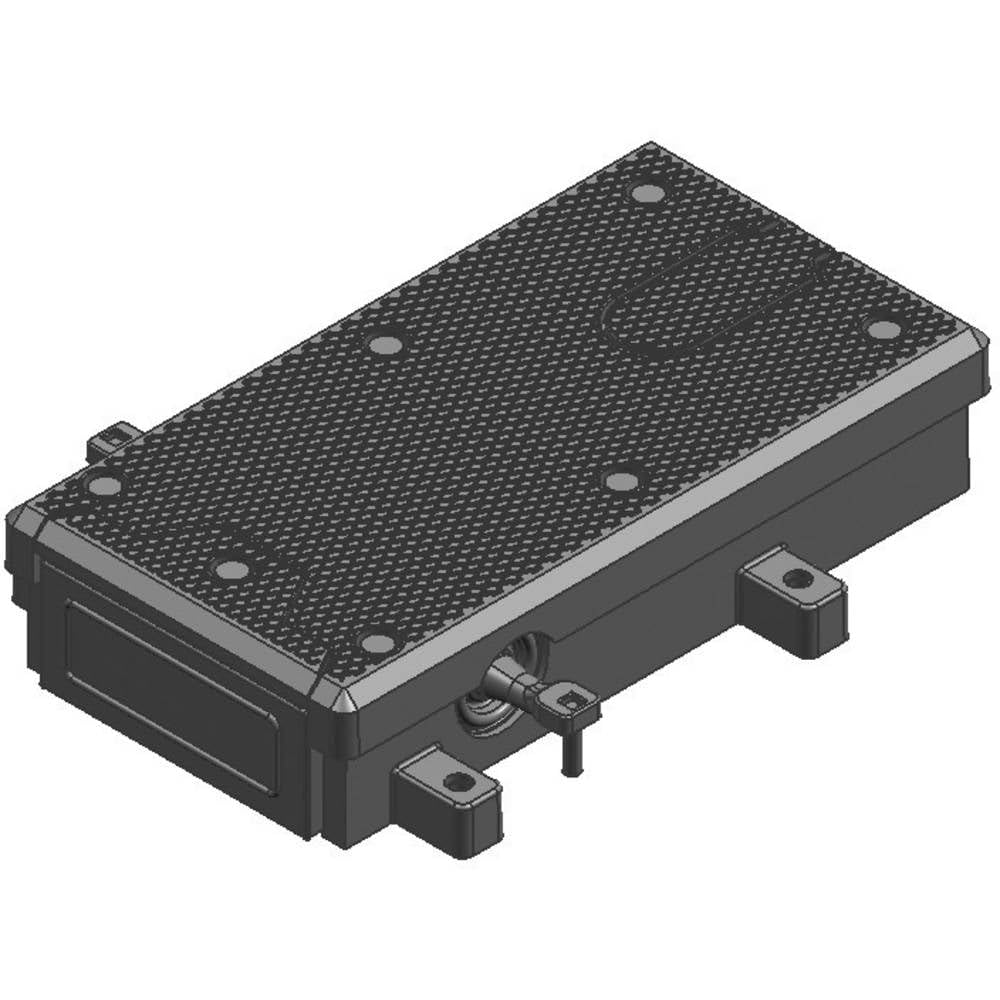
Image 1: Main unit of the Piko 35271 G Electric Switch Drive. This image shows the overall appearance of the switch drive, typically a compact black or dark-colored housing with connection points.
4. Persediaan dan Pemasangan
Follow these steps to properly install the electric switch drive:
- Sediakan Suis: Ensure the manual switch mechanism on your G scale track is free of obstructions. If your switch has a manual spring, it may need to be removed for optimal electric drive operation. Refer to your track switch's manual for specific instructions on removing the spring.
- Position the Drive: Place the Piko 35271 electric switch drive next to the track switch. The drive mechanism should align with the throw bar of the switch.
- Lekapkan Pemacu: Secure the switch drive to the track base or layout using appropriate screws. Ensure it is firmly attached and does not move during operation.
- Sambungkan Wayar Elektrik: The switch drive typically has two or three wires for connection to a control box or power supply.
- Connect the common wire (often black or brown) to the common terminal of your control unit.
- Connect the two control wires (often red and green, or blue and yellow) to the respective output terminals for switch control on your control unit.
Nota: Pay close attention to wire colors and terminal markings on both the switch drive and your control unit. The space for connections can be tight, so use appropriate wire gauges and ensure secure connections.
- Kefungsian Ujian: After all connections are made, apply power to your control unit and test the switch drive. Operate the switch control to ensure the points move smoothly and fully in both directions.

Imej 2: Jarak dekat view of the Piko 35271 G Electric Switch Drive, highlighting the electrical connection points and mounting tabs. This image helps in identifying where wires should be connected and how the unit is secured.
5. Arahan Operasi
Once installed, the Piko 35271 G Electric Switch Drive is operated via a compatible control unit (sold separately). The control unit sends electrical signals to the switch drive, causing it to change the direction of the track points.
- To change the switch direction, activate the corresponding button or lever on your control panel.
- The switch drive will move the points to the selected position. A distinct clicking sound may be heard during operation, which is normal.
- Avoid continuously activating the switch drive in rapid succession, as this may lead to overheating or premature wear.
6. Penyelenggaraan
The Piko 35271 G Electric Switch Drive is designed for reliable operation with minimal maintenance. However, periodic checks can extend its lifespan:
- Pembersihan: Keep the switch drive free from dust, dirt, and debris. Use a soft, dry cloth to gently wipe the exterior. Do not use liquid cleaners or solvents.
- Pelinciran: The internal mechanism is factory-lubricated and generally does not require additional lubrication. If the movement becomes stiff over time, consult a model railway specialist before applying any lubricants.
- Semakan Sambungan: Periksa sambungan elektrik secara berkala untuk memastikan ia kekal kukuh dan bebas daripada kakisan.
7. Penyelesaian masalah
| Masalah | Kemungkinan Punca | Penyelesaian |
|---|---|---|
| Switch drive does not respond. | No power; loose connection; faulty control unit. | Check power supply to the control unit and track. Verify all electrical connections are secure. Test with a different control unit if available. |
| Switch points do not move fully. | Obstruction in switch mechanism; manual spring not removed; incorrect alignment. | Inspect the track switch for debris. Ensure the manual spring has been removed. Re-align and re-mount the switch drive if necessary. |
| Switch drive makes unusual noise. | Isu mekanisme dalaman; halangan. | Disconnect power and inspect for any visible obstructions. If the noise persists and operation is impaired, contact Piko customer support. |
8. Spesifikasi
- Nombor Model: 35271
- Skala: G
- Dimensi Produk: Approximately 0.01 x 0.01 x 0.01 inches (as per product data, actual size may vary for model components)
- Berat Barang: Kira-kira 0.16 auns
- Pengeluar: Piko
- Umur Disyorkan: 14 tahun dan ke atas
9. Sokongan Pelanggan
For further assistance, technical support, or warranty inquiries, please contact Piko customer service through their official website or authorized dealers. Keep your purchase receipt and model number (35271) handy when contacting support.
Nota: Specific warranty terms and conditions may vary by region and retailer. Please refer to the documentation provided at the time of purchase for detailed warranty information.


