MPOW Mini Wireless Earbuds User Guide

MPOW logo

• DREAM • EXPLORE • INSPIRE

MPOW Mini Wireless Earbuds

MPOW EM16
MINI WIRELESS HEADSET

MPOW AUDIO WIRELESS

Pair Pair

Mode 1: Auto

Red and Blue lights start flashing alternately

Pair - Mode 1 - 1 arrow ZPair - Mode 1 - 2arrow Z Pair - Mode 1 - 3arrow Z

Dual-point Connection 1a      arrow Z

Blue light start flashing slowly 

Pair - Mode 1 - 5 arrow Z           Pair - Mode 1 - 6 Connected

Mode 2: Manual

Red and Blue lights start flashing alternately

Pair - Mode 1 - 1 arrow ZHold on 5-6sarrow Z Pair - Mode 1 - 3arrow Z

Dual-point Connection 1a      arrow Z

Blue light start flashing slowly 

Pair - Mode 1 - 5 arrow Z           Pair - Mode 1 - 6 Connected

Play Play

Play 2

Call Call

Call Function 1  arrow Z Call Function 2

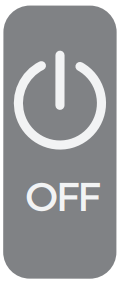
On Off ON / OFF

On Function 1  Hold on 1-2s arrow Z    On Function 3

Off Function 1 Hold on 5-6sarrow ZOff Function 3

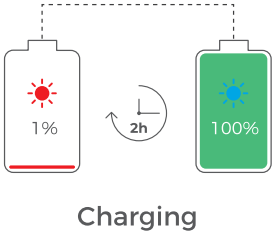
Charge Charge

Caution S  Please keep the charging port dry before charging

 Charge Function 1 Charge Function 2 arrow ZCharge Function 3 arrow ZCharge Function 4

Dual-point Connection Dual-point Connection

(1) Phone A

Dual-point Connection 1a      arrow Z

Phone A Connected     Phone A Bluetooth turned off

Dual-point Connection 1b      arrow Z      Dual-point Connection 1c arrow Z

Power off the headset

Dual-point Connection 1d    Dual-point Connection 1e

(2) Phone B                                          Phone B Connected

Dual-point Connection 1a      arrow Z Dual-point Connection 2b

(3) Turn on Phone A Bluetooth and EM16 will connect automatically

Dual-point Connection 1a

(4)

Dual-point Connection 4

MPOW logo 2

www.xmpow.com | support@xmpow.com
MPOW TECHNOLOGY CO., LTD
Copyright © MPOW Inc. All rights reserved.

Documents / Resources

PDF thumbnailMini Wireless Earbuds
User Guide · Mini Wireless Earbuds, MPOW AUDIO WIRELESS

References

Ask a Question

Use this section to ask about setup, compatibility, troubleshooting, or anything missing from this manual.

Ask a Question

Ask about setup, compatibility, troubleshooting, or anything missing from this manual. Name and email are optional.