1. Танилцуулга
This manual provides essential information for setting up, operating, maintaining, and troubleshooting your HP 27-inch FHD Touchscreen All-in-One Desktop. Please read these instructions carefully before using your device to ensure optimal performance and longevity.
The HP 27-inch All-in-One Desktop is designed for versatile use, featuring an Intel Ultra 7 155U 12-Core processor, 32 GB DDR5 RAM, and a 1 TB SSD for efficient performance. Its 27-inch Full HD touchscreen display offers an interactive experience, complemented by Intel IrisX Graphics and Windows 11 Pro operating system.
2. Хайрцагт юу байна
Савлагаанд бүх бүрэлдэхүүн хэсгүүд байгаа эсэхийг шалгана уу:
- HP 27-inch All-in-One Desktop
- Утастай гар
- Утастай хулгана
- Цахилгаан адаптер ба кабель
- Webcam (integrated or separate, depending on model configuration)
- Баримт бичиг (Шуурхай эхлүүлэх гарын авлага, баталгааны мэдээлэл)
3. Тохируулах гарын авлага
3.1 Савлах ба байрлуулах
- Carefully remove the All-in-One desktop and all accessories from the packaging.
- Place the desktop on a stable, flat surface, ensuring adequate ventilation around the device. Avoid placing it near heat sources or in direct sunlight.
3.2 Захын төхөөрөмжүүдийг холбох
- Connect the wired keyboard to an available USB Type-A port on the back of the desktop.
- Connect the wired mouse to another available USB Type-A port.
- If your model includes a separate webcam, connect it to a USB port.
3.3 Эрчим хүчний холболт
- Connect the power adapter cable to the power input port on the desktop.
- Цахилгаан адаптерийг газардуулсан цахилгааны залгуурт холбоно уу.
3.4 Анхдагч асаалттай
- Press the power button, usually located on the side or bottom edge of the display.
- Follow the on-screen instructions to complete the Windows 11 Pro setup, including language selection, network connection (Wi-Fi 6E supported), and user account creation.

Image: HP 27-inch All-in-One Desktop showcasing its ultra-slim design and adjustable stand. The display is a 27-inch Full HD screen.
4. Ашиглалтын заавар
4.1 Мэдрэгчтэй дэлгэц ашиглах
The 27-inch Full HD (1920 x 1080) IPS touchscreen allows for intuitive interaction. Use gestures similar to a tablet or smartphone for navigation, zooming, and scrolling. The display features a three-sided micro-edge design and wide-viewing angles for an immersive visual experience.

Image: Visual representation of the HP 27-inch All-in-One Desktop's display features, highlighting the three-sided micro-edge, wide-viewing angles, and a 90% screen-to-body ratio.
4.2 Холболт ба портууд
Your desktop offers a variety of ports for connecting external devices:
- USB Type-C 5Gbps Signaling Rate: 1 port for modern peripherals and fast data transfer.
- USB Type-A 5Gbps Signaling Rate: 2 ports for standard USB devices.
- USB 2.0 Type-A: 2 ports for basic peripherals like keyboards and mice.
- HDMI-out 1.4: 1 port for connecting an external monitor or display.
- RJ45 LAN Ethernet port: 1 port for wired network connection.
- Чихэвч/Микрофоны хослол: 1 port for audio input/output.

Зураг: Нарийвчилсан арын хэсэг view of the HP 27-inch All-in-One Desktop, illustrating the arrangement and types of ports available, including USB Type-C, HDMI, Ethernet, USB Type-A, and the power supply connection.
4.3 Using the Privacy Camera and Audio
The HP True Vision 1080p FHD IR Tilt Privacy Camera features a pop-up mechanism for privacy. Push down to hide the camera when not in use. The integrated dual array digital microphones and dual 2W speakers provide clear audio for video calls and multimedia.

Image: The HP 27-inch All-in-One Desktop highlighting its pop-up privacy camera, dual microphones, and advanced noise reduction capabilities for enhanced communication.
5. Онцлогууд дууссанview
- Процессор: Equipped with the Intel Ultra 7 155U 12-Core processor, offering speeds up to 4.8 GHz, 12 MB Intel Smart Cache, and 14 threads for robust multitasking and performance.
- График: Features Intel IrisX Graphics for clear visuals and support for everyday tasks and light creative work.
- Санах ой ба Хадгалалт: Comes with 32 GB DDR5 5600MHz RAM and a 1 TB SSD for fast boot times, quick application loading, and ampхадгалах багтаамж.
- Утасгүй холболт: Includes Realtek Rtl8852Be Wi-Fi 6 (2x2) and Bluetooth 5.3 for high-speed wireless networking and peripheral connections.
- Үйлдлийн систем: Pre-installed with Windows 11 Pro, providing a secure and productive computing environment.
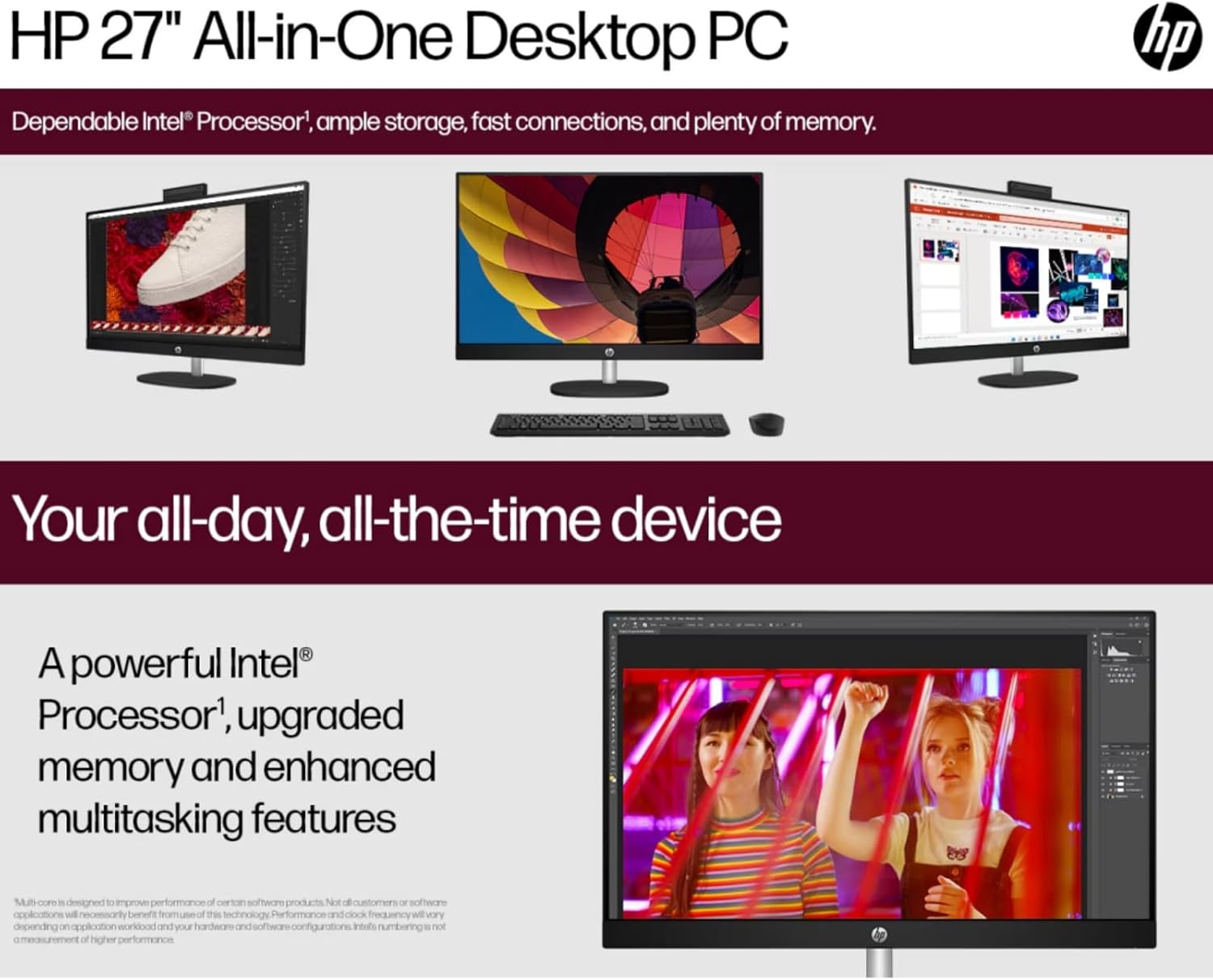
Image: The HP 27-inch All-in-One Desktop illustrating its capability for enhanced multitasking, powered by a robust Intel Processor and upgraded memory.
5.1 Байгаль орчны асуудал
This product is designed with environmental responsibility in mind. It incorporates recycled materials, including post-consumer recycled and ocean-bound plastics, and is EPEAT Gold Registered and ENERGY STAR® Certified.

Image: An infographic showing the HP 27-inch All-in-One Desktop's commitment to sustainability, detailing the use of reclaimed coffee grounds and post-consumer recycled plastics in its construction.
6. Засвар үйлчилгээ
6.1 Cleaning the Display and Chassis
- Turn off the desktop and unplug the power cord before cleaning.
- Зөөлөн, хөвөнгүй даавууг бага зэрэг хэрэглээрэй dampened with water or a non-abrasive screen cleaner to wipe the display. Avoid harsh chemicals.
- For the chassis, use a soft, dry cloth.
6.2 Програм хангамжийн шинэчлэлтүүд
Regularly check for and install operating system updates (Windows Update) and driver updates (HP Support Assistant) to ensure optimal performance and security.
6.3 Агааржуулалт
Ensure that the ventilation openings on the desktop are not blocked to prevent overheating. Keep the area around the desktop clear of obstructions.
7. Алдаа засах
Энэ хэсэгт танд тулгарч болох нийтлэг асуудлуудыг авч үзэх болно.
7.1 Эрчим хүчгүй
- Цахилгааны кабелийг ширээний компьютер болон цахилгааны залгуурт найдвартай холбосон эсэхийг шалгаарай.
- Өөр төхөөрөмжийг залгах замаар цахилгааны залгуур ажиллаж байгаа эсэхийг шалгана уу.
- Цахилгаан адаптерт харагдахуйц гэмтэл байгаа эсэхийг шалгана уу.
7.2 Дэлгэцийн асуудал
- If the screen is blank, ensure the desktop is powered on.
- Adjust display brightness settings.
- Хэрэв гадаад дэлгэц холбогдсон бол Windows тохиргоонд зөв дэлгэцийн гаралт сонгогдсон эсэхийг шалгаарай.
7.3 Захын төхөөрөмж хариу өгөхгүй байна
- Ensure the keyboard or mouse is properly connected to a USB port.
- Дагалдах төхөөрөмжийг өөр USB порт руу холбож үзнэ үү.
- Ширээний компьютерийг дахин ачаална уу.
7.4 Wi-Fi холболтын асуудал
- Windows тохиргоонд Wi-Fi идэвхжсэн эсэхийг шалгана уу.
- Чиглүүлэгч болон модемоо дахин эхлүүлнэ үү.
- Та Wi-Fi сүлжээнийхээ хүрээнд байгаа эсэхээ шалгаарай.
8. Техникийн үзүүлэлтүүд
| Онцлог | Дэлгэрэнгүй |
|---|---|
| Брэнд | HP |
| Загварын дугаар | HP 27 All-In-One Desktop |
| Үйлдлийн систем | Windows 11 Pro |
| Процессор | Intel Ultra 7 155U (12 Cores, up to 4.8 GHz) |
| RAM | 32 ГБ DDR5 5600 МГц |
| Хадгалах | 1 TB SSD (PCIE x 2) |
| График | Intel IrisX Graphics (Integrated) |
| Дэлгэц | 27-inch FHD (1920 x 1080) Touchscreen IPS, Anti-Glare, 300 Nits |
| Утасгүй холболт | Wi-Fi 6E (802.11ax), Bluetooth 5.3 |
| Портууд | 1x USB Type-C 5Gbps, 2x USB Type-A 5Gbps, 2x USB 2.0 Type-A, 1x HDMI-out 1.4, 1x RJ45, 1x Headphone/Microphone Combo |
| Камер | HP True Vision 1080p FHD IR Tilt Privacy Camera |
| Аудио | Dual 2W Speakers, Integrated Dual Array Digital Microphones |
| Хэмжээ (LxWxH) | 24.11 x 20.35 x 7.34 инч |
| Жин | 14.81 фунт |
9. Баталгаат хугацаа ба дэмжлэг
Баталгаат хугацааны дэлгэрэнгүй мэдээллийг авахыг хүсвэл бүтээгдэхүүнтэй хамт ирсэн баталгаат картыг үзнэ үү эсвэл HP-ийн албан ёсны дэмжлэг үзүүлэх үйлчилгээнд зочилно уу. webсайт. HP нь драйвер, програм хангамжийн шинэчлэлт, алдааг олж засварлах гарын авлага зэрэг төрөл бүрийн дэмжлэгийн нөөцийг хангадаг.
You can typically find support by visiting support.hp.com and entering your product's serial number or model name.