1. Танилцуулга
This manual provides essential information for the safe and efficient use of your HP 140W USB-C AC Adapter (Model TPN-LA29). Please read this manual thoroughly before using the product and retain it for future reference.
The HP 140W USB-C AC Adapter is designed to provide reliable power to compatible HP laptops, including the HP Spectre 2-in-1 Laptop 16-aa0023dx, HP OMEN Transcend Laptop 14-fb0000 RTX 4050 4060, and HP Spectre x360 16-aa0000 Ultra 7 RTX 4050 models. It features a USB-C connector for versatile compatibility and fast charging capabilities.
2. Аюулгүй байдлын мэдээлэл
Төхөөрөмжөө гэмтээх эсвэл гэмтээхээс урьдчилан сэргийлэхийн тулд дараах аюулгүй байдлын урьдчилан сэргийлэх арга хэмжээг дагаж мөрдөнө үү.
- Энэхүү гарын авлагад заасны дагуу зөвхөн нийцтэй төхөөрөмжүүдтэй ашиглана уу.
- Адаптерийг ус, чийг, хэт өндөр температурт бүү гарга.
- Адаптерийг унагах эсвэл хүчтэй цохилтонд оруулахаас зайлсхий.
- Do not attempt to disassemble or modify the adapter. This will void the warranty and may cause electric shock or fire.
- Ensure the power outlet is easily accessible and properly grounded.
- Disconnect the adapter from the power outlet during lightning storms or when unused for extended periods.
- Адаптерийг хүүхдээс хол байлга.
- If the adapter or cable is damaged, discontinue use immediately and seek professional assistance.
3. Багцын агуулга
Таны багцад бүх зүйл байгаа эсэхийг шалгана уу:
- HP 140W USB-C AC Adapter (Model TPN-LA29)
- Цахилгааны утас
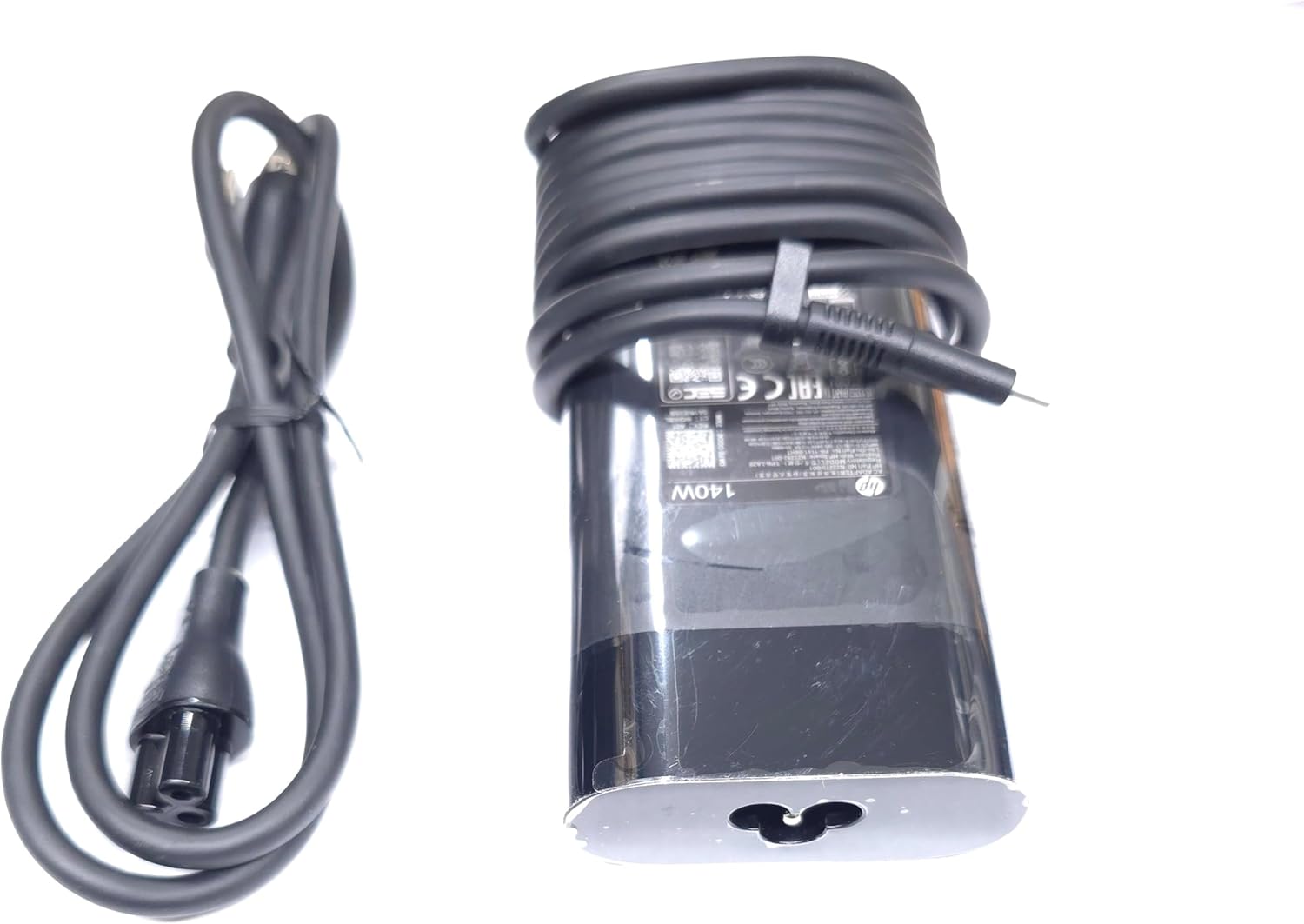
Image: The HP 140W USB-C AC Adapter and its accompanying power cord, as typically found in the product packaging.
4. Тохируулах заавар
Follow these steps to set up your HP 140W USB-C AC Adapter:
- Цахилгааны утсыг холбоно уу: Insert the power cord into the AC input port on the HP 140W USB-C AC Adapter. Ensure a firm connection.
- Цахилгаан залгуурт холбогдох: Plug the other end of the power cord into a standard AC wall outlet.
- Зөөврийн компьютерт холбогдох: Insert the USB-C connector of the adapter into the USB-C charging port on your compatible HP laptop.
- Холболтыг баталгаажуулах: Confirm that your laptop indicates it is receiving power or charging.

Image: The USB-C end of the adapter cable, ready to be connected to a compatible laptop's charging port.
5. Ашиглалтын заавар
The HP 140W USB-C AC Adapter is designed for automatic operation. Once connected, it will provide power to your laptop and charge its battery.
- Цэнэглэх үзүүлэлт: Your laptop's operating system or physical indicator light will show the charging status.
- Хамгийн оновчтой гүйцэтгэл: For best performance, ensure the adapter is placed in a well-ventilated area to prevent overheating.
- Салгах: To disconnect, first unplug the USB-C connector from your laptop, then unplug the power cord from the wall outlet.
6. Засвар үйлчилгээ, арчилгаа
Proper care ensures the longevity and optimal performance of your adapter:
- Цэвэрлэгээ: Адаптерийг цэвэрлэхдээ зөөлөн, хуурай даавуу ашиглаарай. Шингэн цэвэрлэгч эсвэл уусгагч хэрэглэж болохгүй.
- Хадгалах: Ашиглаагүй үедээ адаптерийг сэрүүн, хуурай газар хадгална уу. Кабелийг гэмтээхээс сэргийлж чанга боохоос зайлсхий.
- Шалгалт: Periodically inspect the adapter and cables for any signs of wear, cuts, or damage. If damage is found, replace the adapter.
7. Алдаа засах
If you encounter issues with your HP 140W USB-C AC Adapter, refer to the following common problems and solutions:
| Асуудал | Боломжит шалтгаан | Шийдэл |
|---|---|---|
| Зөөврийн компьютер цэнэглэхгүй байна. | Loose connection, faulty outlet, incompatible device. |
|
| Adapter is hot to the touch. | Normal operation, poor ventilation, excessive load. |
|
| Sparking at outlet when plugging in. | Normal inrush current, faulty outlet. |
|
8. Техникийн үзүүлэлтүүд
Detailed technical specifications for the HP 140W USB-C AC Adapter:
- Загварын дугаар: TPN-LA29
- Оруулах: AC 100V - 240V, 2.5A, 50-60Hz (Worldwide Use)
- Гаралт:
- 5.0V / 3.0A (15.0W)
- 9.0V / 3.0A
- 12.0V / 5.0A
- 15.0V / 5.0A
- 20.0V / 5.0A
- 28.0V / 5.0A
- Нийт цахилгаан гаралт: 140 Вт
- Холбогч төрөл: USB-C (Төрөл-C)
- Өнгө: Хар
- Барааны жин: Ойролцоогоор 1 фунт (0.45 кг)
- Багцын хэмжээ: 7.83 x 6.93 x 1.26 инч (19.89 x 17.60 x 3.20 см)
- Compatible P/N: TPN-LA29, N22270-001, N22282-001, PA-1141-08HT
- Үйлдвэрлэгч: Lite-On Technology Corp.
- Онцлог шинж чанар: Хурдан цэнэглэх
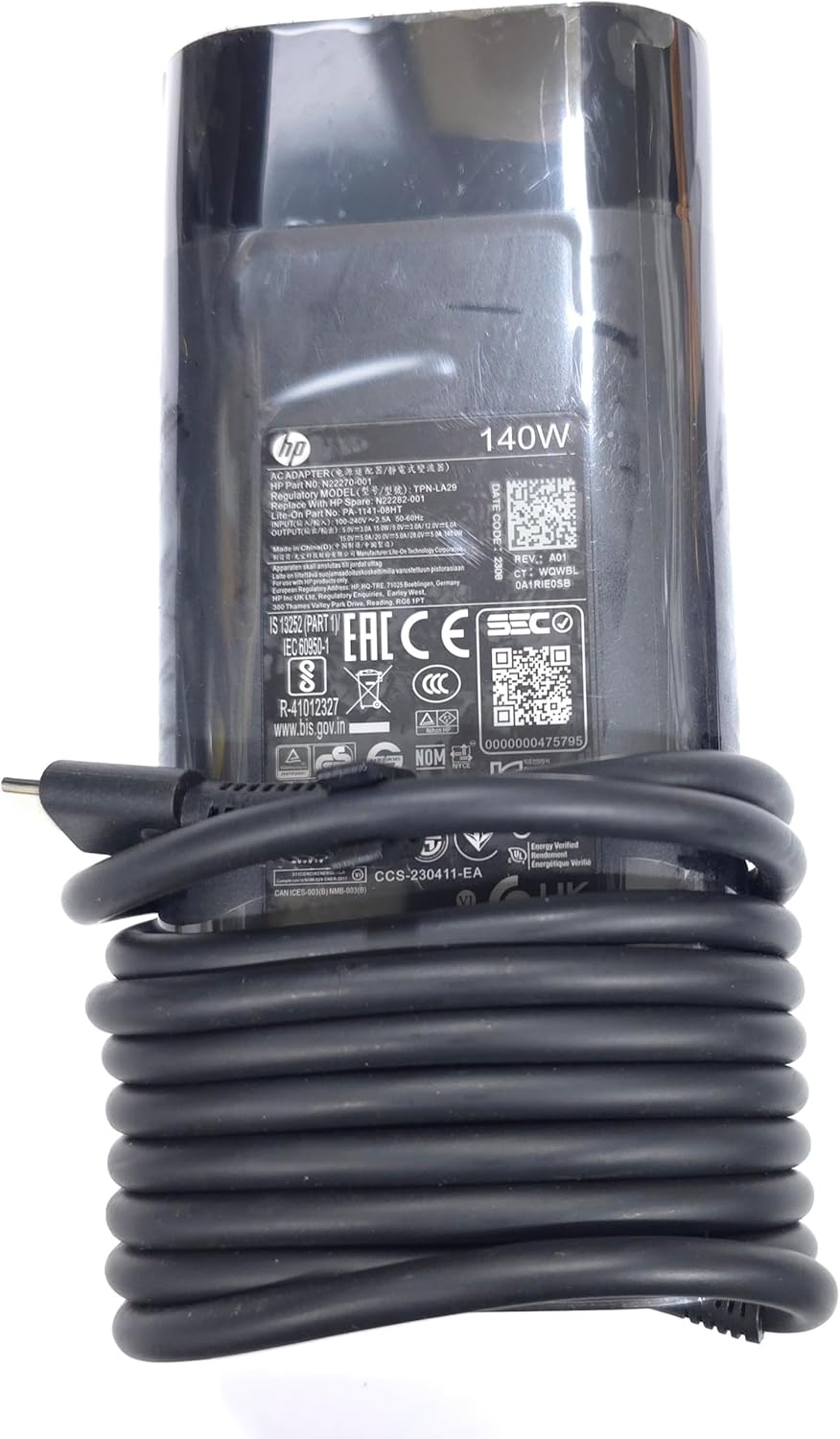
Зураг: Ойрын зураг view of the adapter's label, displaying detailed electrical specifications and model information.
9. Баталгаат хугацаа ба дэмжлэг
For warranty information and technical support, please refer to the documentation provided with your original HP laptop or visit the official HP support website. The manufacturer, Lite-On Technology Corp., provides the adapter under HP's quality standards.
Онлайн дэмжлэг: For the latest drivers, troubleshooting guides, and product information, visit www.hp.com/support.
Дэмжлэгтэй холбоо барина уу: Refer to your region-specific HP support contact details for phone or chat assistance.