1. Танилцуулга
This manual provides detailed instructions for the installation, operation, maintenance, and troubleshooting of your GIGABYTE B850M DS3H AMD AM5 LGA 1718 Motherboard. Please read this manual thoroughly before proceeding with installation or use to ensure optimal performance and prevent damage.
Видео 1: GIGABYTE B850 Motherboards - Overview. Энэ видео нь ерөнхий мэдээллийг өгдөгview of the GIGABYTE B850 series motherboards, highlighting key features and design elements.
2. Үндсэн шинж чанарууд
- AMD залгуур AM5: AMD Ryzen 9000 / Ryzen 8000 / Ryzen 7000 цуврал процессоруудыг дэмждэг.
- DDR5 нийцтэй: DDR5 санах ойд зориулсан 4 DIMM үүртэй.
- Эрчим хүчний дизайн: Тогтвортой гүйцэтгэлийн хувьд бат бөх 8+2+2 чадлын фазын загвар.
- Дулаан: Equipped with MOSFET Heatsink for efficient heat dissipation.
- Холболт: Includes PCIe 5.0, 2x M.2 Slots, and USB-C.
- 2.5 Гб LAN: Өндөр хурдны утастай сүлжээний холболтыг хангадаг.
- EZ-түгжээ: User-friendly design for easy installation of components.
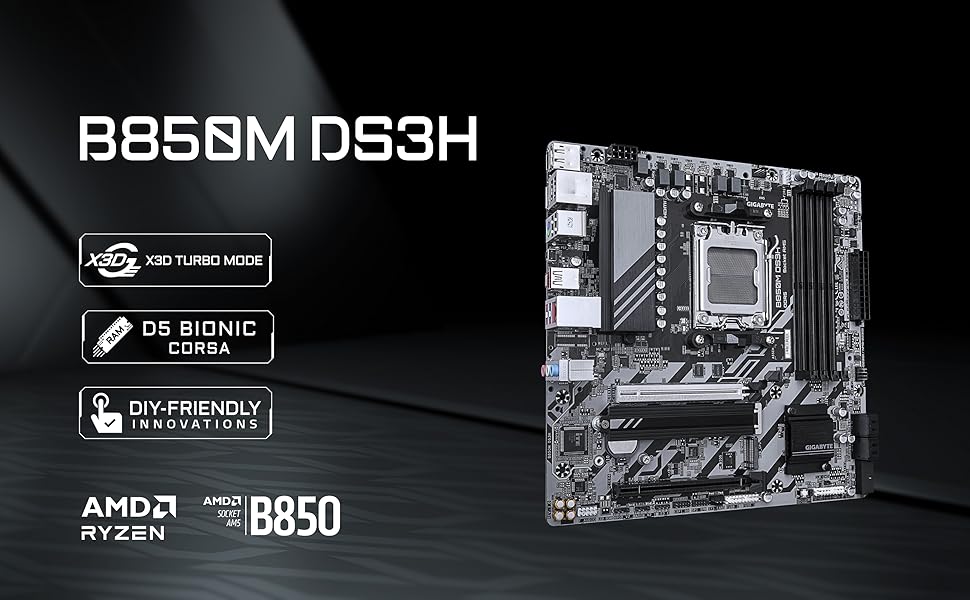
Зураг 1: Ойролцоогоор view of the AMD Socket AM5 on the GIGABYTE B850M DS3H motherboard, compatible with Ryzen 7000, 8000, and 9000 series processors.

Зураг 2: Illustrates the motherboard's performance features including X3D Turbo Mode, M.2 Thermal Guard, AI Overclocking, VRM Thermal Armor Advanced, and Twin Digital VRM Design (8+2+2).
3. Тохиргоо
3.1. CPU суурилуулах
Carefully open the CPU socket lever and align your AMD Ryzen processor with the socket, ensuring the golden arrow on the CPU matches the arrow on the socket. Gently place the CPU into the socket without applying force. Close the lever to secure the CPU.
Видео 2: Installing AMD Ryzen CPU to Gigabyte AM5 Motherboard. This video demonstrates the process of installing an AMD Ryzen CPU into an AM5 socket motherboard. Note: The motherboard shown in the video is a B650M Eagle WiFi6E, but the CPU installation process for AM5 sockets is generally the same.
3.2. AIO (CPU Cooler) Installation
Before installing the AIO cooler, ensure the correct mounting brackets for your AM5 socket are attached to the cooler pump. Apply thermal paste to the CPU in an X-shaped pattern. Secure the cooler pump to the CPU, ensuring even pressure. Connect the cooler's fan and RGB cables to the appropriate headers on the motherboard.
Видео 3: Installing ARCTIC AIO (CPU Cooler) To Motherboard. This video guides you through the steps of installing an All-In-One (AIO) CPU cooler onto a motherboard. Note: The motherboard shown in the video is a B650M Eagle WiFi6E, but the AIO installation process is generally the same.
3.3. RAM суурилуулах
Open the clips on the DDR5 DIMM slots. Align the RAM modules with the slots, ensuring the notch on the module matches the notch in the slot. Press down firmly on both ends of the RAM module until the clips snap into place.
3.4. M.2 SSD суурилуулах
Locate the M.2 slots on the motherboard. The B850M DS3H features EZ-Latch for tool-less installation. Simply align the M.2 SSD with the slot and push it in. Secure it with the EZ-Latch mechanism.
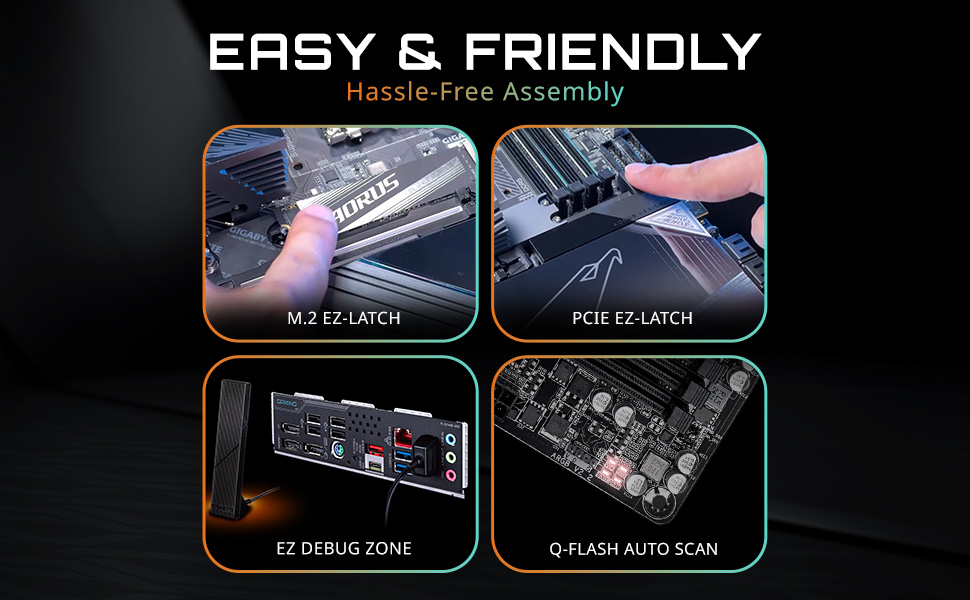
Зураг 3: Highlights the EZ-Latch features for M.2 SSDs and PCIe slots, simplifying the assembly process.
3.5. Эрчим хүчний холболт
Connect the 24-pin ATX power connector and the 8-pin CPU power connector from your power supply to the corresponding ports on the motherboard. Ensure all connections are firm.
4. Ажиллаж байгаа
4.1. BIOS тохиргоо
Upon first boot, access the BIOS by pressing the designated key (usually DEL or F2) during startup. The GIGABYTE BIOS offers an easy-to-use interface for configuring system settings, including memory profiles (CMP/EXPO), boot order, and fan curves.
4.2. Холболт
The motherboard supports 2.5GbE LAN for high-speed internet. Utilize the various USB ports, including USB-C, for connecting peripherals. The PCIe 5.0 slot is available for high-performance graphics cards.

Зураг 4: Diagram illustrating the various input/output ports and internal connectors on the GIGABYTE B850M DS3H motherboard, including USB, LAN, HDMI, DisplayPort, and M.2 slots.
5. Засвар үйлчилгээ
5.1. BIOS-ийн шинэчлэлтүүд
GIGABYTE-г тогтмол шалгана уу website for the latest BIOS updates. Updating your BIOS can improve system stability, compatibility, and performance. The motherboard may feature Q-Flash Auto Scan for simplified BIOS updates.
5.2. Цэвэрлэгээ
Periodically clean your computer's interior to prevent dust buildup, which can affect cooling and performance. Use compressed air to remove dust from fans, heatsinks, and other components. Ensure the system is powered off and unplugged before cleaning.
6. Алдаа засах
6.1. Нийтлэг асуудлууд
- No Boot/No Post: Check all power connections, RAM seating, and CPU installation. Ensure your BIOS is up to date.
- RAM Speed Issues: Verify that your RAM is installed correctly and that the correct EXPO/CMP profile is enabled in the BIOS.
- Фэнүүдийн асуудал: Ensure all fan headers are correctly connected. A BIOS update might resolve fan control issues.
6.2. CMOS Reset
If you encounter persistent boot issues or incorrect BIOS settings, you may need to clear the CMOS. Locate the CMOS jumpers (often near the bottom right of the motherboard) or remove the CMOS battery for a few minutes, then reinstall it. This will reset BIOS settings to default.
7. Техникийн үзүүлэлтүүд
| Онцлог | Тодорхойлолт |
|---|---|
| Брэнд | GIGABYTE |
| Цуврал | B850M DS3H |
| Загварын дугаар | B850M DS3H |
| CPU залгуур | AM5 залгуур |
| Тохиромжтой процессорууд | AMD Ryzen 9000 / Ryzen 8000 / Ryzen 7000 цуврал |
| RAM санах ойн технологи | DDR5 |
| Санах ойн хурд | 5200 MHz (up to 8600 MHz with overclocking) |
| RAM үүр | 4 DIMM |
| Чипсетийн төрөл | AMD B850 |
| График интерфэйс | PCIe 5.0 x16 |
| M.2 үүр | 2x M.2 Slots (PCIe 5.0 ready) |
| LAN | 2.5 Гб LAN |
| USB холболт | USB-C, USB 3.2, USB 2.0 |
| Form Factor | mATX |
| Бүтээгдэхүүний хэмжээс | 9.6 x 9.6 x 1 инч |
8. Баталгаат хугацаа ба дэмжлэг
The GIGABYTE B850M DS3H Motherboard comes with a 5-year warranty, ensuring long-term reliability and peace of mind. For technical support, driver downloads, or further assistance, please visit the official GIGABYTE support webсайт эсвэл харилцагчийн үйлчилгээтэй холбогдоно уу.
You can find additional information and support resources at the Amazon дээрх GIGABYTE дэлгүүр.


