1. Бүтээгдэхүүн дууссанview
The HUAWEI WiFi AX2 is a high-performance wireless router designed to provide fast and reliable internet connectivity throughout your home. It supports Wi-Fi 6 technology, offering speeds up to 1500 Mbps, with a 5GHz band supporting up to 1201 Mbps and a 2.4GHz band supporting up to 300 Mbps. This router features HarmonyOS Mesh+ for seamless multi-router setups, comprehensive parental controls, and an advanced antenna design for stable connections.
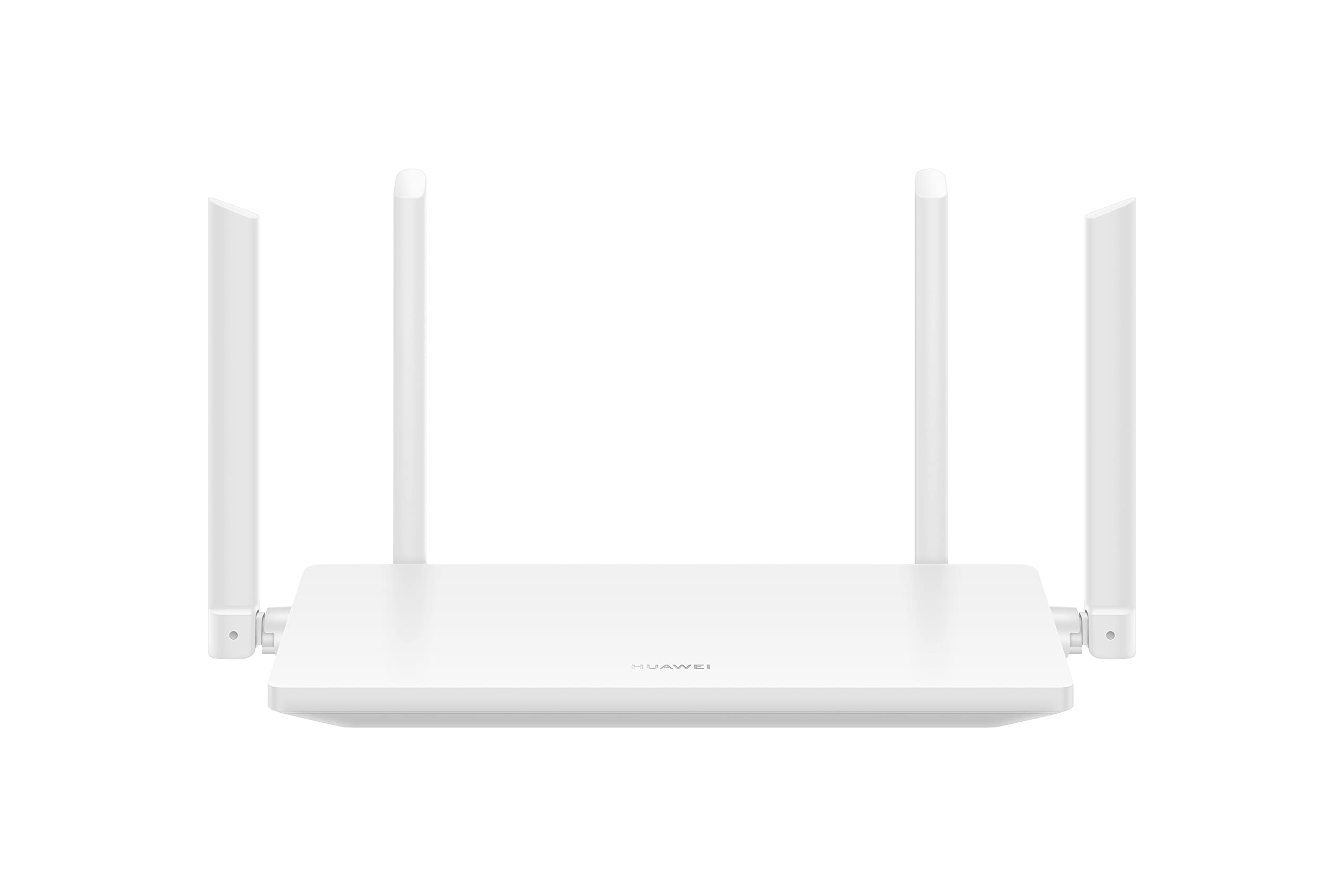
Зураг 1.1: Урд view of the HUAWEI WiFi AX2 Wireless Router, showing its sleek white design and four external antennas.
2. Багцын агуулга
Тохиргоог үргэлжлүүлэхийн өмнө багцад байгаа бүх зүйл байгаа эсэхийг шалгана уу:
- HUAWEI WiFi AX2 Wireless Router (WS7001-20)
- Эрчим хүчний адаптер
- Ethernet кабель
- Түргэн эхлүүлэх гарын авлага
- Баталгаат карт
3. Тохируулах заавар
Follow these steps to set up your HUAWEI WiFi AX2 Router:
- Цахилгаан хувиргагчийг холбоно уу: Цахилгаан адаптерийг чиглүүлэгчийн тэжээлийн порт руу, дараа нь ханын залгуурт холбоно уу. Чиглүүлэгч дээрх цахилгаан заагч гэрэл асах ёстой.
- Интернетэд холбогдох: Connect one end of the Ethernet cable to the WAN port (usually labeled 'WAN' or a globe icon) on your router and the other end to your modem's LAN port.
- Төхөөрөмжөө холбоно уу:
- Утастай холболт: Connect your computer or other network devices to any of the LAN ports (labeled 1, 2, 3) on the router using an Ethernet cable.
- Утасгүй холболт: Wi-Fi идэвхжүүлсэн төхөөрөмж дээрээ (ухаалаг утас, таблет, зөөврийн компьютер) чиглүүлэгчийнхээ доод талд байгаа шошгон дээр хэвлэгдсэн Wi-Fi сүлжээний нэрийг (SSID) хайж олоорой. Үүнийг сонгоод Wi-Fi нууц үгээ оруулна уу (мөн шошгон дээр).
- хандах Web-д суурилсан удирдлагын хуудас: Нээлттэй a web холбогдсон төхөөрөмж дээрх хөтөч дээр дарж оруулна уу 192.168.3.1 in the address bar. Follow the on-screen instructions to complete the initial setup, including setting up your Wi-Fi name and password.
- Download the HUAWEI AI Life App: For easier management and advanced features, download the HUAWEI AI Life app from your device's app store. Use the app to configure settings, manage connected devices, and utilize parental controls.

Зураг 3.1: Ар талд view of the HUAWEI WiFi AX2 Router, showing the power port, three LAN/WAN ports, and the WPS/Reset button.
4. Ашиглалтын заавар
4.1 Dual-Band Automatic Switching
The HUAWEI WiFi AX2 operates on both 2.4GHz and 5GHz bands simultaneously. It intelligently switches your devices between these bands to ensure optimal connection quality and speed at all times. This means you don't need to manually select between 2.4GHz and 5GHz networks.
4.2 HarmonyOS Mesh+
If you have multiple HUAWEI routers that support HarmonyOS Mesh+, you can group them under a single Wi-Fi name. This creates a unified mesh network, allowing your devices to automatically switch between routers as you move around your home, ensuring continuous and strong Wi-Fi coverage.
4.3 Comprehensive Parental Control
Manage your family's internet usage with the built-in parental control features. Through the HUAWEI AI Life app, you can:
- Тохиромжгүй хандалтыг блоклох webсайтууд.
- Limit internet access time for specific devices.
- View internet usage statistics for connected devices.
5. Засвар үйлчилгээ
Чиглүүлэгчийнхээ оновчтой гүйцэтгэл, удаан эдэлгээтэй байхын тулд дараах засвар үйлчилгээний зөвлөмжийг анхаарч үзээрэй.
- Байршил: Place the router in a central location, away from obstructions, large metal objects, and other electronic devices that may cause interference. Ensure adequate ventilation around the router.
- Програм хангамжийн шинэчлэлтүүд: Regularly check for and install firmware updates through the HUAWEI AI Life app or the web-based management page. Updates often include performance improvements and security patches.
- Дахин ачаалж байна: Хэрэв танд сүлжээний асуудал тулгарвал тэжээлийн адаптерийг 10 секундын турш салгаад дахин залгаж чиглүүлэгчээ дахин ачаална уу.
- Цэвэрлэгээ: Чиглүүлэгчийг цэвэр, тоосгүй байлга. Зөөлөн, хуурай даавуугаар гадна талыг арчина. Шингэн цэвэрлэгч хэрэглэж болохгүй.

Зураг 5.1: Хажуу тал view of the HUAWEI WiFi AX2 Router, highlighting the ventilation slots for proper heat dissipation.
6. Алдаа засах
If you encounter issues with your HUAWEI WiFi AX2 Router, refer to the following common problems and solutions:
| Асуудал | Боломжит шалтгаан | Шийдэл |
|---|---|---|
| Интернет холболт байхгүй | Incorrect cable connection, modem issue, or incorrect router settings. | Check that the Ethernet cable is securely connected to the WAN port and your modem. Reboot both the modem and the router. Verify internet settings via the web-based management page or AI Life app. |
| Удаан Wi-Fi хурд | Interference, too many connected devices, outdated firmware, or poor router placement. | Ensure the router is placed optimally (see Maintenance section). Reduce the number of active devices. Update router firmware. Consider if your internet service provider (ISP) speed is the bottleneck. |
| Wi-Fi байнга салдаг | Signal interference, distance from router, or channel congestion. | Move closer to the router. Check for sources of interference (e.g., microwaves, cordless phones). Use the AI Life app to analyze Wi-Fi channels and switch to a less congested one. |
| Чиглүүлэгчийн тохиргооны хуудас руу нэвтрэх боломжгүй | Буруу IP хаяг, төхөөрөмж чиглүүлэгчтэй холбогдоогүй, эсвэл хөтчийн асуудал. | Ensure your device is connected to the router's Wi-Fi or via an Ethernet cable. Verify you are entering 192.168.3.1 correctly. Try a different web хөтөч. |
If the problem persists, perform a factory reset by pressing and holding the WPS/Reset button on the back of the router for approximately 10 seconds until the indicator light flashes. Note that a factory reset will erase all your custom settings.
7. Техникийн үзүүлэлтүүд
| Онцлог | Дэлгэрэнгүй |
|---|---|
| Брэнд | HUAWEI |
| Загварын нэр | WS7001-20 |
| Загварын дугаар | WS7001-20 |
| Бүтээгдэхүүний хэмжээс | 25.76 x 16.35 x 2.9 см |
| Зүйлийн жин | 580 гр |
| Утасгүй төрөл | 802.11ax (Wi-Fi 6) |
| Давтамжийн зурвасын ангилал | Хос зурвас (2.4GHz & 5GHz) |
| Холболтын технологи | Wi-Fi |
| Үйлдлийн систем | RouterOS |
| Портын тоо | 3 (LAN/WAN auto-sensing) |
| Онцлог шинж чанарууд | Хандалтын цэгийн горим |
| Тохиромжтой төхөөрөмжүүд | Ухаалаг утас, таблет |
| Бүтээгдэхүүний ашиглахыг зөвлөж байна | Гэр |
| Батерейнууд багтсан | Үгүй |
| Эхний боломжтой огноо | 7 оны есдүгээр сарын 2023 |
8. Баталгаат хугацаа ба дэмжлэг
8.1 Баталгаат хугацааны мэдээлэл
For detailed warranty information, please refer to the warranty card included in your product package or visit the official HUAWEI webсайт. Баталгаат хугацаа, нөхцөл нь бүс нутаг болон жижиглэн худалдаалагчаас хамаарч өөр өөр байж болно.
8.2 Техникийн дэмжлэг
If you require further assistance or have technical questions not covered in this manual, please contact HUAWEI customer support. You can find contact details on the official HUAWEI website or through the HUAWEI AI Life app.


