1. Танилцуулга
1.1 Бүтээгдэхүүн дууссанview
The lightmaXX Vega BAT LED is a versatile, battery-powered uplight designed for various lighting applications. It features four 12-watt RGBAWUV (Red, Green, Blue, Amber, White, UV) LEDs, providing a broad spectrum of color mixing capabilities. With an 80W power output, this fixture supports both 6 and 10 DMX channels for precise control in professional setups. Operating modes include automatic programs, sound-activated effects, master/slave configurations, and convenient control via an infrared (IR) remote.
1.2 Аюулгүй байдлын мэдээлэл
- Төхөөрөмжийг үргэлж газардуулсан цахилгаан залгуурт холбоно уу.
- Орон сууцыг нээж болохгүй; дотор нь хэрэглэгчийн засвар үйлчилгээ хийх хэсэг байхгүй. Бүх үйлчилгээг мэргэшсэн боловсон хүчинд шилжүүлээрэй.
- Нүдний гэрлийн эх үүсвэрт шууд өртөхөөс зайлсхий.
- Хэт халалтаас урьдчилан сэргийлэхийн тулд төхөөрөмжийн эргэн тойронд хангалттай агааржуулалтыг хангана.
- Төхөөрөмжийг чийг, хэт өндөр температураас хол байлга.
- Энэ төхөөрөмжийг газардуулсан байх ёстой.
2. Багцын агуулга
Please check that all items listed below are present and in good condition upon unpacking:
- lightmaXX Vega BAT LED 4x12 W RGBAWUV unit
- IR алсын удирдлага
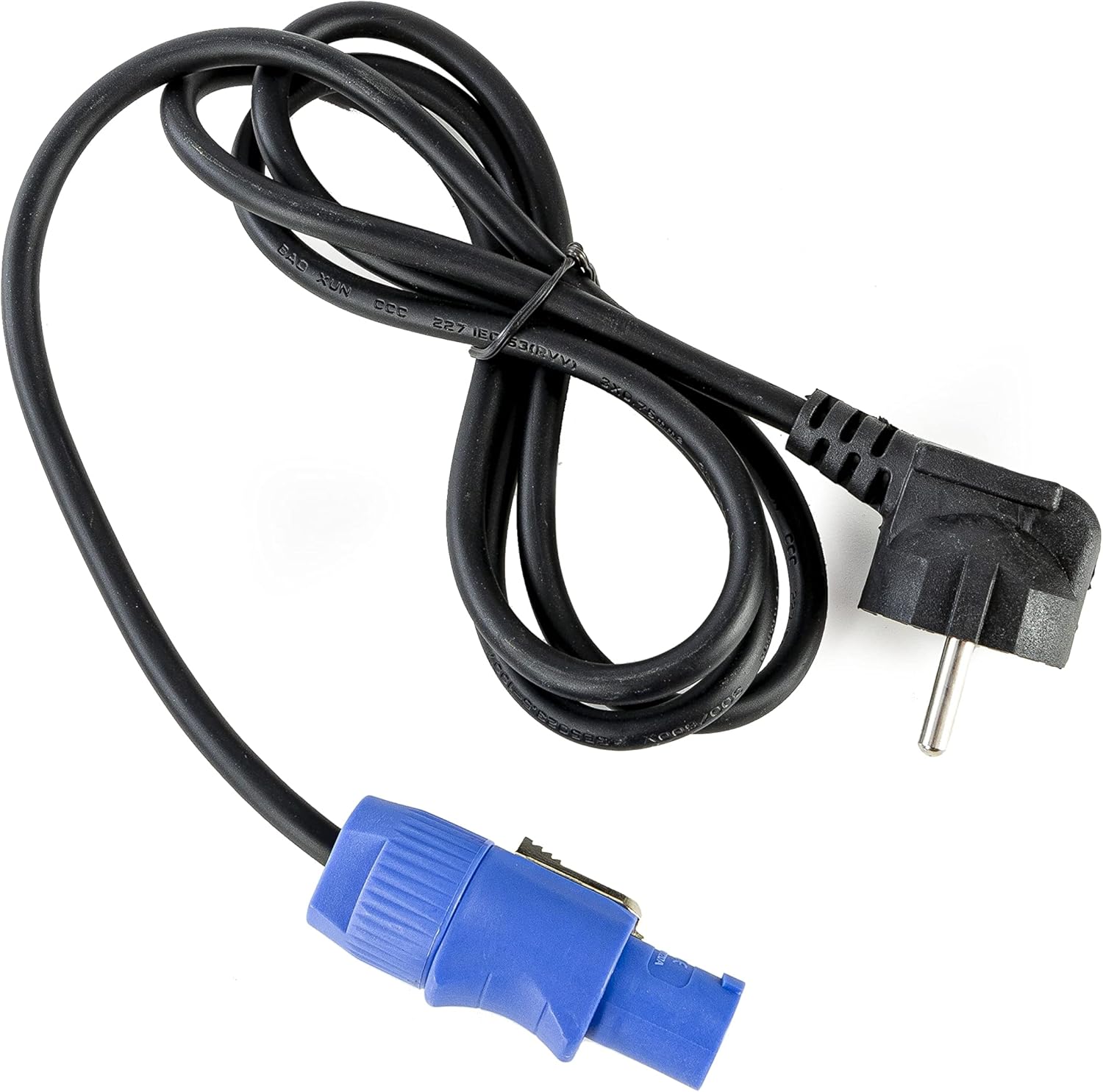
- Цахилгаан кабель
- Хэрэглэх заавар (энэ баримт бичиг)

Зураг 2.1: Power cable with a standard European plug and a blue locking connector for the light fixture.
Зураг 2.2: Infrared remote control with various color, mode, and numerical buttons for operating the LED spot.
3. Тохиргоо
3.1 Анхны цэнэглэлт
Before first use, fully charge the internal battery. Connect the provided power cable to the unit's power input and then to a suitable 240V AC power outlet. The charging indicator (if available on the display) will show the charging status. A full charge typically takes several hours.
3.2 Байршил
Position the Vega BAT LED on a stable, flat surface or mount it using appropriate clamps and safety cables (not included) to a truss or stand. Ensure the unit is placed in a location with good air circulation and away from direct heat sources or flammable materials.
3.3 холболт
For standalone operation, simply power on the unit after charging. For DMX control, connect a DMX cable from your DMX controller to the DMX IN port of the Vega BAT LED. If linking multiple units, connect the DMX OUT of the first unit to the DMX IN of the next, and so on.

Зураг 3.1: Доод талд view of the light fixture showing the power input, DMX ports, and regulatory labels.
4. Үйл ажиллагаа
4.1 Хяналтын самбар
The unit features an onboard control panel with a display and four buttons: MENU, DOWN, UP, and ENTER. This panel allows for direct access to settings and operating modes.

Зураг 4.1: Урд view of the control panel with display and navigation buttons.

Зураг 4.2: Топ view of the control panel, showing the display and button layout.
- Цэс: Үндсэн цэсийн сонголтуудаар эргэлддэг.
- ДООШ: Decreases values or navigates down through menu options.
- ДЭЭШ: Increases values or navigates up through menu options.
- ОРУУЛАХ: Сонголтыг баталгаажуулах эсвэл дэд цэс рүү орно.
4.2 IR алсын удирдлага
The included IR remote control provides convenient wireless operation for various functions, including color selection, mode changes, and power on/off.
- ON/OFF: Төхөөрөмжийг асаах эсвэл унтраах.
- R, G, B, A, W, UV: Direct access to Red, Green, Blue, Amber, White, and Ultraviolet colors.
- 0-9: Numerical buttons for selecting specific programs or DMX addresses.
- АВТО: Автомат програмчлалын горимыг идэвхжүүлдэг.
- ЗОРИЛГО: Строб эффектийг идэвхжүүлдэг.
- БОДОХ: Өнгө бүдгэрүүлэх горимыг идэвхжүүлнэ.
- ДУУ: Дуугаар идэвхжүүлсэн горимыг идэвхжүүлнэ.
4.3 Үйлдлийн горимууд
The Vega BAT LED offers several operating modes:
- Автомат горим: The unit cycles through pre-programmed color changes and effects. Selectable via the control panel or IR remote.
- Дууны горим: The light reacts to ambient sound, creating dynamic effects. Sensitivity can often be adjusted via the control panel.
- Мастер/Боол горим: Link multiple units where one acts as the master, controlling all connected slave units. Connect DMX cables in a daisy chain.
- DMX горим: For professional control using a DMX controller. The unit supports 6 or 10 DMX channels, allowing for granular control over color mixing, dimming, strobe, and internal programs. Set the DMX address via the control panel.

Зураг 4.3: The light fixture emitting ultraviolet (UV) light.

Зураг 4.4: The light fixture emitting amber-colored light.
5. Засвар үйлчилгээ
5.1 Цэвэрлэгээ
Regularly clean the lens and exterior housing with a soft, lint-free cloth. For stubborn dirt, a slightly damp даавуу хэрэглэж болно. Зүлгүүрийн цэвэрлэгч, уусгагчийг бүү ашигла, учир нь тэдгээр нь өнгөлгөө болон оптик эд ангиудыг гэмтээж болзошгүй.
5.2 Батерейны арчилгаа
To prolong battery life, avoid fully discharging the unit frequently. If storing the unit for an extended period, ensure the battery is charged to approximately 50-70% and recharge it every 3-6 months. Store in a cool, dry place.
5.3 Хадгалалт
When not in use, store the Vega BAT LED in its original packaging or a suitable protective case to prevent damage from dust, moisture, and impacts.
6. Алдаа засах
- Төхөөрөмж асахгүй байна: Ensure the battery is charged or the power cable is securely connected to a live outlet. Check the power switch.
- No light output: Verify the unit is powered on and not in standby mode. Check selected operating mode and brightness settings.
- IR remote not working: Ensure there are no obstructions between the remote and the unit's IR receiver. Check the remote's battery.
- DMX control issues: Verify DMX cable connections, DMX address settings on the unit, and DMX channel mode. Ensure your DMX controller is functioning correctly.
- Батерейны ашиглалтын хугацаа богино байна: The battery may require a full charge cycle. Over time, battery capacity can decrease; consider battery replacement if performance significantly degrades.
7. Техникийн үзүүлэлтүүд
| Онцлог | Тодорхойлолт |
|---|---|
| Брэнд | lightmaXX |
| Загвар | Vega BAT LED 4x12 W RGBAWUV |
| Гэрлийн эх үүсвэр | 4 x 12W RGBAWUV LEDs |
| Нийт ваттtage | 80 Вт |
| DMX сувгууд | 6, 10 суваг |
| Үйлдлийн горимууд | Automatic, Sound, Master/Slave, DMX |
| Хяналт | Onboard display/buttons, IR Remote |
| Ботьtage | 240 вольт |
| Бүтээгдэхүүний хэмжээс | 24.2 x 21 x 19.6 см |
| Үйлдвэрлэгчийн лавлагаа | LIG0016385-000 |
| Гарал үүслийн улс | Герман |
| Эхний боломжтой | 16 оны наймдугаар сарын 2021 |
8. Баталгаат хугацаа ба дэмжлэг
For warranty information and technical support, please refer to the documentation provided at the time of purchase or contact your authorized lightmaXX dealer. Keep your proof of purchase for warranty claims.


