
1. ആമുഖം
Thank you for choosing the Jectse 5G LTE Mobile Hotspot Router. This device provides high-speed portable Wi-Fi connectivity, allowing you to stay connected on the go. It supports up to 12 devices simultaneously and features WPA/WPA2 encryption for secure internet access. This manual will guide you through the setup, operation, and maintenance of your new mobile hotspot.
2 സുരക്ഷാ വിവരങ്ങൾ
- ഉപകരണത്തെ തീവ്രമായ താപനിലയിലോ, നേരിട്ടുള്ള സൂര്യപ്രകാശത്തിലോ, ഈർപ്പമുള്ള ചുറ്റുപാടുകളിലോ തുറന്നുകാട്ടരുത്.
- ശക്തമായ ആഘാതങ്ങൾക്ക് ഉപകരണം ഇടുകയോ ഇടുകയോ ചെയ്യുന്നത് ഒഴിവാക്കുക.
- Use only the provided or approved charging cable and battery.
- ഉപകരണം സ്വയം വേർപെടുത്താനോ നന്നാക്കാനോ ശ്രമിക്കരുത്. പ്രശ്നങ്ങൾ ഉണ്ടായാൽ ഉപഭോക്തൃ പിന്തുണയുമായി ബന്ധപ്പെടുക.
- ഉപകരണം വെള്ളത്തിൽ നിന്നും മറ്റ് ദ്രാവകങ്ങളിൽ നിന്നും അകറ്റി നിർത്തുക.
3. പാക്കേജ് ഉള്ളടക്കം
പാക്കേജിൽ ഇനിപ്പറയുന്ന ഇനങ്ങൾ ഉണ്ടോ എന്ന് പരിശോധിക്കുക:
- Jectse 5G LTE Mobile Hotspot Router
- യുഎസ്ബി ചാർജിംഗ് കേബിൾ
- Rechargeable Battery (3000 mAh)
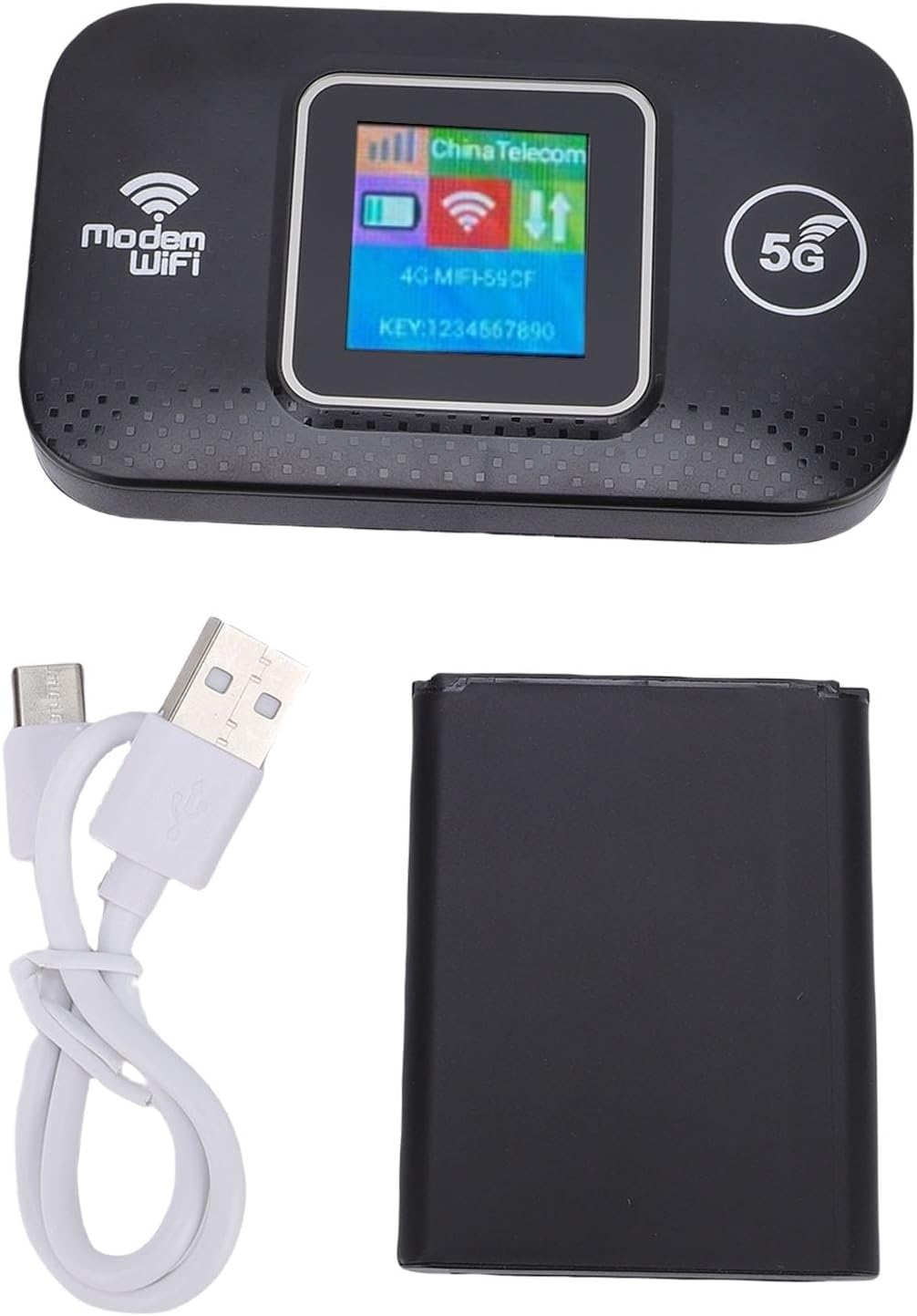
Image: The Jectse 5G LTE Mobile Hotspot Router, its USB charging cable, and the removable battery, illustrating the main components included in the package.
4. ഉൽപ്പന്നം കഴിഞ്ഞുview
The Jectse Mobile Hotspot is designed for ease of use and portability. It features a compact design with essential indicators and ports.

ചിത്രം: ഒരു ഓവർview of the mobile hotspot's features, highlighting SIM card plug-and-play, high-end chip for fast and stable performance, 150Mbps high speed, 3000mAh battery for durability, strong signal, and one-button start for convenience.
ഉപകരണ ഘടകങ്ങൾ:
- ഡിസ്പ്ലേ സ്ക്രീൻ: Shows network status, signal strength, battery level, and Wi-Fi information.
- പവർ ബട്ടൺ: ഉപകരണം ഓൺ/ഓഫ് ചെയ്യാൻ ഉപയോഗിക്കുന്നു.
- സിം കാർഡ് സ്ലോട്ട്: For inserting your 5G/LTE SIM card.
- യുഎസ്ബി-സി പോർട്ട്: ഉപകരണം ചാർജ് ചെയ്യുന്നതിനായി.

ചിത്രം: വിശദമായ ഒരു ചിത്രം view of the USB-C port located on the side of the mobile hotspot, used for charging the device.
5. സജ്ജീകരണം
5.1 സിം കാർഡ് ചേർക്കൽ
- ഉപകരണം ഓഫാണെന്ന് ഉറപ്പാക്കുക.
- Locate the SIM card slot, usually under the battery cover.
- Carefully insert your active 5G/LTE SIM card into the slot with the gold contacts facing down, ensuring it clicks into place.
5.2 ബാറ്ററി ചേർക്കുന്നു
- ഉപകരണത്തിന്റെ പിൻഭാഗത്തുള്ള ബാറ്ററി കമ്പാർട്ട്മെന്റ് കവർ തുറക്കുക.
- Align the battery contacts with the terminals inside the compartment.
- Gently press the battery into place and close the cover.
5.3 പവർ ഓണും പ്രാരംഭ കണക്ഷനും
- സ്ക്രീൻ പ്രകാശിക്കുന്നതുവരെ പവർ ബട്ടൺ അമർത്തിപ്പിടിക്കുക.
- Wait for the device to boot up and establish a network connection. The display will show signal strength and network type (e.g., 4G, 5G).
- On your smartphone, tablet, or laptop, search for available Wi-Fi networks.
- Select the Wi-Fi network name (SSID) displayed on the hotspot's screen.
- Enter the Wi-Fi password (KEY) shown on the hotspot's screen.
- കണക്റ്റുചെയ്തുകഴിഞ്ഞാൽ, നിങ്ങൾക്ക് ഇൻ്റർനെറ്റ് ബ്രൗസ് ചെയ്യാൻ തുടങ്ങാം.
6. പ്രവർത്തന നിർദ്ദേശങ്ങൾ
6.1 ഒന്നിലധികം ഉപകരണങ്ങൾ ബന്ധിപ്പിക്കൽ
The Jectse Mobile Hotspot supports connecting up to 12 devices simultaneously. Simply follow the steps in Section 5.3 for each device you wish to connect.

Image: A visual representation of the mobile hotspot's capability to support multiple users, showing various devices like monitors, desktop PCs, laptops, and smartphones connected to the hotspot's Wi-Fi signal.
6.2 Network Security (WPA/WPA2)
Your mobile hotspot uses WPA and WPA2 encryption protocols to protect your network from unauthorized access. The default password is provided on the device screen. For enhanced security, it is recommended to change the default Wi-Fi password through the device's web management interface (if available, refer to advanced settings in a separate guide).
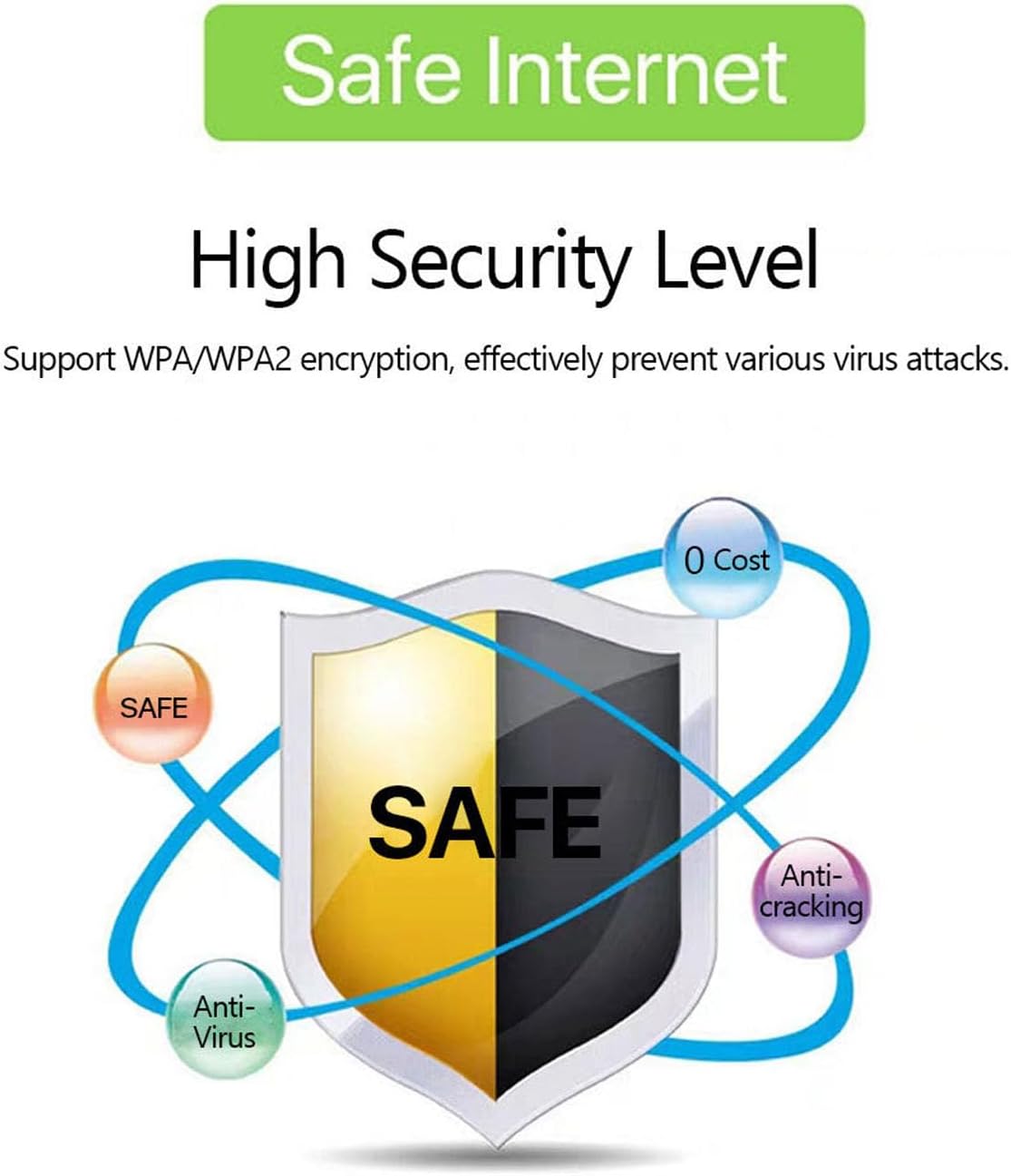
Image: A graphic emphasizing the high security level of the device, featuring a shield icon and text indicating support for WPA/WPA2 encryption to prevent virus attacks and ensure safe internet usage.
6.3 Battery Usage and Charging
The device is equipped with a 3000 mAh battery, providing extended usage time. When the battery level is low, connect the device to a power source using the provided USB charging cable.

Image: A visual depicting the mobile hotspot's battery life, showing a battery icon at 50% charge. The device features a 3000 mAh battery (note: image text states 3600mAh, but product description confirms 3000mAh) for extended use.
7. പരിപാലനം
7.1 ഉപകരണം വൃത്തിയാക്കുന്നു
To clean the device, use a soft, dry cloth. Do not use liquid cleaners or aerosols, as they may damage the device.
7.2 ബാറ്ററി കെയർ
- ബാറ്ററി ഇടയ്ക്കിടെ പൂർണ്ണമായും ഡിസ്ചാർജ് ചെയ്യുന്നത് ഒഴിവാക്കുക.
- Charge the battery regularly, even if the device is not in use, to maintain its lifespan.
- ദീർഘനേരം ഉപയോഗിക്കാത്തപ്പോൾ ഉപകരണം തണുത്തതും വരണ്ടതുമായ സ്ഥലത്ത് സൂക്ഷിക്കുക.
8. പ്രശ്നപരിഹാരം
8.1 ഇന്റർനെറ്റ് കണക്ഷൻ ഇല്ല
- സിം കാർഡ് പരിശോധിക്കുക: സിം കാർഡ് ശരിയായി ചേർത്തിട്ടുണ്ടെന്നും ഡാറ്റ പ്ലാനിൽ സജീവമാണെന്നും ഉറപ്പാക്കുക.
- സിഗ്നൽ ശക്തി: Verify that the device has sufficient signal strength. Move to an area with better network coverage if needed.
- ഉപകരണം റീബൂട്ട് ചെയ്യുക: Turn the hotspot off and then on again.
- APN ക്രമീകരണങ്ങൾ: If issues persist, you may need to configure the Access Point Name (APN) settings manually. Refer to your mobile carrier's instructions for the correct APN.
8.2 കുറഞ്ഞ ഇന്റർനെറ്റ് വേഗത
- ബന്ധിപ്പിച്ച ഉപകരണങ്ങളുടെ എണ്ണം: Too many devices connected simultaneously can reduce speed. Disconnect some devices.
- നെറ്റ്വർക്ക് തിരക്ക്: Speed can be affected by network congestion in your area.
- സിഗ്നൽ ശക്തി: Ensure good signal strength.
8.3 വൈഫൈയിലേക്ക് കണക്റ്റുചെയ്യാൻ കഴിയില്ല
- ശരിയായ പാസ്വേഡ്: Double-check that you are entering the correct Wi-Fi password (KEY) as displayed on the hotspot's screen.
- ഉപകരണ സാമീപ്യം: Ensure your connecting device is within the Wi-Fi range of the hotspot.
- ഉപകരണങ്ങൾ പുനരാരംഭിക്കുക: Restart both the hotspot and the device you are trying to connect.
9 സ്പെസിഫിക്കേഷനുകൾ
| ഫീച്ചർ | സ്പെസിഫിക്കേഷൻ |
|---|---|
| മോഡൽ നമ്പർ | Jectse57yq0tl4p8 |
| കണക്റ്റിവിറ്റി ടെക്നോളജി | 5G LTE, Wi-Fi, USB |
| പരമാവധി ഡൗൺലോഡ് വേഗത | 300 Mbps വരെ |
| ബാറ്ററി ശേഷി | 3000 mAh |
| പിന്തുണയ്ക്കുന്ന ഉപകരണങ്ങൾ | ഒരേസമയം 12 വരെ കണക്ഷനുകൾ |
| സുരക്ഷാ പ്രോട്ടോക്കോളുകൾ | WPA, WPA2 |
| പിന്തുണയ്ക്കുന്ന എൽടിഇ ബാൻഡുകൾ | B1, B3, B5, B7, B8, B20, B38, B40, B41 |
10. വാറൻ്റിയും പിന്തുണയും
10.1 വാറൻ്റി വിവരങ്ങൾ
This product comes with a 90-day warranty from the date of purchase. The warranty covers manufacturing defects and malfunctions under normal use. It does not cover damage caused by misuse, accidents, unauthorized modifications, or natural disasters.
10.2 ഉപഭോക്തൃ പിന്തുണ
If you encounter any issues or have questions regarding your Jectse 5G LTE Mobile Hotspot Router, please contact the seller or refer to the official Jectse support channels for assistance. Please have your model number (Jectse57yq0tl4p8) and purchase details ready when contacting support.