
ആമുഖം
This manual provides instructions for the PIKOY Aurora Northern Lights Projector, Model WH-E22. This device integrates a Northern Lights projector, a white noise sound machine, and a Bluetooth speaker to create a versatile ambient experience. Please read this manual thoroughly before use to ensure proper operation and to maintain the product's longevity.
പ്രധാനപ്പെട്ട സുരക്ഷാ വിവരങ്ങൾ
- പവർ സ്രോതസ്സ് ഉപകരണത്തിന്റെ ആവശ്യകതകൾ നിറവേറ്റുന്നുണ്ടെന്ന് ഉറപ്പാക്കുക.
- തീവ്രമായ താപനിലയിലോ ഈർപ്പത്തിലോ ഉപകരണം തുറന്നുകാട്ടരുത്.
- കുട്ടികൾക്കും വളർത്തുമൃഗങ്ങൾക്കും ലഭ്യമാകാതെ സൂക്ഷിക്കുക.
- ഉപകരണം ഡിസ്അസംബ്ലിംഗ് ചെയ്യരുത് അല്ലെങ്കിൽ സ്വയം നന്നാക്കാൻ ശ്രമിക്കരുത്. സഹായത്തിന് ഉപഭോക്തൃ പിന്തുണയുമായി ബന്ധപ്പെടുക.
- Avoid direct eye exposure to the light source for extended periods.
- ഈ ഉൽപ്പന്നം ഇൻഡോർ ഉപയോഗത്തിനായി മാത്രം രൂപകൽപ്പന ചെയ്തിട്ടുള്ളതാണ്.
പാക്കേജ് ഉള്ളടക്കം
പാക്കേജിൽ എല്ലാ ഇനങ്ങളും ഉണ്ടെന്ന് ഉറപ്പാക്കുക:
- PIKOY Aurora Northern Lights Projector (Model WH-E22)
- റിമോട്ട് കൺട്രോൾ
- യുഎസ്ബി പവർ കേബിൾ
- ഉപയോക്തൃ മാനുവൽ
സജ്ജമാക്കുക
- ഉപകരണം അൺപാക്ക് ചെയ്യുക: പാക്കേജിംഗിൽ നിന്ന് പ്രൊജക്ടറും എല്ലാ അനുബന്ധ ഉപകരണങ്ങളും ശ്രദ്ധാപൂർവ്വം നീക്കം ചെയ്യുക.
- പവർ കണക്ഷൻ: Connect the provided USB power cable to the projector's power input port. Plug the other end of the USB cable into a compatible USB power adapter (not included) or a USB port on another device (e.g., a lamp with a USB port).
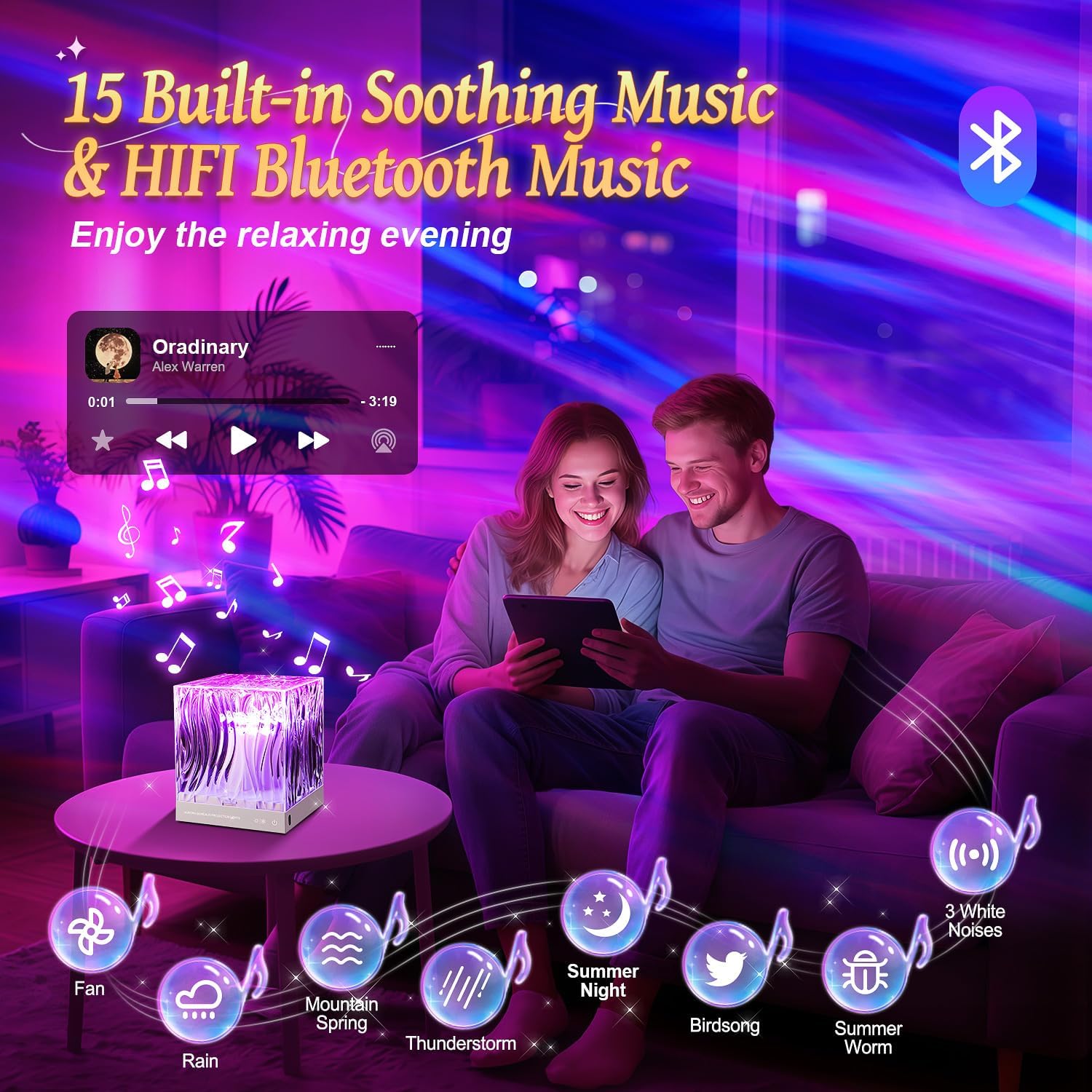
Image: The PIKOY Aurora Projector connected to a USB power source, demonstrating the power connection.
- റിമോട്ട് കൺട്രോൾ: Ensure the remote control has working batteries. If not, insert 2 AAA batteries (not included) according to the polarity markings.
- പ്ലേസ്മെൻ്റ്: Place the projector on a stable, flat surface. For optimal Northern Lights projection, position the device in the center of the room or at a suitable distance from the ceiling and walls to achieve the desired coverage.
പ്രവർത്തന നിർദ്ദേശങ്ങൾ
പവർ ഓൺ/ഓഫ്
- അമർത്തുക പവർ ബട്ടൺ (⏻) on the remote control or the main power button on the device to turn it on or off.
Northern Lights Projection
The projector offers 18 colors and 162 lighting modes to create a dynamic Northern Lights effect.
- വർണ്ണ തിരഞ്ഞെടുപ്പ്: Use the color buttons (R, G, B, W, Y, etc.) on the remote to select single colors or combinations.
- തെളിച്ച ക്രമീകരണം: അമർത്തുക തെളിച്ചം വർദ്ധിക്കുന്നു (▲) അല്ലെങ്കിൽ തെളിച്ചം കുറഞ്ഞു (▼) buttons to adjust the light intensity (3 levels available).
- മോഡ് തിരഞ്ഞെടുക്കൽ: Use the 'M' button on the remote to cycle through different lighting modes and effects.

Image: The projector casting vibrant Northern Lights patterns in various colors onto a room's ceiling and walls.
ബ്ലൂടൂത്ത് സ്പീക്കർ പ്രവർത്തനം
The device features a 5.3 HiFi Bluetooth speaker for playing music or audio.
- ജോടിയാക്കൽ: Turn on the projector. Activate Bluetooth on your mobile device and search for "WH-E22" (or similar name). Select it to pair.
- പ്ലേബാക്ക്: Once paired, you can play audio from your device through the projector's speaker. Use your mobile device or the remote control for volume adjustment and track selection.

Image: A couple relaxing in a room with the projector displaying warm light, indicating the Bluetooth speaker function.
വൈറ്റ് നോയിസ് സൗണ്ട് മെഷീൻ
The projector includes 15 built-in white noise sounds to aid relaxation and sleep.
- ശബ്ദ തിരഞ്ഞെടുപ്പ്: അമർത്തുക സംഗീത ബട്ടൺ on the remote to cycle through the 15 built-in white noise sounds (lullabies, nature sounds like rain, sea waves, fan, bird singing, etc.).
- വോളിയം നിയന്ത്രണം: Adjust the volume using the remote control's volume buttons.
ടൈമർ പ്രവർത്തനം
ഓട്ടോമാറ്റിക് ഷട്ട്ഡൗണിനായി ഒരു ടൈമർ സജ്ജീകരിക്കുക.
- അമർത്തുക 1H button on the remote for a 1-hour timer.
- അമർത്തുക 8H button on the remote for an 8-hour timer.
- To cancel the timer, press the timer button again or turn off the device.

Image: The remote control with 1-hour and 8-hour timer options, positioned near the projector in a child's bedroom.
മെയിൻ്റനൻസ്
- വൃത്തിയാക്കൽ: Use a soft, dry cloth to clean the surface of the projector. Do not use abrasive cleaners or solvents.
- സംഭരണം: When not in use for extended periods, store the device in a cool, dry place, away from direct sunlight.
ട്രബിൾഷൂട്ടിംഗ്
| പ്രശ്നം | സാധ്യമായ കാരണം | പരിഹാരം |
|---|---|---|
| ഉപകരണം പവർ ഓണാക്കുന്നില്ല. | വൈദ്യുതിയില്ല അല്ലെങ്കിൽ കണക്ഷൻ അയഞ്ഞിട്ടില്ല. | Check the USB cable connection and ensure the power adapter is working. |
| റിമോട്ട് കൺട്രോൾ പ്രവർത്തിക്കുന്നില്ല. | ഡെഡ് ബാറ്ററികൾ അല്ലെങ്കിൽ തടസ്സം. | Replace remote batteries. Ensure no obstacles between the remote and the projector. |
| ബ്ലൂടൂത്ത് കണക്റ്റ് ചെയ്യുന്നില്ല. | Device not in pairing mode or already connected to another device. | Ensure Bluetooth is enabled on your mobile device and the projector is discoverable. Disconnect from other Bluetooth devices. |
| പ്രൊജക്ഷൻ മങ്ങിയതോ അവ്യക്തമോ ആണ്. | Room too bright or incorrect placement. | Ensure the room is dark. Adjust the projector's position and brightness settings. |
സ്പെസിഫിക്കേഷനുകൾ
| ഫീച്ചർ | വിശദാംശങ്ങൾ |
|---|---|
| മോഡലിൻ്റെ പേര് | WH-E22 |
| ഉൽപ്പന്ന അളവുകൾ | 4.72"D x 4.72"W x 5.63"H |
| ഇനത്തിൻ്റെ ഭാരം | 0.83 കിലോഗ്രാം (1.83 പൗണ്ട്) |
| മെറ്റീരിയൽ | അക്രിലോണിട്രൈൽ ബ്യൂട്ടാഡീൻ സ്റ്റൈറൈൻ (എബിഎസ്) |
| പ്രകാശ സ്രോതസ്സ് തരം | എൽഇഡി |
| പ്രകാശ സ്രോതസ്സുകളുടെ എണ്ണം | 5 |
| ഇളം നിറങ്ങൾ | 18 colors, multi-color projection |
| ലൈറ്റിംഗ് മോഡുകൾ | 162 മോഡുകൾ |
| തെളിച്ച നിലകൾ | 3 |
| ബ്ലൂടൂത്ത് പതിപ്പ് | 5.3 ഹൈഫൈ |
| Built-in White Noise Sounds | 15 (lullabies, nature sounds) |
| പവർ ഉറവിടം | കോർഡഡ് ഇലക്ട്രിക് (USB) |
| പ്രത്യേക ഫീച്ചർ | Remote Control, Timer (1H, 8H) |
| ഇൻഡോർ/ഔട്ട്ഡോർ ഉപയോഗം | ഇൻഡോർ |
| വാട്ടർപ്രൂഫ് ആണ് | സത്യം |
വാറൻ്റിയും പിന്തുണയും
For warranty information or technical support, please refer to the contact details provided on the product packaging or visit the official PIKOY webസൈറ്റ്. ഏതെങ്കിലും വാറന്റി ക്ലെയിമുകൾക്ക് വാങ്ങിയതിന്റെ തെളിവായി നിങ്ങളുടെ വാങ്ങൽ രസീത് സൂക്ഷിക്കുക.