
1. ആമുഖം
This manual provides detailed instructions for the WUUK Baby 2K Video Baby Monitor, Model BA530 BAP01. This system is designed to help you monitor your baby with advanced features including 2K video resolution, a 5.5-inch display, 360-degree pan/tilt/zoom, 135-degree wide-angle viewing, night vision, and smart alerts. Please read this manual thoroughly before using the product to ensure proper operation and safety.
2. പാക്കേജ് ഉള്ളടക്കം
നിങ്ങളുടെ പാക്കേജിൽ എല്ലാ ഇനങ്ങളും ഉണ്ടെന്ന് ഉറപ്പാക്കുക:
- Baby Camera (x1)
- Monitor Display (x1)
- USB Power Adapter (x2)
- 1.5M Type-C Power Cable (x2)
- Thermometer Hygrometer (x1)
- ഉപയോക്തൃ മാനുവൽ (x1)
- Mount Plate & Mounting Screw Pack (x1)
3. ഉൽപ്പന്നം കഴിഞ്ഞുview
The WUUK Baby 2K Video Baby Monitor system consists of a camera unit and a portable monitor display, with optional smartphone app connectivity.

Figure 3.1: WUUK Baby 2K Video Baby Monitor system showing the camera, 5.5-inch monitor, and smartphone app interface.
3.1 Camera Unit
- 2K QHD Resolution: വ്യക്തമായ വീഡിയോ ഫീഡ് നൽകുന്നു.
- 360-degree Pan & 110-degree Tilt: Allows comprehensive room coverage.
- 135-degree Wide-Angle Lens: Captures a broader view പരിസ്ഥിതിയുടെ.
- ഇൻഫ്രാറെഡ് നൈറ്റ് വിഷൻ: Enables clear monitoring in low-light conditions.
- ടു-വേ ഓഡിയോ: For communication with your baby.
- താപനില & ഈർപ്പം സെൻസർ: Monitors nursery conditions.
- കരച്ചിലും ചലനവും കണ്ടെത്തൽ: Alerts for baby's activity.
- Physical Privacy Cover: Lens can be moved upwards to block view.
3.2 Monitor Display
- 5.5-ഇഞ്ച് കളർ ഡിസ്പ്ലേ: For live video feed.
- 3700mAh റീചാർജ് ചെയ്യാവുന്ന ബാറ്ററി: Up to 10 hours of continuous streaming.
- നിയന്ത്രണങ്ങൾ: Buttons for pan/tilt, zoom, two-way talk, menu, and volume.
- SUB 1G Wireless Technology: For extended range connectivity.
4. സജ്ജീകരണം
4.1 ക്യാമറ പ്ലെയ്സ്മെന്റ്
Place the camera on a flat surface such as a dresser or shelf, or mount it to a wall or ceiling using the provided mounting kit. Ensure the camera has a clear, unobstructed view of the baby's crib or play area. Position it at a safe distance from the baby, out of reach of small hands and cords.
4.2 പവർ ചെയ്യുന്നു
- Connect one USB power adapter to the camera unit using a Type-C power cable. Plug the adapter into a power outlet.
- Connect the second USB power adapter to the monitor display using the other Type-C power cable. Plug the adapter into a power outlet.
- Press and hold the power button on the monitor display to turn it on. The camera and monitor should automatically pair.
4.3 App Installation and Pairing (Optional)
റിമോട്ടിന് viewing and additional features, download the WUUK app on your smartphone.
- Download the 'WUUK' app from your device's app store (iOS or Android).
- ഒരു അക്കൗണ്ട് സൃഷ്ടിക്കുക അല്ലെങ്കിൽ ലോഗിൻ ചെയ്യുക.
- Follow the in-app instructions to add your WUUK Baby Monitor. This typically involves scanning a QR code on the camera or monitor, or following a guided pairing process.
5. പ്രവർത്തന നിർദ്ദേശങ്ങൾ
5.1 തത്സമയം View
Once powered on and paired, the live video feed from the camera will automatically display on the 5.5-inch monitor. You can also view the live feed through the WUUK app on your smartphone.
5.2 പാൻ, ടിൽറ്റ്, സൂം (PTZ)
Use the directional buttons on the monitor display or the controls within the WUUK app to remotely adjust the camera's viewing angle. The camera supports 355-degree pan and 110-degree tilt. Use the zoom function to get a closer look at your baby.

ചിത്രം 5.1: ഒരേസമയം viewing on monitor and smartphone app.
5.3 ടു-വേ ഓഡിയോ
Press and hold the microphone button on the monitor display or the talk button in the app to speak through the camera to your baby. Release the button to listen.
5.4 നൈറ്റ് വിഷൻ
The camera automatically activates infrared night vision in low-light conditions, providing a clear black and white image on the monitor and app.
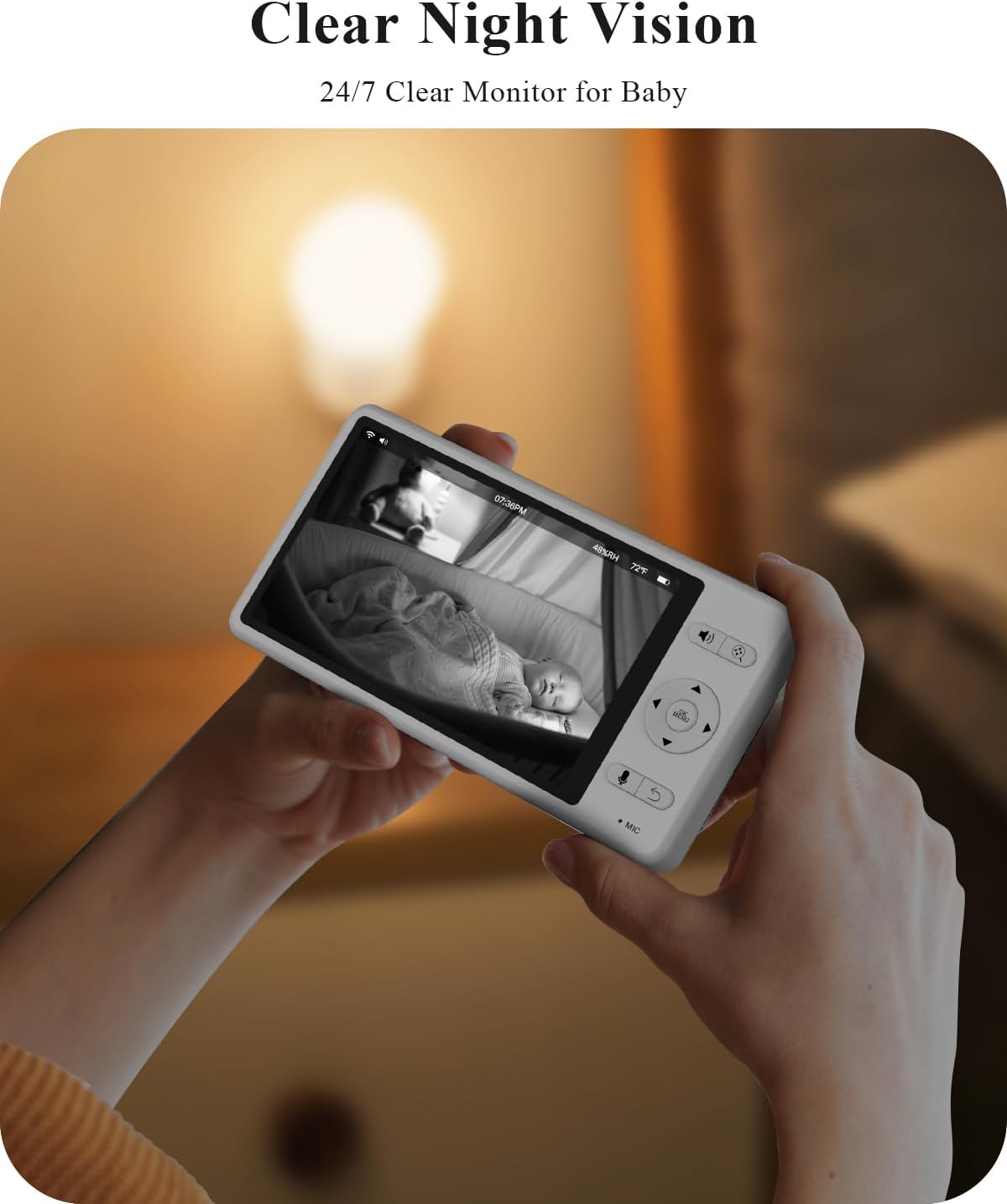
Figure 5.2: Clear night vision display.
5.5 Smart Alerts (Motion, Cry, Sound)
The monitor can detect motion, crying, and other sounds. Configure alert sensitivity and notification preferences in the monitor's menu or the WUUK app. When an alert is triggered, the monitor screen may light up, and an audible alarm may sound.

Figure 5.3: Smart alerts for baby's activity and environment.
5.6 താപനിലയും ഈർപ്പവും നിരീക്ഷിക്കൽ
The integrated thermometer and hygrometer provide real-time temperature and humidity readings of the nursery, displayed on the monitor. Set custom alert ranges in the settings to be notified if conditions fall outside the desired parameters.
5.7 Lullabies and White Noise
Access the menu on the monitor or app to select and play from a variety of pre-loaded lullabies or white noise sounds to soothe your baby.
5.8 സ്വകാര്യത മോഡ്
For enhanced privacy, the camera features a physical lens cover. You can manually move the lens upwards to completely block the camera's view when monitoring is not required, such as during feeding or diaper changes.

Figure 5.4: Physical privacy lens cover.
6. പരിപാലനം
- വൃത്തിയാക്കൽ: ക്യാമറ ലെൻസും മോണിറ്റർ സ്ക്രീനും വൃത്തിയാക്കാൻ മൃദുവായതും ഉണങ്ങിയതുമായ തുണി ഉപയോഗിക്കുക. ലിക്വിഡ് ക്ലീനറുകളോ എയറോസോളുകളോ ഉപയോഗിക്കരുത്.
- ബാറ്ററി കെയർ: To prolong battery life, avoid fully discharging the monitor's battery frequently. Charge it regularly.
- സംഭരണം: ഉപകരണം ദീർഘനേരം സൂക്ഷിക്കുകയാണെങ്കിൽ, അത് പൂർണ്ണമായും ചാർജ് ചെയ്തിട്ടുണ്ടെന്നും തണുത്തതും വരണ്ടതുമായ സ്ഥലത്ത് സൂക്ഷിക്കുന്നുണ്ടെന്നും ഉറപ്പാക്കുക.
7. പ്രശ്നപരിഹാരം
- No Signal/Disconnected: Ensure both the camera and monitor are powered on and within range. If using the app, check your Wi-Fi connection. Try restarting both devices.
- മോണിറ്റർ ഓണാക്കുന്നില്ല: Verify the monitor is charged or connected to a power source. If the issue persists, try a different power adapter or cable.
- മോശം വീഡിയോ നിലവാരം: Ensure the camera lens is clean and free from obstructions. Check for adequate lighting (night vision will activate in low light).
- ഓഡിയോ പ്രശ്നങ്ങൾ: Check volume settings on the monitor and your smartphone. Ensure no objects are blocking the microphone or speaker on either unit.
- ആപ്പ് കണക്റ്റിവിറ്റി പ്രശ്നങ്ങൾ: Ensure your smartphone has a stable internet connection. Restart the app and try pairing again. Check if your router is operating on a compatible frequency (e.g., 2.4GHz for some Wi-Fi connections).
8 സ്പെസിഫിക്കേഷനുകൾ
| ഫീച്ചർ | സ്പെസിഫിക്കേഷൻ |
|---|---|
| മോഡൽ നമ്പർ | BA530 BAP01 |
| വീഡിയോ ക്യാപ്ചർ റെസല്യൂഷൻ | 2K (1296p) |
| ഡിസ്പ്ലേ വലുപ്പം നിരീക്ഷിക്കുക | 5.5 ഇഞ്ച് |
| Viewing ആംഗിൾ | 135 ഡിഗ്രി |
| പാൻ/ടിൽറ്റ് ശ്രേണി | 355 Degrees Pan, 110 Degrees Tilt |
| ബാറ്ററി ശേഷി (മോണിറ്റർ) | 3700mAh ലിഥിയം അയോൺ |
| നൈറ്റ് വിഷൻ റേഞ്ച് | 33 അടി വരെ |
| കണക്റ്റിവിറ്റി ടെക്നോളജി | SUB 1G Wireless Technology, Wi-Fi |
| സ്റ്റോറേജ് ഓപ്ഷനുകൾ | Up to 256GB SD card (not included), Optional Cloud Storage |
| അളവുകൾ (ക്യാമറ) | 2 x 2 x 3.5 ഇഞ്ച് |
| ഇനത്തിൻ്റെ ഭാരം | 2.49 പൗണ്ട് (ആകെ പാക്കേജ്) |
9. വാറൻ്റിയും പിന്തുണയും
For warranty information, technical support, or service inquiries, please refer to the warranty card included in your package or visit the official WUUK website. You can also contact WUUK customer service directly through the contact information provided on their webസൈറ്റ്.