
1. ആമുഖം
Thank you for choosing the HICSHON WDC901-4K Underwater Camera. This compact and versatile camera is designed for capturing high-quality photos and videos in various environments, especially underwater. With its 4K video resolution, 48MP image capability, autofocus feature, and dual HD screens, it is ideal for activities such as snorkeling, swimming, surfing, and beach trips.
This manual provides essential information on how to set up, operate, maintain, and troubleshoot your camera to ensure optimal performance and longevity.
2. സജ്ജീകരണം
2.1 പാക്കേജ് ഉള്ളടക്കം
- HICSHON WDC901-4K Underwater Camera
- 2 x ലിഥിയം അയൺ ബാറ്ററികൾ
- 64 ജിബി മൈക്രോ എസ്ഡി കാർഡ്
- യുഎസ്ബി ചാർജിംഗ് കേബിൾ
- റിസ്റ്റ് സ്ട്രാപ്പ്
- ചുമക്കുന്ന സഞ്ചി
- ഉപയോക്തൃ മാനുവൽ
2.2 ബാറ്ററി ഇൻസ്റ്റാളേഷനും ചാർജിംഗും
- ക്യാമറയിലെ ബാറ്ററി കമ്പാർട്ട്മെൻ്റ് കണ്ടെത്തുക.
- Open the battery compartment door. Ensure it is dry before opening.
- Insert one of the provided Lithium Ion batteries, ensuring correct polarity.
- Close the battery compartment door securely. For waterproof integrity, ensure the door is fully locked before any water exposure.
- Connect the camera to a power source using the USB charging cable. The camera will charge the installed battery. A full charge is recommended before first use.
2.3 മൈക്രോ എസ്ഡി കാർഡ് ഇൻസ്റ്റാളേഷനും ഫോർമാറ്റിംഗും
- Locate the Micro SD card slot, typically near the battery compartment.
- Insert the provided 64GB Micro SD card into the slot until it clicks into place.
- പ്രധാനപ്പെട്ടത്: Before first use, format the Micro SD card through the camera's menu settings. This ensures compatibility and optimal performance. Refer to the 'Operating' section for menu navigation.
3. പ്രവർത്തന നിർദ്ദേശങ്ങൾ
3.1 പവർ ഓൺ/ഓഫ്
- To power on: Press and hold the Power button.
- To power off: Press and hold the Power button again.
3.2 Basic Photography and Video Recording
The camera features a 48MP image resolution and 4K video capability.
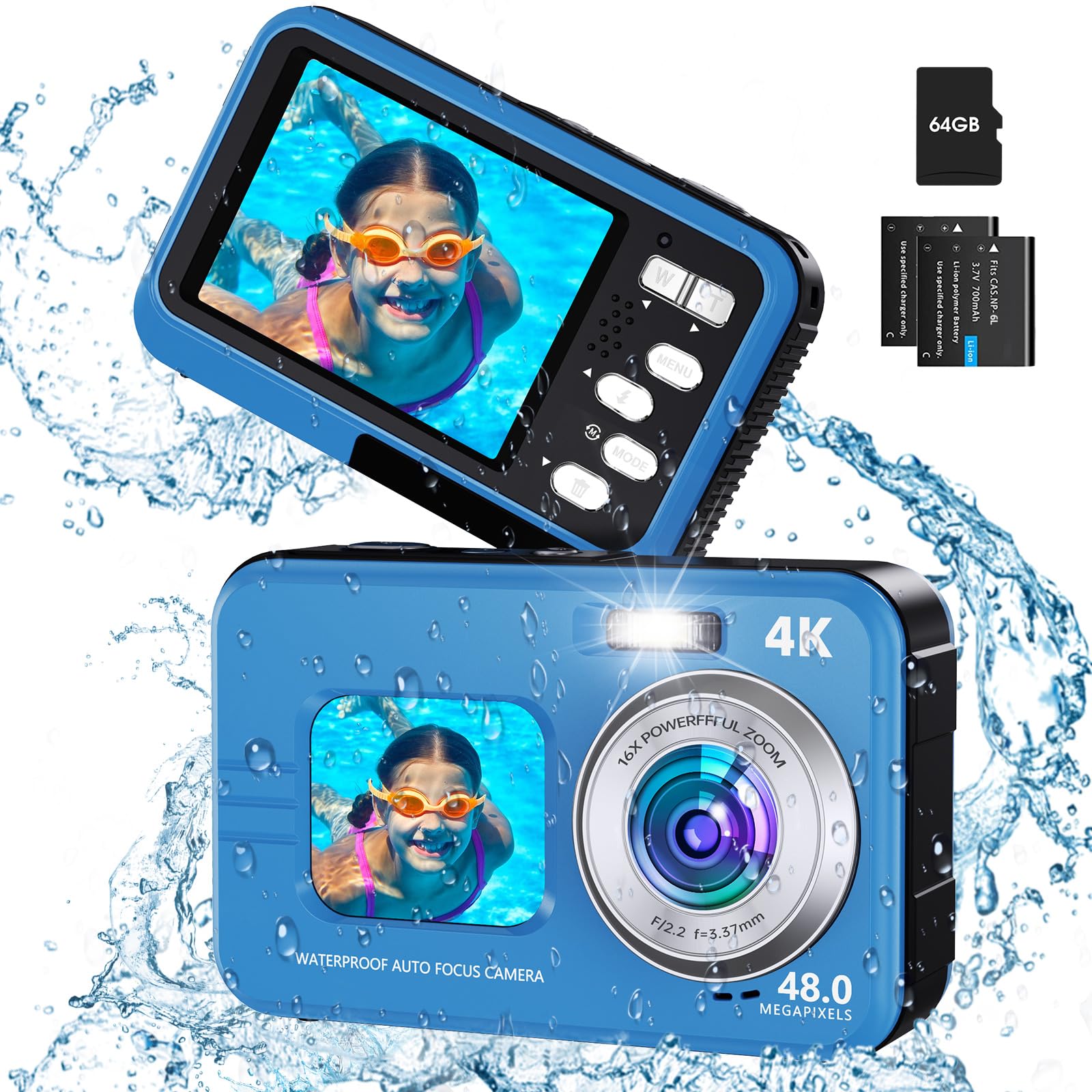
Image: Demonstrates the anti-shake feature for clearer 4K video recording.
- മോഡ് തിരഞ്ഞെടുക്കൽ: Use the 'Mode' button to switch between photo, video, and playback modes. Familiarization with this button is key for efficient operation.
- ഓട്ടോഫോക്കസ്: Lightly press the shutter button. The focus frame on the screen will change from yellow to green, indicating focus is achieved. Press the shutter button fully to take the photo.
- സൂം: Use the 'W' (Wide) and 'T' (Telephoto) buttons to adjust the 16X digital zoom.
- വെളിച്ചം നിറയ്ക്കുക: Activate the fill light for improved illumination in low-light conditions. Refer to the camera's menu for specific settings.

Image: Illustrates the autofocus process, showing the focus frame changing color.

Image: Shows the effect of 16X digital zoom and creative filters.
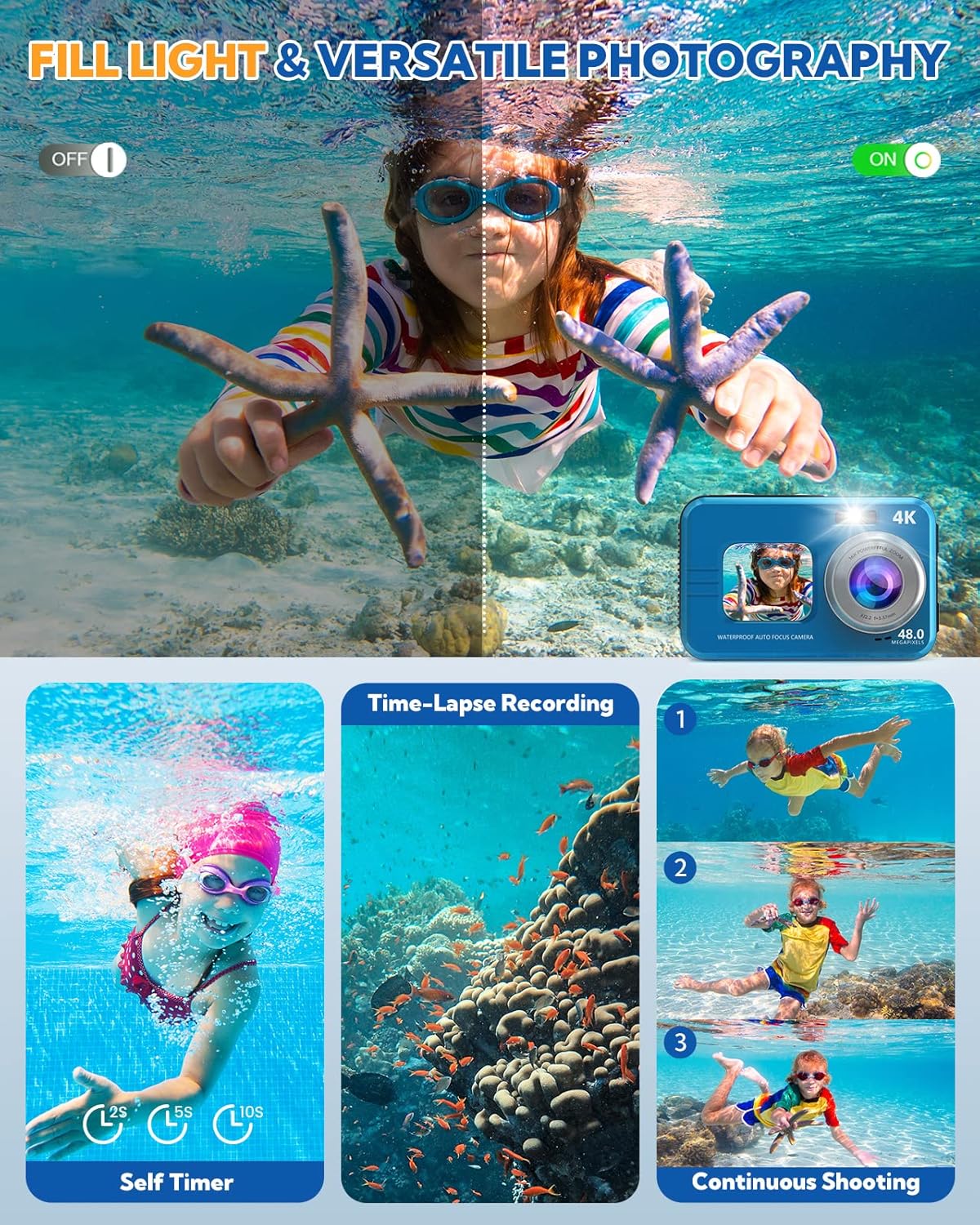
Image: Demonstrates the fill light in an underwater setting and highlights self-timer and continuous shooting.
3.3 Dual-Screen Operation
The camera features a 1.7-inch HD front display for selfies and a 2.8-inch HD rear display for general shooting and viewing.

Image: Shows the camera's dual-screen design for selfies and general viewing.
- To switch between screens: Use the dedicated screen switch button or navigate through the menu.
- The front screen is ideal for framing self-portraits.
3.4 വിപുലമായ സവിശേഷതകൾ
- Timing Shooting: Set a 2s, 5s, or 10s timer for delayed shots, useful for group photos or self-portraits.
- ആന്റി-ഷെയ്ക്ക്: This feature helps stabilize images and videos, especially useful in dynamic environments or when shooting underwater.
- ക്രിയേറ്റീവ് മോഡുകൾ: Explore 16 effects and 9 scene modes to enhance your photos.
- Slow Motion & Time Lapse: Access these video modes through the menu for creative video capture.
4. പരിപാലനം
4.1 വാട്ടർപ്രൂഫ് കെയർ
The camera is waterproof up to 11 feet (IP68 standard). Proper care is crucial to maintain its waterproof integrity.
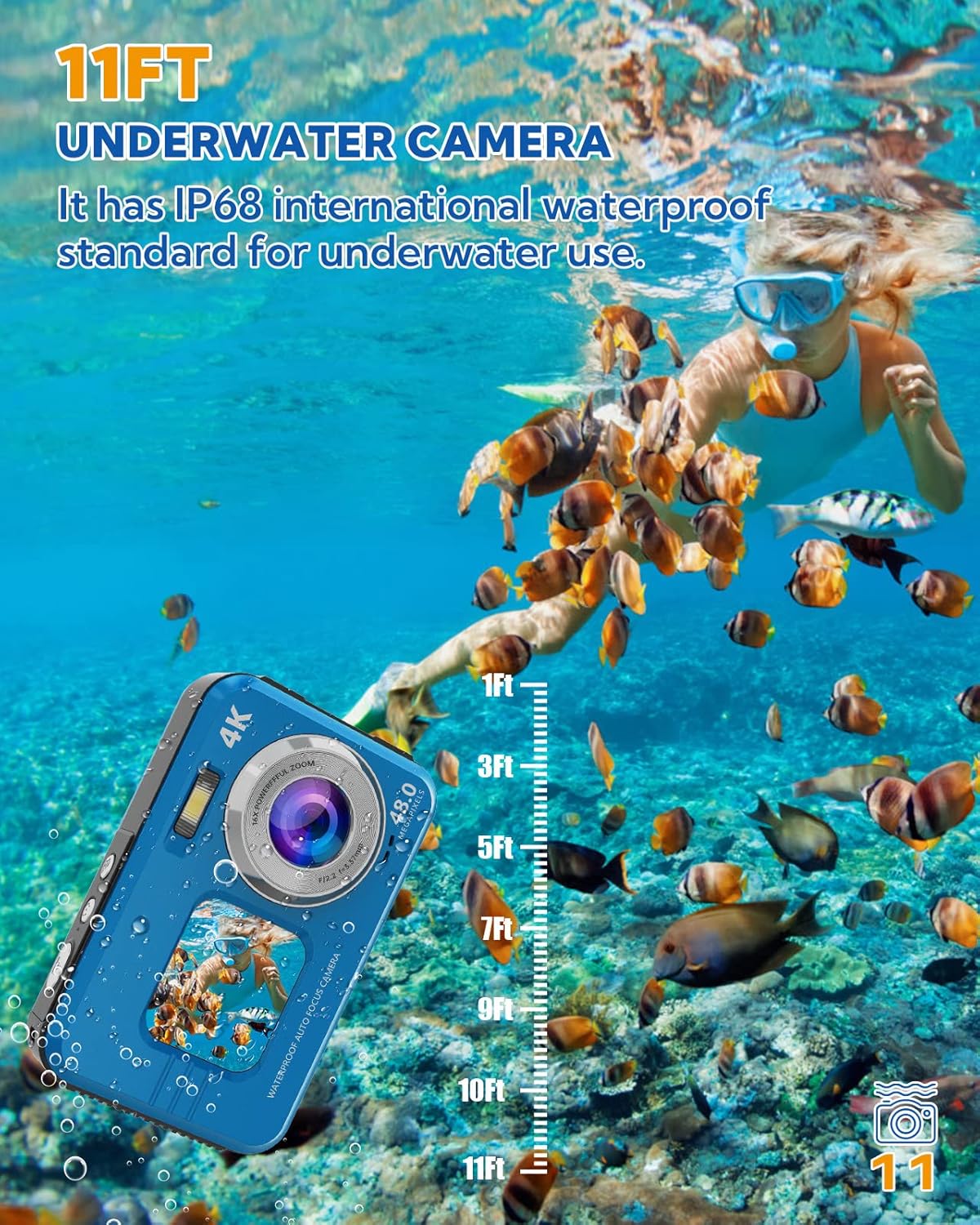
Image: Illustrates the camera's 11FT underwater capability.
- Always ensure the battery compartment door is securely locked before submerging the camera in water.
- After use in saltwater, rinse the camera thoroughly with fresh water and allow it to air dry completely before opening any compartments.
- Avoid opening the battery or card compartments when the camera is wet.
4.2 വൃത്തിയാക്കലും സംഭരണവും
- Use a soft, lint-free cloth to clean the camera body and screens.
- കഠിനമായ പാടുകൾക്ക്, ചെറുതായി dampതുണിയിൽ വെള്ളം ഒഴിക്കുക. കഠിനമായ രാസവസ്തുക്കൾ ഒഴിവാക്കുക.
- Store the camera in a cool, dry place, away from direct sunlight and extreme temperatures. Use the provided carrying pouch for protection during travel.
4.3 ബാറ്ററി കെയർ
- Charge batteries fully before extended use.
- If the camera will not be used for a long period, remove the batteries.
- Note that battery life can vary based on usage and environmental conditions.
5. പ്രശ്നപരിഹാരം
If you encounter issues with your HICSHON WDC901-4K camera, please refer to the following common problems and solutions:
- ക്യാമറ പവർ ഓൺ ചെയ്യുന്നില്ല:
- ബാറ്ററി ശരിയായി ചേർത്തിട്ടുണ്ടെന്നും പൂർണ്ണമായും ചാർജ്ജ് ചെയ്തിട്ടുണ്ടെന്നും ഉറപ്പാക്കുക.
- Try using the second included battery.
- Camera does not charge:
- Verify the USB cable is securely connected to both the camera and the power source.
- മറ്റൊരു USB പോർട്ട് അല്ലെങ്കിൽ പവർ അഡാപ്റ്റർ പരീക്ഷിക്കുക.
- കമ്പാർട്ട്മെൻ്റിൽ ബാറ്ററി ശരിയായി ഇരിക്കുന്നുവെന്ന് ഉറപ്പാക്കുക.
- Images/Videos are blurry or not saving:
- Ensure the Micro SD card is properly inserted and formatted.
- ലെൻസ് വൃത്തിയുള്ളതാണോയെന്നും അതിൽ അഴുക്കോ വെള്ളത്തുള്ളികളോ ഇല്ലെന്നും പരിശോധിക്കുക.
- Confirm autofocus is engaged (focus frame turns green) before fully pressing the shutter.
- Ensure the anti-shake feature is enabled for moving shots.
- വെള്ളം ചോർച്ച:
- Immediately remove the camera from water.
- നിർണായകം: Always ensure the battery compartment door is securely locked before entering water. Inspect the rubber seals for any debris or damage.
- Menu button or other buttons are stuck:
- Gently try to free the button. If it remains stuck, contact customer support.
6 സ്പെസിഫിക്കേഷനുകൾ
| മോഡലിൻ്റെ പേര് | WDC901-4K |
| ബ്രാൻഡ് | ഹിക്ഷോൺ |
| Max Image Resolution | 48 എം.പി |
| വീഡിയോ റെസല്യൂഷൻ | 4K (2160p) |
| ജല പ്രതിരോധ നില | IP68, up to 11 FT (3.3 meters) |
| ഡിജിറ്റൽ സൂം | 16x |
| Front Display Size | 1.7 ഇഞ്ച് HD |
| Rear Display Size | 2.8 ഇഞ്ച് HD |
| ബാറ്ററികൾ | 2 x ലിഥിയം അയോൺ (ഉൾപ്പെടുത്തിയിരിക്കുന്നു) |
| മെമ്മറി സ്റ്റോറേജ് | Micro SD, up to 64 GB (included) |
| കണക്റ്റിവിറ്റി ടെക്നോളജി | USB, ബ്ലൂടൂത്ത് |
| ഇമേജ് സ്റ്റെബിലൈസേഷൻ | Digital, Dual |
| പിന്തുണച്ചു File ഫോർമാറ്റുകൾ | JPEG, RAW (images), MP4 (video) |
| അളവുകൾ (L x W x H) | 12.2 x 9.1 x 8.6 സെ.മീ |
| ഭാരം | 320 ഗ്രാം |
| ആദ്യ തീയതി ലഭ്യമാണ് | മെയ് 12, 2023 |
7. വാറൻ്റിയും പിന്തുണയും
7.1 വാറൻ്റി വിവരങ്ങൾ
This product comes with a limited warranty. Please refer to your purchase documentation for specific terms and conditions. The manufacturer's warranty description indicates a period of '1'. For detailed warranty information, please contact HICSHON customer service.
7.2 ഉപഭോക്തൃ പിന്തുണ
Should you require assistance with your HICSHON WDC901-4K camera, our 24/7 after-sales service team is available to help you. Please refer to the contact information provided with your product or visit the official HICSHON webപിന്തുണാ ഓപ്ഷനുകൾക്കായുള്ള സൈറ്റ്.