
1. ആമുഖം
Thank you for choosing the Jectse Digital Voice Recorder Watch. This portable wristband device is designed for convenient audio recording in various settings, including lectures, meetings, and personal notes. It features advanced noise reduction, voice-activated recording, and a timestamp function for precise record-keeping. Its sleek design and long battery life make it an ideal companion for students, professionals, and anyone needing reliable audio capture.

The Jectse Digital Voice Recorder Watch is discreet and portable, suitable for various recording needs.
2. പാക്കേജ് ഉള്ളടക്കം
പാക്കേജിൽ ഇനിപ്പറയുന്ന ഇനങ്ങൾ ഉണ്ടോ എന്ന് പരിശോധിക്കുക:
- Digital Voice Recorder Watch
- യുഎസ്ബി ചാർജിംഗ് കേബിൾ
- Earbuds (3.5mm jack)
- ഉപയോക്തൃ മാനുവൽ

The package includes the Digital Voice Recorder Watch, USB charging cables, and earbuds for playback.
3. ഉൽപ്പന്നം കഴിഞ്ഞുview
Familiarize yourself with the components of your Jectse Digital Voice Recorder Watch:
- റെക്കോർഡിംഗ് ബട്ടൺ: റെക്കോർഡിംഗ് ആരംഭിക്കുകയും നിർത്തുകയും ചെയ്യുന്നു.
- വൈദ്യുതി സ്വിച്ച്: ഉപകരണം ഓണാക്കുകയോ ഓഫാക്കുകയോ ചെയ്യുന്നു.
- USB പോർട്ട്: ചാർജിംഗിനും ഡാറ്റ കൈമാറ്റത്തിനും.
- മൈക്രോഫോൺ: Built-in for audio capture.
- ഹെഡ്ഫോൺ ജാക്ക്: For connecting earbuds for private playback.
- ഇൻഡിക്കേറ്റർ ലൈറ്റ്: Displays device status (recording, charging, low battery).
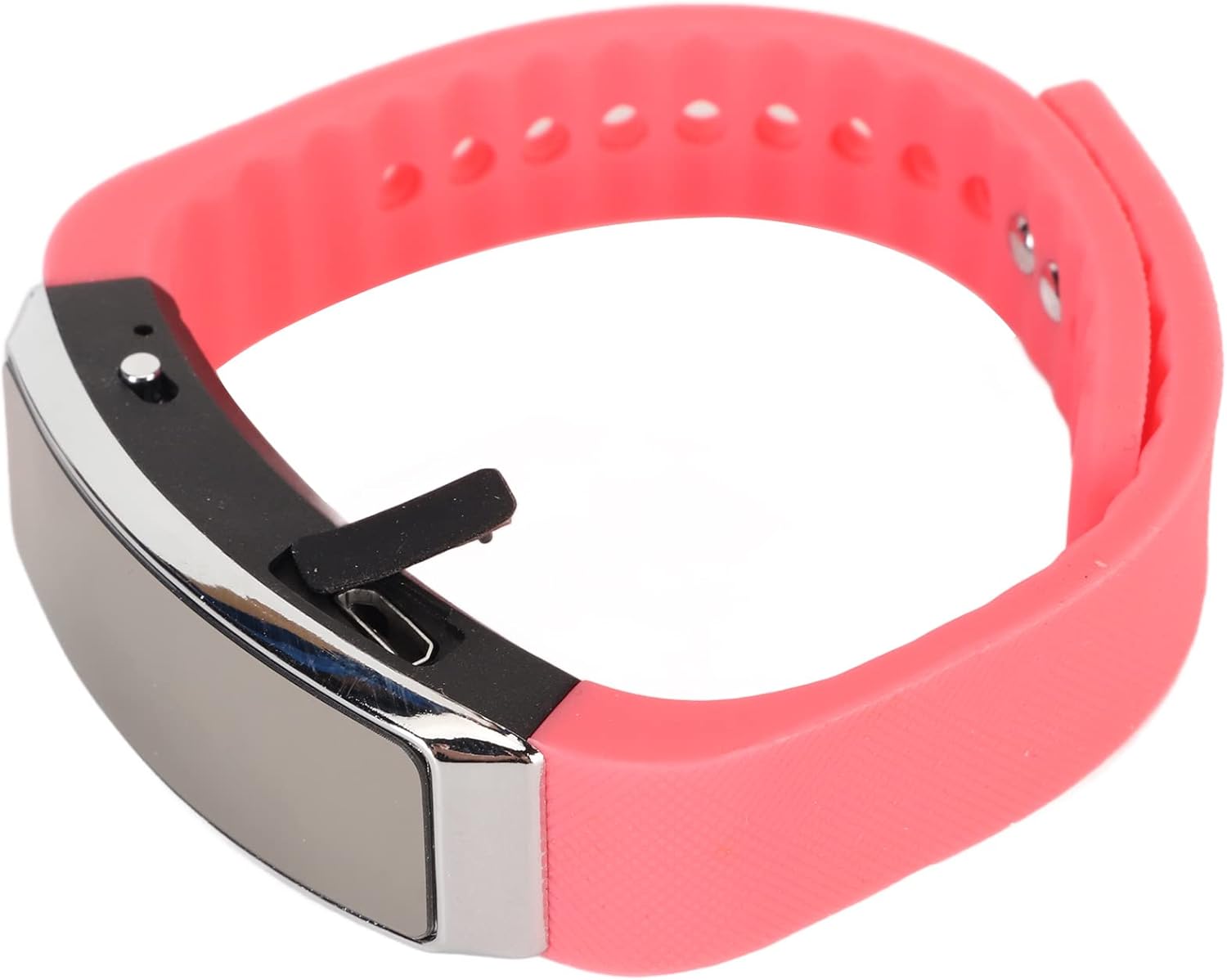
വശം view of the recorder watch, highlighting its compact design and accessible controls.

മുകളിൽ view of the recorder watch, showcasinഅതിന്റെ ആധുനിക സൗന്ദര്യശാസ്ത്രം.
4. സജ്ജീകരണം
4.1 ഉപകരണം ചാർജ് ചെയ്യുന്നു
- Connect the small end of the USB charging cable to the USB port on the recorder watch.
- Connect the larger end of the USB cable to a USB power adapter (not included), computer USB port, or other compatible charging device.
- The indicator light will show the charging status. A full charge typically takes a few hours.

The USB port for charging and data transfer is located on the side of the device, protected by a small flap.
4.2. Setting Time and Date (Timestamp)
കൃത്യമായ സമയം ഉറപ്പാക്കാൻamps on your recordings, connect the device to a computer. The device will automatically synchronize its time and date with your computer's system time. No manual adjustment is typically required.
5. പ്രവർത്തന നിർദ്ദേശങ്ങൾ
5.1. പവർ ഓൺ/ഓഫ്
- To power on: Slide the power switch to the 'ON' position. The indicator light will briefly illuminate.
- To power off: Slide the power switch to the 'OFF' position. The device will save any active recording before shutting down.
5.2. Voice Activated Recording
The device supports voice-activated recording, which means it will automatically start recording when sound is detected and pause when there is silence, conserving battery and memory.
- ഉപകരണം ഓണാണെന്ന് ഉറപ്പാക്കുക.
- The recorder will automatically enter voice-activated recording mode. The indicator light may flash or change color to indicate active recording.
- To stop recording, slide the power switch to the 'OFF' position. The recording will be saved automatically.
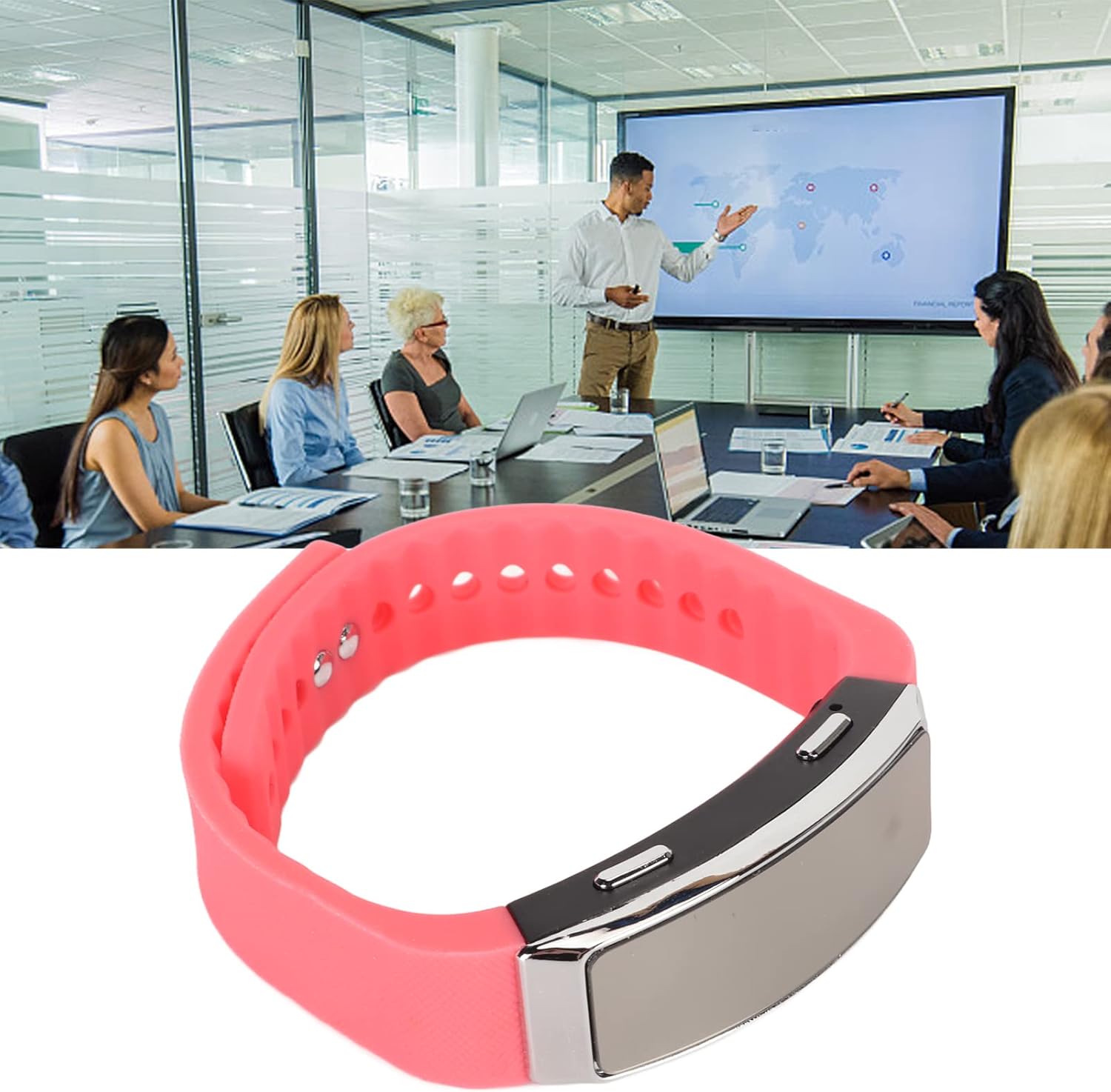
The voice recorder watch is ideal for capturing important discussions in meetings.
5.3. പ്ലേബാക്ക്
To listen to your recordings:
- ഉപകരണം ഓഫാണെന്ന് ഉറപ്പാക്കുക.
- Plug the included earbuds into the headphone jack on the recorder watch.
- Slide the power switch to the 'ON' position. The device will automatically enter playback mode.
- Use the control buttons (if available on the earbuds or device, refer to specific model instructions) to navigate through recordings, adjust volume, or pause/play.
5.4. Connecting to PC/Transferring Files
- ഉപകരണം ഓഫാണെന്ന് ഉറപ്പാക്കുക.
- Connect the recorder watch to your computer using the USB charging cable.
- കമ്പ്യൂട്ടർ ഉപകരണം നീക്കം ചെയ്യാവുന്ന ഡിസ്കായി തിരിച്ചറിയണം.
- Open the device folder to access your recorded audio files (typically in WAV format).
- നിങ്ങൾക്ക് പകർത്താനോ നീക്കാനോ ഇല്ലാതാക്കാനോ കഴിയും fileആവശ്യാനുസരണം എസ്.
6. പരിപാലനം
- വൃത്തിയാക്കൽ: ഉപകരണം വൃത്തിയാക്കാൻ മൃദുവായതും ഉണങ്ങിയതുമായ തുണി ഉപയോഗിക്കുക. കഠിനമായ രാസവസ്തുക്കളോ ഉരച്ചിലുകളോ ഉള്ള വസ്തുക്കൾ ഉപയോഗിക്കുന്നത് ഒഴിവാക്കുക.
- സംഭരണം: നേരിട്ടുള്ള സൂര്യപ്രകാശത്തിൽ നിന്നും കടുത്ത താപനിലയിൽ നിന്നും മാറി തണുത്തതും വരണ്ടതുമായ സ്ഥലത്ത് ഉപകരണം സൂക്ഷിക്കുക.
- ബാറ്ററി കെയർ: ബാറ്ററി ലൈഫ് വർദ്ധിപ്പിക്കാൻ, ബാറ്ററി ഇടയ്ക്കിടെ പൂർണ്ണമായും ഡിസ്ചാർജ് ചെയ്യുന്നത് ഒഴിവാക്കുക. ദീർഘനേരം ഉപയോഗത്തിലില്ലെങ്കിൽ പോലും ഉപകരണം പതിവായി ചാർജ് ചെയ്യുക.
7. പ്രശ്നപരിഹാരം
- ഉപകരണം ഓണാക്കുന്നില്ല: ബാറ്ററി ചാർജ്ജ് ചെയ്തിട്ടുണ്ടെന്ന് ഉറപ്പാക്കുക. ഒരു പവർ സ്രോതസ്സിലേക്ക് കണക്റ്റ് ചെയ്ത് വീണ്ടും ശ്രമിക്കുക.
- റെക്കോർഡ് ചെയ്യാൻ കഴിയില്ല: Check if the device has sufficient memory. Transfer files to a computer to free up space.
- മോശം ഓഡിയോ നിലവാരം: Ensure the microphone is not obstructed. Record in a quieter environment or closer to the sound source. The built-in noise reduction feature helps, but extreme noise can still affect quality.
- കമ്പ്യൂട്ടറിലേക്ക് കണക്റ്റുചെയ്യാൻ കഴിയില്ല: Try a different USB port or cable. Ensure the device is powered off before connecting.
8 സ്പെസിഫിക്കേഷനുകൾ
| ഫീച്ചർ | വിശദാംശങ്ങൾ |
|---|---|
| ബ്രാൻഡ് | ജെക്സെ |
| മോഡൽ നമ്പർ | Jectsetqeg4s2wir-11 |
| മെമ്മറി സ്റ്റോറേജ് കപ്പാസിറ്റി | 8 ജിബി |
| Battery Life (Continuous Recording) | 20 മണിക്കൂർ |
| സ്റ്റാൻഡ്ബൈ സമയം | 30 ദിവസം വരെ |
| മൈക്രോഫോൺ ഫോം ഫാക്ടർ | ബിൽറ്റ്-ഇൻ |
| ഓഡിയോ ഫോർമാറ്റ് | WAV |
| ഹാർഡ്വെയർ ഇന്റർഫേസ് | USB |
| ഹെഡ്ഫോണുകൾ ജാക്ക് | 3.5 മില്ലിമീറ്റർ |
| അനുയോജ്യമായ ഉപകരണങ്ങൾ | പേഴ്സണൽ കമ്പ്യൂട്ടർ |
| പ്രത്യേക സവിശേഷതകൾ | Voice Activated, Noise Reduction, Timestamp |
9. വാറൻ്റിയും പിന്തുണയും
The Jectse Digital Voice Recorder Watch comes with a standard manufacturer's warranty. For specific warranty details, returns, or technical support, please refer to the product packaging or contact your retailer. Keep your purchase receipt as proof of purchase.
10 പ്രധാനപ്പെട്ട സുരക്ഷാ വിവരങ്ങൾ
- ഉപകരണത്തെ തീവ്രമായ താപനിലയിലോ, നേരിട്ടുള്ള സൂര്യപ്രകാശത്തിലോ, ഉയർന്ന ആർദ്രതയിലോ തുറന്നുകാട്ടരുത്.
- ശക്തമായ ആഘാതങ്ങൾക്ക് ഉപകരണം ഇടുകയോ ഇടുകയോ ചെയ്യുന്നത് ഒഴിവാക്കുക.
- കുട്ടികൾക്ക് ലഭ്യമാകാതെ സൂക്ഷിക്കുക.
- ഉപകരണം സ്വയം വേർപെടുത്താനോ നന്നാക്കാനോ ശ്രമിക്കരുത്. ഇത് വാറന്റി അസാധുവാക്കും.
- പ്രാദേശിക നിയന്ത്രണങ്ങൾ അനുസരിച്ച് ഉപകരണവും അതിന്റെ ബാറ്ററിയും ഉത്തരവാദിത്തത്തോടെ നിർമാർജനം ചെയ്യുക.