
Samsung SM-S918UZGFXAA
SAMSUNG Galaxy S23 Ultra Series AI Phone User Manual
Model: SM-S918UZGFXAA
ബ്രാൻഡ്: സാംസങ്
ആമുഖം
The Samsung Galaxy S23 Ultra is a cutting-edge Android smartphone designed to enhance your daily interactions with advanced AI capabilities. This manual provides essential information to help you get the most out of your device, from initial setup to advanced features and maintenance.
Experience seamless communication with real-time interpretation on calls, effortlessly organize your thoughts by formatting notes into clear summaries, and transform your photos with intuitive editing tools, all powered by Galaxy AI.
സജ്ജമാക്കുക
പ്രാരംഭ ഉപകരണ സജ്ജീകരണം
Upon first powering on your Galaxy S23 Ultra, follow the on-screen prompts to select your language, connect to a Wi-Fi network, and set up your Google account. This process will guide you through essential configurations to get your device ready for use.
സിം കാർഡ് ഇൻസ്റ്റാളേഷൻ
Locate the SIM tray on the bottom edge of the device. Use the provided SIM tray ejector tool to open the tray. Insert your Nano-SIM card into the tray with the gold contacts facing down. Gently push the tray back into the device until it clicks into place.
S Pen Insertion and Removal
The S Pen is integrated into the bottom-left corner of your device. To remove it, gently press the end of the S Pen until it clicks, then pull it out. To reinsert, simply push the S Pen back into its slot until it clicks securely.
Official Samsung video showcasing the Galaxy S23 Ultra. This video provides a brief overview of the device's features and design.
നിങ്ങളുടെ ഉപകരണം പ്രവർത്തിപ്പിക്കുന്നു
ഗാലക്സി AI സവിശേഷതകൾ
Your Galaxy S23 Ultra comes equipped with advanced AI features to simplify your tasks.
- തിരയാനുള്ള സർക്കിൾ: Search like never before. Simply circle an object on your screen to instantly get search results.
- തത്സമയ വിവർത്തനം: Get real-time interpretation on calls, breaking down language barriers effortlessly.
- ജനറേറ്റീവ് എഡിറ്റ്: Effortlessly edit your photos, moving or removing objects and filling in empty spaces with AI.
- Interpreter: Use your phone to translate face-to-face conversations with ease, acting as your personal interpreter.

The Galaxy S23 Ultra demonstrating the 'Circle to Search' feature, allowing users to search for information by circling content on their screen.

The Galaxy S23 Ultra illustrating the 'Live Translate' function, providing real-time translation during phone conversations.

The Galaxy S23 Ultra demonstrating 'Generative Edit' capabilities, allowing users to modify and enhance photos using AI.
ക്യാമറ സവിശേഷതകൾ
Capture stunning content with the Galaxy S23 Ultra's advanced camera system:
- 200MP ക്യാമറ: The highest camera resolution on a phone, ensuring crystal-clear content for sharing or printing.
- Night Mode (Nightography): Capture epic content in any setting, even in low light, making nights memorable.
- Video Stabilization: Record incredibly smooth video during life's most exciting moments, from outdoor adventures to spontaneous dance parties.
The Galaxy S23 Ultra capturing a vibrant night scene, highlighting its advanced Night Mode capabilities for clear low-light photography.

A detailed architectural shot taken with the Galaxy S23 Ultra, emphasizing its 200MP camera resolution for capturing intricate details.

The Galaxy S23 Ultra being used to record a stable video at a lively event, demonstrating its video stabilization features.
എസ് പെൻ പ്രവർത്തനം
The built-in S Pen offers versatile ways to interact with your device:
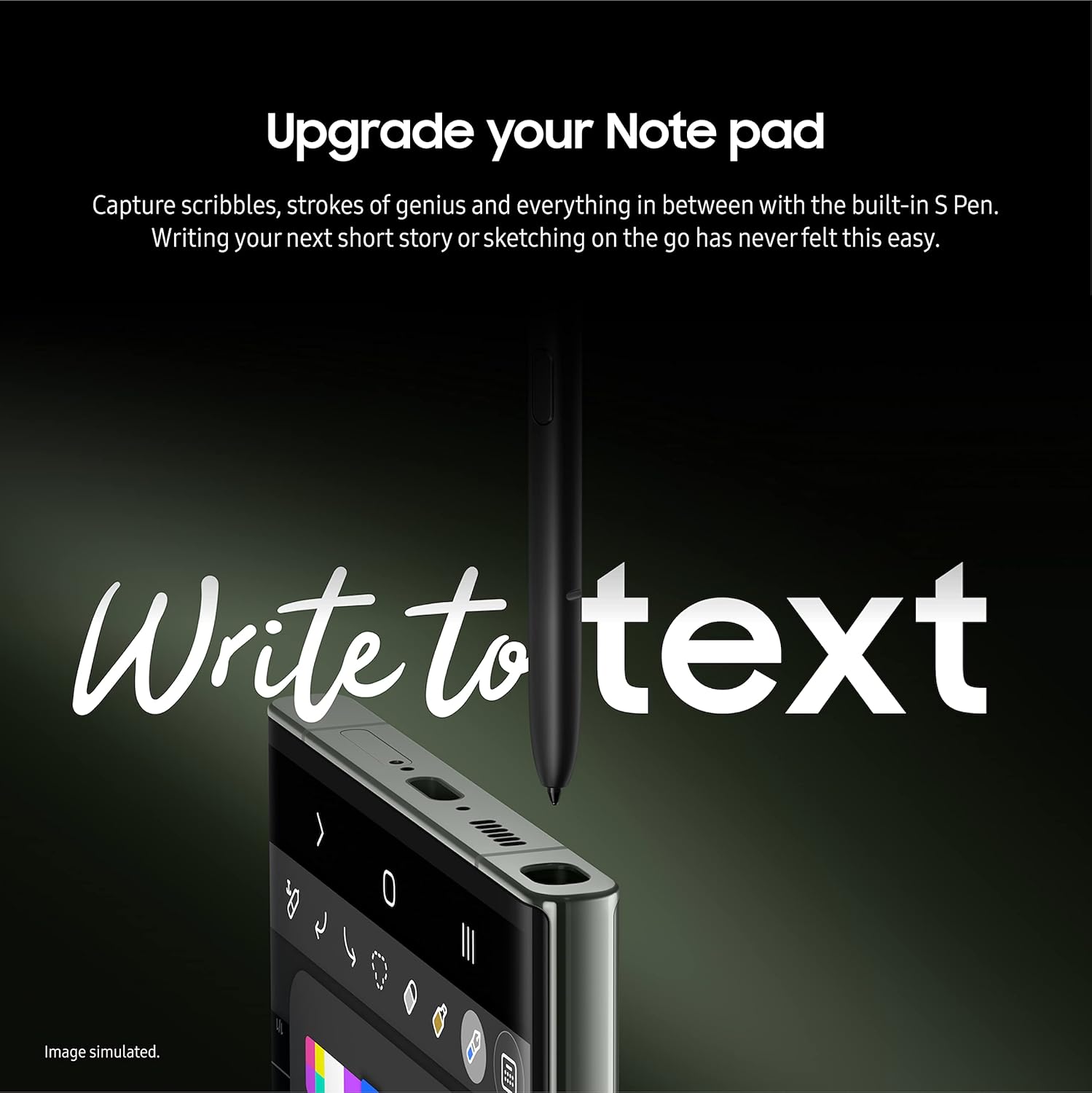
- Write, Draw, Create: Convert handwriting to text in various apps like Samsung Note, Microsoft Office, or Google Suite.
- Snap Pics: Capture epic selfies and beautiful photos remotely by clicking the S Pen button instead of touching the screen.

The S Pen being used to convert handwritten notes into digital text on the Galaxy S23 Ultra.

The S Pen being used as a remote shutter to capture a photo on the Galaxy S23 Ultra.
പ്രകടനവും ബാറ്ററിയും
The Galaxy S23 Ultra is built for demanding tasks:
- Fastest Mobile Processor: Smoothly switch between apps, play high-intensity games, and handle video calls with ease.
- നീണ്ട ബാറ്ററി ലൈഫ്: The robust 5,000mAh battery, fine-tuned with a smarter processor, ensures your phone lasts through a packed day or long night of gaming.
- Adaptive Vision Booster: Adjusts your screen's brightness to ensure optimal viewing in any environment, keeping your content looking amazing.

The Galaxy S23 Ultra running a high-performance game, demonstrating its powerful processor and smooth gaming experience.

A user enjoying extended gaming sessions on the Galaxy S23 Ultra, highlighting its long-lasting battery.
സംഭരണം
With an impressive amount of storage, starting at 256GB, you can enjoy being behind the camera without the stress that comes with getting close to filling up your phone. The Galaxy S23 Ultra lets you keep your favorite memories and any shots in between while capturing new ones.
The Galaxy S23 Ultra's screen filled with numerous photos and videos, illustrating its generous storage capacity for media.
മെയിൻ്റനൻസ്
To ensure the longevity and optimal performance of your Samsung Galaxy S23 Ultra, regular maintenance is recommended.
- വൃത്തിയാക്കൽ: Regularly wipe your device with a soft, lint-free cloth. For stubborn smudges, slightly dampതുണിയിൽ വെള്ളം അല്ലെങ്കിൽ സ്ക്രീൻ ക്ലീനർ ഉപയോഗിക്കുക. കഠിനമായ രാസവസ്തുക്കൾ ഒഴിവാക്കുക.
- സോഫ്റ്റ്വെയർ അപ്ഡേറ്റുകൾ: Keep your device's software updated to the latest version. Updates often include performance improvements, security patches, and new features.
- ബാറ്ററി കെയർ: Avoid extreme temperatures. While the device has a robust battery, prolonged exposure to very hot or very cold conditions can affect battery life.
- സ്റ്റോറേജ് മാനേജ്മെന്റ്: ആനുകാലികമായി റീview your stored files and applications. Delete unnecessary items to free up space and maintain optimal performance.
ട്രബിൾഷൂട്ടിംഗ്
If you encounter issues with your Samsung Galaxy S23 Ultra, try the following common troubleshooting steps:
- ഉപകരണം പ്രതികരിക്കുന്നില്ല: ഉപകരണം പുനരാരംഭിക്കാൻ നിർബന്ധിതമാക്കുന്നതിന് പവർ ബട്ടണും വോളിയം ഡൗൺ ബട്ടണും ഒരേസമയം ഏകദേശം 7 സെക്കൻഡ് അമർത്തിപ്പിടിക്കുക.
- ആപ്പ് പ്രശ്നങ്ങൾ: If an app is misbehaving, try clearing its cache and data via Settings > Apps > [App Name] > Storage. If the issue persists, reinstall the app.
- കണക്റ്റിവിറ്റി പ്രശ്നങ്ങൾ: For Wi-Fi or Bluetooth issues, try toggling the respective setting off and on. If that doesn't work, restart your device or reset network settings via Settings > General management > Reset > Reset network settings.
- ബാറ്ററി ഡ്രെയിൻ: Check battery usage in Settings > Battery and device care > Battery to identify apps consuming excessive power. Close or uninstall problematic apps.
സ്പെസിഫിക്കേഷനുകൾ
| ബ്രാൻഡ് | സാംസങ് |
| മോഡലിൻ്റെ പേര് | Galaxy S23 Ultra |
| ഇനം മോഡൽ നമ്പർ | SM-S918UZGFXAA |
| ഓപ്പറേറ്റിംഗ് സിസ്റ്റം | ആൻഡ്രോയിഡ് 13.0 |
| റാം | 12 ജിബി |
| മെമ്മറി സ്റ്റോറേജ് കപ്പാസിറ്റി | 512 ജിബി |
| സ്റ്റാൻഡിംഗ് സ്ക്രീൻ ഡിസ്പ്ലേ വലുപ്പം | 6.8 ഇഞ്ച് |
| റെസലൂഷൻ | 3088 x 1440 |
| സിപിയു മോഡൽ | സ്നാപ്ഡ്രാഗൺ |
| സിപിയു വേഗത | 3.36 GHz |
| ബാറ്ററി പവർ റേറ്റിംഗ് | 5000 മില്ലിampമണിക്കൂർ (mAh) |
| പ്രത്യേക സവിശേഷതകൾ | വെള്ളത്തെ പ്രതിരോധിക്കുന്ന |
| ഇനത്തിൻ്റെ ഭാരം | 8.3 ഔൺസ് |
ബോക്സിൽ എന്താണുള്ളത്
Your Samsung Galaxy S23 Ultra package includes the following items:
- USB കേബിൾ
- സിം ട്രേ എജക്ടർ
- സ്റ്റൈലസ് (എസ് പേന)
Note: A charging block is not included and must be purchased separately.
വാറൻ്റിയും പിന്തുണയും
For detailed warranty information and support, please refer to the official Samsung website or contact Samsung customer service. Keep your proof of purchase for warranty claims.
Ask a question about this manual
Ask about setup, troubleshooting, compatibility, parts, safety, or missing instructions. Manuals+ will review the question and use this page’s manual context to help answer it.