
1. ആമുഖം
Thank you for choosing the CORN Technology N520 Wireless Keyboard and Mouse Combo. This product is designed to enhance your computing experience with its ergonomic design, retro chiclet round keycaps, and stable 2.4GHz wireless connectivity. This manual provides detailed instructions to help you set up, operate, and maintain your new device effectively.
2. ഉൽപ്പന്ന സവിശേഷതകൾ
- 2.4GHz Stable Wireless Connectivity: Plug and play with a single USB receiver for both keyboard and mouse, offering up to 33ft effective wireless range.
- 12 Function Hotkey Design: Multimedia hotkeys (FN combinations) for quick access to music, movies, web ബ്രൗസിംഗ്, ഇമെയിൽ.
- എർഗണോമിക് ഡിസൈൻ: 1600 DPI mouse for adjustable cursor sensitivity and smooth tracking. Ergonomic keycaps for a comfortable typing experience with balanced sound levels.
- വിശാലമായ അനുയോജ്യത: Supports Windows XP / WIN7 / WIN10 / ISO, compatible with Notebooks and Desktop PCs.
- വൈദ്യുതി ലാഭിക്കൽ: Automatic sleep mode for both keyboard and mouse after a period of inactivity to conserve battery life.
3. പാക്കേജ് ഉള്ളടക്കം
നിങ്ങളുടെ പാക്കേജിൽ എല്ലാ ഇനങ്ങളും ഉണ്ടെന്ന് ഉറപ്പാക്കുക:
- 1 x വയർലെസ് കീബോർഡ്
- 1 x വയർലെസ് മൗസ്
- 1 x യുഎസ്ബി റിസീവർ (മൗസ് ബാറ്ററി കമ്പാർട്ടുമെന്റിൽ സൂക്ഷിച്ചിരിക്കുന്നു)
- 3 x AA Batteries (for mouse and keyboard)
- 1 x Welcome Guide
4. സജ്ജീകരണ നിർദ്ദേശങ്ങൾ
- ബാറ്ററികൾ ഇൻസ്റ്റാൾ ചെയ്യുക:
- Open the battery compartment on the underside of the mouse and insert 1 AA battery.
- Open the battery compartment on the underside of the keyboard and insert 2 AAA batteries.
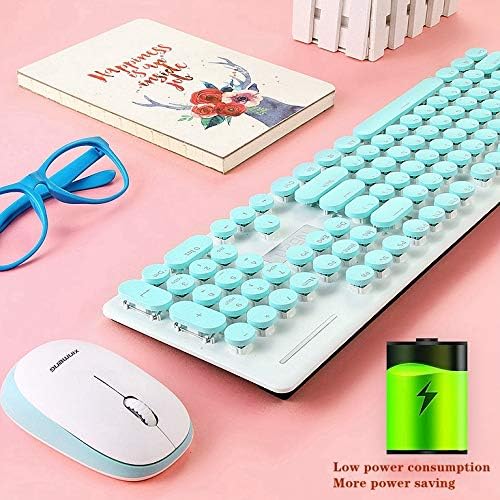
Image: The underside of the keyboard and mouse, highlighting the battery compartments. An icon indicating low power consumption is also visible, suggesting efficient battery usage.
- USB റിസീവർ കണ്ടെത്തുക: The tiny USB receiver is stored securely within the battery compartment of the mouse. Carefully remove it.
- കമ്പ്യൂട്ടറുമായി ബന്ധിപ്പിക്കുക: നിങ്ങളുടെ കമ്പ്യൂട്ടറിലോ ലാപ്ടോപ്പിലോ ലഭ്യമായ USB പോർട്ടിലേക്ക് USB റിസീവർ പ്ലഗ് ചെയ്യുക.
- പവർ ഓൺ: Ensure both the keyboard and mouse are switched ON (if they have an on/off switch). The devices should automatically connect to your computer. No additional drivers are typically required.
Video: A seller-provided video demonstrating the installation of batteries and the USB receiver for a wireless keyboard and mouse combo. It shows the process of opening compartments, inserting batteries, and plugging in the receiver.
5. പ്രവർത്തന നിർദ്ദേശങ്ങൾ
5.1 മൗസ് ഓപ്പറേഷൻ
- DPI ക്രമീകരണം: The mouse features a 1600 DPI sensor. Press the DPI button (usually located near the scroll wheel) to cycle through different sensitivity levels to suit your preference.
- വൈദ്യുതി ലാഭിക്കൽ: The mouse will automatically enter sleep mode after a period of inactivity. To wake it up, simply move the mouse or click any button.
5.2 കീബോർഡ് പ്രവർത്തനം
- മൾട്ടിമീഡിയ ഹോട്ട്കീകൾ: Use the 'Fn' key in combination with the F1-F12 function keys to access various multimedia and system functions (e.g., volume control, media playback, web browser, email). Refer to the keycap legends for specific functions.
- Ergonomic Typing: The keyboard features an inclined design for comfortable typing.
- വൈദ്യുതി ലാഭിക്കൽ: The keyboard will automatically enter sleep mode after a period of inactivity. To wake it up, simply press any key.
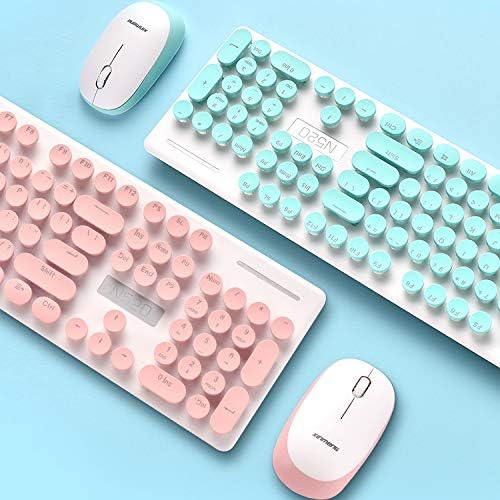
ചിത്രം: ഒരു ക്ലോസ്-അപ്പ് view of the keyboard, highlighting the round chiclet-style keycaps and the function keys, which can be used for multimedia controls.
6. പരിപാലനം
- വൃത്തിയാക്കൽ: The floating keycap design allows for easy cleaning. Use a soft brush or compressed air to remove dust and debris from between the keys. For surface cleaning, use a soft, damp തുണി.
- വാട്ടർപ്രൂഫ് ഡിസൈൻ: The keyboard features a waterproof design, making it resistant to minor spills and easier to clean. However, avoid submerging the device in water.

Image: A visual representation emphasizing the waterproof capabilities of the keyboard, indicating its resilience against liquid spills.
7. പ്രശ്നപരിഹാരം
- ബന്ധമില്ല:
- പ്രവർത്തിക്കുന്ന ഒരു USB പോർട്ടിലേക്ക് USB റിസീവർ സുരക്ഷിതമായി പ്ലഗ് ചെയ്തിട്ടുണ്ടെന്ന് ഉറപ്പാക്കുക.
- കീബോർഡിലെയും മൗസിലെയും ബാറ്ററികൾ ശരിയായി ഇൻസ്റ്റാൾ ചെയ്തിട്ടുണ്ടോ എന്നും ആവശ്യത്തിന് ചാർജ് ഉണ്ടോ എന്നും പരിശോധിക്കുക.
- നിങ്ങളുടെ കമ്പ്യൂട്ടറിലെ മറ്റൊരു USB പോർട്ടിലേക്ക് USB റിസീവർ പ്ലഗ് ചെയ്യാൻ ശ്രമിക്കുക.
- നിങ്ങളുടെ കമ്പ്യൂട്ടർ പുനരാരംഭിക്കുക.
- ലാഗിംഗ് അല്ലെങ്കിൽ ഇടവിട്ടുള്ള കണക്ഷൻ:
- Ensure the devices are within the effective wireless range (up to 33ft) of the USB receiver.
- മറ്റ് വയർലെസ് ഉപകരണങ്ങളിൽ നിന്നോ വലിയ ലോഹ വസ്തുക്കളിൽ നിന്നോ ഉള്ള ഇടപെടൽ കുറയ്ക്കുക.
- ബാറ്ററികൾ കുറവാണെങ്കിൽ അവ മാറ്റിസ്ഥാപിക്കുക.
- നഷ്ടപ്പെട്ട USB റിസീവർ: The USB receiver is crucial for wireless connectivity. If lost, contact customer service for potential replacement options.
8 സ്പെസിഫിക്കേഷനുകൾ
| ബ്രാൻഡ് | ചോളം |
| മോഡൽ നമ്പർ | N520 (EL0780-01B) |
| നിറം | നീല |
| കണക്റ്റിവിറ്റി ടെക്നോളജി | 2.4GHz Radio Frequency Wireless |
| മൗസ് ഡിപിഐ | 1600 DPI (adjustable) |
| കീബോർഡ് കീകൾ | 104 കീകൾ |
| സിസ്റ്റം പിന്തുണ | Windows XP / WIN7 / WIN10 / ISO, Mac OS X 10.3+ |
| അനുയോജ്യമായ ഉപകരണങ്ങൾ | ലാപ്ടോപ്പ്, പേഴ്സണൽ കമ്പ്യൂട്ടർ |
| ബാറ്ററികൾ ആവശ്യമാണ് | 1 AA for Mouse, 2 AAA for Keyboard (included) |
| ഇനത്തിൻ്റെ ഭാരം | 2 പൗണ്ട് |
| പാക്കേജ് അളവുകൾ | 17.7 x 8.7 x 1.18 ഇഞ്ച് |
9. വാറൻ്റിയും പിന്തുണയും
Your CORN Technology N520 Wireless Keyboard and Mouse Combo comes with a worry-free 12-month warranty. For any product inquiries, technical support, or warranty claims, please contact our friendly customer service team. Refer to the contact information provided in your welcome guide or on the product packaging.