
JXD X6
JXD X6 Handheld Game Console User Manual
Model: X6 (S6)
ആമുഖം
Welcome to the user manual for your JXD X6 Handheld Game Console. This 4.3-inch portable device is designed to provide a versatile entertainment experience, supporting multiple game emulators, multimedia playback, and e-book reading. This manual will guide you through the setup, operation, and maintenance of your console to ensure optimal performance and enjoyment.
ബോക്സിൽ എന്താണുള്ളത്
നിങ്ങളുടെ പാക്കേജിന്റെ ഉള്ളടക്കങ്ങൾ പരിശോധിക്കുക. അതിൽ ഇവ ഉൾപ്പെടണം:
- JXD X6 Handheld Game Console
- യുഎസ്ബി ചാർജിംഗ് കേബിൾ
- AV Cable (for TV output)
- ഉപയോക്തൃ മാനുവൽ (ഈ പ്രമാണം)
ഉൽപ്പന്നം കഴിഞ്ഞുview
The JXD X6 is a compact and ergonomic handheld console featuring a 4.3-inch display. It is equipped with a D-pad, action buttons, shoulder buttons, and analog sticks for precise control across various game types. The console also includes ports for charging, TV output, and memory expansion.
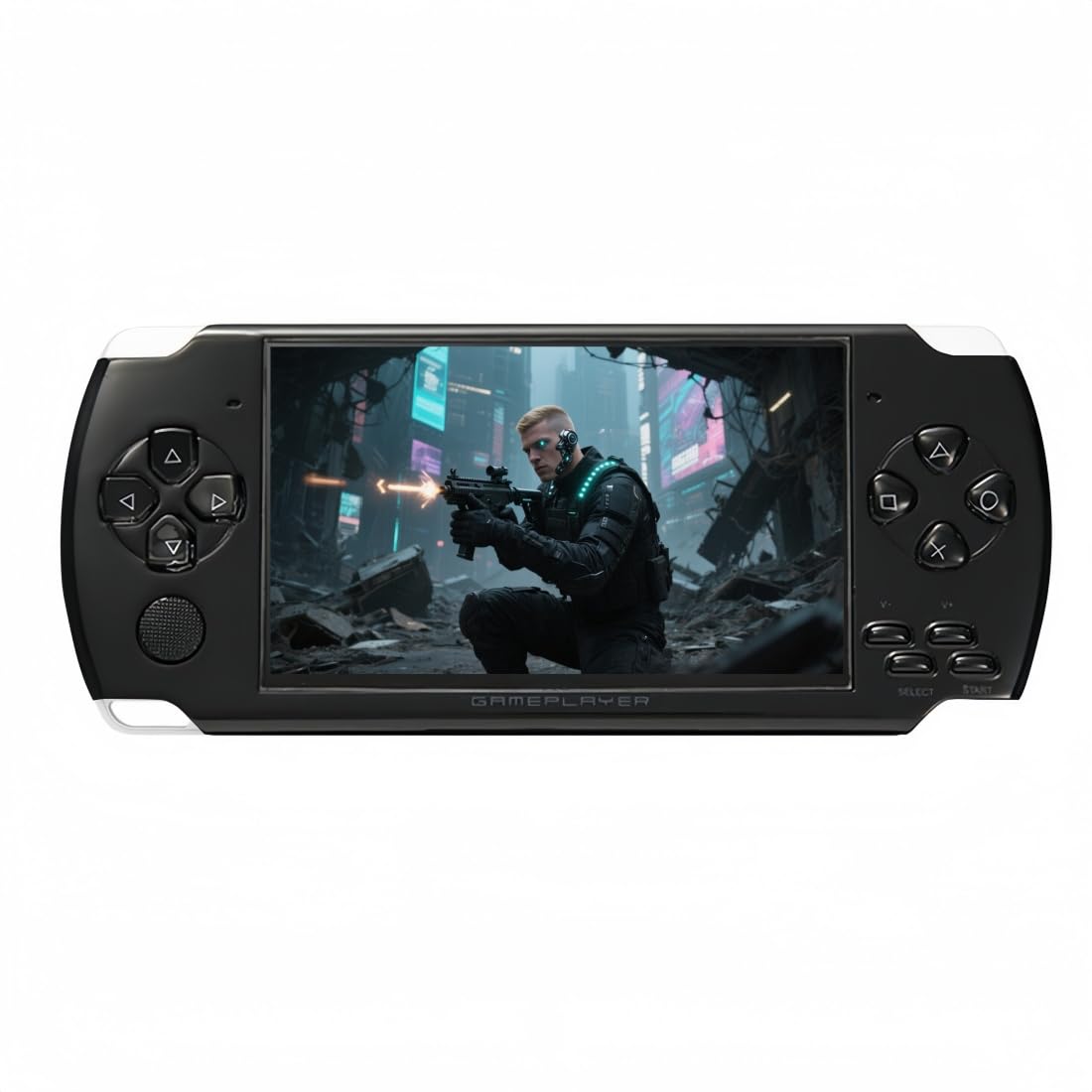
ഫ്രണ്ട് view of the JXD X6 Handheld Game Console, showing the screen and controls.
തിരികെ view of the JXD X6 Handheld Game Console, highlighting its ergonomic design.
സജ്ജമാക്കുക
Charging the Console
Before initial use, fully charge the console. Connect the provided USB charging cable to the console's charging port and plug the other end into a compatible USB power adapter (not included) or a computer's USB port. The charging indicator will illuminate during charging and turn off when fully charged.

The console features a built-in rechargeable lithium battery, supporting USB charging for convenience.
പവർ ചെയ്യുന്നത് ഓൺ/ഓഫ്
- പവർ ഓണാക്കാൻ: Press and hold the Power button located on the console until the screen illuminates.
- പവർ ഓഫ് ചെയ്യാൻ: Press and hold the Power button until a power-off prompt appears on the screen, then confirm your selection.
പ്രവർത്തന നിർദ്ദേശങ്ങൾ
ഇൻ്റർഫേസ് നാവിഗേറ്റ് ചെയ്യുന്നു
Use the D-pad or analog stick to navigate through menus and select options. The A/B/X/Y buttons are typically used for confirmation and cancellation, depending on the specific menu or game.
ഗെയിമുകൾ കളിക്കുന്നു
The JXD X6 comes with thousands of classic games pre-installed, organized by emulator type. To access games, navigate to the "Games" section from the main menu. Select an emulator folder, then choose your desired game to start playing.

The console includes 2000 free classic games, categorized by simulator type for easy access.
Saving and Loading Game Progress
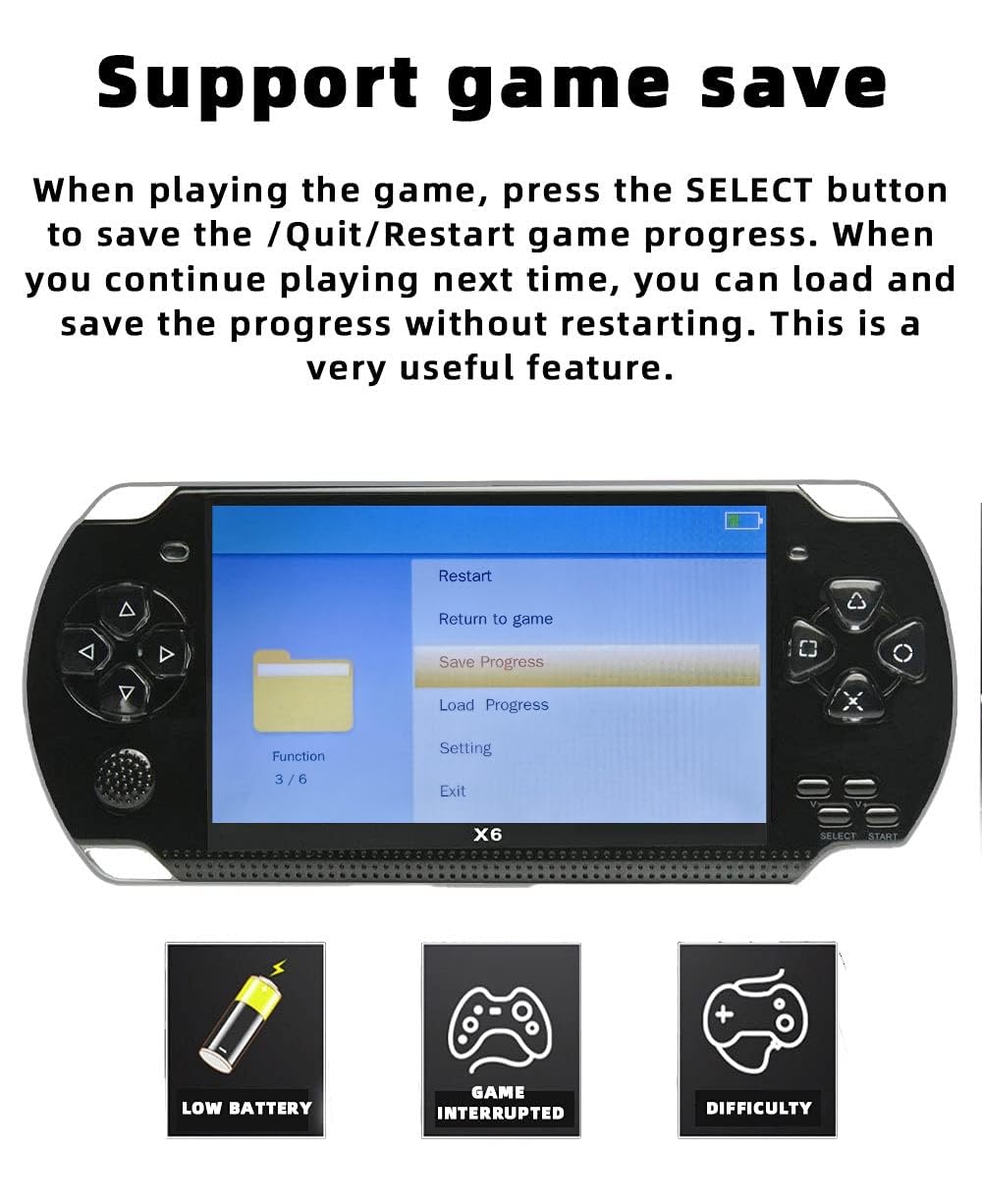
During gameplay, you can save your progress. Press the തിരഞ്ഞെടുക്കുക button to access the in-game menu. From this menu, you can choose to Save Progress, Load Progress, Quit, or Restart the game. This feature allows you to continue your game from where you left off without losing progress.

The in-game menu allows you to save, load, quit, or restart your game progress.
Adding and Deleting Games
You can customize your game library by adding or deleting non-solidified games. Connect the JXD X6 console to your computer using the USB cable. On your computer, locate the console's storage and find the "GAME" folder. You can then transfer new game files into this folder or delete existing ones. Creating new subfolders within "GAME" can help organize your favorite titles.

Games can be added or deleted by connecting the console to a computer and managing files in the "GAME" directory.
Connecting to a Television
ഒരു വലിയതിന് viewing experience, connect your JXD X6 to a television using the provided AV cable. Plug one end of the AV cable into the console's AV output port and the other end into the corresponding AV input ports on your TV. Switch your TV's input source to AV to display the console's screen. This allows you to play games or watch videos on your TV.

Connect the console to your TV using the AV cable to enjoy games and videos on a larger screen.
മൾട്ടിമീഡിയ പ്രവർത്തനങ്ങൾ
Beyond gaming, the JXD X6 offers additional entertainment features. You can watch videos, listen to music, and read e-books. The console also includes tools such as a stopwatch, calendar, and recording function.

The console supports various multimedia functions including video playback, music, and e-books, along with utility tools.
മെയിൻ്റനൻസ്
- വൃത്തിയാക്കൽ: Use a soft, dry cloth to clean the console's exterior. Do not use liquid cleaners or abrasive materials.
- സംഭരണം: Store the console in a cool, dry place away from direct sunlight and extreme temperatures.
- ബാറ്ററി കെയർ: To prolong battery life, avoid fully discharging the console frequently. Charge it regularly, even if not in use for extended periods.
- തുള്ളികൾ ഒഴിവാക്കുക: Protect the console from drops and impacts, which can damage internal components or the screen.
ട്രബിൾഷൂട്ടിംഗ്
| പ്രശ്നം | സാധ്യമായ പരിഹാരം |
|---|---|
| കൺസോൾ ഓണാക്കുന്നില്ല. | Ensure the console is fully charged. Connect it to a power source and try again. If the issue persists, perform a hard reset by holding the power button for an extended period (e.g., 10-15 seconds). |
| Games are not loading or crashing. | കളി ഉറപ്പാക്കുക files are correctly placed in the "GAME" folder and are compatible with the console's emulators. Try restarting the console. If using an external memory card, ensure it is properly inserted and not corrupted. |
| No display on TV when connected. | Verify that the AV cable is securely connected to both the console and the TV. Ensure your TV's input source is set to the correct AV channel. |
| Console is unresponsive. | Press and hold the Power button for about 10 seconds to force a shutdown, then restart the console. |
സ്പെസിഫിക്കേഷനുകൾ
| ഫീച്ചർ | വിശദാംശങ്ങൾ |
|---|---|
| മോഡലിൻ്റെ പേര് | X6 |
| മോഡൽ നമ്പർ | S6 |
| ബ്രാൻഡ് | JXD |
| ഡിസ്പ്ലേ വലിപ്പം | 4.3 ഇഞ്ച് |
| റെസലൂഷൻ | 480 x 272 |
| ആന്തരിക സംഭരണം | 8 ജിബി |
| വികസിപ്പിക്കാവുന്ന മെമ്മറി | microSD (Compatible Flash Memory Type) |
| കണക്റ്റിവിറ്റി | USB, AV ഔട്ട് |
| ഇൻപുട്ട് ഉപകരണം | Gamepad (D-pad, Analog Sticks, Buttons) |
| ബാറ്ററി | ബിൽറ്റ്-ഇൻ റീചാർജബിൾ ലിഥിയം ബാറ്ററി |
| ഭാരം | 152 ഗ്രാം |
| നിറം | കറുപ്പ് |
വാറൻ്റിയും പിന്തുണയും
വാറന്റി വിവരങ്ങൾക്കും സാങ്കേതിക പിന്തുണയ്ക്കും, വാങ്ങുന്ന സമയത്ത് നൽകിയിട്ടുള്ള ഡോക്യുമെന്റേഷൻ പരിശോധിക്കുകയോ നിങ്ങളുടെ റീട്ടെയിലറെ ബന്ധപ്പെടുകയോ ചെയ്യുക. ഏതെങ്കിലും വാറന്റി ക്ലെയിമുകൾക്കായി നിങ്ങളുടെ വാങ്ങിയതിന്റെ തെളിവ് സൂക്ഷിക്കുക.
Ask a question about this manual
Ask about setup, troubleshooting, compatibility, parts, safety, or missing instructions. Manuals+ will review the question and use this page’s manual context to help answer it.