
 COMPUTERIZED
PUSH PULL GAUGE USER MANUAL
 Calibration ISO 17025:2017
 ISO 9001:2015
SPECIFICATION
| Item No | Range | Resolution | Accuracy | Peak function | Indication | Data output |
Calibration | |
| N | lbF | N | % | Wireless | ISO 17025 | |||
| 225170010 | 1-10 | 0.2-2 | 0,001 | 0.25 | Electronic PEAK* function |
computerized MICS system with 1,54” touchscreen |
Long range | + |
| 225170050 | 2-50 | 1-11,5 | 0,001 | 0.25 | Long range | + | ||
| 225170100 | 5-100 | 1-22,5 | 0,001 | 0.25 | Long range | + | ||
| 225170500 | 10-500 | 2-112 | 0,001 | 0.25 | Long range | + | ||
* Activate MIN/MAX function on MICS indication system to use lelctronic PEAK function
TECHNICAL DATA
| Parameters | |
| LED display | color 1,54 inch |
| Resolution | 240×240 |
| Indication system | MICS 3.0 |
| Power supply | Rechargeable Li-Pol battery |
| Battery capacity | 450mAh |
| Charging port | micro-USB |
| Case material | Aluminium |
| Buttons | Switch (Multifuntional), Reset |
| Wireless data transfer | Long range data transfer |
CHARGING
 BUILT-IN BATTERY – rechargeable Li-Pol battery For charging connect magnetic USB cable Charging process indicating on Battery status (switch on device)
WIRELESS DATA TRANSFER
Activate WIRELESS data transfer in WIRELESS menu Connect instrument with MICS indication system to Tablet or PC Send data tp Tablet or PC:
- by Touchscreen
- by Multifactinal button psuh (activted in Wireless menu)
- by Timer (activated in Timer menu)
- from Internal Memory
MEMORY
For save measuring data to internal memory touch data area on screen or short button push. You can view saved data throw menu or send Wireless connection to Windows PC, Android or iOS devices.
CONNECTION

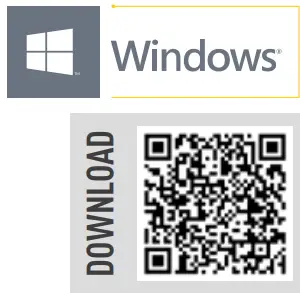 https://microtech.ua/index.php?id_cms=28&controller=cms&id_lang=1
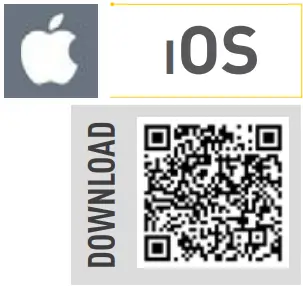 https://apps.apple.com/us/app/microtech-data-systems/id1336434154#?platform=iphone
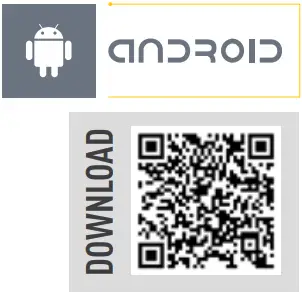 https://play.google.com/store/apps/details?id=com.microtech.measurementsuite2
 |
SAVING DATA TO XLS. CSV FORMATS |
|
SAVING DATA TO XLS. CSV FORMATS |
|
SAVING DATA TO XLS. CSV FORMATS |
 |
TRANSFER DATA TO CAD, SPC OR OTHERSOFTWARE |
 |
SAVING GRAPH |
|
SAVING GRAPH |
 |
TRANSFER DATA TO EXCEL OR OTHER TABLE EDITORS |
 |
OICE MODE |
|
VOICE MODE |
 |
QUALITY CONTROL RESULTS |
DATA TRANSFER DISTANCE FOR INTELLIGENT INSTRUMENTS
- All MICROTECH Intelligent instruments has internal memory. You can collect data to memory and when it will be neccesary transfer all data to the peripheral device with no data loosing.
- It’s possible transfer data, like in Wireless instruments up to 15 m or up 50 m with external antenna
- USB port can be used to transfer data directly to Windows PC
MENU NAVIGATION
 USE TOUCHSCREEN TO OPERATE MENU
MICS SYSTEM FUNCTIONS

 LIMITS GO/NOGO
 MAX/MIN
 FORMULA
 TIMER
TIMER

 MATHEMATICAL ERROR COMPENSATION
 TEMPERATURE COMPENSATION
Re-calculation detail size to calibration conditions (20°C) 7 types of material:
- glass, quartz, solid alloys
- granite, graphite
- Fe, NI, Fe alloys
- stainless steel
- cooper, Cu alloys
- alluminium, al alloys
- acrylic sheet
 RESOLUTION
 EXTRA (Axis mode)

 WIRELESS CONNECTION
MENU SETTING
Activating or disactivating wireless data transfer
 USB CONNECTION
MENU SETTING
USB connection mode under construction
 PIN & RESET
 DISPLAY SETTING

 MEMORY SETTINGS
MENU SETTING
Activating or disactivating saving values to memory
 LINK TO SOFTWARE
 https://microtech.ua/index.php?id_category=850&controller=category&id_lang=1
 CALIBRATION DATE
 DEVICE INFO
 Information about device
- device name
- firmware version
- MAC adress for easy connection
DIMESIONAL DRAWINGS

MICROTECH
innovative measuring instruments
61001, Kharkiv, Ukraine, str. Rustaveli, 39
tel.: +38 (057) 739-03-50
www.microtech.ua
tool@microtech.ua
Change without prior notice
Documents / Resources
 | 225170010 Computerized Push Pull Gauge |
References
- Home - MICROTECHwww.microtech.ua
- User Manualmanual.tools