Kupu Whakataki
This user manual provides essential information for the safe and efficient operation of your Samsung AI Control Heat Pump Dryer. Please read these instructions thoroughly before using the appliance and retain them for future reference. This dryer features advanced technologies such as AI Control, Optimal Dry, and SmartThings connectivity to enhance your laundry experience.

Whakaahua: Mua view of the Samsung AI Control Heat Pump Dryer (Model DV90DG6845LE), illustrating its compact dimensions (600mm width, 850mm height) and highlighting its 9 kg capacity and A energy rating. Key features like AI Control, Eco Dry, and Hygiene Dry are also indicated.
Tatūnga
Te Wetewete me te Whakanoho
Carefully unpack the dryer and remove all packaging materials. Ensure the appliance is placed on a firm, level surface. The dryer's dimensions are approximately 60 cm (width) x 85 cm (height) x 60 cm (depth). Allow adequate space around the dryer for ventilation.
Hononga hiko
Connect the provided power cable to a grounded electrical outlet. Ensure the voltage and frequency match the specifications listed on the appliance's rating label.
Tatūnga Tuatahi me te Hononga Wi-Fi
Upon first power-on, follow the on-screen prompts for initial setup. To utilize smart features, connect the dryer to your home Wi-Fi network using the SmartThings app on your smartphone. This enables remote control, cycle suggestions, and energy monitoring.
Nga Tohutohu Whakahaere
Paewhiri Mana Neke Atuview
The dryer features an intuitive control panel for selecting cycles and settings. The AI Control system learns your preferences over time.
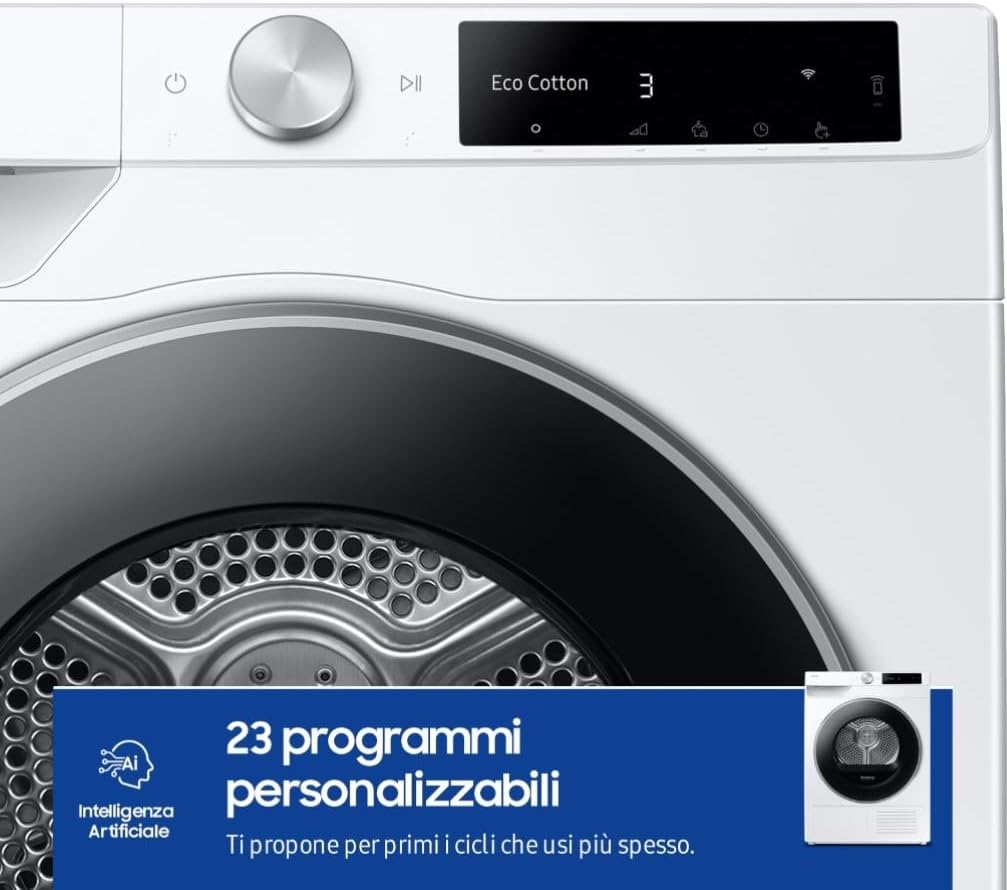
Image: A close-up of the dryer's control panel and drum, highlighting the AI Artificial Intelligence feature and indicating the availability of 23 customizable programs.
AI Control and Personalized Programs
The AI Control system learns your drying habits and suggests the most suitable cycles. It offers up to 23 personalized programs, adapting to your frequently used settings.

Image: The dryer's control panel display showing an 'Outdoor' cycle with a suggestion to 'Refresh fall hiking clothes', demonstrating the AI Control's ability to suggest relevant programs.
Optimal Dry Technology
Optimal Dry technology uses intelligent sensors to continuously monitor humidity and temperature levels inside the drum. This ensures clothes are dried effectively without over-drying, protecting fabrics and optimizing energy consumption.

Image: A diagram illustrating the placement of temperature and humidity sensors within the dryer, indicating the 'Optimal Dry Sensor' which automatically calibrates the temperature and duration of each cycle.

Image: Various fabric types (Normal, Denim, Towels, Synthetics) displayed with progress bars, demonstrating how the Optimal Dry Sensor adapts drying parameters to suit different loads and materials.
AI maroke
AI Dry utilizes intelligent sensors to automatically optimize drying time and energy consumption based on the temperature and humidity of the laundry load. This reduces energy usage by up to 10%.
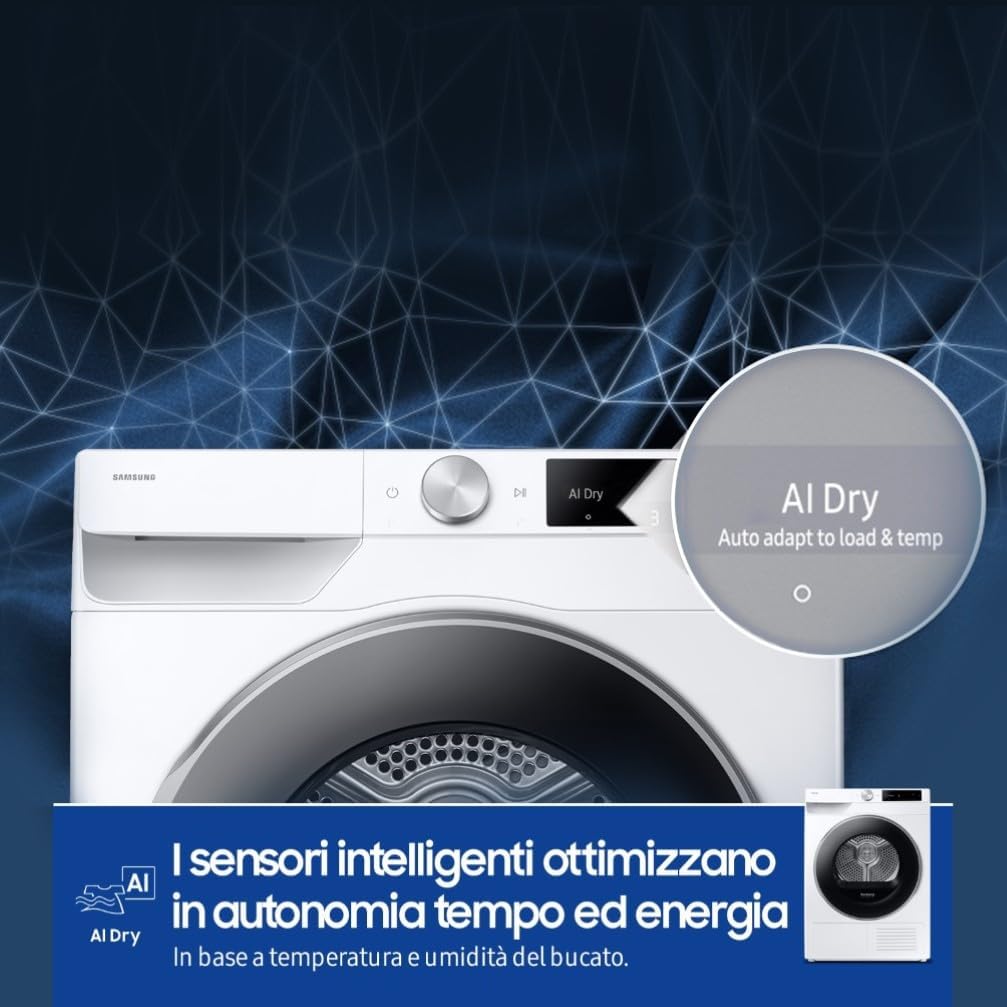
Image: A close-up of the dryer's control panel displaying 'AI Dry: Auto adapt to load & temp', with a background suggesting intelligent network processing, indicating the dryer's ability to optimize cycles automatically.
Super Speed Drying
The Super Speed feature allows for quick drying of clothes, making them ready to wear faster while maintaining energy efficiency. When paired with a compatible washing machine, a full wash and dry cycle can be completed in approximately 2 hours.

Image: A graphic illustrating the efficiency of a combined wash and dry cycle, showing a wash in 39 minutes and dry in 81 minutes, totaling 'in just 2 hours' for a complete laundry process.
Tere maroke 35'
For smaller loads or when you need items quickly, the Quick Dry 35' program can dry up to 1 kg of laundry in just 35 minutes.

Image: The Samsung dryer positioned in a modern laundry room, with a prominent '35 min' text overlay, highlighting the Quick Dry 35' feature for fast drying of small loads.
Te Maamae
The Hygiene Dry cycle uses gentle heat to eliminate up to 99.9% of bacteria, mites, and allergens from fabric fibers, providing a more hygienic drying experience.
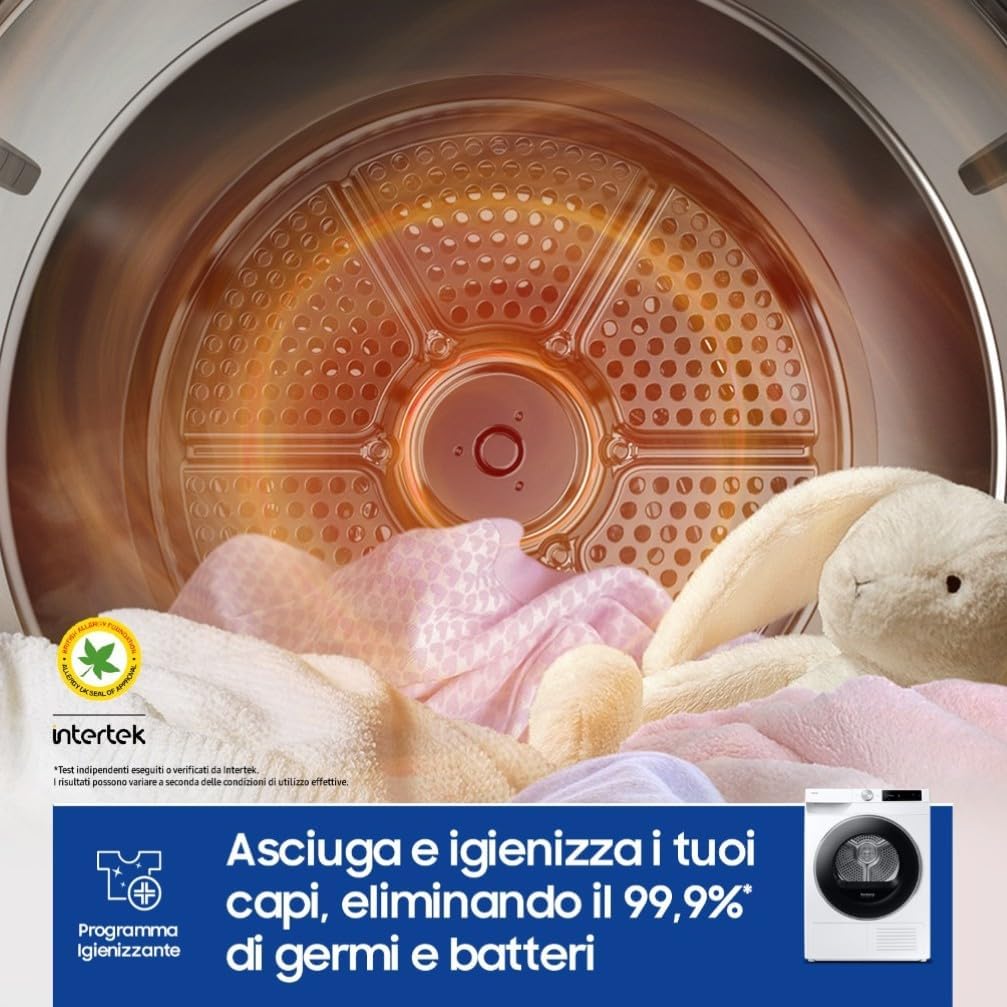
Whakaahua: He roto view of the dryer drum filled with clothes, illustrating the 'Hygiene Program' which is designed to eliminate 99.9% of germs and bacteria from fabrics using gentle heat.

Image: A microscopic view of fabric fibers showing bacteria and mites, juxtaposed with a dryer drum and charts indicating the elimination of '99.9% of Colon Bacillus', '100% of Acari', and '99.9% of Bacteria' by the Hygiene Dry cycle.
SmartThings App Integration
The SmartThings app allows you to control your dryer remotely, select cycles, schedule drying times, and receive notifications. It also provides troubleshooting assistance and enables the AI Energy Mode.

Image: A hand holding a smartphone displaying the SmartThings app interface, with 'AI Energy mode' activated, showing energy usage statistics and potential savings, demonstrating smart energy management.

Image: Multiple screens from the SmartThings app showcasing various features, including 'Energy Saving', 'Auto Cleaning', and 'Auto Cycling Link', illustrating the comprehensive smart connectivity and control options available.
Energy Efficiency with Heat Pump Technology
The heat pump technology reuses hot air, significantly reducing energy consumption compared to conventional dryers. The AI Energy Mode, accessible via SmartThings, allows you to monitor and reduce energy consumption by up to 20% by adjusting the inverter motor speed and cycle duration.

Image: A diagram illustrating the internal workings of the heat pump technology in the dryer, showing the circulation of air and heat exchange processes, accompanied by the text 'Heat Pump Tech. Save energy'.

Image: The Samsung dryer in a laundry room setting, with text emphasizing 'Consumes less energy without sacrificing performance' and detailing the 'AI Energy Mode' which monitors and reduces energy consumption by up to 20%.
Te tiaki
2-in-1 Filter Cleaning
Regular cleaning of the 2-in-1 filter is crucial for maintaining optimal drying performance and energy efficiency. The filter is designed for easy removal and cleaning.
- Whakatuwheratia te kuaha o te maroke.
- Locate and pull out the 2-in-1 filter from its housing.
- Separate the two filter layers.
- Remove any lint or debris from both layers.
- Reassemble the filter and reinsert it into the dryer.
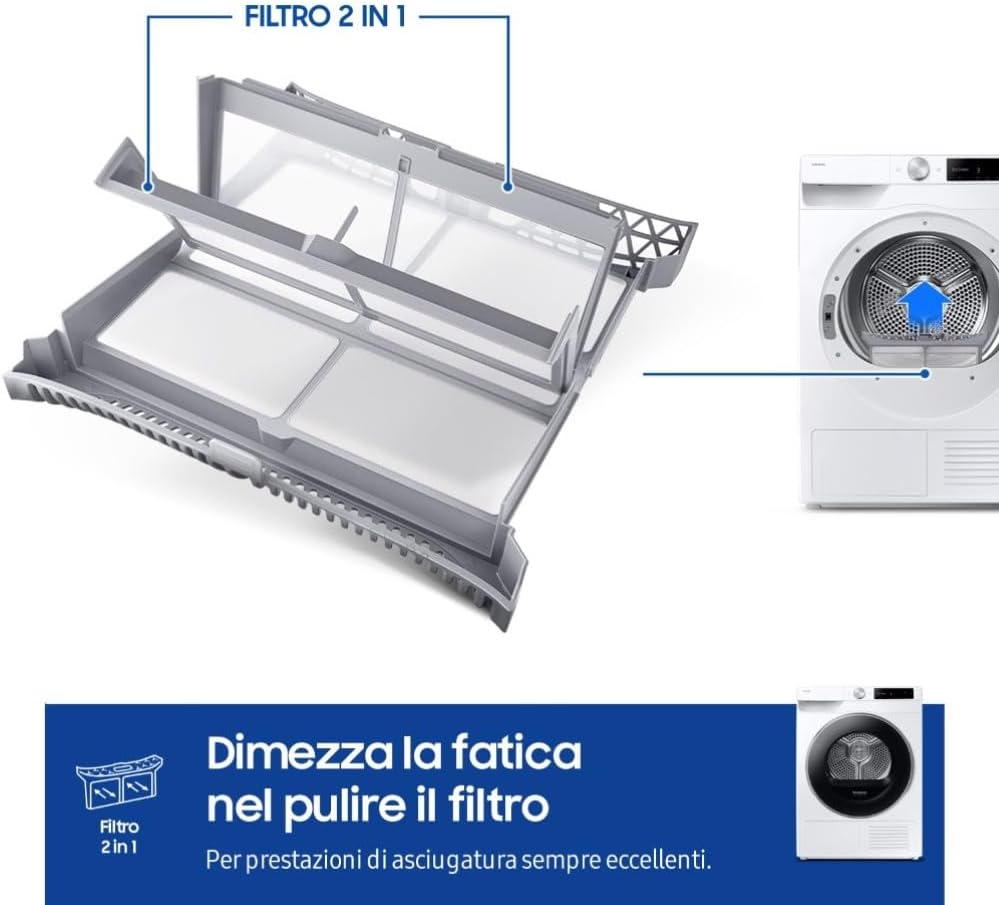
Whakaahua: He pahū view of the '2-in-1 filter' system, showing its individual components and how they fit together, emphasizing its design for easy cleaning and maintenance.

Whakaahua: He tata view of the dryer's door area with an inset showing the '2-in-1 Filter' being easily removed from its compartment, highlighting the user-friendly design for routine maintenance.
Whakapai Whānui
Horoia te taha o waho o te whakamaroke me te ngohengohe, damp cloth. Do not use abrasive cleaners or solvents. Periodically clean the moisture sensor inside the drum with a soft cloth to ensure accurate drying results.
Raparongoā
If you encounter any issues with your dryer, refer to the following common troubleshooting steps. For more detailed guidance, consult the SmartThings app or the full service manual.
- Karekau te whakamaroke e timata: Ensure the power cable is securely plugged in, the door is fully closed, and a cycle has been selected.
- Kāore ngā kākahu e maroke tika ana: Check if the lint filter is clean. Ensure the load size is appropriate for the selected cycle. Verify that the water tank (if applicable) is empty.
- Nga haruru rereke: Ensure the dryer is level and not touching other objects. Check for foreign objects in the drum.
- Waehere Hapa: If an error code appears on the display, refer to the SmartThings app for specific diagnostic information and recommended solutions.
Whakatakotoranga
| Āhuahira | Whakatakotoranga |
|---|---|
| Tau tauira | DV90DG6845LE |
| Kaihanga | Samsung |
| Te kaha | 9 Kirokaramu |
| Ahu (WxDxH) | 60 x 67 x 89.5 cm |
| Taumaha | 53 kg |
| Tauwehe Puka | Tuhinga o mua |
| Tae | Mā |
| Te Whakatauranga Pungao Pungao | A |
| Taumata Haruru | 64 dB |
| Estimated Annual Energy Consumption | 79 kWh / 100 huringa |
| Te whakamaroke pai | 88% |
| Standard Cycle Duration | 4:45 haora |
| Kei roto i te Pouaka | taura hiko |
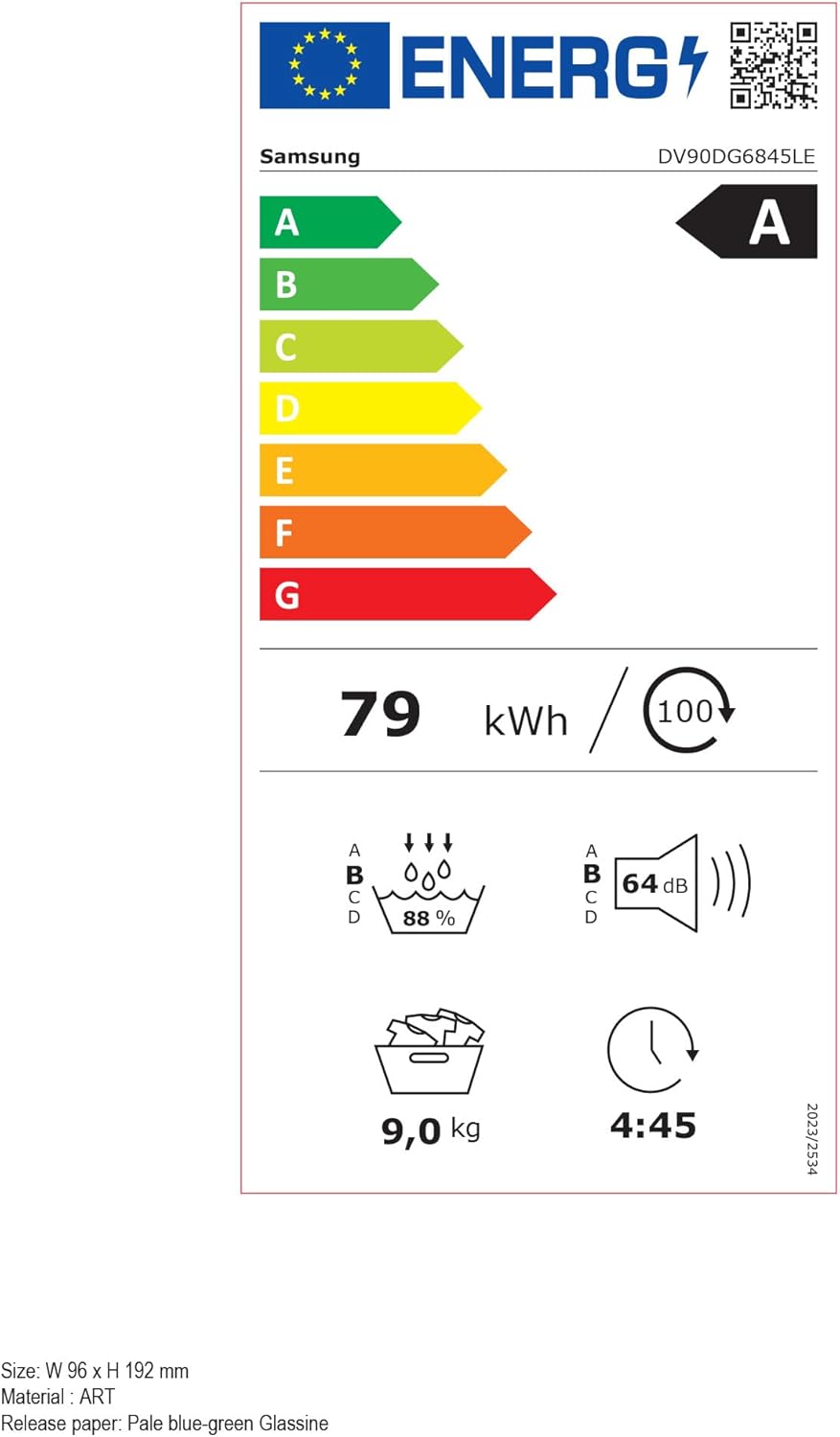
Image: The official EU energy label for the Samsung DV90DG6845LE dryer, displaying its 'A' energy efficiency rating, energy consumption (79 kWh/100 cycles), noise level (64 dB), and 9.0 kg capacity. For more details, refer to the Paetukutuku EPREL.
Pūtāhui
Your Samsung AI Control Heat Pump Dryer comes with a comprehensive warranty. Specifically, the Digital Inverter Motor is covered by a 20-year warranty, ensuring long-term reliability and performance.
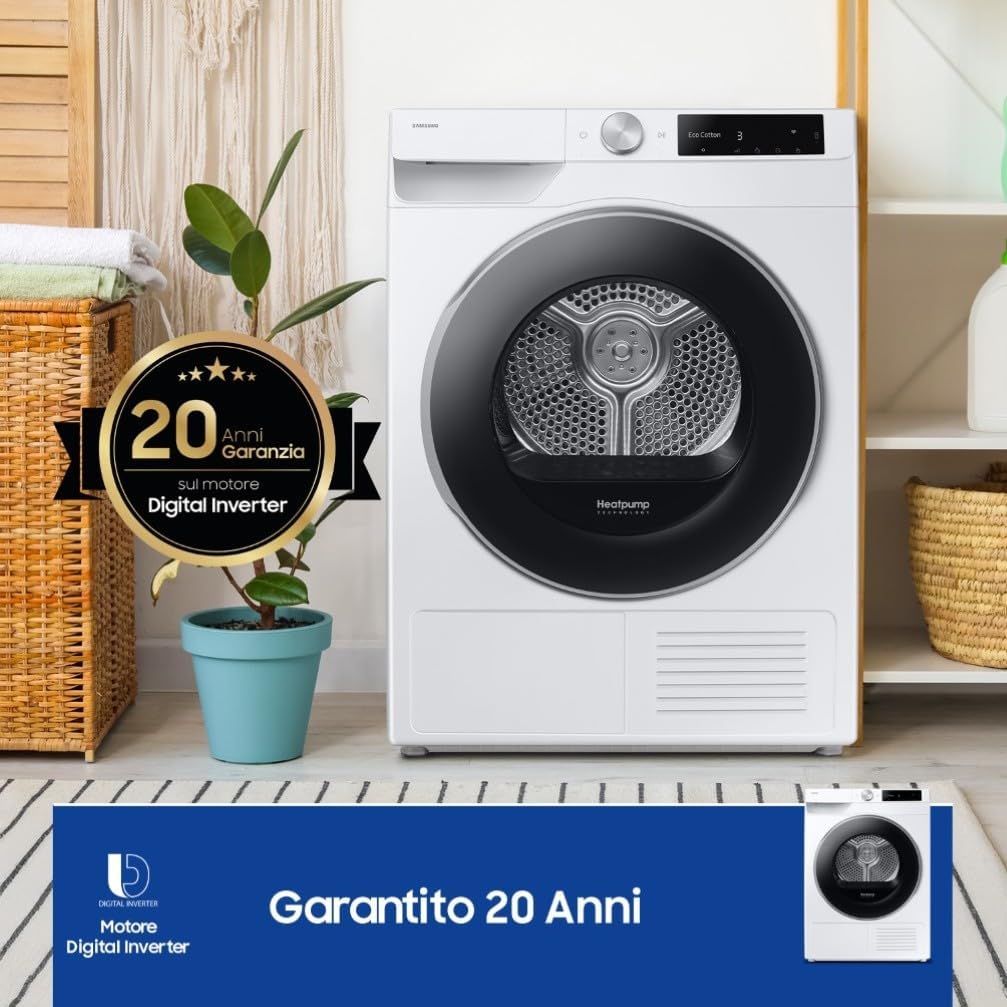
Image: The Samsung dryer in a home setting, prominently featuring a '20 Years Warranty on Digital Inverter Motor' badge, highlighting the durability and manufacturer confidence in this key component.

Pikitia: He tapahi taipitopito view of the Digital Inverter Motor, clearly showing its internal components, accompanied by a '20 Year Warranty' badge, emphasizing its robust construction and extended guarantee.
Tautoko
For further assistance, technical support, or warranty claims, please contact Samsung customer service. You can find contact information on the official Samsung webpae, ma te taupānga SmartThings ranei.


