
1. Hua Neke Atuview
The LifeSmart Outdoor Infrared Tower Heater, Model PD15R, is designed to provide supplemental warmth for outdoor and indoor spaces such as decks, patios, garages, and living rooms. This portable electric heater features infrared heating technology, multiple heat settings, a programmable timer, and essential safety features for reliable operation.

Figure 1: LifeSmart Outdoor Infrared Tower Heater, Model PD15R.

Figure 2: The heater features a durable anodized extruded aluminum alloy housing, suitable for outdoor use.
2. Tatūnga
The LifeSmart Outdoor Infrared Tower Heater requires minimal setup. No assembly is required.
- Wewetehia te Whakawera: Ata tango i te whakamahana mai i tana putunga. Puritia te takai mo te rokiroki a muri ake nei, hei kawe ranei.
- Turanga: Place the heater on a stable, level surface. Ensure there is adequate clearance from walls, furniture, and other objects to allow for proper airflow and prevent fire hazards. Do not cover the heater.
- Hononga Hiko: Plug the heater into a standard 120V electrical outlet. Ensure the outlet is properly grounded and can support the heater's power requirements (up to 1500W).

Figure 3: Proper placement of the heater on an outdoor deck.
3. Nga Tohutohu Whakahaere
Ka taea te whakahaere i te whakamahana mā te whakamahi i te papa whakahaere kei runga i te waeine, mā te mana mamao rānei kua whakaurua.
3.1 Kei te Hiko / Weto
- To turn the heater ON, press the power button on the control panel or remote. The power indicator light will illuminate.
- To turn the heater OFF, press the power button again.
3.2 Te Whakatikatika i nga Tautuhinga Wera
The heater offers three heat settings (P1, P2, P3) ranging from 500W to 1500W.
- Press the 'Mode' or 'Heat Setting' button on the control panel or remote to cycle through the available heat levels.
- P1: Low heat (500W)
- P2: Medium heat
- P3: High heat (1500W)
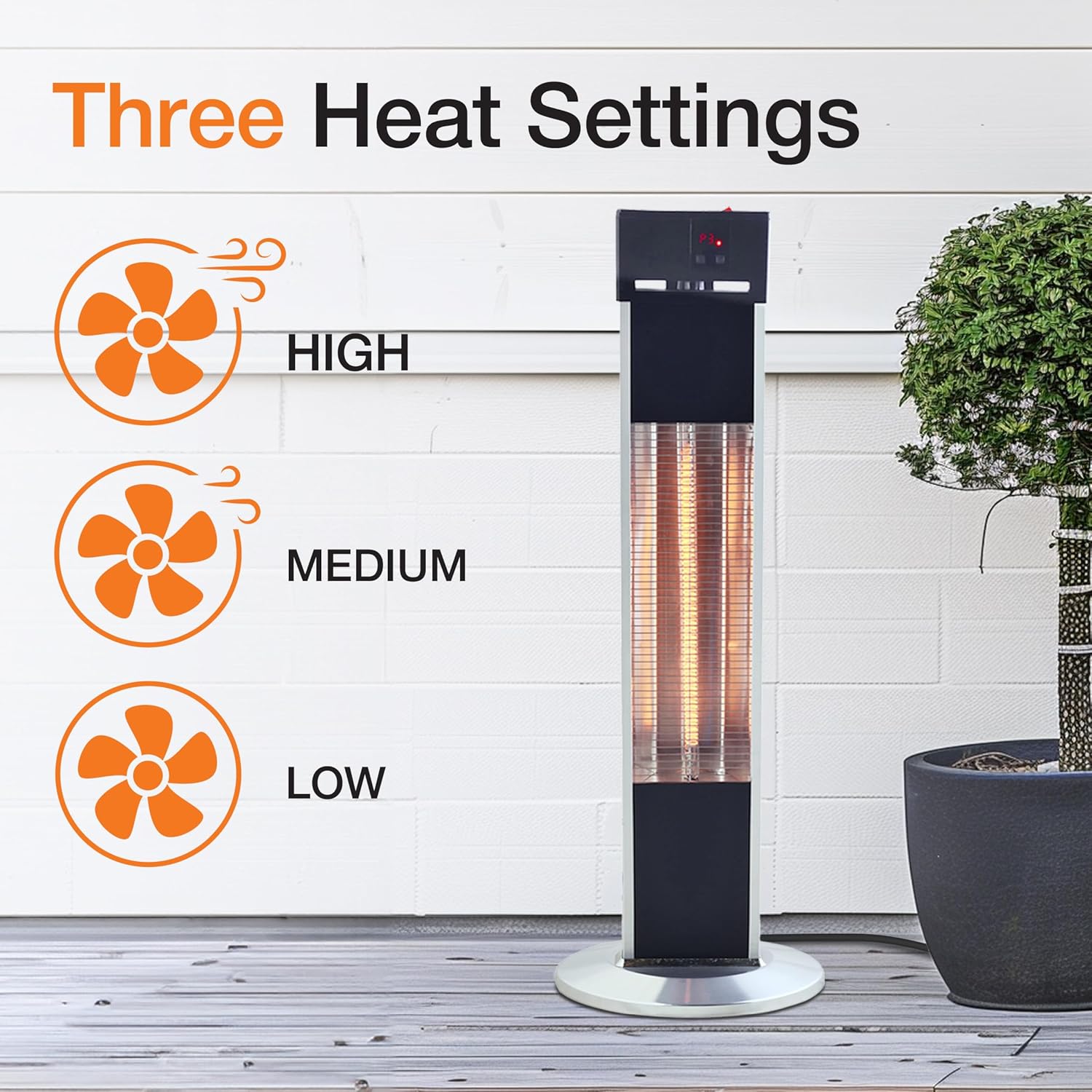
Figure 4: The heater provides three distinct heat settings for customizable warmth.
3.3 Using the Programmable Timer
The 24-hour programmable timer allows you to set the heater to turn on or off at specific times.
- Press the 'Timer' button on the control panel or remote.
- Use the '+' and '-' buttons to adjust the desired operating time in hours.
- The timer will automatically activate once set.
3.4 Mana Mamao
A convenient remote control is included for adjusting settings from a distance.
- The remote allows you to power the unit on/off, change heat settings, and set the timer.
- Ensure the remote has working batteries.

Figure 5: The heater features a digital control panel and a multi-function remote control for ease of use.
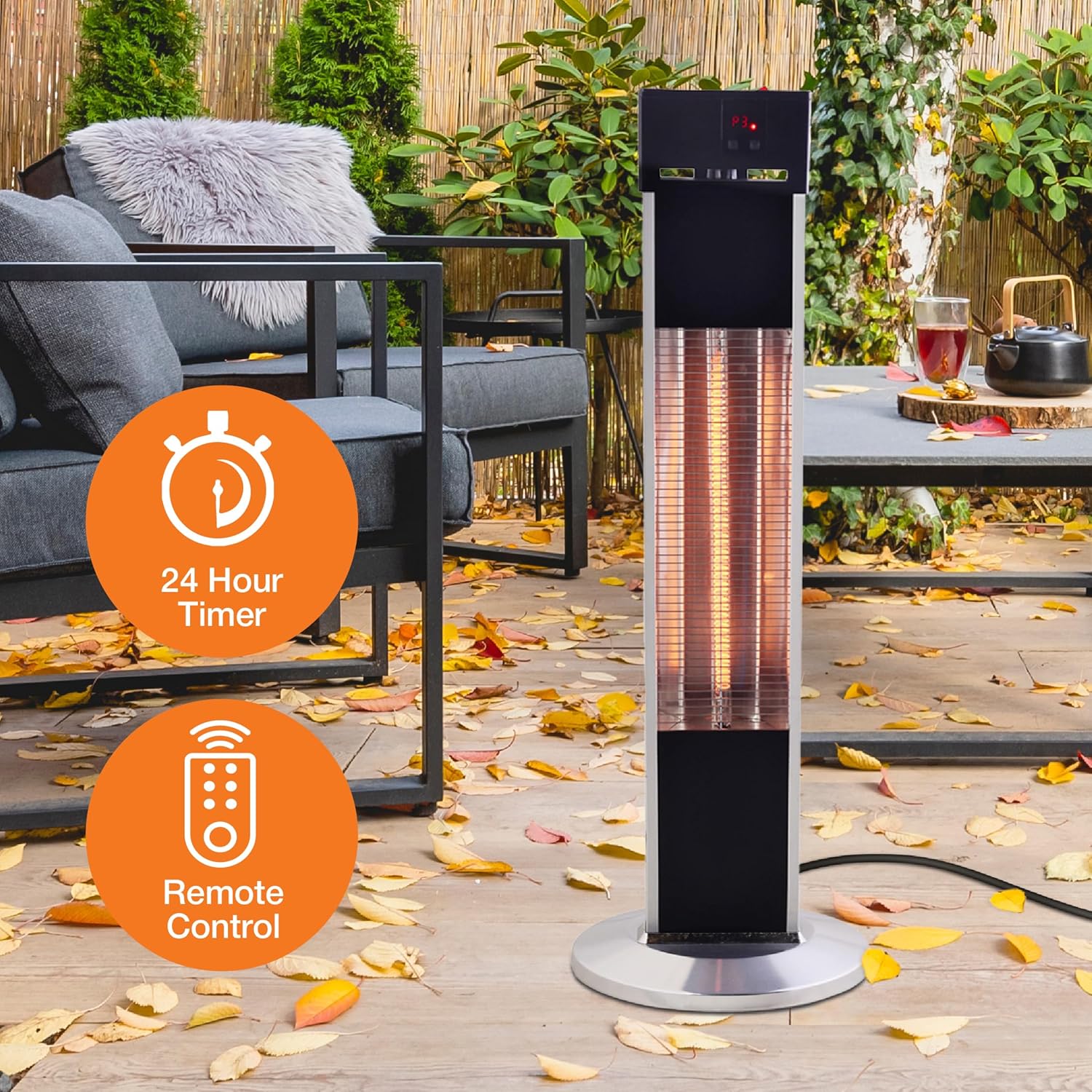
Figure 6: The heater includes a 24-hour timer and a remote control for convenient operation.
4. Āhuatanga Haumaru
The LifeSmart Outdoor Infrared Tower Heater is equipped with several safety mechanisms:
- Parenga Aki-Ake: The unit will automatically shut off if it is accidentally knocked over, preventing potential hazards.
- Overheat Safety Switch: The heater will automatically shut off in case of overheating, providing added protection.
- Rama Maama Tohu: An illuminated light indicates when the unit is powered on.

Figure 7: Key safety features include overheat protection and a power indicator light.
5. Tiaki
Ko te tiaki i nga wa katoa ka tino pai te mahi me te roa o to whakamahana.
- Te horoi: Ensure the heater is unplugged and completely cool before cleaning. Use a soft, damp cloth to wipe down the exterior surfaces. Do not use abrasive cleaners or allow water to drip into the interior.
- Rokiroki: When not in use, store the heater in a cool, dry place, away from direct sunlight and moisture. It is recommended to store it in its original packaging to protect it from dust and damage.
- Tirotiro: Periodically inspect the power cord and plug for any signs of damage. If any damage is found, discontinue use and contact customer support.
6. Te Raru
If you encounter issues with your LifeSmart Outdoor Infrared Tower Heater, refer to the following common troubleshooting steps:
- Kare te whakamahana e ka ana:
- Me whakarite kia mau te mono o te taura hiko ki tētahi putanga hiko 120V e mahi ana.
- Tirohia mehemea kua tukitukia te wehenga iahiko.
- Verify that the power button on the unit or remote is pressed.
- Ka weto ohorere te whakamahana:
- The tip-over protection may have activated. Ensure the heater is on a stable, level surface.
- The overheat safety switch may have activated. Unplug the heater, allow it to cool down for 10-15 minutes, and ensure no obstructions are blocking the air intake or exhaust.
- Check if the timer function is active and has reached its set duration.
- He iti rawa te putanga wera:
- Ensure the heater is set to the desired heat level (P1, P2, or P3).
- Confirm that the heater is appropriate for the size of the space being heated.
If the issue persists after attempting these steps, please contact LifeSmart customer support.
7. Whakatakotoranga
| Waitohu | MaatakapaMahi |
| Tau tauira | PD15R |
| Nga waahanga motuhake | Adjustable Temperature, On Off Timer, Overheat Protection, Remote Control, Tip-Over Protection |
| Tae | Pango |
| Tauwehe Puka | Pourewa |
| Mahinga o roto/waho | Roto, Waho |
| Hunga Hua | 11.08"D x 11.08"W x 31.7"H |
| Taumaha Tūemi | 10.58 pauna |
| Nga Whakamahinga Manakohia | Deck, Garage, Garden, Patio |
| Momo Whakaeke | Pūkana |
| Momo wahie | Hiko |
| Voltage | 120 Volts |
| UPC | 810078863922 |
| Tau Hanganga | 2024 |
| Huihuinga e hiahiatia ana | Kao |
| Nga Pikohiko e hiahiatia ana | No (for unit, remote may require batteries) |
| Nga Waahanga kei roto | Heater, Specification Sheet |

Figure 8: Dimensions and weight of the LifeSmart Outdoor Infrared Tower Heater.
8. Pūtāhui me te Tautoko
The LifeSmart Outdoor Infrared Tower Heater comes with a 1-tau pūtāhui mai i te ra o te hokonga, ka kapi i nga hapa o nga rawa me nga mahi i raro i te whakamahinga noa.
For warranty claims, technical support, or any questions regarding your product, please contact LifeSmart customer service through their official webte pae, te korero whakapā ranei kei roto i to kete hua.