Kupu Whakataki
This manual provides detailed instructions for the setup, operation, maintenance, and troubleshooting of your RADLEY Smartwatch RYS20-2156-TWS and its accompanying True Wireless Earbuds. Please read this manual thoroughly before using the product to ensure optimal performance and longevity.
The Radley London Series 20 Smartwatch offers advanced communication and health tracking features. It enables hands-free calling directly from your wrist, eliminating the need to search for your phone. The smartwatch includes comprehensive wellness features such as sleep analysis, hydration reminders, and guided breathing exercises. For fitness, it provides an integrated heart rate monitor, multi-sport tracking, and music control. Progress can be monitored through the Radley Active application. The watch face is customizable, allowing users to select from various designs or use personal photos. This smartwatch comes with a silicone strap and a set of matching Black Gloss True Wireless Earbuds. The earbuds feature Bluetooth 5.0, offering 5 hours of playback, extendable to over 20 hours with the charging case, and a 10-meter wireless range. The free Radley Active app is compatible with both iOS and Android devices.
He aha kei roto
Your RADLEY Smartwatch RYS20-2156-TWS package includes the following items:
- RADLEY Smartwatch RYS20-2156-TWS (Ink color, rose gold case, silicone strap)
- True Wireless Earbuds (Black Gloss)
- Puka Whakarerenga Puhi
- Tauira Whakatau USB
- Pukapuka Tohutohu

Image: The RADLEY Smartwatch and True Wireless Earbuds displayed in their retail packaging, showing the watch, earbuds, and charging case.
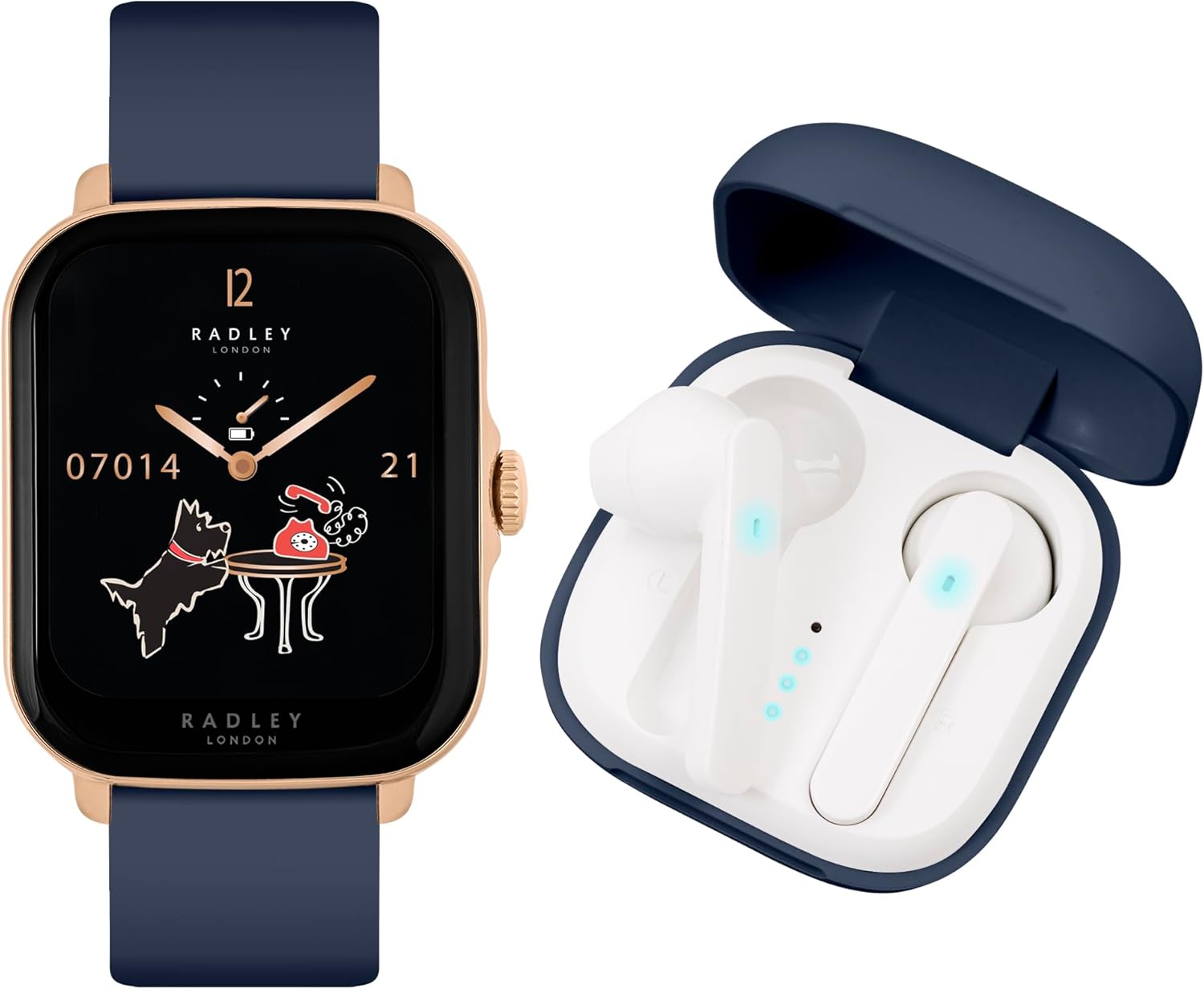
Image: The RADLEY Smartwatch with an ink-colored strap and rose gold case, positioned next to the open charging case containing the white True Wireless Earbuds.
Tatūnga
1. Charging the Smartwatch and Earbuds
Before first use, fully charge both your smartwatch and the earbuds.
- Waati atamai: Connect the provided USB charging cable to the charging port on the back of the smartwatch and to a USB power source. A full charge typically takes approximately 1 hour.
- Nga taringa taringa: Place the earbuds into their charging case. Connect the USB charging cable to the case and a USB power source. The case will indicate charging status. A full charge for the case typically takes approximately 2 hours.
2. Taupānga Tāutanga me te Paihere
To unlock the full functionality of your smartwatch, download and install the Radley Active app on your smartphone.
- Tikiake i te Taupānga: Rapua "Radley Active" in the Apple App Store (for iOS devices) or Google Play Store (for Android devices) and install it.
- Waihanga Pūkete: Open the Radley Active app and follow the on-screen instructions to create a user account.
- Pair Smartwatch: Ensure Bluetooth is enabled on your smartphone. In the Radley Active app, navigate to the device pairing section and select your RADLEY Smartwatch from the list of available devices. Follow any prompts on both the app and the smartwatch to complete the pairing process.
- Takiruatia nga taringa: For the earbuds, open the charging case and ensure they are powered on. Go to your smartphone's Bluetooth settings and select the RADLEY earbuds from the list of available devices to pair them.
Nga Tohutohu Whakahaere
Mahi Smartwatch
Your RADLEY Smartwatch offers a range of features to enhance your daily life and fitness routine.
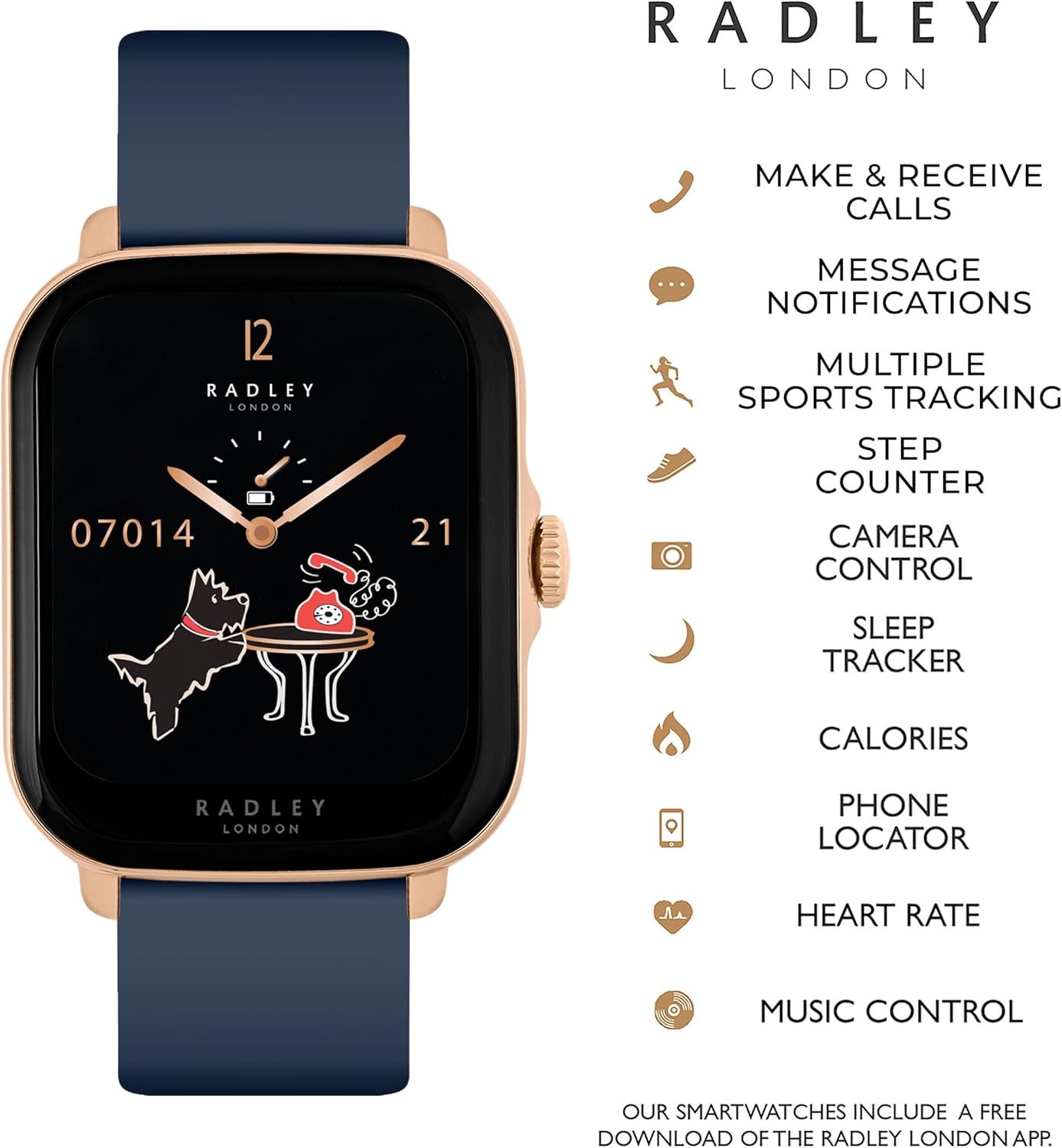
Image: The RADLEY Smartwatch face with a list of icons representing its key features, including call functions, message notifications, sports tracking, and health monitoring.
- Whakaterenga Taketake: Swipe left, right, up, or down on the touchscreen to access different menus and features. Press the side button to return to the home screen or activate certain functions.
- Making & Receiving Calls: With the advanced call function, you can make and receive calls directly from your smartwatch once paired with your phone. Access the call interface through the main menu.
- Whakamōhiotanga Karere: Whiwhi whakamohiotanga mo nga waea, karere, me nga matohi tono tika ki to ringaringa.
- Aroturuki tinana:
- Aroturuki Reiti Manawa: Ka aroturuki tonu i to reanga ngakau puta noa i te ra.
- Kaitatau Hipanga: Ka tuhia ō hikoinga o ia rā, te tawhiti, me ngā kaora i tahuna.
- Ngā Aratau Hākinakina Maha: Choose from 14 sport modes including walking, running, treadmill, hiking, cycling, swimming, rowing, elliptical, climber, jumping, yoga, training, gold, and badminton to track specific workouts.
- Hononga GPS: Utilizes your phone's GPS for accurate outdoor activity tracking.
- Wellness Features:
- Kaupane Moe: Tracks your sleep patterns from 9 PM to 8 AM, providing insights into sleep quality.
- Te Aroturuki Toto Oxygen: Ka ine i to taumata hāora toto.
- Whakamaumahara Whakahau: Set reminders to drink water throughout the day.
- Whakamaumahara Nohonoho: Ka whakatūpato i a koe ina roa rawa tō kore mahi.
- Nga Mahi Manawa: Guided breathing exercises to help manage stress.
- Ētahi atu āhuatanga:
- Mana Waiata: Whakahaerehia te purei puoro i runga i tō waea atamai mai i te mātaaratanga.
- Phone/Watch Locator: Helps you find your paired phone or watch if misplaced.
- Whakahoutanga huarere: Tikina nga korero huarere o naianei.
- Mata Matataki Ritenga: Personalize your watch face with various designs or your own photos via the Radley Active app.

Image: A collage showing various customizable watch faces available for the RADLEY Smartwatch, including designs with the Radley dog logo and digital displays.

Image: A close-up of the RADLEY Smartwatch face, featuring a dark blue background with a moon and the Radley dog silhouette, along with time and date information.

Image: The RADLEY Smartwatch with its ink-colored strap and rose gold case, being worn on a person's wrist, showcasing tona hoahoa me te pai.
Nga Mahi o nga Puoro
The True Wireless Earbuds provide a seamless audio experience.

Image: The RADLEY True Wireless Earbuds, white in color, shown outside their dark blue charging case, which is open.

Image: The RADLEY True Wireless Earbuds and charging case, accompanied by icons illustrating features such as True Wireless Stereo, touch control, charge indicator, 250 hours standby, voice control, and wireless connection.
- Tirotiro Ahokore Tika: Enjoy high-quality stereo sound without any cables.
- Mana Pa: Use intuitive touch gestures on the earbuds to control music playback, answer calls, and activate voice assistants.
- Mana Reo: Access your smartphone's voice assistant directly through the earbuds.
- Ora Pūhiko: Up to 5 hours of playback on a single charge, with over 20 hours of combined playback time using the charging case.
- Awhe Ahokore: Maintain a stable connection up to 10 meters from your paired device.
Te tiaki
Te horoi
- Waati atamai: Horoia te mata me te here ki te ngohengohe, damp, kakahu kore-miro. Āta karohia te whakamahi i ngā matū kino, i ngā rauemi whakakoi rānei.
- Earbuds & Case: Gently clean the earbuds and charging case with a dry, soft cloth. Use a cotton swab for hard-to-reach areas. Do not use liquids directly on the earbuds.
Tiaki Pūhiko
- A ape i te tino tuku i te pākahiko i nga wa katoa.
- Whakaorangia te taputapu ki te waahi makariri, maroke ki te kore e whakamahia mo te wa roa.
- Whakamahia anake te taura utu e whakaratohia ana.
Raparongoā
If you encounter issues with your RADLEY Smartwatch or Earbuds, try the following solutions:
- Kāore te Pūrere i te Whakakā: Me whakarite kia utua katoatia te taputapu. Honoa ki te rihi mō te iti rawa 30 meneti.
- Kāore e taea te hono atu ki te Waea Atamai:
- Me mohio kei te whakahohea te Nihokikorangi i runga i to waea atamai.
- Make sure the smartwatch/earbuds are in pairing mode.
- Restart both your smartphone and the device.
- Warewarehia te taputapu i roto i nga tautuhinga Nihokikorangi o to waea ka ngana ki te hono ano.
- Inaccurate Readings (Heart Rate, Steps): Kia mau te mātaaratanga atamai ki tō ringaringa, kaua e tino piri rawa, kaua hoki e tino wetekina. Horoia te pūoko kei muri o te mātaaratanga.
- No Audio from Earbuds:
- Tirohia mēnā kua utua ngā pane taringa.
- Ensure they are properly paired with your device.
- Tirohia nga tautuhinga rōrahi i runga i to waea atamai.
- Taupānga Kaore e Tukutahi: Ensure your smartphone has an active internet connection and the Radley Active app is up to date. Try restarting the app.
Whakatakotoranga
| Āhuahira | Taipitopito |
|---|---|
| Tau tauira | RYS20-2156-TWS |
| Waitohu | RAREI |
| Tae | Waituhi |
| Hototahitanga Pūnaha Whakahaere | Android 6.0+ / iOS 12+ |
| Hononga | Nihokikorangi |
| Nga waahanga motuhake | Sleep and Blood Oxygen Monitoring, Heart Rate Monitor, GPS Connection, Call Function |
| Pūrere Hototahi | Smartphone, Tablet, Desktop |
| Hanganga Pūhiko | Lithium-ion (1 whakauru) |
| Pūhiko Rechargeable | Ae |
| GPS | GPS whakauru |
| Matakitaki Hanga | Tapawhā |
| Kaihanga | Hoa Hardy |
| Earbuds Bluetooth Version | 5.0 |
| Earbuds Playback Time | 5 hours (20+ hours with charging case) |
| Earbuds Wireless Range | 10 mita |
Pūtāhui me te Tautoko
Information regarding specific warranty details and spare parts availability for the RADLEY Smartwatch RYS20-2156-TWS is not provided in the product data. For warranty claims, technical support, or inquiries about spare parts, please refer to the documentation included in your product packaging or contact RADLEY customer service directly through their official webpae.


